

[Blog post] working with HTTP multipart requests in soapUI

multipart/form-data requests usually come into action when you do HTML form submissions with file attachments. For example, have a look at the following HTML form post.
<form action="https://localhost:8090/CKFileUploadApp/UploadServlet" method="post" enctype="multipart/form-data">
<input type="file" name="file">
<input type="text" name="paramName">
<input type="submit" name="Submit" value="Upload File">
</form>
In the forms like above, we have file upload option as a form input where we can upload a file along with the form submission. In that case, the request's HTTP content type will be multipart/form-data. How can we simulate such a request using soapUI?
Pre-requisite:
You can have your own file upload servlet as the backend. But in order to demonstrate the scenario, I have hosted a sample webapp, CKFileUploadApp.war from here. Make sure to change the following context parameter value in WEB-INF/web.xml directory before deploying the web application in Apache tomcat.
file-upload
    /home/charitha/
Step 1
Start to create a new soapUI project. Specify a name and select Create Web TestCase option.
Add Web TestCase dialog will be displayed. Enter https://localhost:8080/CKFileUploadApp/UploadServlet as the Web Address. Clear Start Recoding Immediately option and click on OK.
Step 2
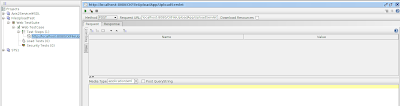
Once the new HTTP request is added as explained in the first step, change the HTTP method to POST. The request editor should look like the following.
Step 3
Choose multipart/form-data from the Media Type drop down. Now, click on Attachments tab at the bottom of the request editor (see below).
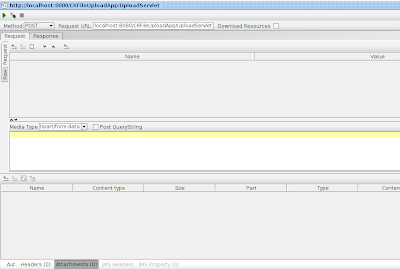
Click on + icon at the top left corner of the attachment window to browse and attach a file to request. Browse for a file in your local file system and add it as an attachment. Now, the attachment editor will be similar to the following.

Step 4
We have everything ready to send the request with a file attachment. Click on submit button to send the request. You will get a HTTP 200 response with the message "Uploaded Filename:

Since I have attached an xml file to the request, you can observe the Content-Type of the attachment part of the message as text/xml.
------=_Part_17_31084605.1374474723633
Content-Type: text/xml; charset=UTF-8; name=registry.xml
Source:
https://charithaka.blogspot.com/2013/07/working-with-http-multipart-requests-in.html