WSO2 is now Choreo LabsLearn more

Trusted AI Governance
Build

Create agents and AI apps with the tools and languages your teams already use.

Connect

Link agents securely to your APIs, data, models and business systems.

Run

Deploy, observe and operate agents and AI apps reliably at any scale.

Govern

Control identity, access, cost and policy for every agent in production.

Agent Management

Developer Platform

  • API Management Cloud

    Design, secure and publish APIs with governance and analytics built in.

    Sign Up Now
  • Integration Cloud

    Connect apps, data and AI agents with low-code and pro-code integration.

    Sign Up Now
  • Identity & Access Management Cloud

    Secure sign-in and access for customers, partners, workforce and agents.

    Sign Up Now
  • Agent Management Cloud

    Build, run and govern AI agents with full visibility and control.

    Sign Up Now
  • Developer Platform Cloud

    Ship cloud-native apps faster on an internal developer platform.

    Sign Up Now

Self-Hosted

Full control over your stack. Deploy directly to your own servers, bare metal, cloud, or Kubernetes environment. Your data never leaves your perimeter.

Product Downloads
Choreo Labs
AI Governance
Platform
Solutions
Resources
Blog

Certificate-based API gateway to backend authentication

WSO2 API Cloud now officially supports Mutual SSL as one of the options to authenticate API gateway to your backend service.

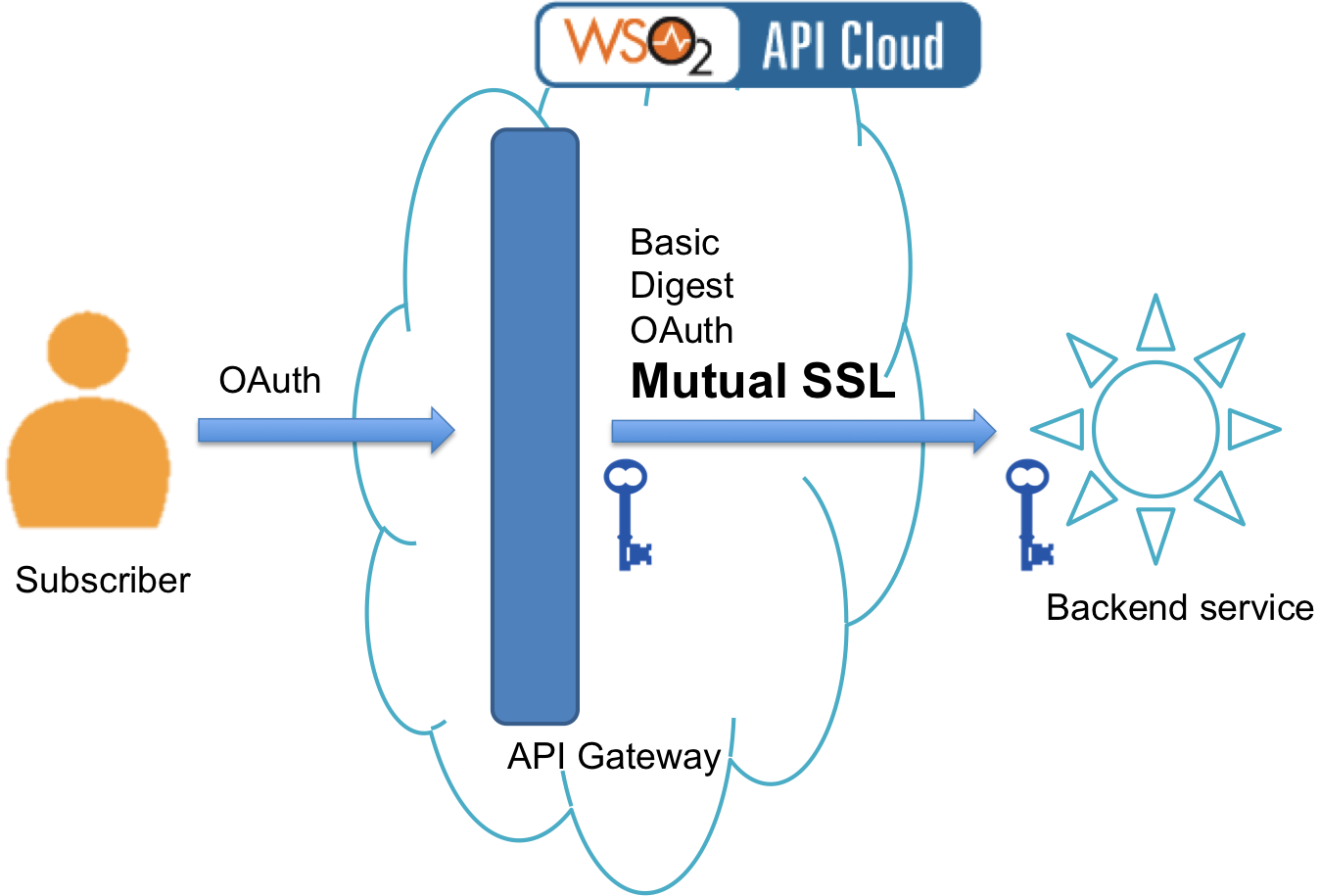
The way this works is illustrated in the diagram below.

Basically, API Gateway in the cloud is handling user requests, gets users authenticated via OAuth, enforces various policies and so on. However, in its turn, it should get authenticated to the actual backend service. We have long supported various security mechanisms for that including basic authentication, OAuth, IP whitelisting, and digest authentication. We are now adding mutual SSL authentication to the mix:
To set it up:

  1. Use the Support menu in API Cloud to create a request with WSO2 Cloud team,
  2. Let us know your backend hostname,
  3. Once we respond via email, send us backend certificate with which you want to configure mutual SSL (your_backend_cert.crt),
  4. Once we have this, we will add your certificate to our servers and send you our public certificate,
  5. You add WSO2 Cloud's public certificate to your backend servers.
  6. Now you can use Mutual SSL Certificates as a way to secure your gateway to backend access.

If you have any questions, just contact us via the Support menu and we will be happy to help you out.