

Configure the header to carry the bearer token

APIs published on the WSO2 API Cloud are secured using OAuth2.0 by default. Any client application invoking a secure published API needs to have a valid subscription to the particular API and present a valid OAuth2.0 Access Token to the API Gateway.
The HTTP Authorization header is the most common method of providing authentication information for REST APIs and it is used in API Cloud as well. The application needs to have the access token in the Authorization header to authenticate the API that is being accessed. But, there can be reasons such as organizational policies, legacy backends expecting to use the authorization header for other purposes and legacy client applications which will force you to use some other header to pass the bearer token to the API gateway.
WSO2 API Cloud now allows you to define your own header to carry the bearer token. This can be configured for the entire organization (all your APIs) or for certain APIs only.
Configure the authorization header per API
When creating a new API or editing an existing API,
- Go to the “Manage” tab in the UI.
- Provide the name of the header which you wish to use as the authorization header as shown below.
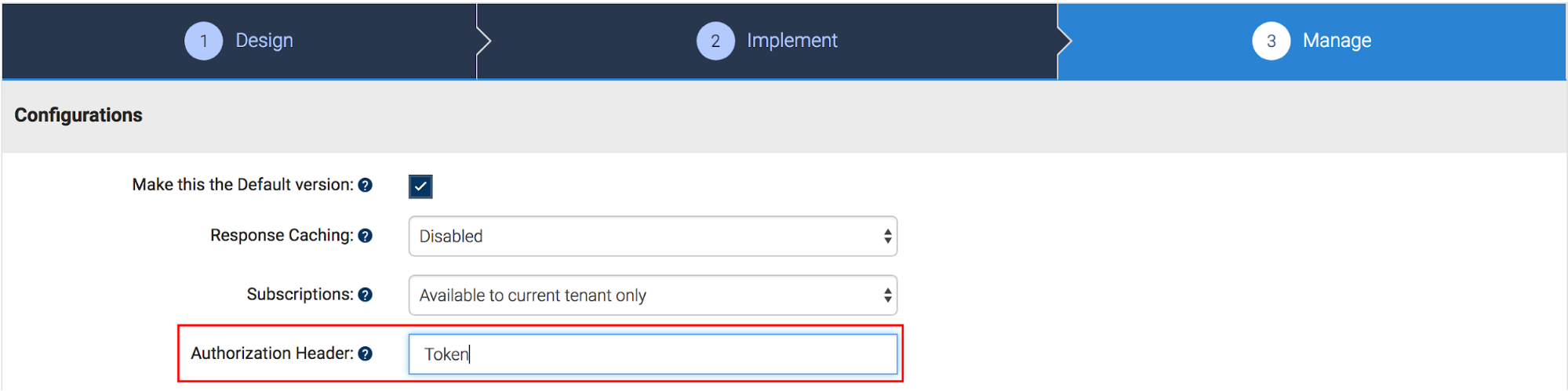
- Save and publish the API.
- When you go to the developer portal, you will be able to see the portal is ready to send the new header to the gateway.
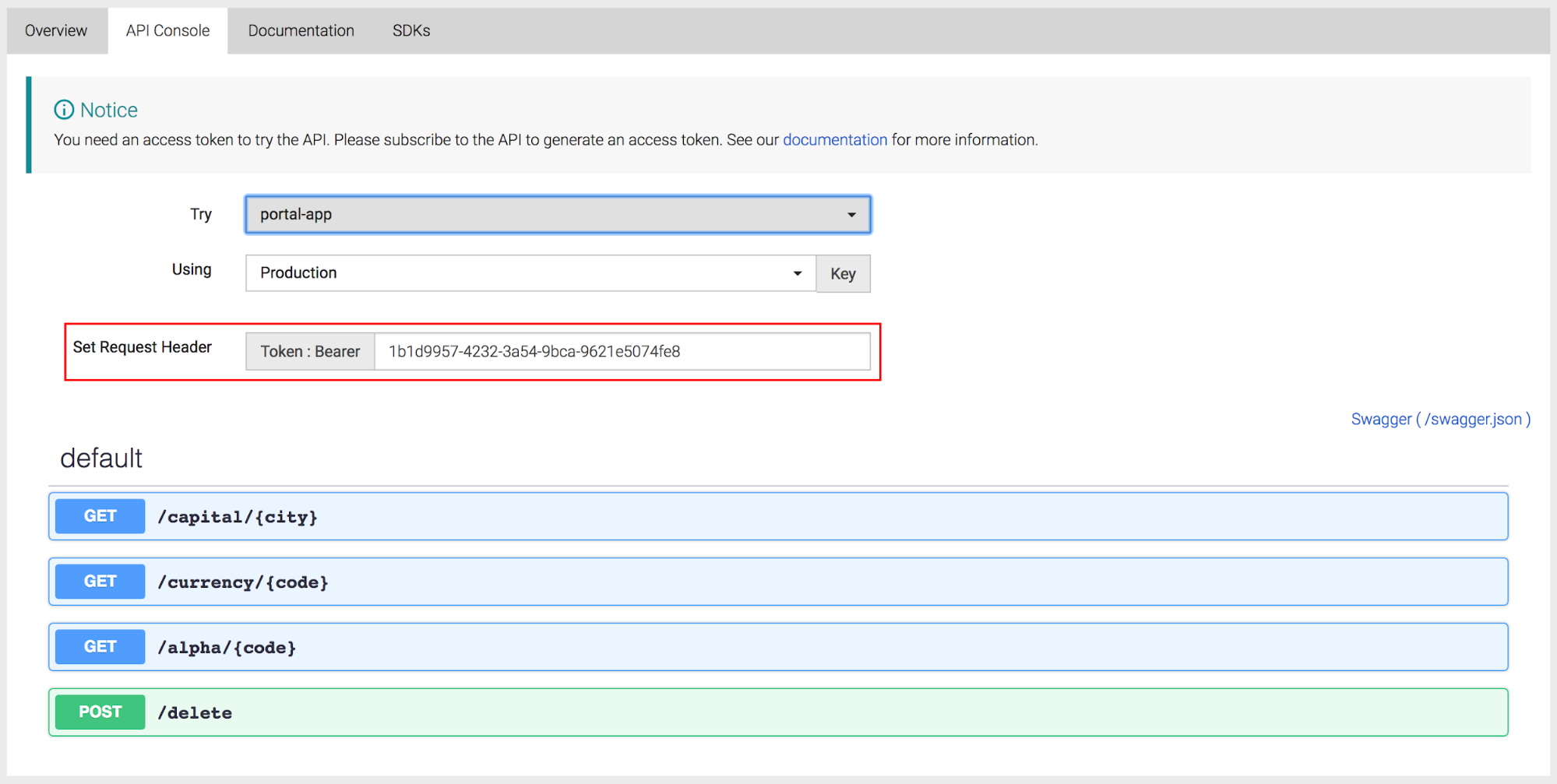
If you want to invoke the API with cURL, following is the command.
curl -X GET "<Your API URL>" -H "Accept: application/json" -H "Token: Bearer <Your Token>"
Read our documentation to learn how to configure this at the organization level.
Now that this cool feature is available in the WSO2 API Cloud, you will be able to connect your legacy backends and legacy clients to the API gateway without worrying about the authorization header.
.entry-content img {
width:100% !important;
}