

Customize API lifecycle

WSO2 API Cloud comes with full API versioning and lifecycle management support, allowing you to take your APIs from initial prototypes to testing, publishing, and eventually to getting replaced with newer versions, deprecated, and retired. You can find video and step-by-step tutorial on API lifecycles in our documentation. Here is what the default state/transition diagram for any API version looks like:
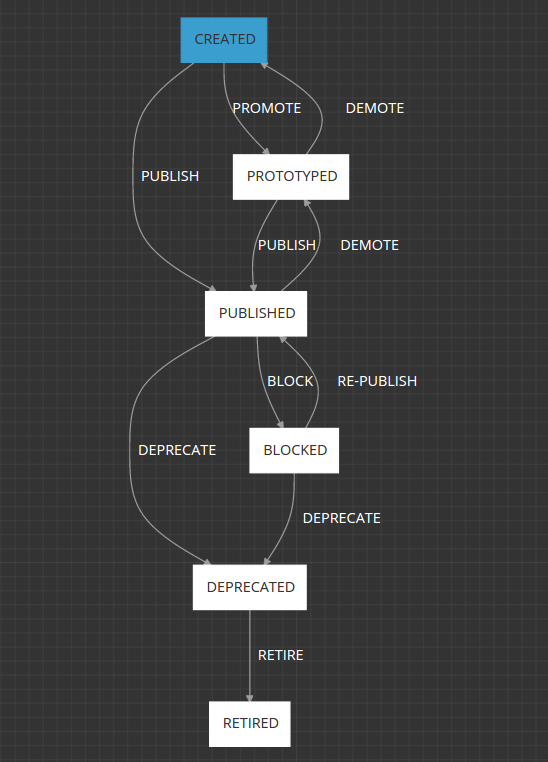
Today we are taking it a step further and allowing you to customize your API lifecycles: changing the states, their transitions, and prerequisites. To edit your API lifecycle:
1. Go to API Cloud's advanced Management Console.
2. Log in with your domain-qualified name (shown at the top right of the API Cloud's main screen, looking like myname.emaildomain.com@companyname) and your regular WSO2 password.
3. In the Advanced Management Console, go to the Extensions tab at the left-hand side, and click Configure / Lifecycles:
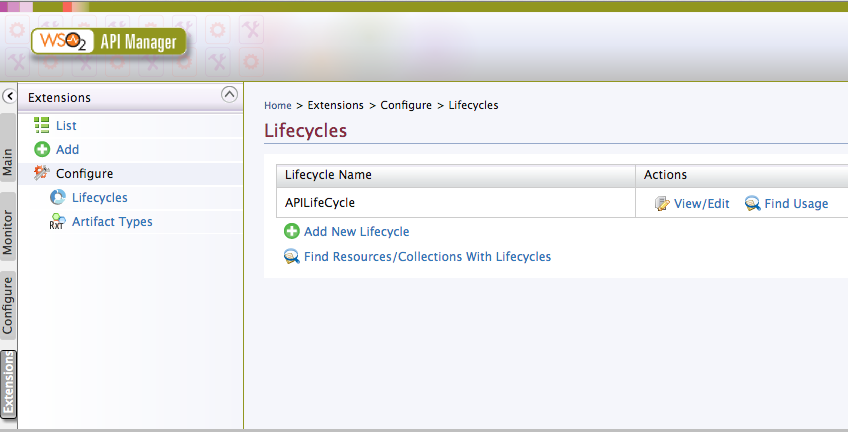
4. Click the View / Edit action - you will get an edit box in which you can make changes to the lifecycle flow:
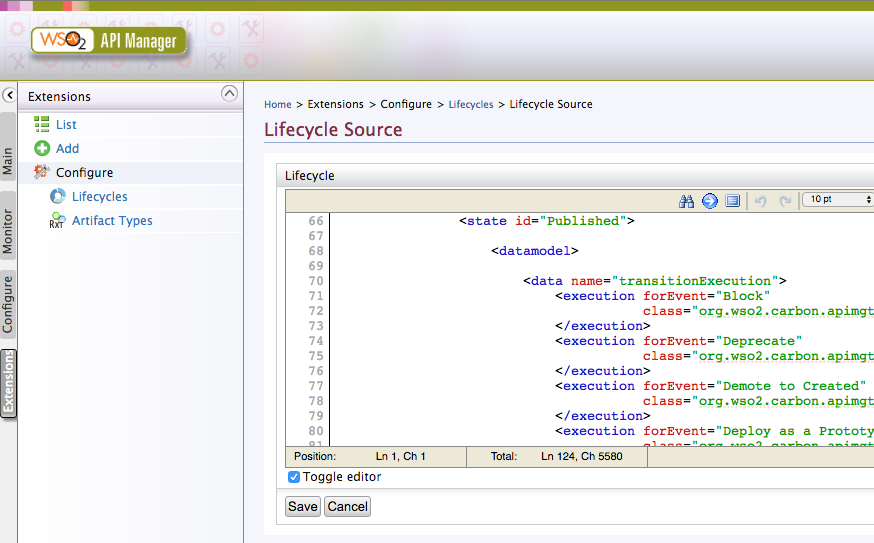
5. As you can see, the model is relatively simple. It consists of the set of states (Created, Prototyped, Published, and so on). And the states have their elements: checkbox items and supported transitions.
For demo purposes, let's edit the Published state, so instead of deprecating APIs it allows us to directly retire them. For that, we go to <state id="Published">, and change:
<execution forEvent="Deprecate"

class="org.wso2.carbon.apimgt.impl.executors.APIExecutor">
to:
<execution forEvent="Retire"

class="org.wso2.carbon.apimgt.impl.executors.APIExecutor">
And:
<transition event="Deprecate" target="Deprecated"/>
to:
<transition event="Retire" target="Retired"/>
6. Click Save to apply the changes.
7. To make the new workflow load into your cloud organization, log off from API Cloud, and then log on again in about an hour.
8. Now open one of your published APIs in API Cloud's Publisher, and go to the Lifecycle tab.
9. If your changes propagated, instead of the Deprecate button:
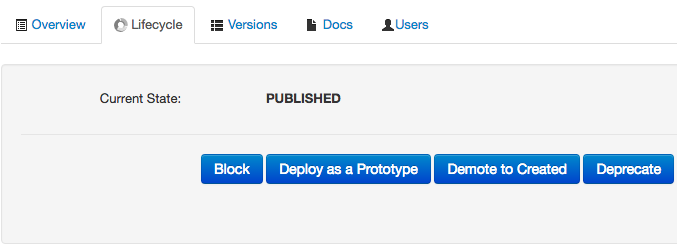
You should see Retire:
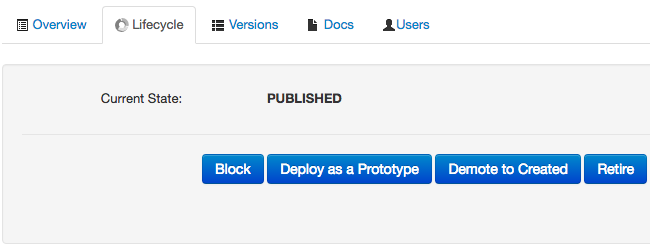
For more information on Extending API lifecycles, see the corresponding documentation for API Manager.
Try it in WSO2 API Cloud today!