

Disabling OAuth in API cloud

OAuth2 has become the industry standard for secure API access, and is the default security mechanism that you get for your API subscribers in WSO2 API Cloud. API Cloud fully automates OAuth key generation and management.
However, there are circumstances when you might want to temporarily have your APIs available with no security required. For example, this might be the way you decide to launch them initially while you are still on the prototype phase.
WSO2 API Cloud gives you two ways of achieving this:
- By publishing your API as Prototype, or
- By setting required resource authentication level to None.
Publishing as Prototype
Prototypes are different from common published APIs because they are meant to run your ideas across your community to quickly collect feedback.
They can be implemented with a proper backend webservice (just like other managed APIs) or JavaScript.
Either way, they require no subscription. Your users will be able to give them a try without having to subscribe to them.
To publish an API as prototype:
- Pick Prototype on the second step of API creation (Implement),
- Provide JavaScript or backend URL,
- Click Deploy as Prototype.
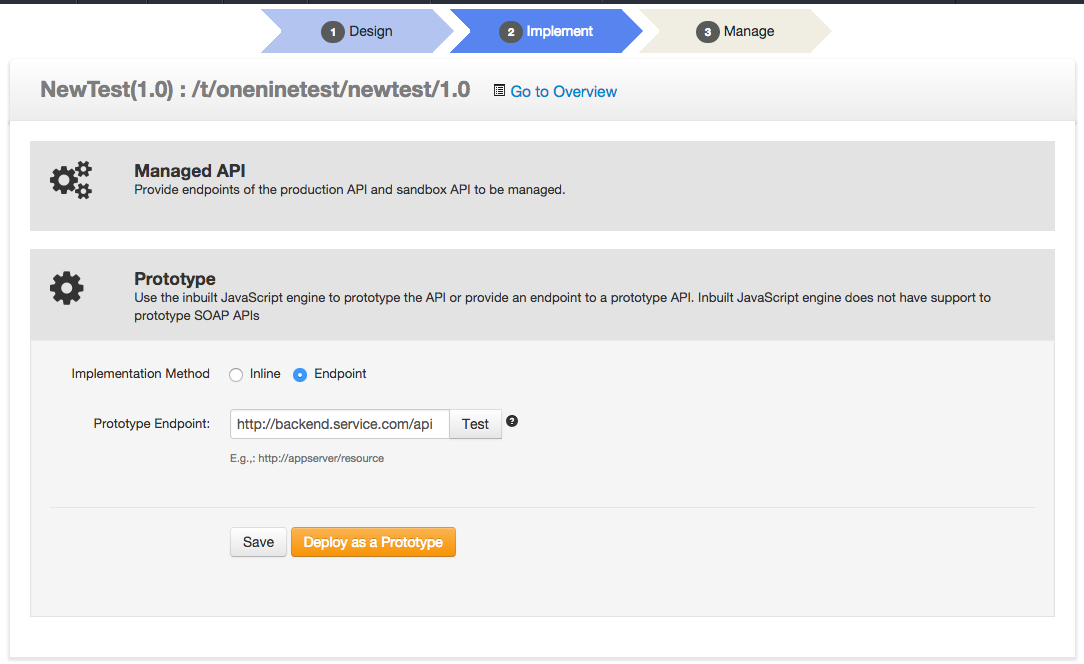
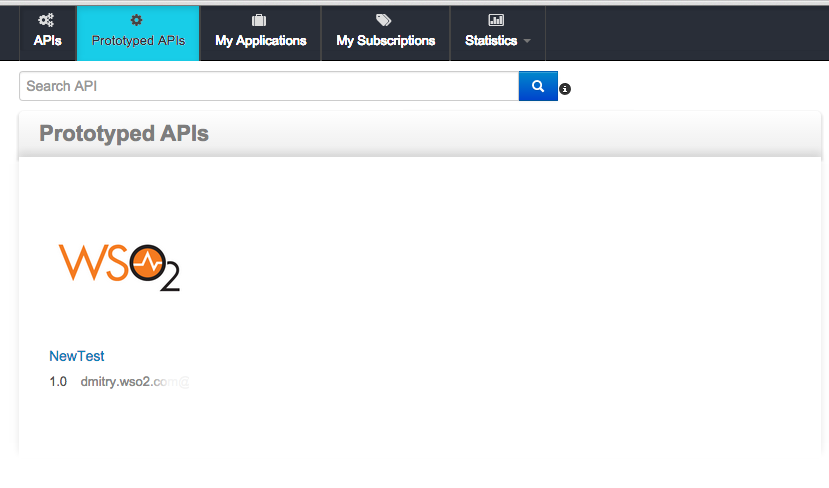
The API will appear on the Prototypes tab of API Store and will not require authentication for access.
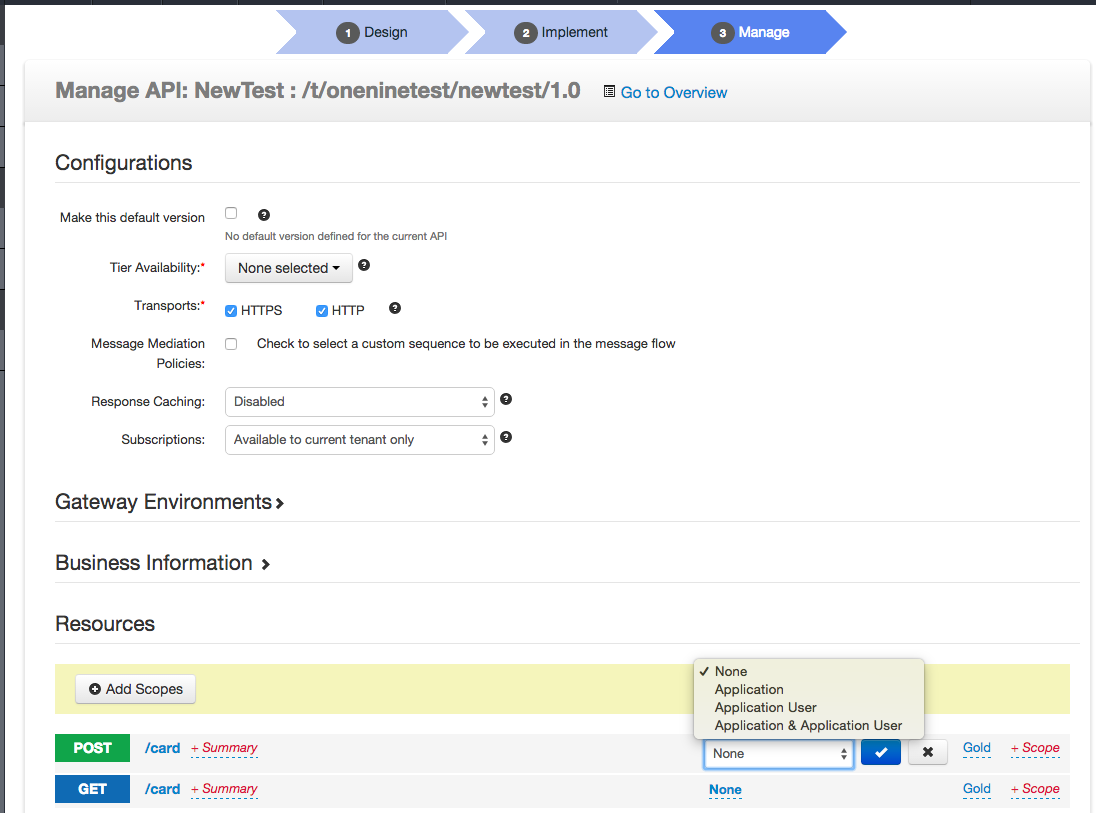
Authentication Type: None
You can also remove authentication requirements for regular managed APIs. This is useful when you want to still have the API listed on the API Store home screen and/or when you want to disable authentication requirement for individual resources of an API.
For that, go all the way till the last (Manage) step of API creation, and then change Authentication Type to None in the drop down next to each API resource at the bottom of the screen:
Happy API management!