

How to recover your production deployment from a last minute mistake

You projects that are running in WSO2 Integration Cloud can have multiple versions. You can select which of the versions own the default URL and work on the versions in parallel. This means that your version 1.0 may be retired, 2.0 may be in production, 3.0 may be going through QA, and 4.0 may be in early development.
In addition, our newly released feature allows you to update your projects within the same version without changing the numbering. This is great for small incremental improvements and has built-in rolling update and roll-back functionality.
- How do you update a version?
In the home page of your application, choose the correct version where the update is needed as shown in the figure 1 below. In this example it is version 2.0. Then click Update.
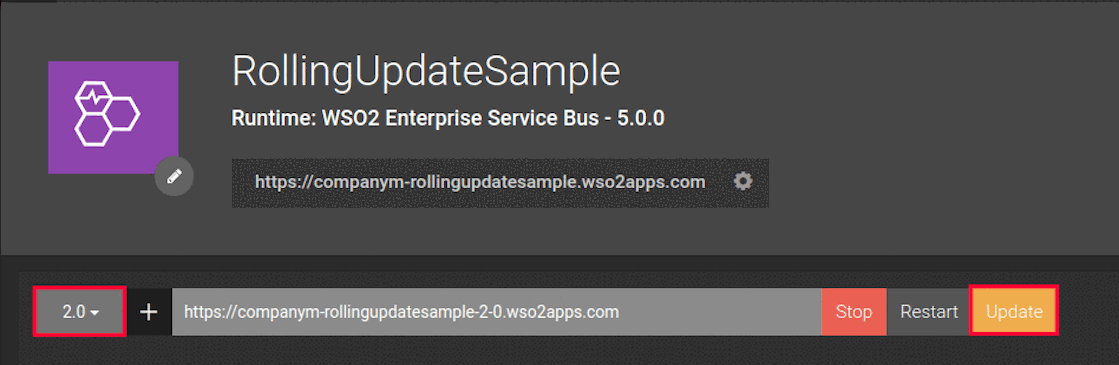
You can update the version via a local file system, URL or a Github repository.
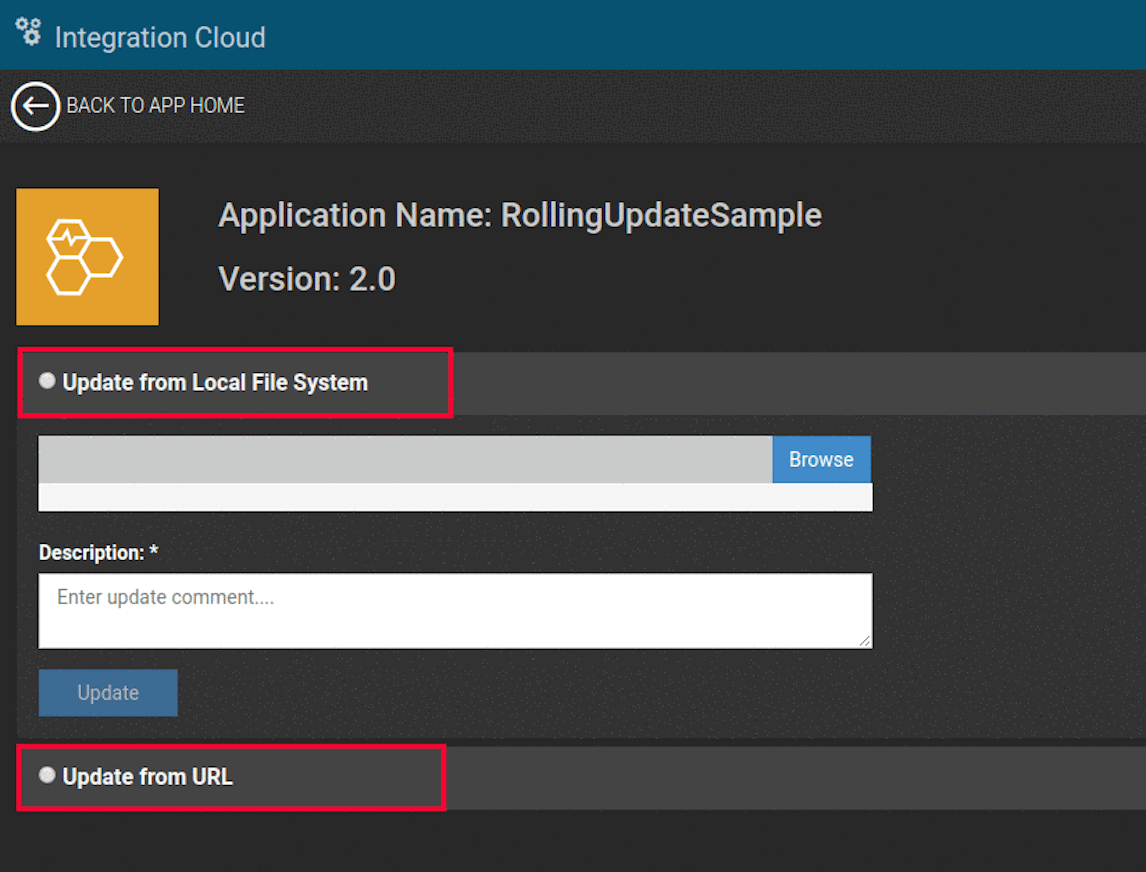
Then you need to upload your artifact along with the update comment. This update comment helps you to track your updates per version.The update option enables you to update multiple times per version and it gives you the opportunity to revert the artifact to the previous state if you want.
- How can you revert the version to its previous state?
Once you update an artifact you can see the Update or Rollback option in the homepage. Clicking on that button gives you access to page shown as below.
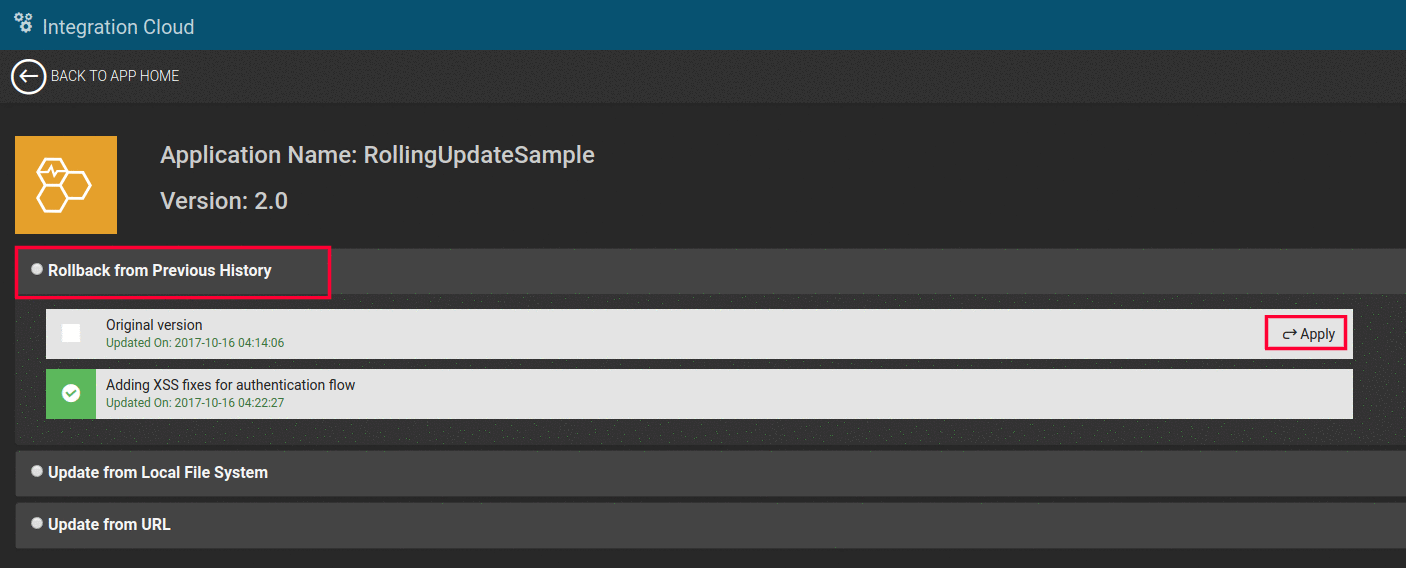
Choose the correct artifact that you want to revert to and click the Apply button. This will revert your current version to the previous artifact. Now you don’t have to worry about maintaining a large number of versions when fixing urgent issues in your production deployment. With WSO2 Integration Cloud, it’s just a small update to your existing version!
Read our documentation for more information on WSO2 Integration Cloud.