

Migrating APIs between cloud and non-cloud environments

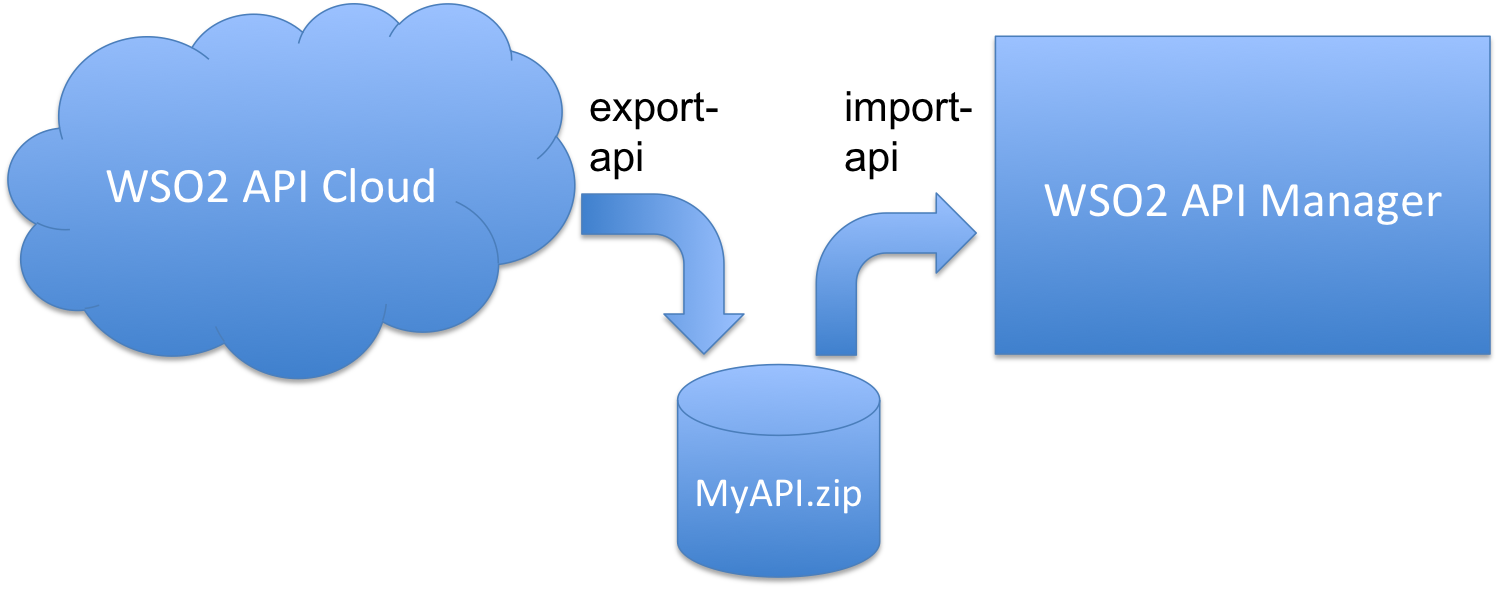
One of the key advantages of WSO2 API management platform is that the same platform can be run by you on-premise, run by WSO2 as dedicated Managed Cloud, or used as a service from WSO2 API Cloud. We now officially support migrating your APIs between the deployments. This is done via Export-API / Import-API endpoints exposed by WSO2 API Manager & WSO2 API Cloud. For example, you can use Export-API to export your API from WSO2 API Cloud to a local zip file, and then use Import-API to import this zip into a Managed Cloud dedicated API Manager:
1. Exporting API
To export an API, invoke command like:
curl -H "Authorization:Basic <base64-encoded-credentials-separated-by-a-colon>" -X GET "https://api.cloud.wso2.com/api-import-export-2.1.0-v2/export-api?name=<api-name>&version=<api-version>&provider=<api-provider>" -k > <zip-file-name>
Parameters:
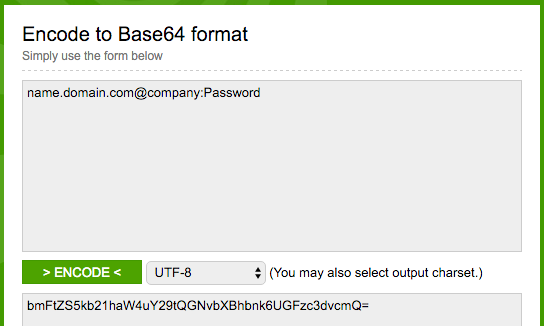
- <base64-encoded-credentials-separated-by-a-colon>: go to https://www.base64encode.org/ and encode the domain-qualified administrative username (grab it at the top right of the API Cloud user interface) separated by colon from your API Cloud password, for example:
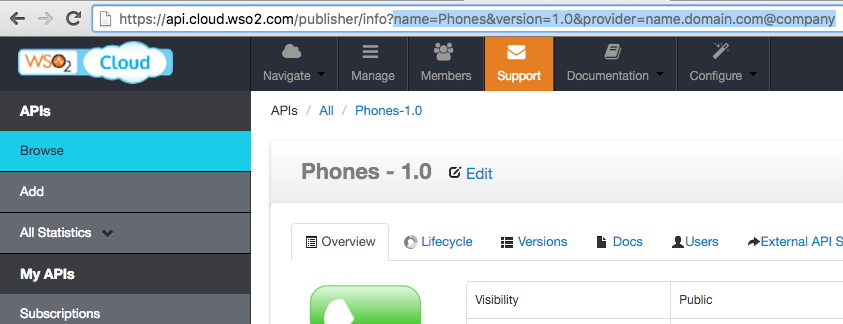
- name=<api-name>&version=<api-version>&provider=<api-provider>": simply copy the URL from the browser, when you open that API in API Cloud:
- <zip-file-name>: just the name of the zip file to which you want to export the API.
Example:
You actual command might look like:
curl -H "Authorization:Basic bmFtZS5kb21haW4uY29tQGNvbXBhbnk6UGFzc3dvcmQ=" -X GET "https://api.cloud.wso2.com/api-import-export-2.1.0-v2/export-api?name=Phones&version=1.0&provider=name.domain.com@company" -k > MyExportedAPI.zip
2. Importing API
To import API to your own on-premises or Managed Cloud API Manager deployment, use the import-api call:
curl -H "Authorization:Basic<base64-encoded-credentials-separated-by-a-colon>" -F file=@"<full-path-to-the-zip-file>" -k -X POST "https://<APIM_HOST:Port>/api-import-export-2.1.0-v2/import-api?preserveProvider=false"
Parameters:
- <base64-encoded-credentials-separated-by-a-colon>: same as described in the Export section above,
- <APIM_HOST:Port>: URL and port of the API Manager Publisher,
- <full-path-to-the-zip-file>: full path to the zip file that you created when exporting the API.
Example:
You actual command might look like:
curl -H "Authorization:Basic YWRtaW46YWRtaW4=" -F file=@"/Users/user1/Desktop/MyExportedAPI.zip" -k -X POST "https://apim.domain.com/api-import-export-2.1.0-v2/import-api?preserveProvider=false"
Notes
- You can use the same API to migrate your APIs from on-premises deployment to public cloud, between public cloud organizations, between various API Manager deployments, and so on. Just make sure that you use proper URLs and administrative credentials, as described in this tutorial,
- Your on-premises API Manager deployment needs WAR file with Export/Import API implementation, download and install this file as described here,
- Make sure that API Manager version is identical at the source and target locations,
- Imported API will have the "CREATED" lifecycle status so you can modify it further before publishing it to users,
- If target environment does not have subscription tier used by the API, you will have to assign the proper tier manually,
- If exported sequence is not available in the target environment it is created.
Try it in API Cloud today.