

Move query parameters to REST path

Your API backend often does not match the desired frontend representation. For example, it might have extra parameters (such as API keys) that you do not want to expose and have some query parameters that you now want to just include in the REST path.
For example, you might want to do a transformation like shown in the picture below:
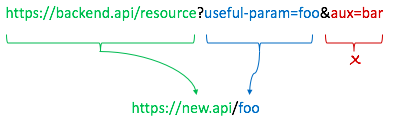
Today we will see how easy it is to do so with WSO2 API Cloud.
We will turn a pretty convoluted API from Marvel that looks like: gateway.marvel.com/v1/public/characters?nameStartsWith=name&ts=1 into something like
&apikey=d56d63913651985b837b45b4052abd28
&hash=be9591741a837962648744c3de21e4d8my.api/hero/name.
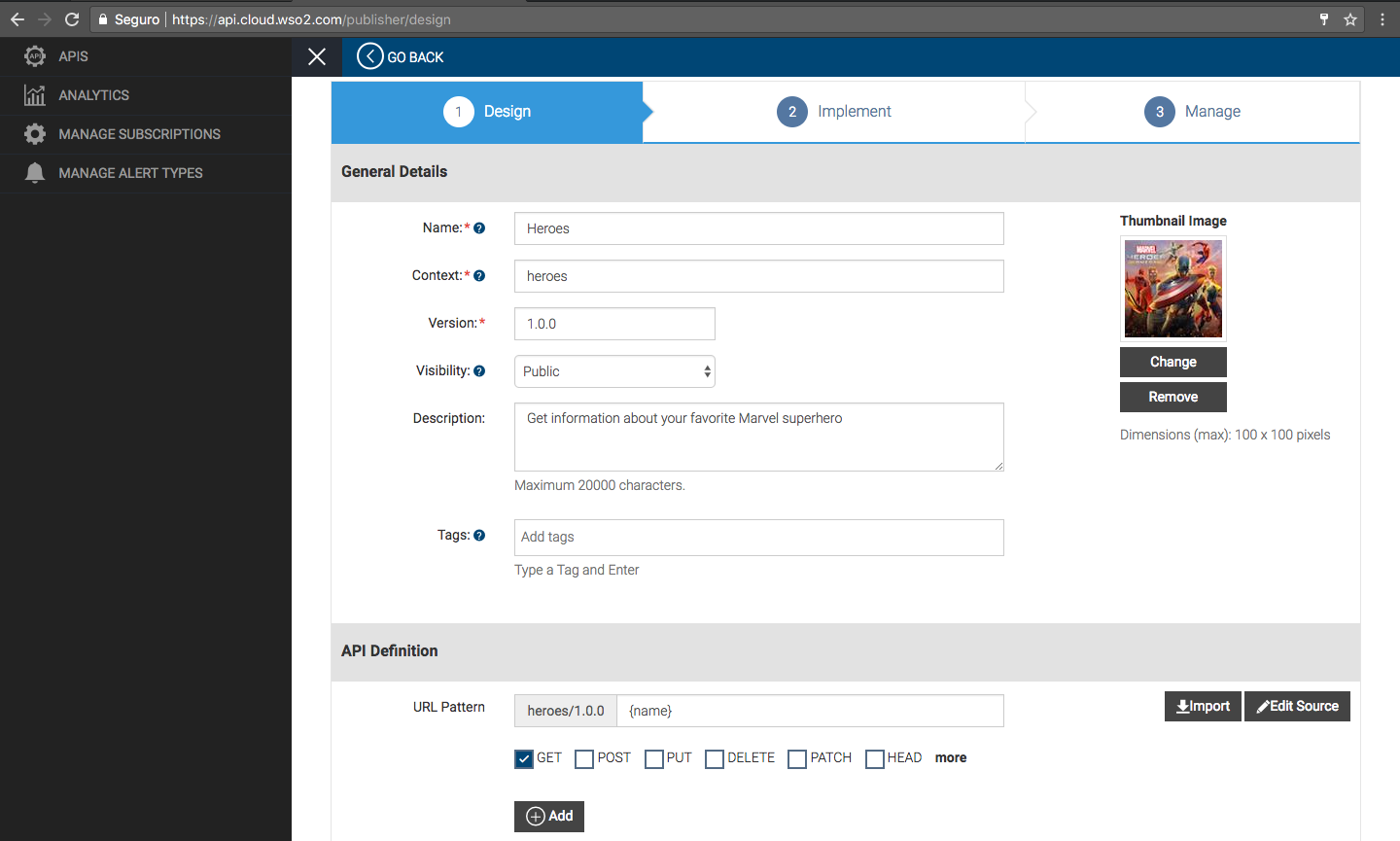
1. First, we go to API Cloud and start designing the new API.
We create the API as usual, but in URL Pattern field, provide the parameter names that we want to have in the REST path in curly brackets - for example, {name} instead of name:
2. On the second step of the API creation wizard, we paste the backend URL and substitute the parts that we want to be taken from the input parameters with {uri.var.name_of_the_path_parameter}. So gateway.marvel.com/v1/public/characters?nameStartsWith=name&ts=1 becomes
&apikey=d56d63913651985b837b45b4052abd28
&hash=be9591741a837962648744c3de21e4d8gateway.marvel.com/v1/public/characters?nameStartsWith={uri.var.name}&ts=1:
&apikey=d56d63913651985b837b45b4052abd28
&hash=be9591741a837962648744c3de21e4d8
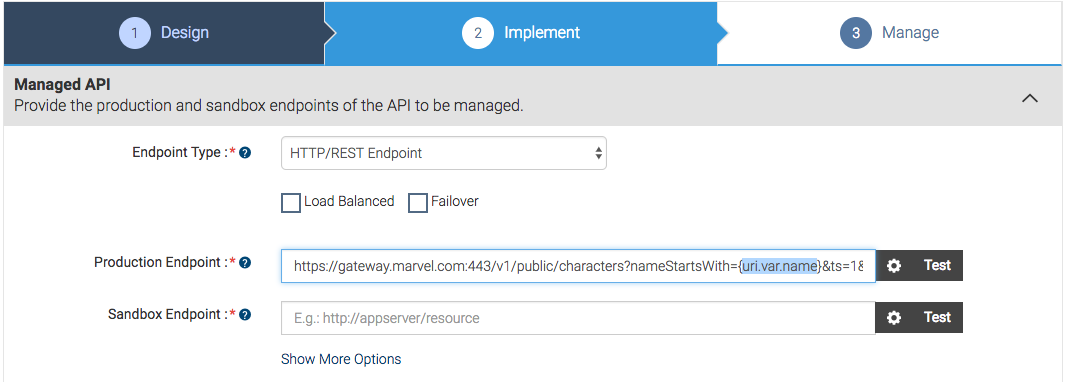
3. Now API gateway will automatically insert our name parameter into the backend URL and keep the other parameters intact. However, by default, it will still be adding our path parameter to the end of the backend URL too. With that, we risk invoking something like gateway.marvel.com/v1/public/characters?nameStartsWith=name&ts=...&apikey=...&hash=.../name instead of the gateway.marvel.com/v1/public/characters?nameStartsWith=name&ts=...&apikey=...&hash=... that we need.
Removing that trailing part of the URI is easy. We just need to pass the corresponding command to the gateway transformation engine.
Create a text file with the following text and save it as xml:
<sequence xmlns="https://ws.apache.org/ns/synapse" name="drop_uri_sequence" >

<property name="REST_URL_POSTFIX" scope="axis2" action="remove"/>

</sequence>

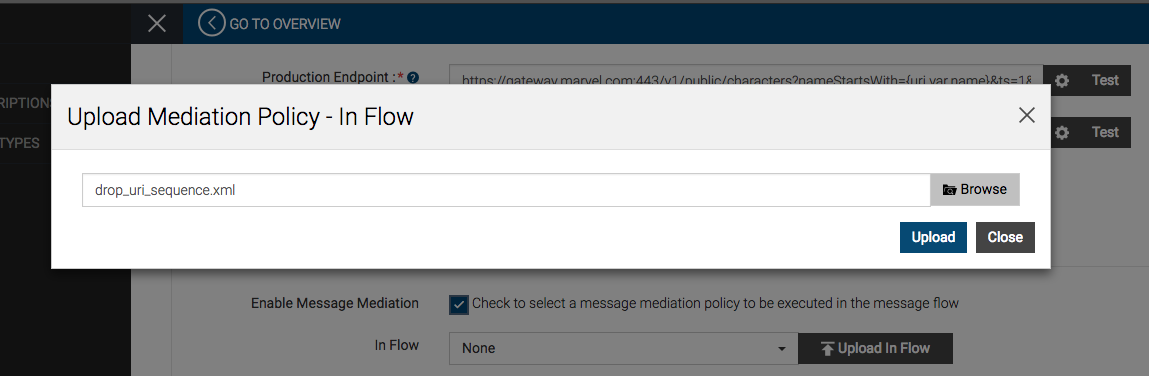
To upload the file: select the Enable Message Mediation checkbox, click the Upload In Flow button, and upload the xml file:
4. Now you can finish the API creation wizard and publish the API.
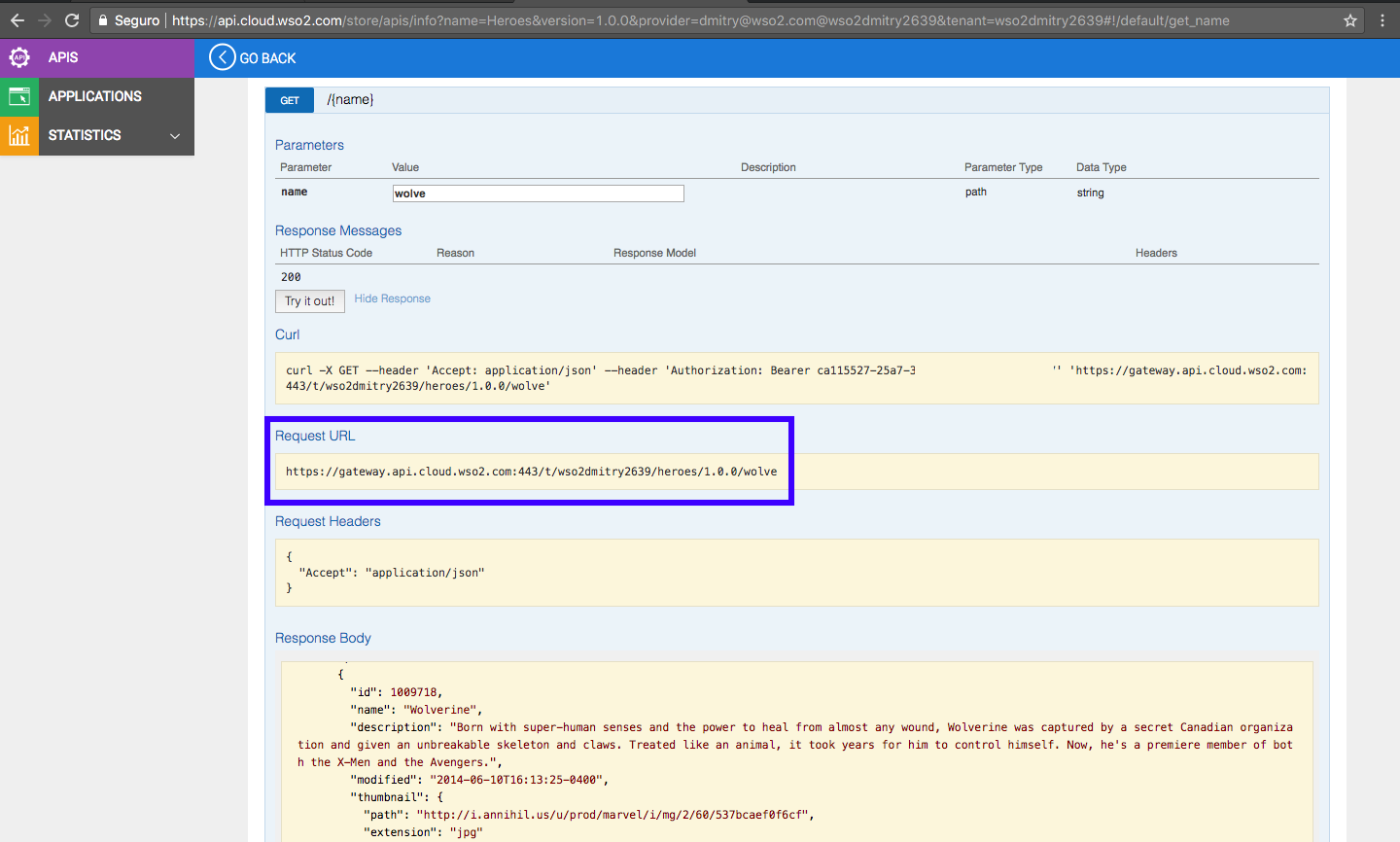
5. In API Store (Developer Portal), you can now subscribe to the new API and invoke it. As you can see, we now get the same results as the original API produces but with a much nicer and shorter invocation URL (which you can make even shorter by setting it as the default API version and using the custom URL functionality):
WSO2 API Cloud (and open source WSO2 API Manager) gives you a powerful solution to make your APIs look exactly the way you need them.