

Retrieving REST parameters in JavaScript API prototypes

JavaScript prototypes are a great way to quickly try your API ideas and collect community feedback while working on the proper longterm implementation.
And good prototypes obviously produce meaningful outputs based on supplied parameters. In this blog post, we will show how you can access REST parameters from the prototype code.
There are two kinds of REST parameters:
- Path parameters: for example, https://myapi.com/employee/5, and
- Query parameters: for example, https://myapi.com/employee?id=5.
WSO2 API Cloud obviously supports both. Let's have a look at how you deal with them:
Path Parameters
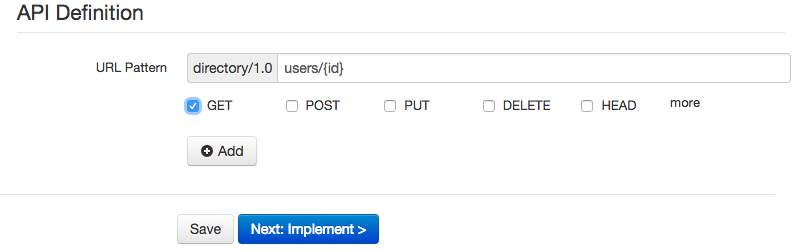
You add path parameters in {} brackets when supplying URL Pattern for your API definition:
To edit the actual prototype implementation, on the Implementation step, you pick Prototyped API and the Inline option:
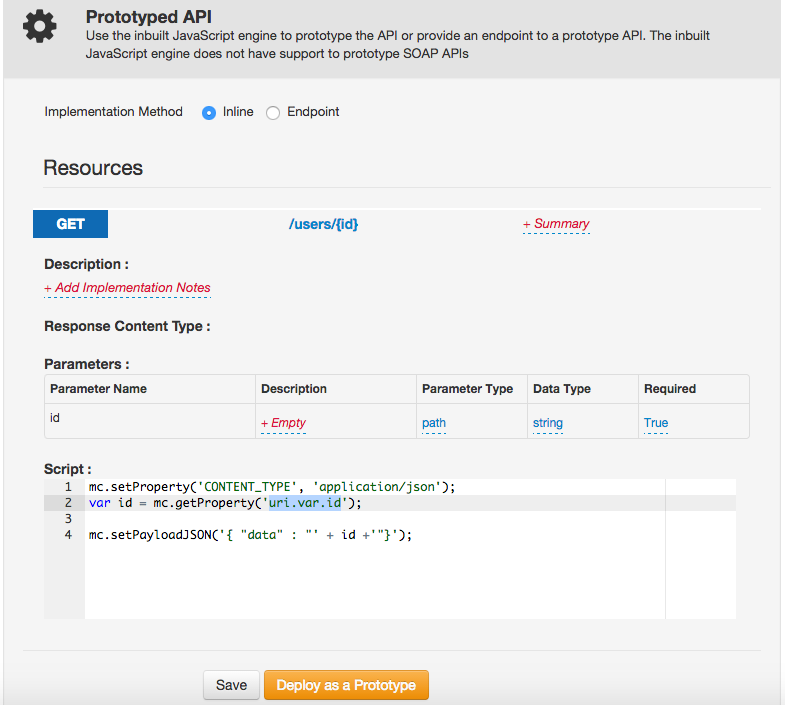
Here's the code sample that we used:
mc.setProperty('CONTENT_TYPE', 'application/json');

var id = mc.getProperty('uri.var.id');
mc.setPayloadJSON('{ "data" : "' + id +'"}');
As you can see, we retrieve the path parameter as uri.var.id property.
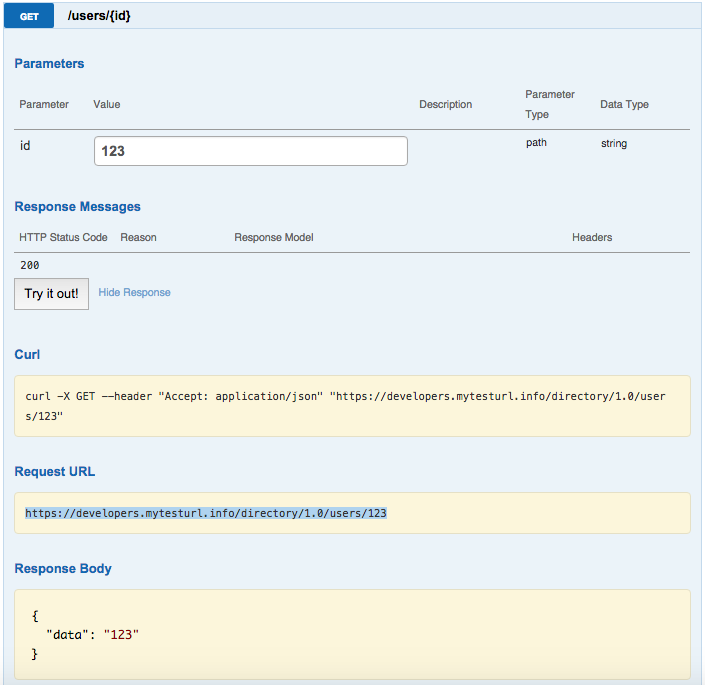
Once we publish the API as prototype, we can invoke it in API Store and see it working:
Query Parameter
Query parameters are great for optional parameters that are named and can be used in any order. These are the parameters, added in the end of the query in ?parameter=value format.
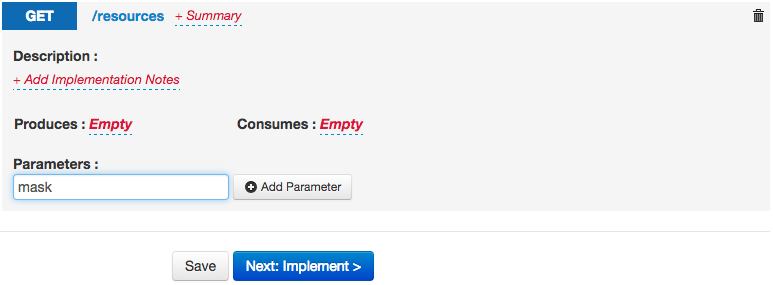
You add these parameters using the Add Parameter button for the API resource:
On the Implementation step, we pick the Prototyped API / Inline option and provide the JavaScript code:
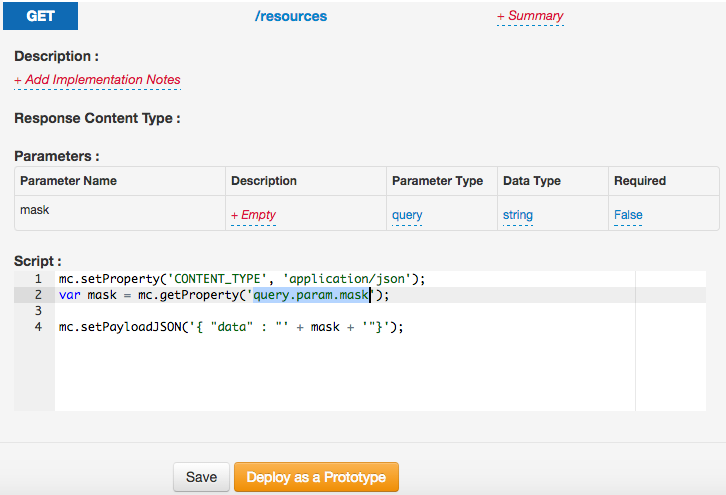
As you can see, the code is very similar to the one we used for path parameter. The only difference is the way we retrieve the parameter. This time, we address it as query.param.mask:
mc.setProperty('CONTENT_TYPE', 'application/json');

var mask = mc.getProperty('query.param.mask');
mc.setPayloadJSON('{ "data" : "' + mask + '"}');
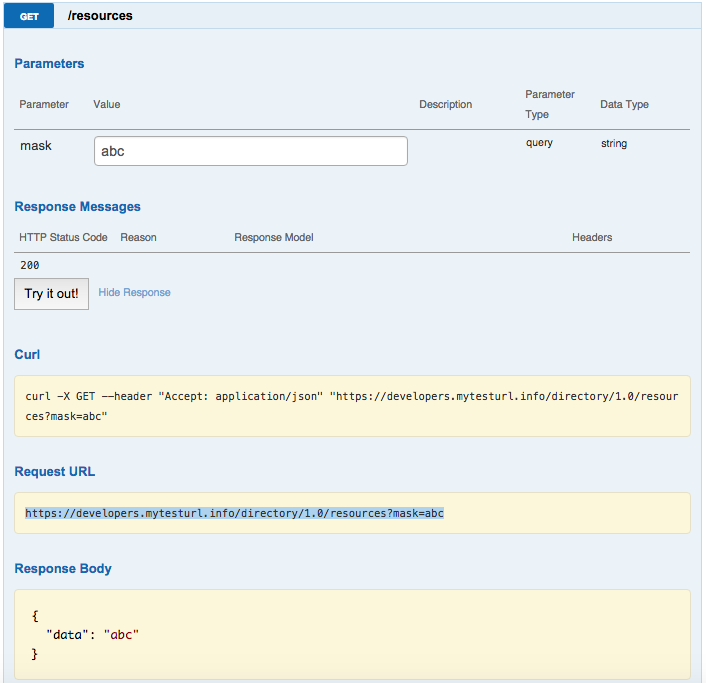
Once you deploy the prototype, you can invoke it in API Store and see it working:
Have an API to prototype? Try it in WSO2 API Cloud!