

SOAP to REST made easy

WSO2 API Cloud has been a service which allows you to convert your SOAP backends to RESTful, managed APIs as a first class feature. We have published a previous blog post on this and we do have a tutorial too which provides step-by-step instructions on how to get it done. API Cloud is capable of doing this because of the mediation capabilities of the API gateway. This has been a widely used feature so far. But, there were some steps which we thought we could improve. As a result of that, exposing your SOAP backend as a RESTful, managed API now has been made very easy.
Following are the improvements we have done.
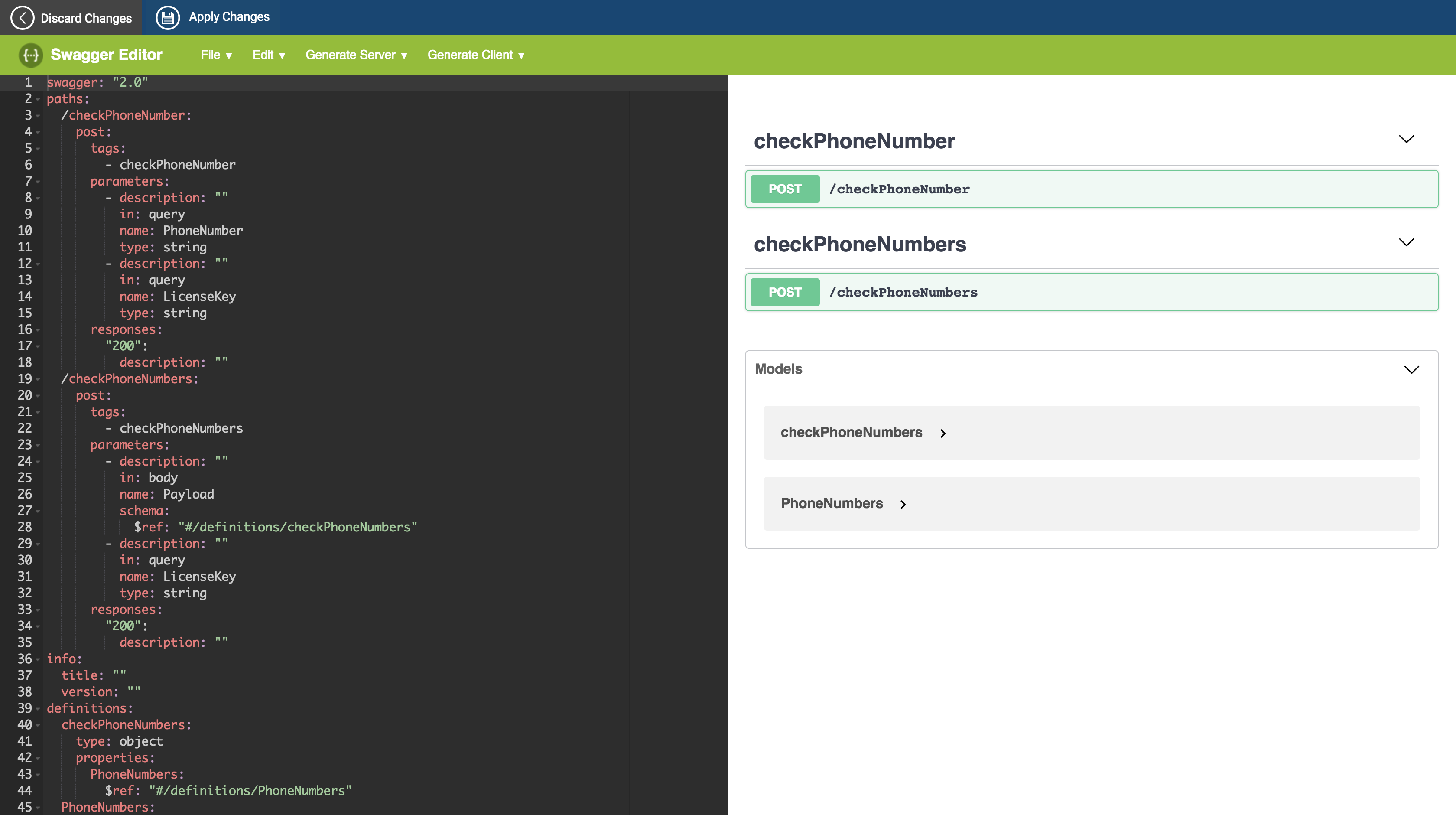
- Previously, users had to create the resources of the API manually. But now, when you provide the WSDL url, API publisher automatically creates the resources by looking at the SOAP operations in the WSDL. Users can then edit the Swagger definition and make changes to the resources names, HTTP verbs etc. if needed.
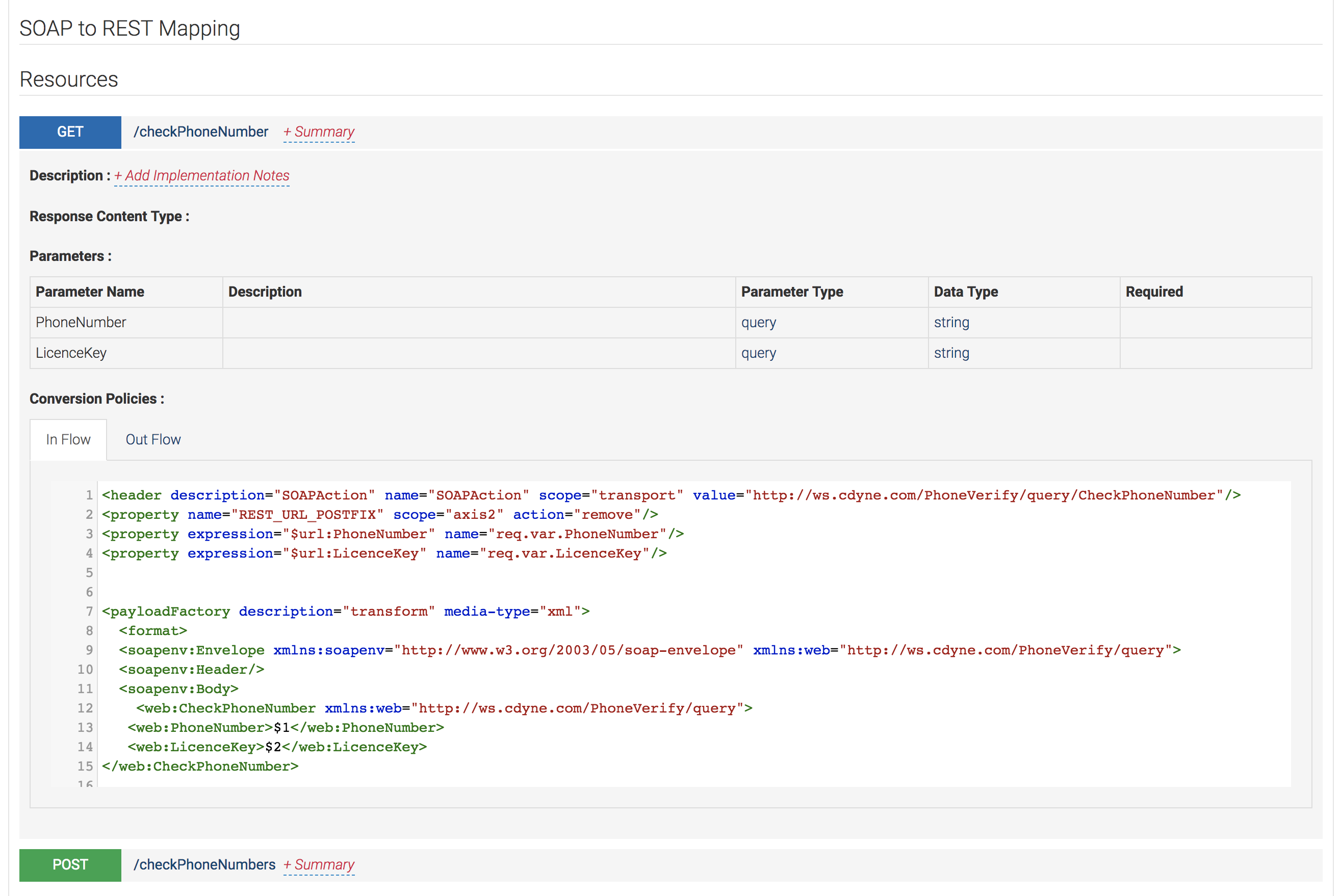
- Previously, users had to upload a custom mediation sequence to generate the SOAP payload to be sent to the SOAP backend. Now, this mediation sequence is auto generated by the publisher app and users can change it if needed.
Following is all you have to do after going to the API publisher:
- Create an API by providing the WSDL url of your SOAP backend.
- Publisher will generate the swagger definition. Edit it as necessary.
- Provide the backend service url in the Implement tab.
- Edit the mediation sequences which does the SOAP to REST mapping as necessary.
- Publish the API.
You can follow our documentation with more detailed steps.