

Unlimited tier on API, resource, and application level

WSO2 API Cloud's gateway is capable of enforcing various policies and throttling / rate limiting is one of the most frequently used.
Today we are making Unlimited tier available in each of the policies so throttling is off by default but can be turned on whenever you need them.
Here's a quick overview of how you can set each of the limits:
API-Level Throttling
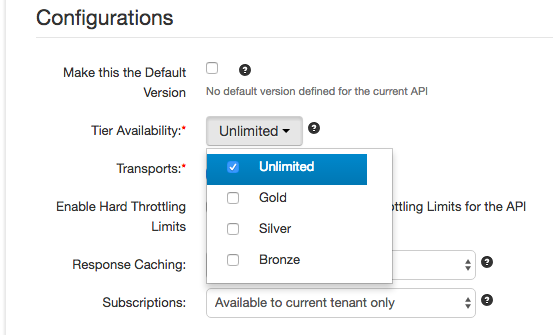
These are the subscription tiers that you make available to each of your subscribers for a particular API: for example, 20 calls per minute.
You pick which of them you make available on the final step of API editing:
Backend Hard-Limits
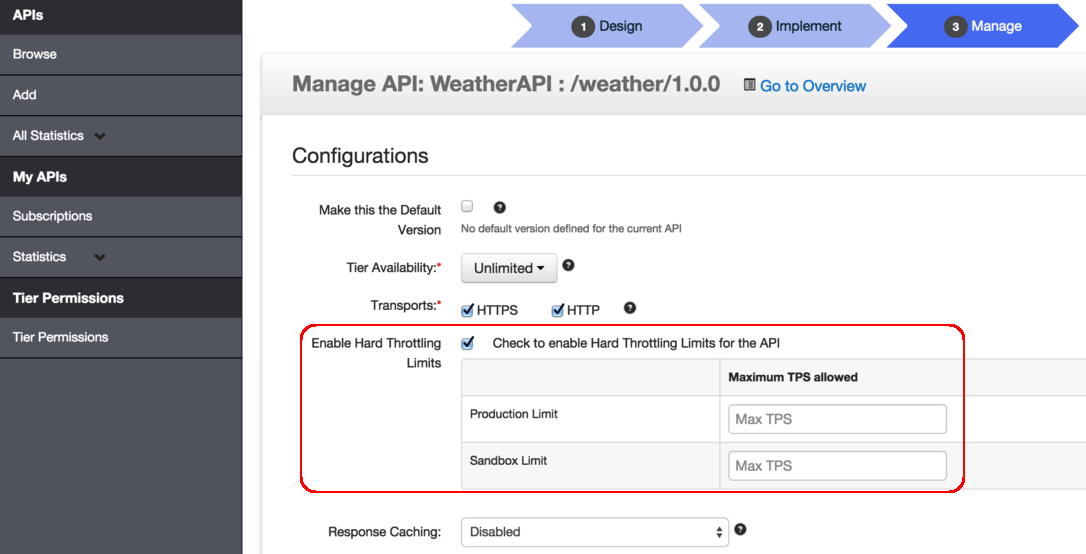
That same API configuration page also allows you to set limits across all subscribers of the API - so your backend does not get overloaded by multiple users:
Resource-Level Throttling
On the other hand, in some cases, you might want to go more granular and set limits on individual REST resources. Again, you can do this in the lower part of that same configuration screen:
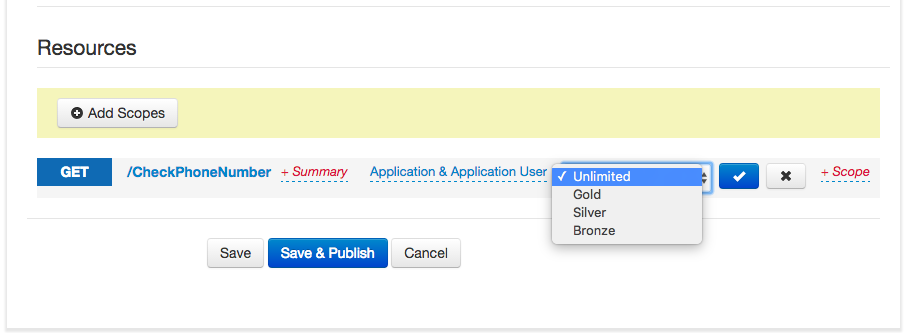
These resource-level tiers can be edited as explained here.
Application-Level Tiers
Finally, API subscribers can also set throttling limits across their applications - this way they can prevent abuse of subscription limits by their individual end-users and applications.
These limits can be set in Developer Portal (API Store) on the My Applications tab:
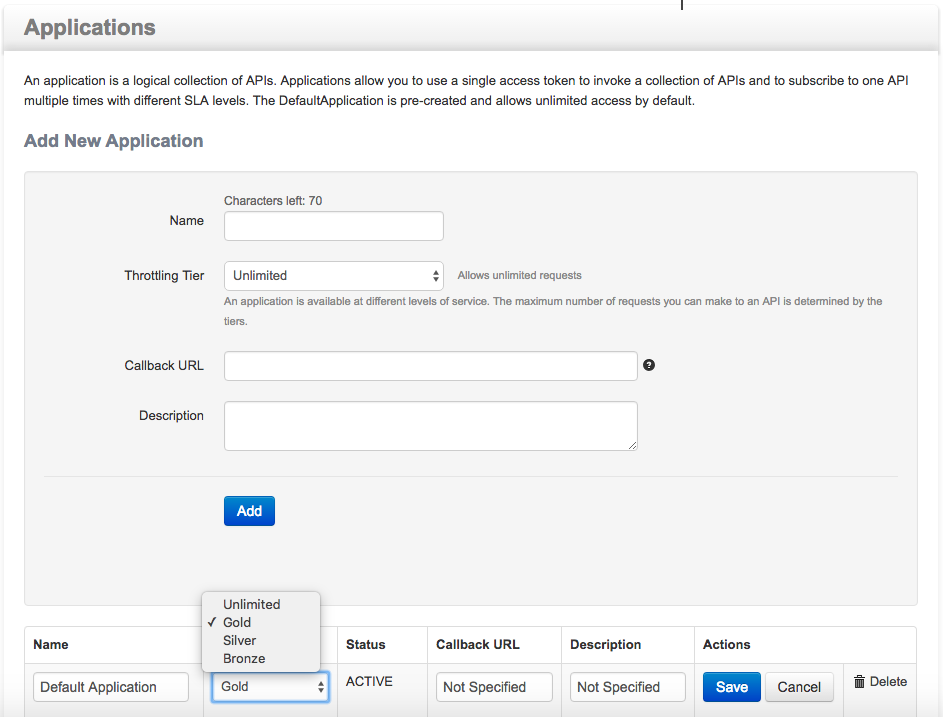
Application-level tiers can be edited as explained here.
Notes
- Like I mentioned before, these throttling limits have been in the platform for a long time. What is changed now, is us making them all off (or unlimited) by default, so you only get limited by the policies that you explicitly set.
- There is obviously the overall calls per second limit of your API Cloud subscription level.
- If multiple throttling policies apply - the most restrictive wins.