

Your own JAX-RS as an OAuth web API in minutes!
UPDATE: This is an outdated post. WSO2 App Cloud has been since then replaced with WSO2 Integration Cloud and App Server in it with Tomcat. General principals still apply and JAX-RS is a supported backend implementation in the Integration Cloud. Click Support inside the Integration Cloud UI if you need help.
We'll be using WSO2 Application server in Cloud to host a secured JaxRS service. A future post will explain how to do it with Tomcat, but this post is written for WSO2 App Server.
After writing the JAX-RS service we are going to protect it using OAuth with several clicks. Then you'll be able to,
- Access to the back-end JAX-RS service will be OAuth protected
- Advertise the API in an API store for the world to see
- Access to the back-end JAX-RS service will be throttled
- Allow people to subscribe to these APIs
This is the high-level diagram,
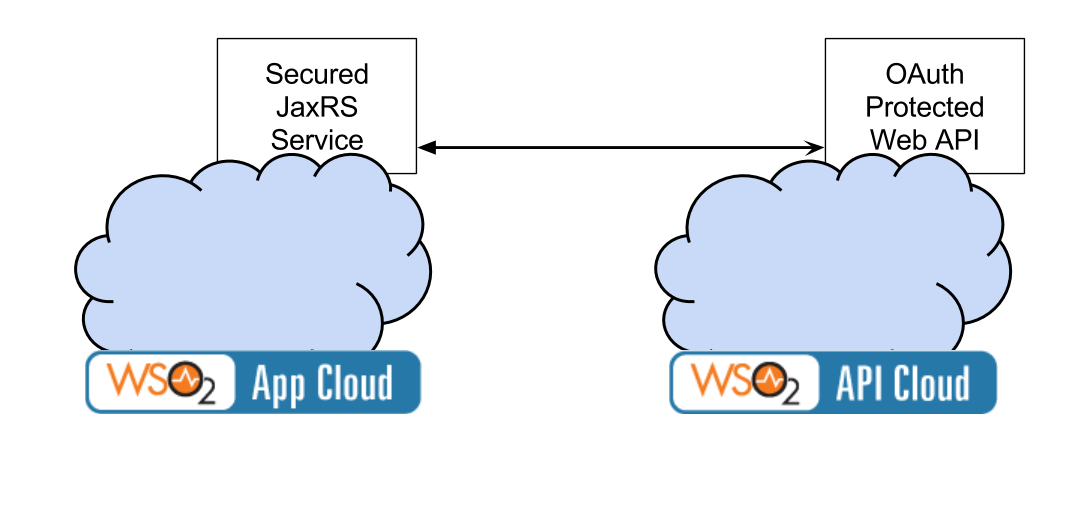
Step 1 - Adding security to the JAX-RS service in App Cloud
Step 2 - Expose it as an OAuth protected API
Step 1 - Adding security to the JAX-RS service in App Cloud
Here I am going to add security to my JAX-RS service by introducing the following lines to the web.xml. As you can see this is plain Tomcat based security. And you have not defined a Realm here. I will explain what happens to the realm below.
<security-constraint>
 <web-resource-collection>
 <web-resource-name>ElephantTracker</web-resource-name>
 <url-pattern>/*</url-pattern>
 </web-resource-collection>
 <auth-constraint>
 <role-name>admin</role-name>
 </auth-constraint>
</security-constraint>

<login-config>
 <auth-method>BASIC</auth-method>
 <realm-name>ElephantTracker</realm-name>
</login-config>
Now only the people in admin role can call this service. If you are familiar with Tomcat security, the question is: where is the realm and is the role coming from? It is coming from the Cloud user store.
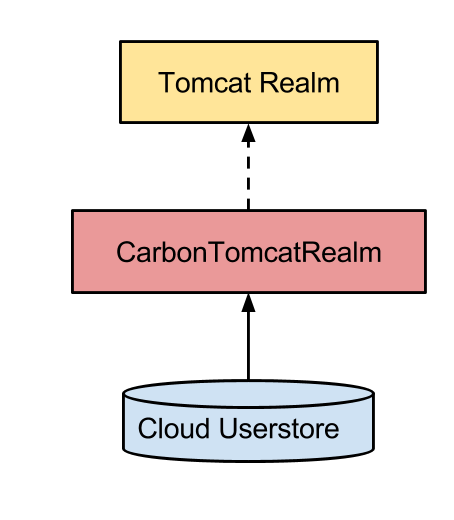
We have simplified a lot of security related details in WSO2 Application Server. Now let's try to invoke it using a REST Client.
curl -v -HÂ Â
 "Authorization: Basic Base64_encoded_String_of_your_Username:PasswordÂ
 "https://appserver.dev.cloud.wso2.com/t/perftest/webapps/securedjrs-default-SNAPSHOT/services/customers/customerservice/customerservice/customers/123 The trickiest part is figuring out the username. The "@" sign in the email address must be replaced with a "." and the tenant domain must be appended with the "@" sign.
[email protected] == becomes ==>
dimuthu.leelarathne.gmail.com@perftest Here "perftest" is my tenant domain name.
Next, remember to turn off "http" from transports.
Step 2 - Expose it as an OAuth protected API from API Cloud
Now go into API Cloud and publish the JAX-RS as a service.
Add the proper resource URL patterns and end points. In my case I am going to add "customerservice/customers/{id}" as the url pattern and endpoint of the service as the endpoint. In my case, it is something as follows,
https://identity.cloud.wso2.com/t/perftest/webapps/securedjrs-default-S…
Give the username/password to access it.
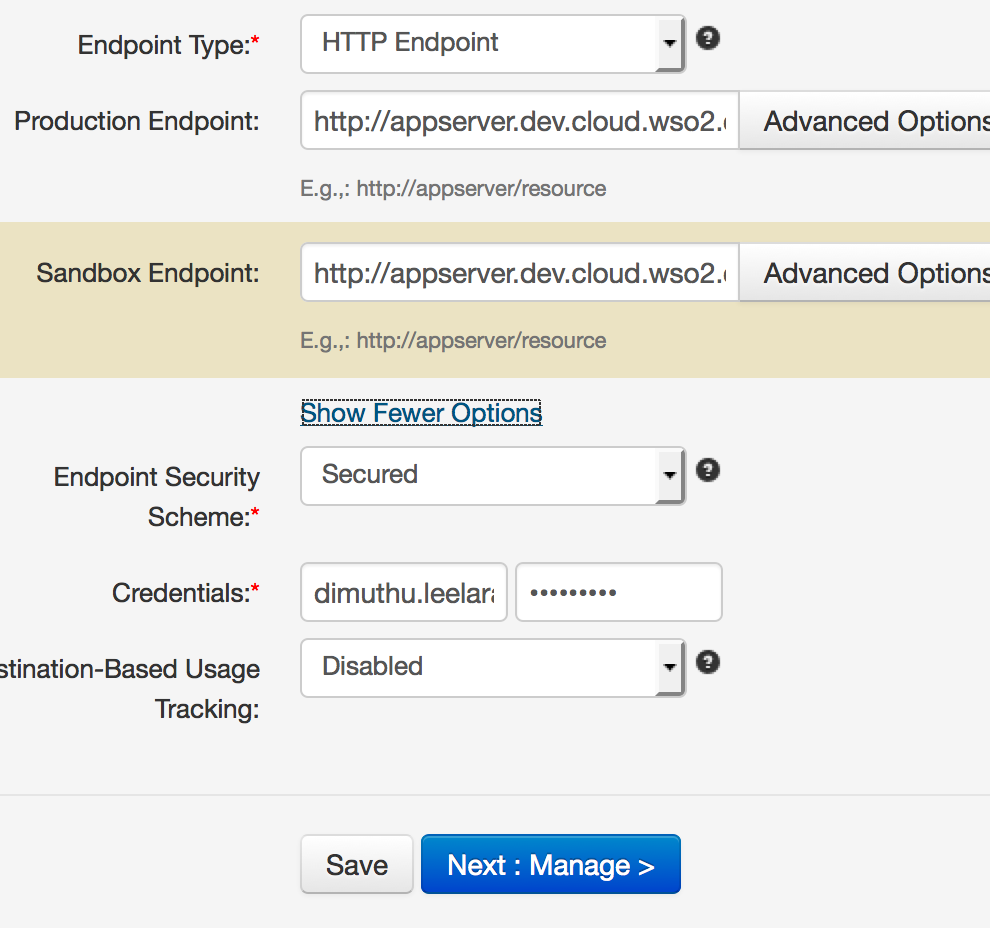
Woala you are done! Now you have an API in the store, that is accessible the whole wide world!