

Introducing Ballerina AI data mapper
We're excited to unveil the first of many AI-driven features for the Ballerina Copilot platform. With the introduction of the Ballerina AI Data Mapper, we are bringing a new level of smart and seamless integration capabilities powered by cutting-edge artificial intelligence technology.
What is a Data Mapper?
The data mapper in Ballerina is a component designed to facilitate the transformation and mapping of data from one format to another. This is crucial when data from diverse sources needs to be integrated and processed uniformly across various applications and services. By automating the mapping process, integration developers can significantly enhance their efficiency, reducing the manual effort typically required for extensive mapping tasks through the component's visual mapping interface.
Accessing the Feature
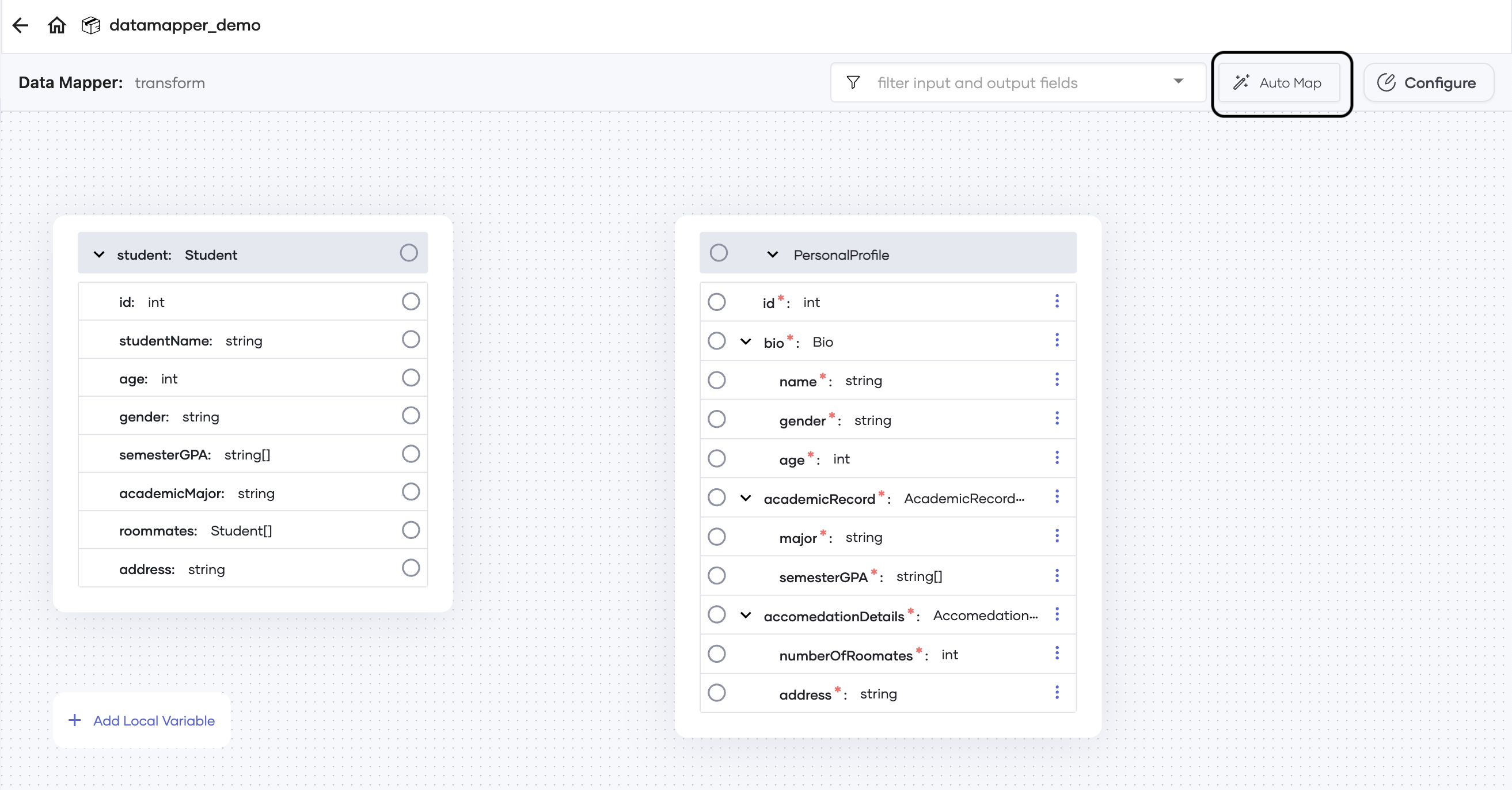
We are excited to offer developers the opportunity to experience our AI Data Mapper feature firsthand as an experimental feature. To access this feature, enable experimental features in your Ballerina VSCode extension. Once activated, you'll find the AutoMap button within the Data Mapper Visualizer, ready to streamline your integration process with a single click.
How to Use the Data Mapper
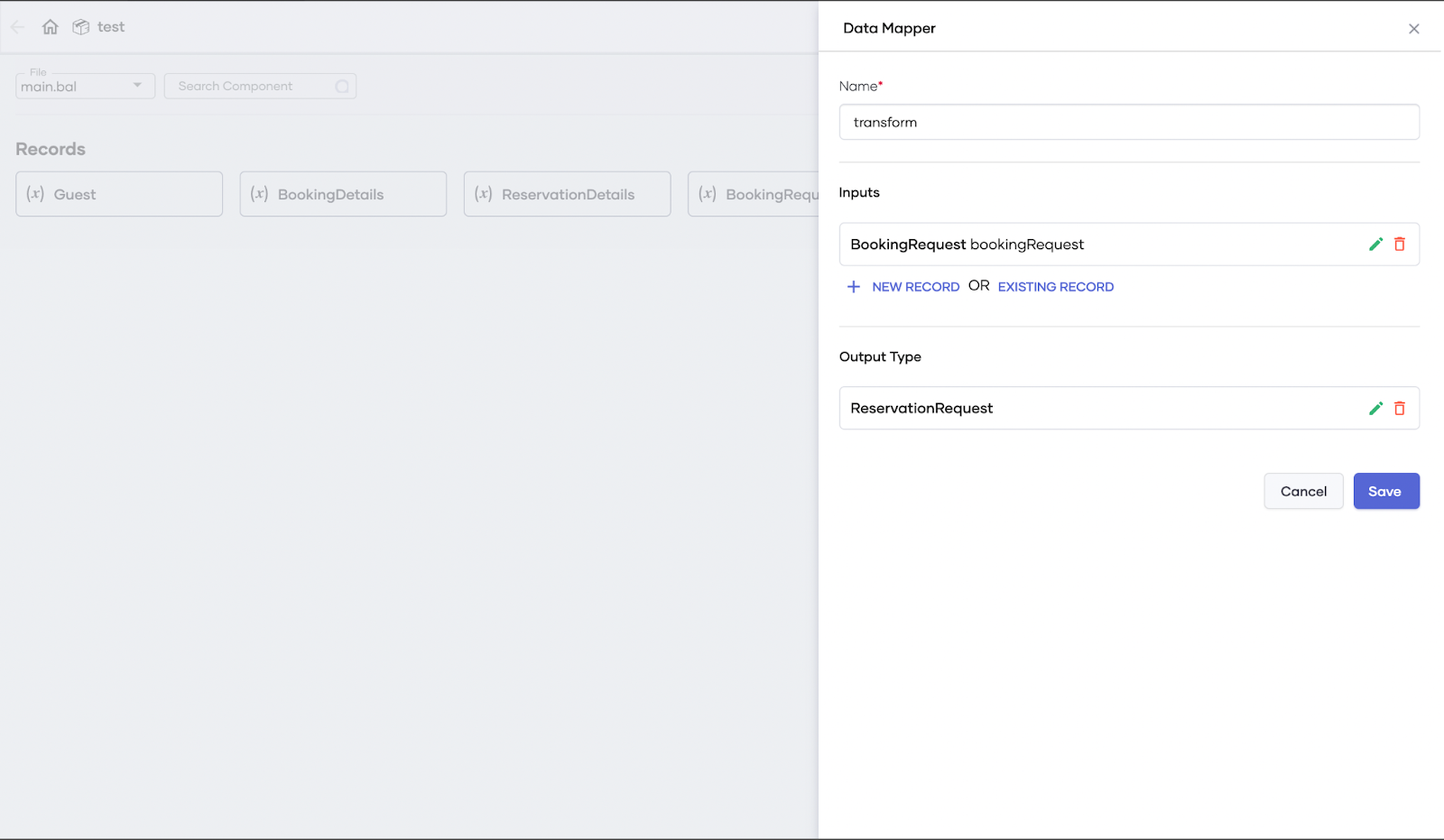
Selecting Input and Output Records:
- Add a data mapper component within the sequence diagram view.
- Select the input and output records for the component.
Automatic Mapping:
- Click the "AutoMap" button in the data mapper window to initiate the automatic generation of mappings.
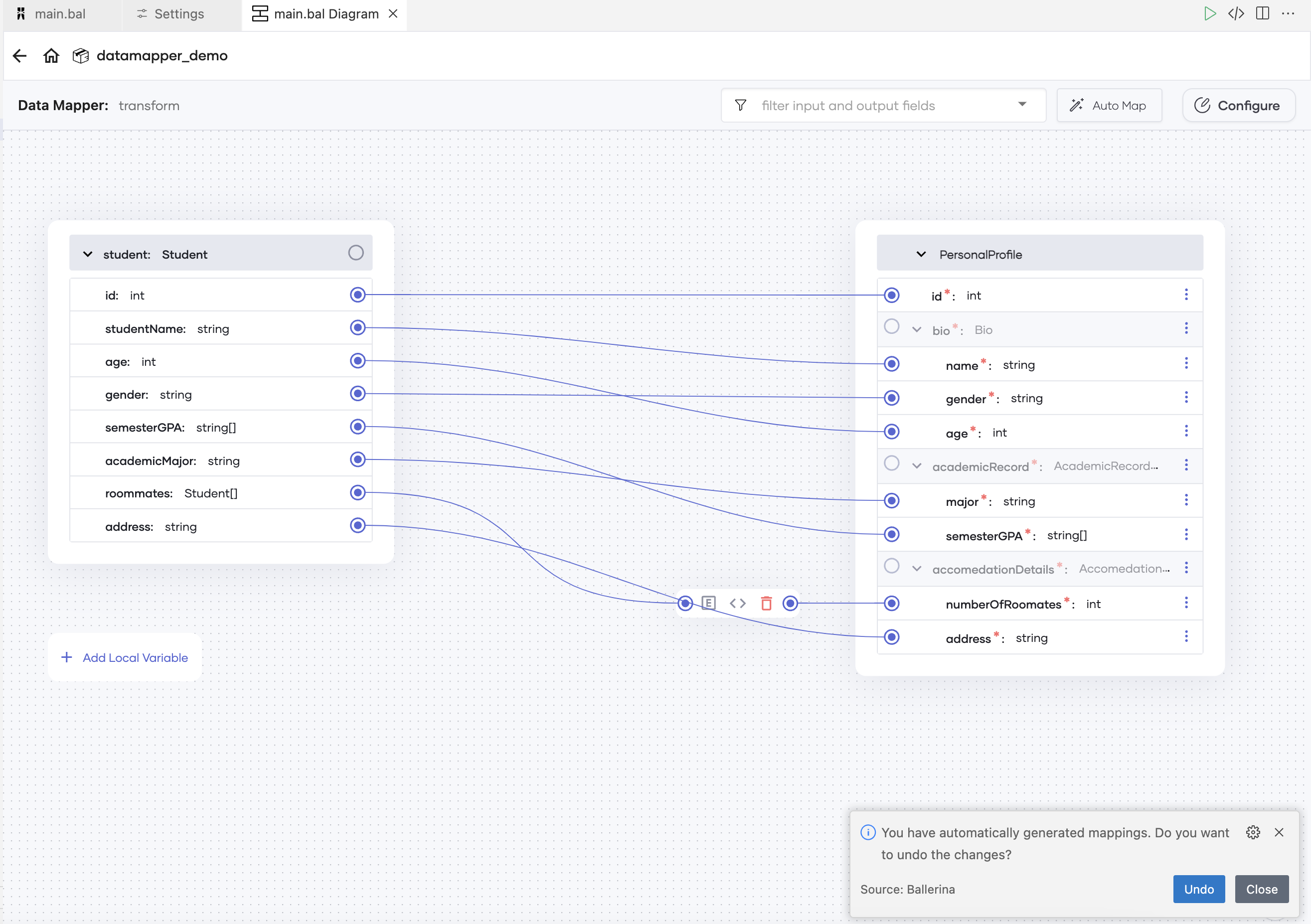
Accepting the Results:
- Review and accept the generated mappings based on your preferences.
Check out Ballerina AI mapping in action:
Underlying System
The automatic data mapper leverages Large Language Models (LLMs), treating the data mapping challenge as a code generation problem. The system comprises several layers, each responsible for tasks such as adding comments, generating mappings, validating record structures and the generated mappings, and creating the final data mapping code. To ensure fair use, each user will be authenticated and allocated a limited number of automated mappings.
Responsible Use
While Large Language Models (LLMs) have made significant strides, they can still produce incorrect results, especially when using models optimized for speed. We recommend that users validate the generated mappings each time to ensure accuracy.
What's Next?
As we release the Ballerina Data Mapper as an experimental feature supporting direct mappings and a limited number of operations, we have an exciting roadmap ahead. Future updates will include support for array-to-array mappings and an expanded range of operations. Stay tuned for more exciting features coming soon to the Ballerina Copilot platform.