

Simplify application login flows with Asgardeo's new visual editor

App developers seeking simple login integration often find the IAM landscape daunting. Easier said than done when app developers don't live and breath the intricacies of identity standards. With Asgardeo, we have bridged this gap and offer a smooth experience for developers trying to ship their apps as soon as possible. In this post, let's dig into the newly delivered Login Flow Visual Editor and learn about the thinking behind this new capability and what it has to offer.
Typically, when a developer builds an application, they start with a sketch or a diagram to translate their mental model into a visual blueprint. In this blueprint, they’ll usually include the application’s entire user journey, including the necessary login pathways. An example of such a diagram is shown below.
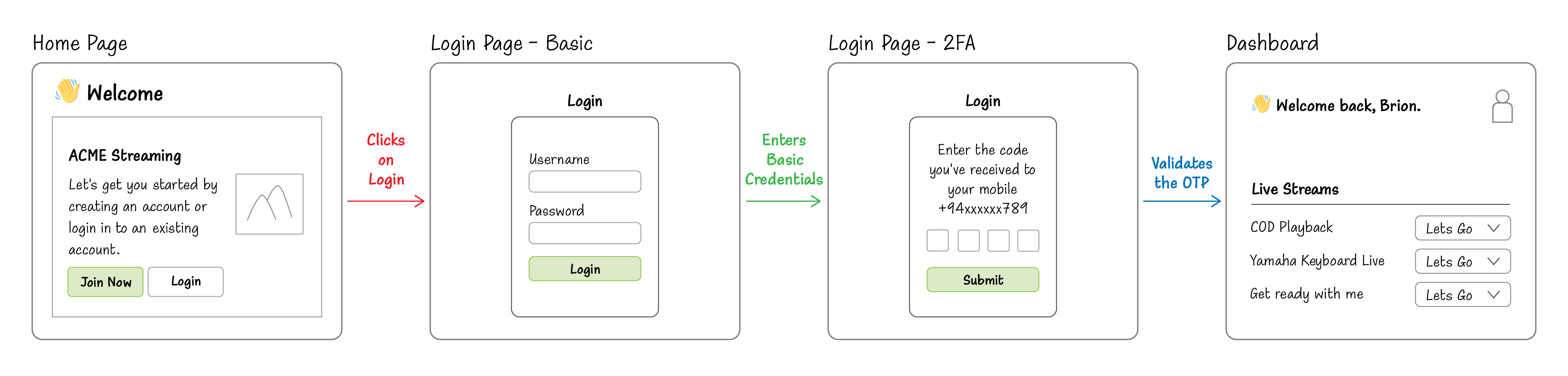
Figure 1: User journey of an application login
When looking at the above diagram’s login sequence, we can see that the developer wants to integrate basic username and password input as the initial step, and as an additional security mechanism, they want to have SMS OTP as a two-factor authentication step. Wouldn’t it be nice if there’s a way to map this out exactly in your IAM provider?
And wouldn't it be awesome to visualize the user's login experience during build mode to provide the best experience possible?
Introducing the new Login Flow Visual Editor for applications.
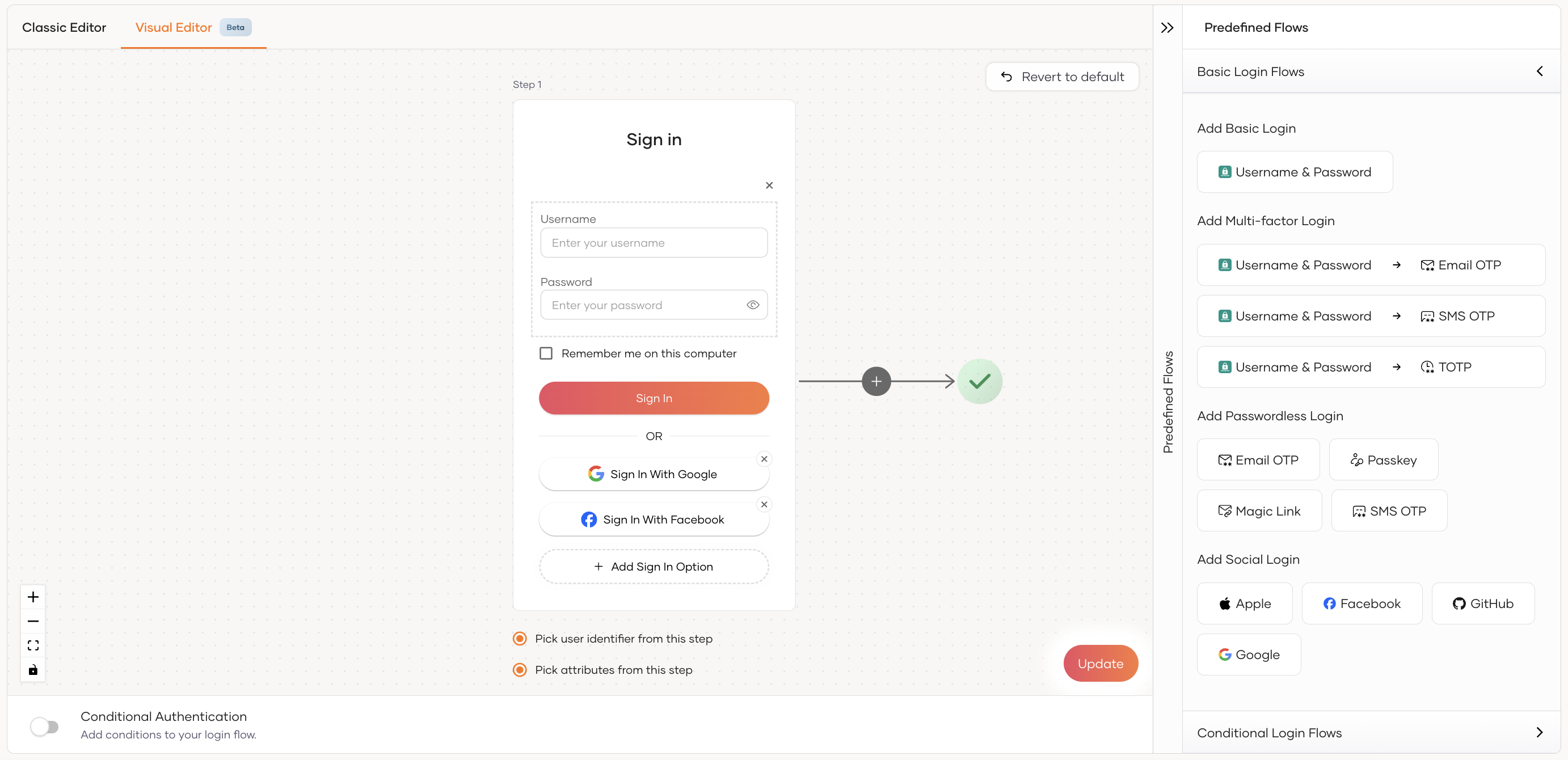
Features
- Intuitive visual nodes to gain clear insights into the prompts users will encounter during the login flows.
- Easily accessible predefined flow templates, both basic and conditional.
- Enhanced script editor with improved IntelliSense support with a variety of themes to choose from.
Intuitive Visual Flow
Developers can visualize their login flow using the editor's intuitive visual nodes, mirroring their own mental maps. Let's take the above flow diagrams as an example and see how it maps with the visual editor.
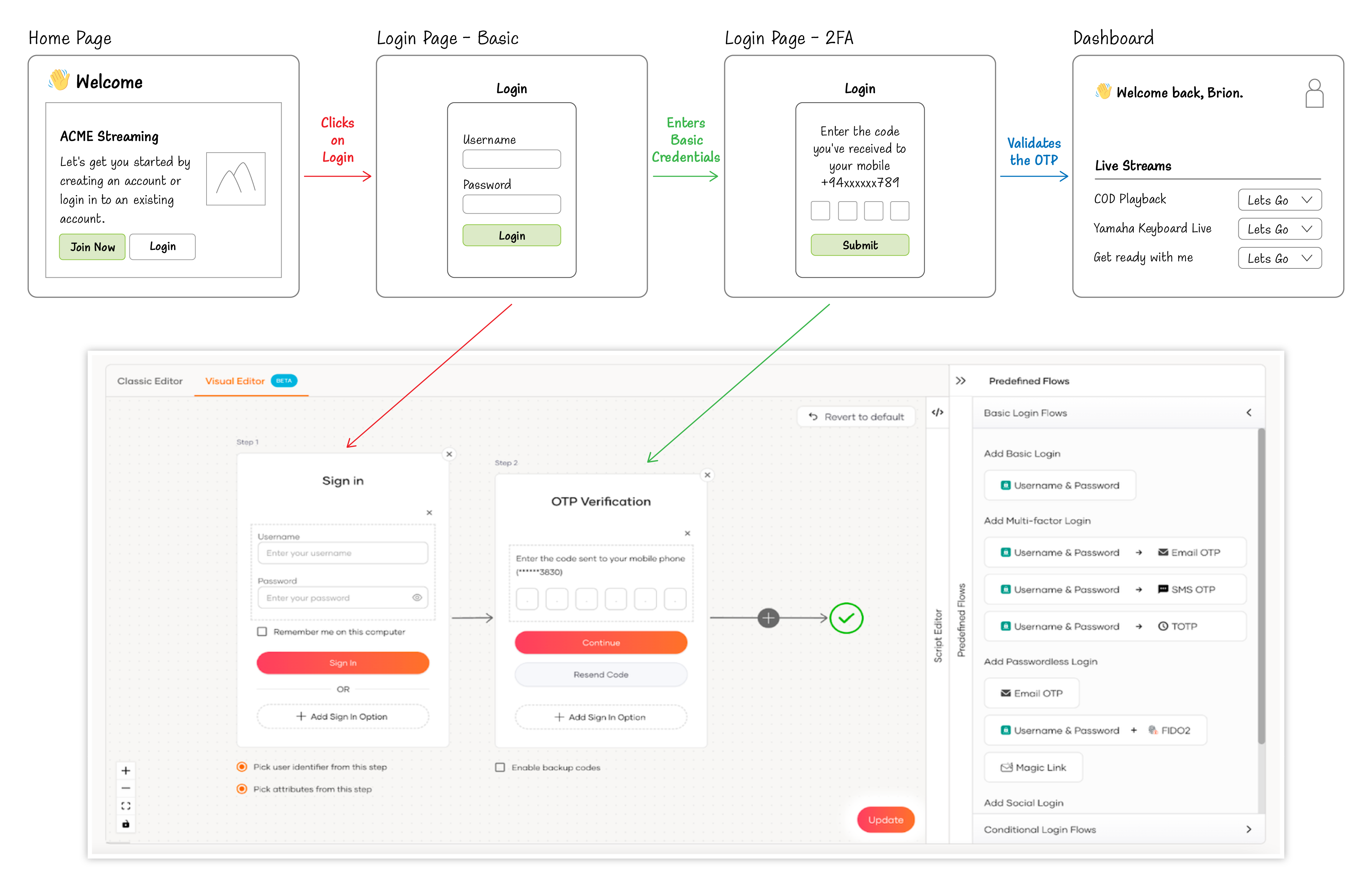
Figure 2: How the user journey maps with the Visual Editor
Predefined flow templates
The editor comes with several general-purpose flow templates to quickly get you started with an industry standard login flow. There are basic login sequences as well as advanced conditional login sequences based on some use cases. Suggestion: As a developer, your workload minimalizes - simply add the template and tweak if needed.
Asgardeo lets you craft custom login experiences and even offers conditional login flows based on specific criteria. With these pre-built templates, simply customize the Javascript-like script to tailor the flow as needed.
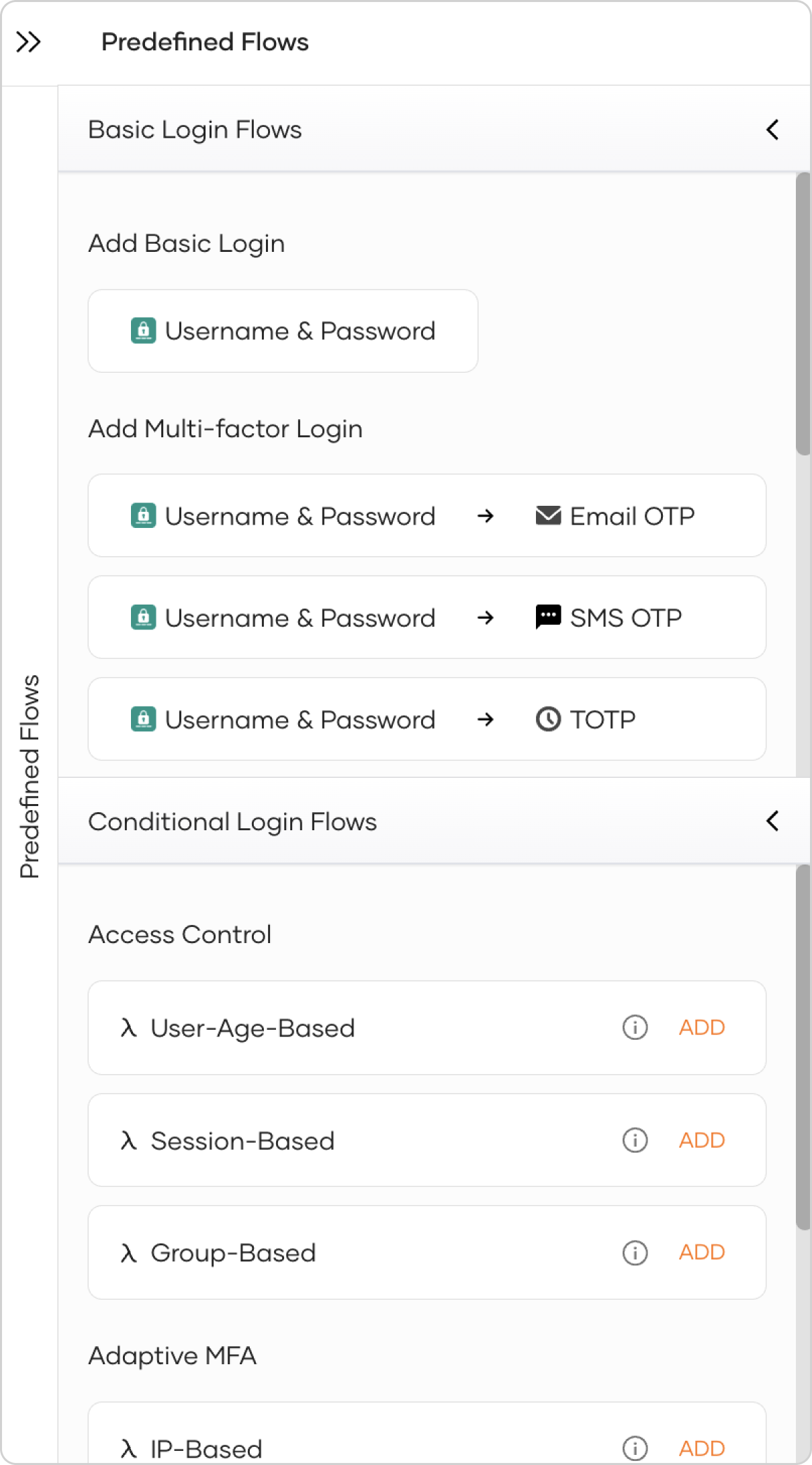
Figure 3: Pre-built basic and conditional flow templates
For more comprehensive insights and detailed instructions on various authentication aspects, don’t forget to check out our documentation and learn about multi-factor authentication, as well as conditional authentication.
I encourage you to check out the power of the visual editor firsthand. If you have any further requests or suggestions, please reach out to the team through Stackoverflow, discord, or via [email protected].