

Sign in with apple: a zero code approach

Image from https://www.macobserver.com/
Apple announced a lot of cool things during its worldwide developer conference last week. Amidst “ingenious” innovations like the $999 monitor stand, there was one particular announcement that caught my eye. The introduction of the Sign In with Apple feature.
In a nutshell Sign In with Apple
- Provides an API for developers to build a login functionality
- Allows users with Apple IDs to use their existing account to sign into third-party apps
- Controls the information shared at login
At a glance, this seems like just any other federated login option such as Login with Google, Facebook or any other identity provider. But Apple claims there’s more. According to the keynote, when a user logs in using Sign In with Apple, they can choose either to share their real email or a randomly generated email address unique to each app. These randomly generated email addresses will act as a proxy between the app and the user.
The Authorization Flow
Behind the scenes, Sign In with Apple uses the Open ID Connect (OIDC) Authorization code flow. As OIDC is a standard, implementing the login is going to be a lot easier (because of the availability of a lot of client libraries, etc.).
It's a simple two-step process to complete the login:
- Redirect the user to Apple’s authorize endpoint (think of it as the login initiation endpoint). Apple takes care of authenticating the user and sends your app a “code”.
- Your app exchanges the “code” to a token containing the logged in user’s information.
(You can learn more about the authorization code flow here.)
Deep Dive: Navigating the Authorization Flow Step by Step
Let’s take a look at the two steps in the Sign In with Apple flow in depth.
Step 1: Obtaining the authorization code
If you are familiar with the OIDC Authorization Code, this would typically mean redirecting the user to the authorization endpoint of Sign In with Apple, authenticating the user (done by Apple), and getting back an intermediate code known as the “authorization code”. The flow is sketched below:
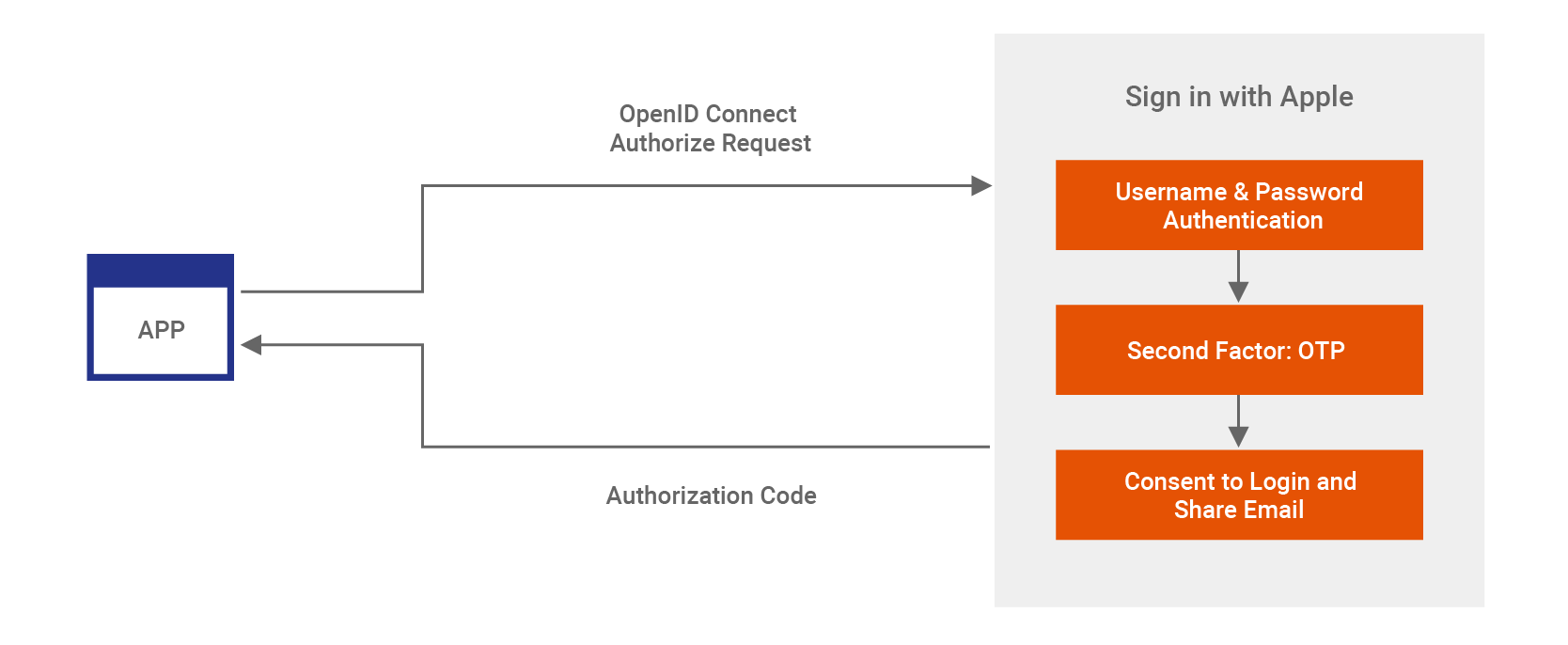
When a user clicks on Sign In with Apple in the app, your app will send a GET request to Apple in this format below.
In the typical OIDC Authorization request, the scope value MUST contain the “openid” string. The openid string signals the authorization server that the flow is OIDC and not Pure OAuth (OAuth is meant for authorization not authentication).
But while taking a deeper look at it, I noticed this wasn’t true at the moment. Even scope values such as email and name were accepted as valid ones. Due to the lack of documentation, we do not have a list of accepted scopes. But if you send a random scope value it seems to fail. Right now the authorization request of Sign In with Apple is a bit of a trial and error scenario due to the lack of documentation.
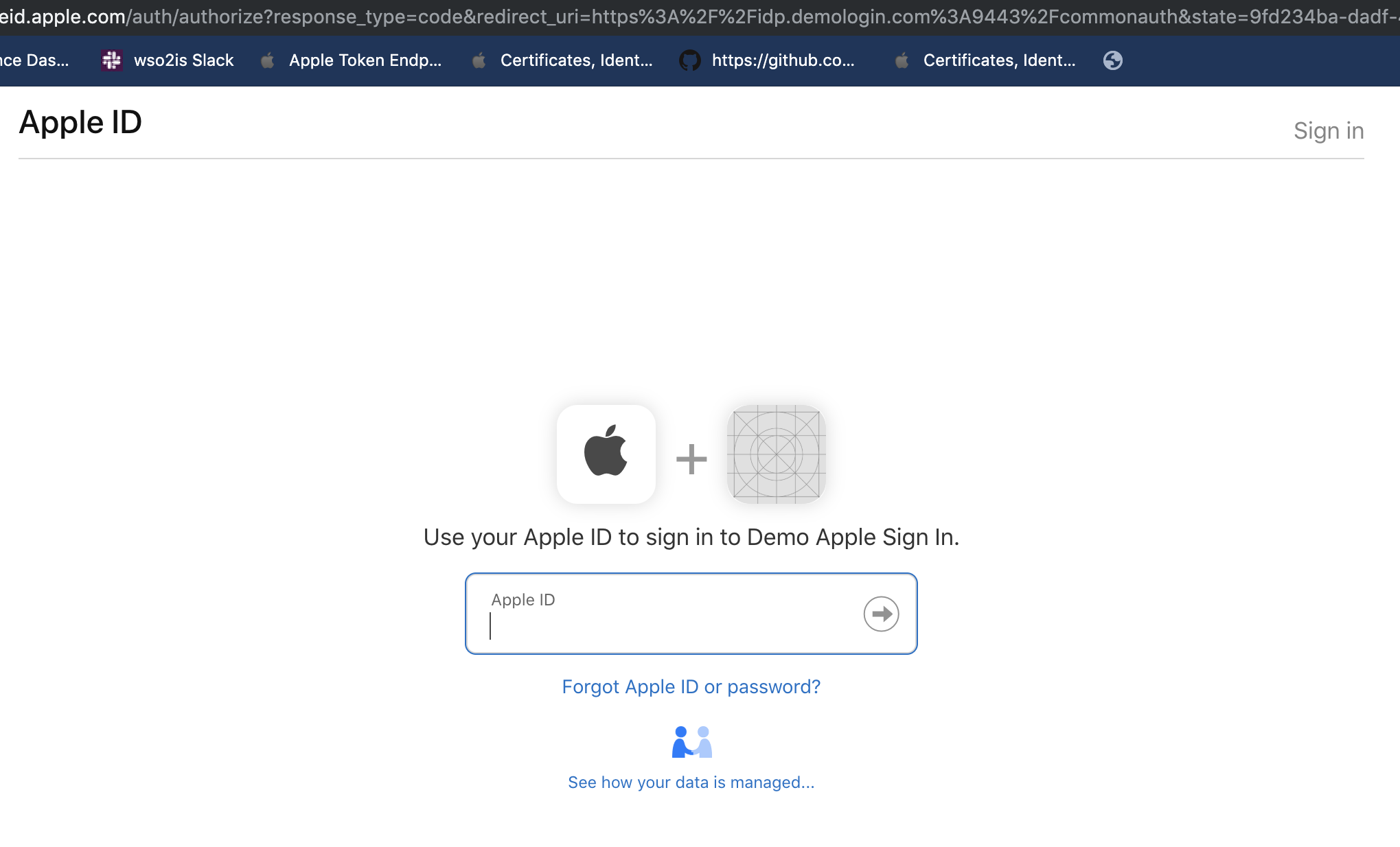
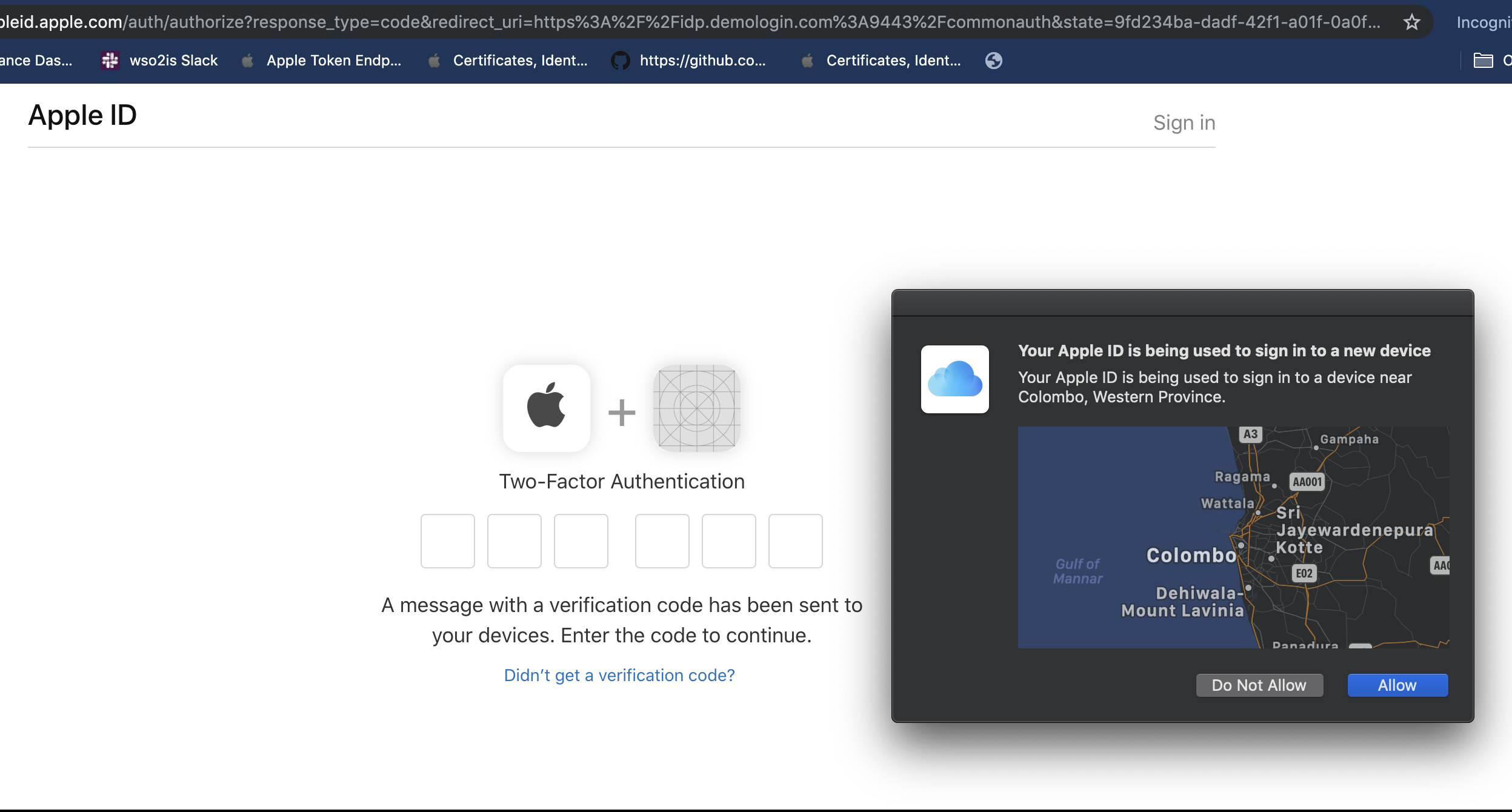
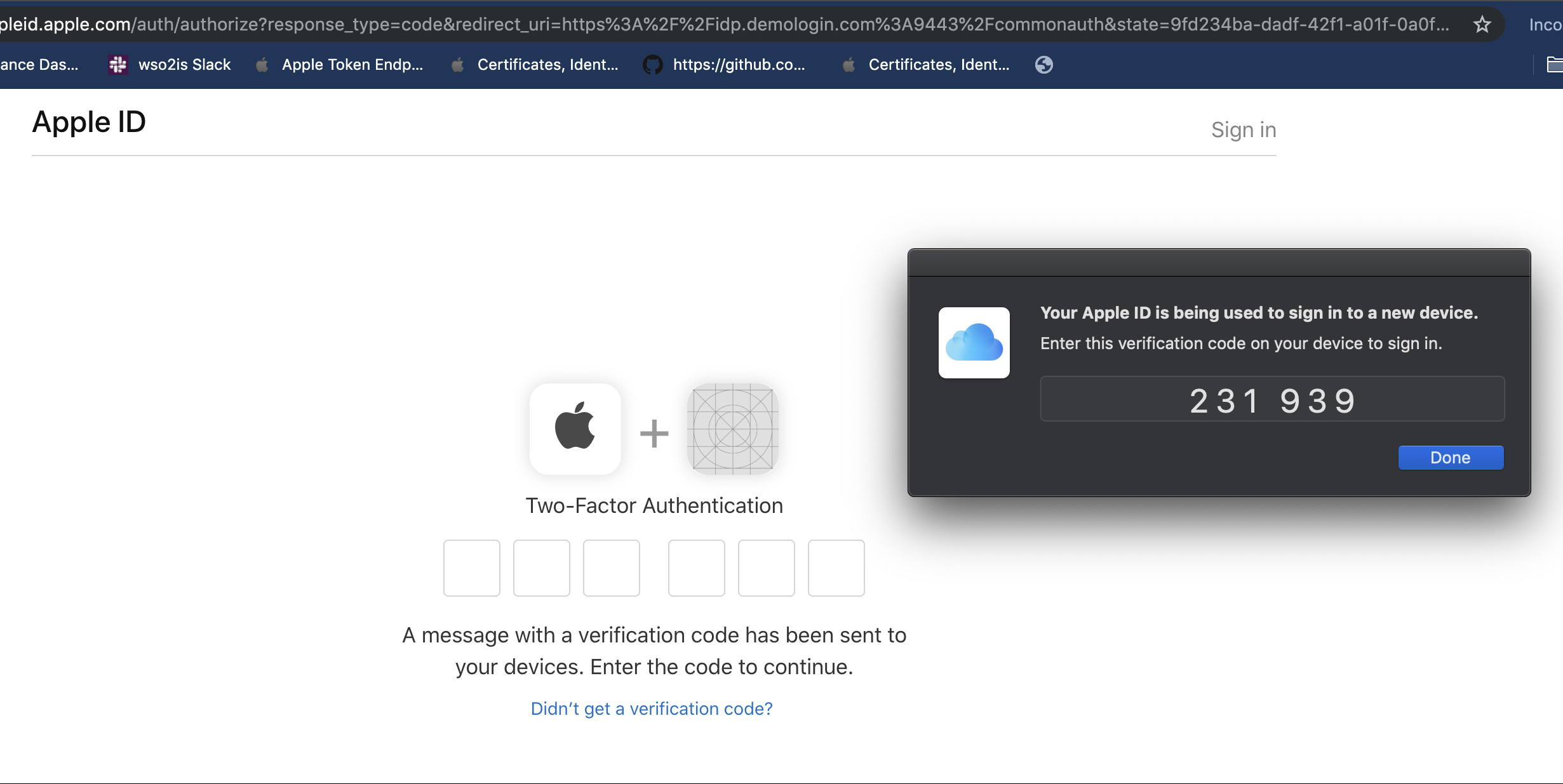
Once you send the authorization request, Apple will authenticate you in two steps. It is important to note that Apple strictly enforces two-factor authentication for Sign In with Apple. If you don’t have two-factor authentication setup for your Apple ID then you won’t be able to use Sign In with Apple.
- Username and password
- Second Factor: One-time password from a trusted device
- Then Apple will prompt you for consent to share your email with the app. Note that you only get this message when you log into an app for the first time. Thereafter Apple simply asks whether to allow the app to sign you in or not.
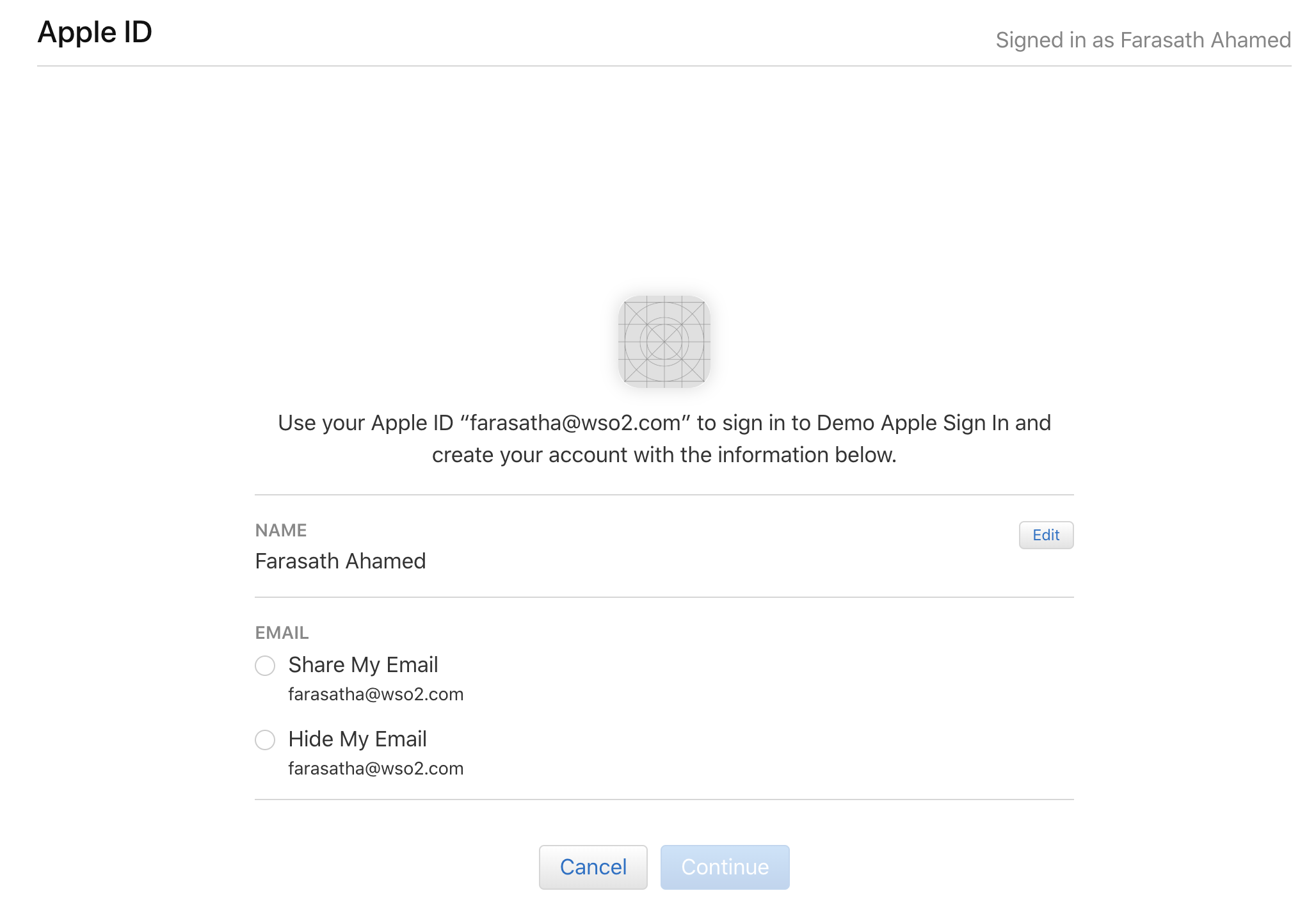
- Once you complete the above steps, your app will receive a code and the state value. These two are very important.
The state plays two roles:
- Acts as a correlation ID for the app to correlate request and received response
- Serves as a security mechanism to prevent Cross-Site Request Forgery (CSRF) attacks
The code, on the other hand, is an intermediate opaque string that is bound to the user’s authenticated session. However, your app cannot get any information on the authenticated user without authenticating itself. That’s the next step.
Step 2: Exchanging the authorization code for id_token

So your app now has a code sent back from Apple. But to actually get the information about the user your app needs to send a token request with the obtained code.
When sending the token request, your app has to authenticate itself to show that it is a valid one and the code was intended to be used by it. You typically do this in an OIDC Authorization code flow by sending a client_id and client_secret in the token request.
Check the Apple developer docs for parameters required by the token request.
The major difference I saw was in the client_secret parameter sent in the token request. In most identity providers the client_secret is a randomly generated string. But Apple wants the app to create its own secret, creating a signed JSON Web Token (JWT) using its private key.
Basically, where “iss” is your Apple Team ID and “sub” is your service id or the client_id
{
  "alg": "ES256",
  "kid": "ABC123DEFG"
}
{
  "iss": "DEF123GHIJ",
  "iat": 1437179036,
  "exp": 1493298100,
  "aud": "https://appleid.apple.com",
  "sub": "com.mytest.app"
}
This is somewhat similar to the private_key_jwt client authentication mechanism defined by OIDC Specification. However, Apple’s approach is slightly different:
- Apple’s client_secret does not require a jti (a unique identifier for the JWT token that usually prevents replay).
- The authentication token (JWT) required by Apple is sent as the client_secret parameter in the request. But the private_key_jwt method requires you to send the JWT as client_assertion parameter.
Token Response
- Once you successfully complete the token request, you receive a response similar to the one below:
{
“access_token”:”a645a412df1c....DHg”,
”refresh_token”:”rf3826e27d..rRa8dciiRSg”,
”id_token”:”eyJraWQiOiJBSURPUEsxIi......DI8GhKF81IGa4_kv4hw-7J2kLmKSJHUpY02oXNxEqklv-yjh_umleqAweMKVX2h21NSnS5v50tcJIJ8uX2GYl_neyEknJ0IgkfRbyrZBksw”,
”token_type”:”Bearer”,
”expires_in”:3600
}
The line that is most important to your app is the “id_token”. Once you decode the id_token (which is a JWT), you should be able to see the user information as shown below. ‘sub’ is the identifier of the user sent by Apple.
{
“iss”: “https://appleid.apple.com",
“aud”: “idp.demoglogin.com”,
“exp”: 1560244232,
“iat”: 1560243632,
“sub”: “001126.d3c6971f4faa4ccd80027e3654fa404a.1616”,
“at_hash”: “ON8oFWz6RXpPXEU3XEZUsg”
}
Note: Although I allowed the option to share my email, I wasn’t able to get it in the id_token sent by Apple. It may be because the wrong scope value was sent.
What about sign out?
Well, sign in happens fine.
But how do we sign out of the session? Does Sign In with Apple create a session at all?
Logging in with the Sign In with Apple option does not create a session in the browser at the moment (at least from what I have found so far).
Which means if you send two authorization requests to Apple from the same browser one after the other, you will have to login again.
When I entered my username at the login page, I noticed that a request is sent as shown below, which validated my account. The “isRememberMeEnabled=false” could be the reason for not maintaining a session.
https://appleid.apple.com/appleauth/auth/federate?isRememberMeEnabled=f…
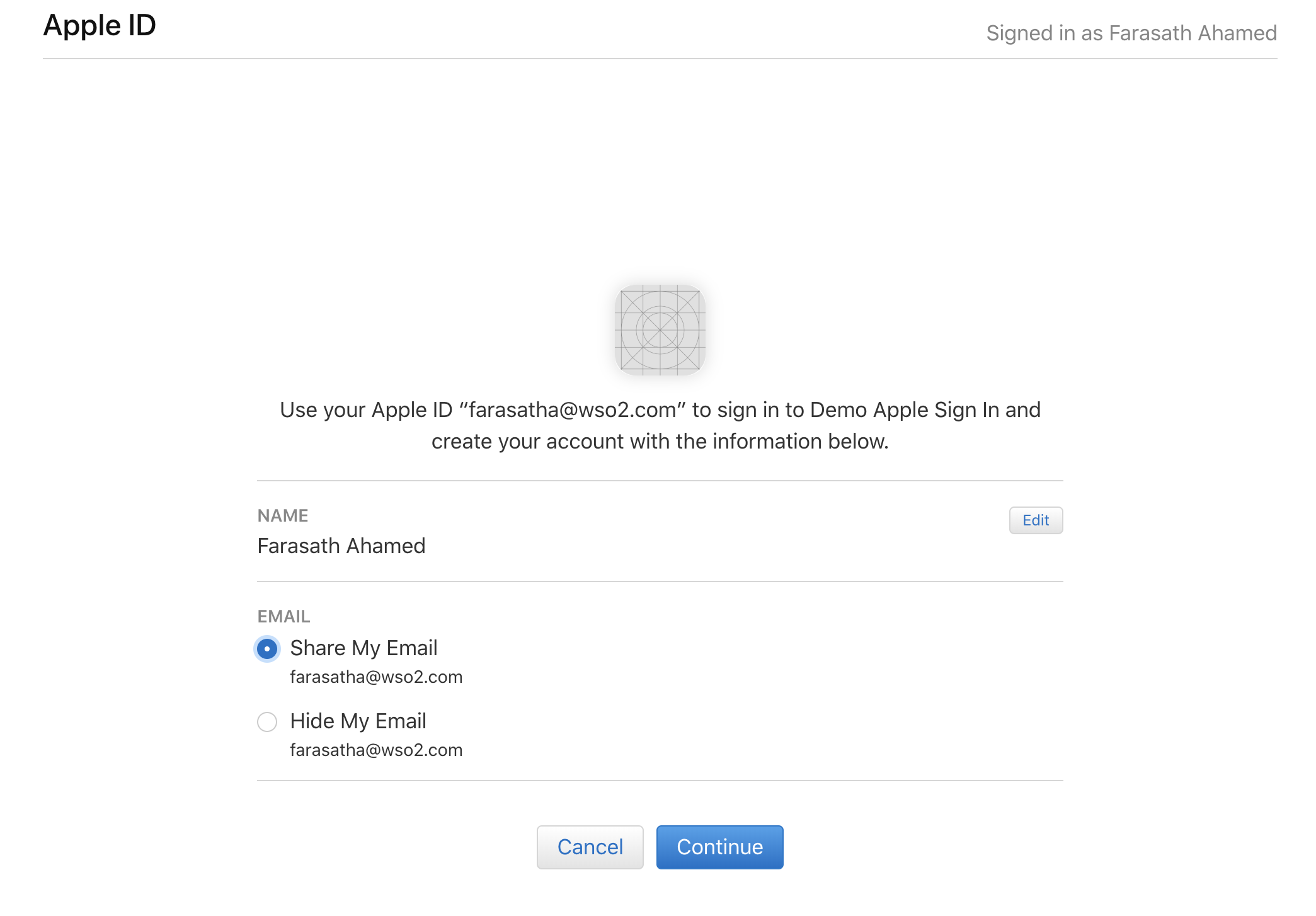
So every time your application sends you to log in, you will have to authenticate by going through the two steps. Therefore it is your app that will have to maintain a session and log the users out of the session.
So as for now, you don’t have to worry about the sign out part.
What does this mean to you?
- If you are an app developer, chances are that as soon as this feature gets commercial support you would have to start supporting it as a login option for your users.
- Since Apple enforces multi-factor authentication and allows users to shield their private information from third-party apps, Sign In with Apple could become the defacto login mechanism for nearly 1.4 billion Apple ID accounts.
- From a developers perspective, this means your app would need some refactoring/modification in order to support the Sign In with Apple option.

- If your app already supports OIDS, then you would have less hassle in supporting this. But it would still require some code changes to deal with providing multiple options for login and every time a “Sign with X” (X is an IDP just like Apple or Google) comes in.
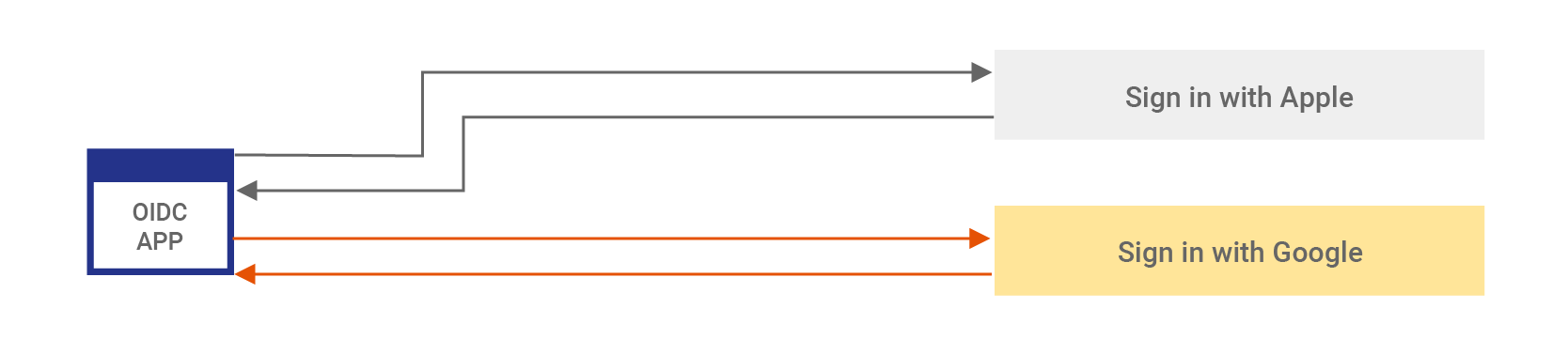
So do we have other options to consider?
Zero Code Change Support for Sign In with Apple
Let’s take a look at how to support “Sign with Apple” or any other “Sign in with X” option in a scalable manner.
In this solution, we will be using an identity and access management (IAM) provider to do the “Sign with Apple” part for us. Your app will only be talking to the IAM provider. This essentially means we will be introducing a layer between your app and external identity providers.
WSO2 Identity Server will be used as an example in this solution.

Step 1: Make your app speak in a standard protocol
Connect your app to the IAM provider via a standard protocol. Most IAM providers support protocols such as OIDC, Security Assertion Markup Language (SAML), and Central Authentication Service (CAS). If your app already speaks in any of these protocols you have less to do.
If not then you can follow the steps explained here to achieve it without a code change. There are filters and other mechanisms you can follow to make your app communicate in a standard protocol with an IAM provider without actually modifying the code much.

So basically this means your app now knows to talk to an identity provider in a standard protocol.
Step 2: Make your IAM provider do the “Sign In with Apple”
If your IAM provider supports standard OIDC federation, chances are that this is pretty easy to do. Typically this would involve three steps:
- Configure your IAM provider (in my example WSO2 Identity Server) as a trusted entity in Apple. Once you register, you will get a client_id and client_secret from Apple and also register WSO2 Identity Server’s callback URI at Apple.
- Configure the obtained details in the first step and add Apple as a trusted identity provider in your IAM provider.
- Engage the configured identity provider (Apple) during your app’s authentication flow.
A detailed post on how we actually do this can be found here.
What’s next: Support another “Sign in with X”
Let’s say you wanted to support sign in with Google for the same app. No problem! As you can see this is where the introduced IAM layer comes into play.
It’s just a matter of following Step 2 for Google instead of Apple. And you don’t even need to worry about touching the app.
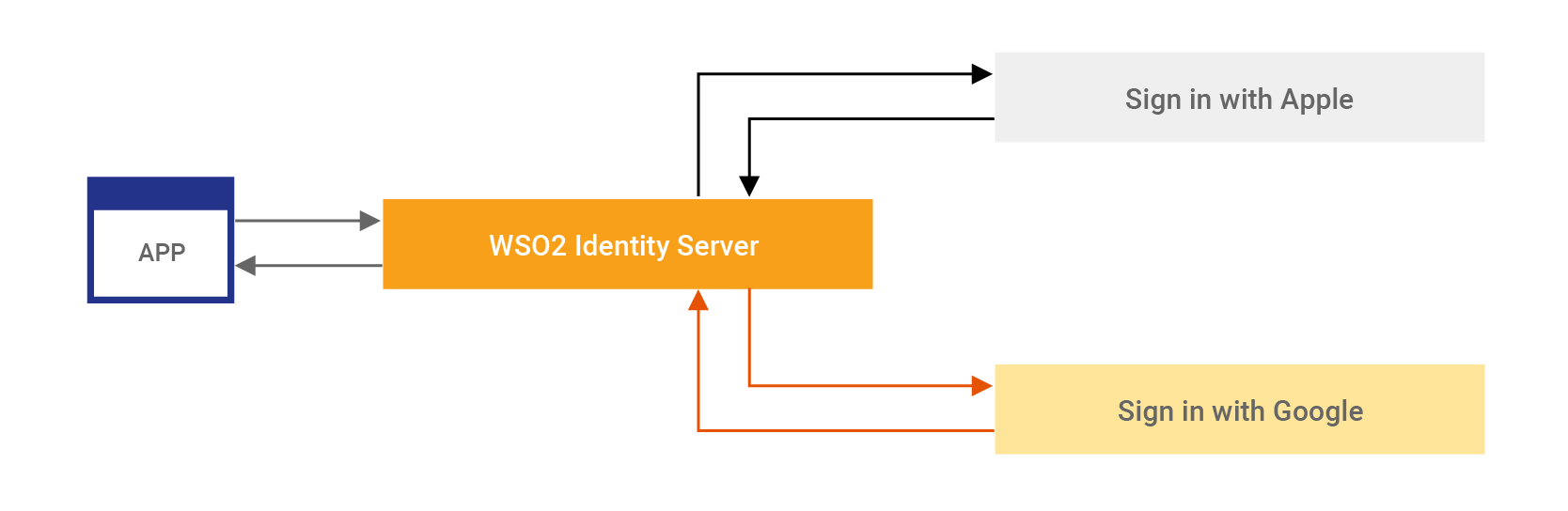
WSO2 Identity Server, as well as most IAM providers, provide other capabilities such as attribute transformation and engaging rules in the authentication flow. So having an IAM layer to communicate with the external identity providers helps you keep your app logic clean and free of authentication/authorization login that tends to change dynamically.
To learn more register for our webinar on Apple Sign In: A Zero-Code Integration Approach Using WSO2 Identity Server.