

Improved user experience to customize WSO2 API cloud domains

The capability to have custom domains is an important requirement when it comes to white labeling your API Cloud solution. WSO2 API Cloud has been providing this capability by allowing you to customize the Gateway and API Store domains to reflect your brand identity.
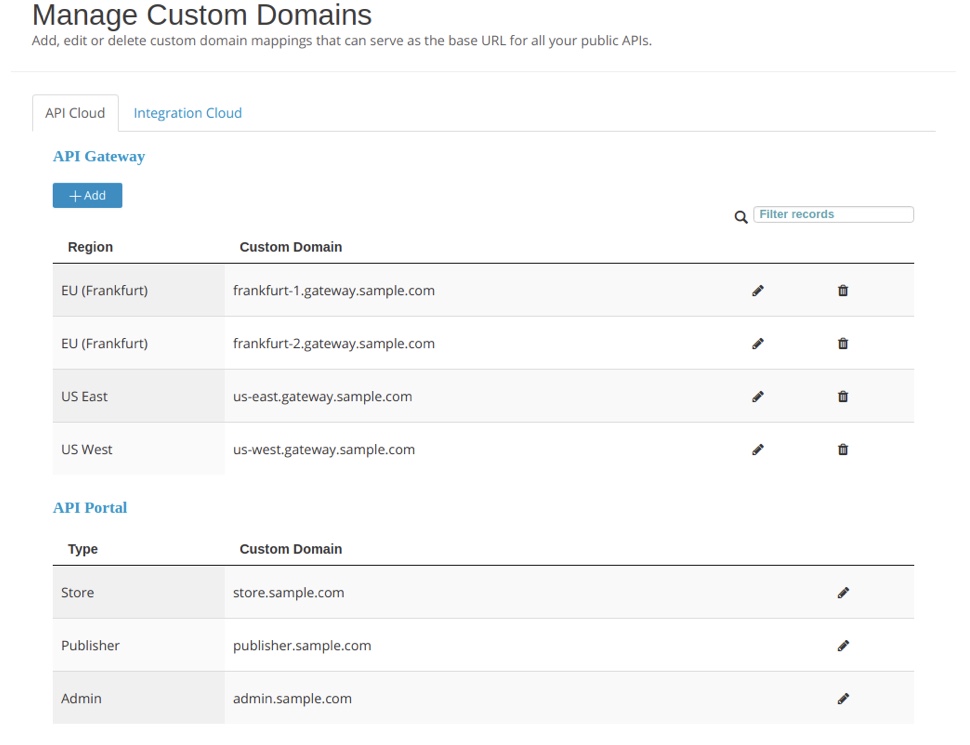
Now, with the latest WSO2 API Cloud update, we are happy to introduce our revamped UIs that allow you to do the following in addition to customizing the Gateway and API Store domains:
- Configure custom domains for publishers and admin portals
- Configure custom domains for multiple gateway regions
- Configure multiple custom domains for the same gateway
Configuring custom domains is simple and straightforward with WSO2 API Cloud. You just need to follow the intuitive configuration wizard depending on what you intend to customize.
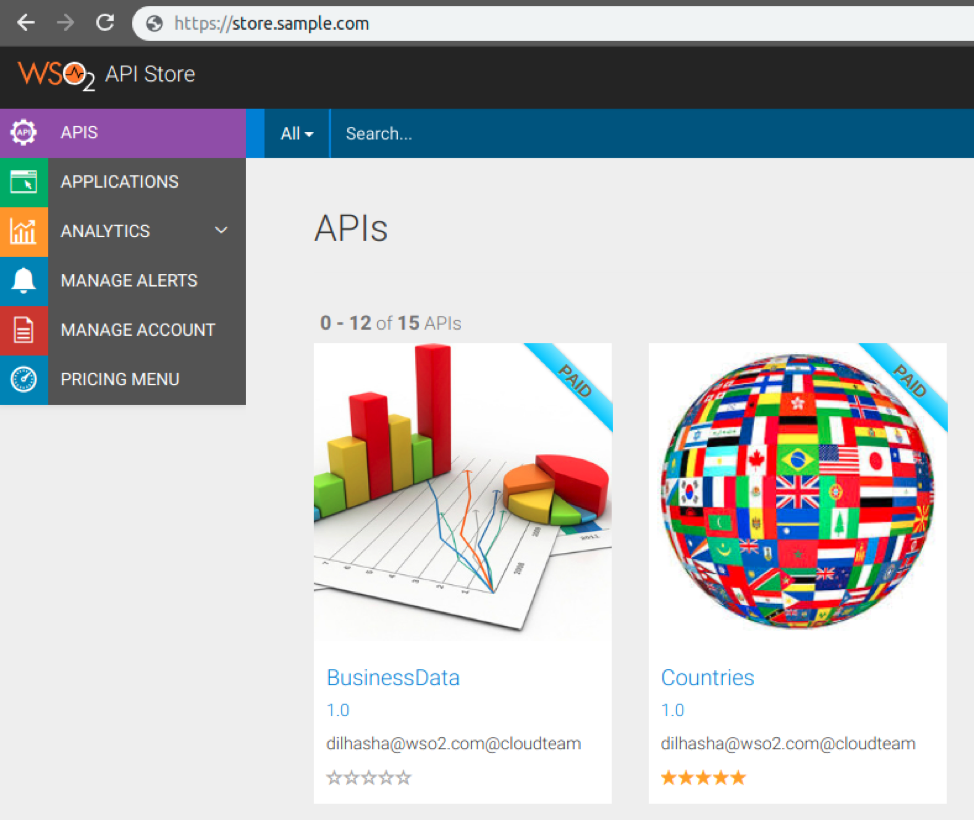
Let’s assume you followed the configuration wizard and customized the domain name of the API Store as store.sample.com.
This will allow you to immediately access your API Store using the new URL as follows:
Start using WSO2 API Cloud today and experience how easy it is to customize your API Store, Publisher, Admin portal, and Gateway domains to be more representative of your company or personal branding.
You can take a look at our documentation for step-by-step instructions on how to customize each domain: