

IAM for dummies: how does OAuth work?

What’s up, guys?
Today, I’m going to talk about OAuth. I’ve been delivering OAuth presentations for awhile now, and I can’t believe it didn’t cross my mind to write something on it. So, here goes!
OAuth is THE industry-standard protocol for authorization. It is used by a majority of software service providers including the WSO2 Identity Server, which is known for its fully functional OAuth features as an identity provider. Why should you care? Let me give you a practical real-life example of OAuth before diving into the details.
Have you heard about SoundCloud? If not, great! Let’s go and see what it is.
SoundCloud is a music sharing application that’s become popular around the world. The first step is to create an account for yourself. When you click glowing Create Account button in the top right corner, you’ll see a popup screen like seen below:
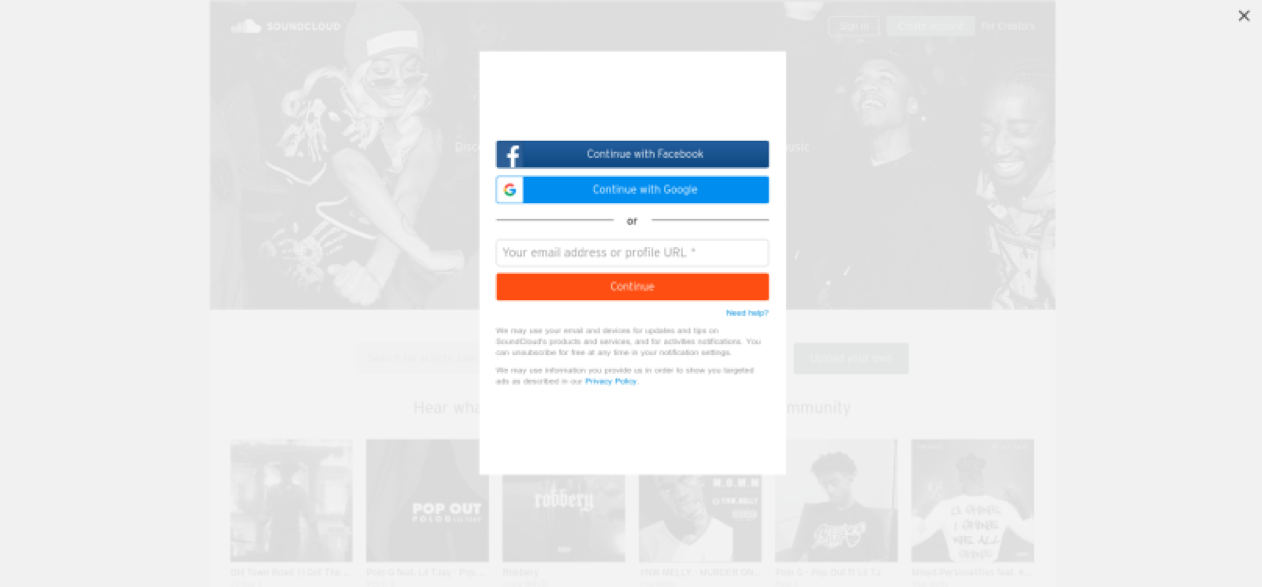
The first option is to Continue with Facebook. What does SoundCloud have to do with Facebook? Why don’t you click on it? It’ll open up a popup screen like seen below:
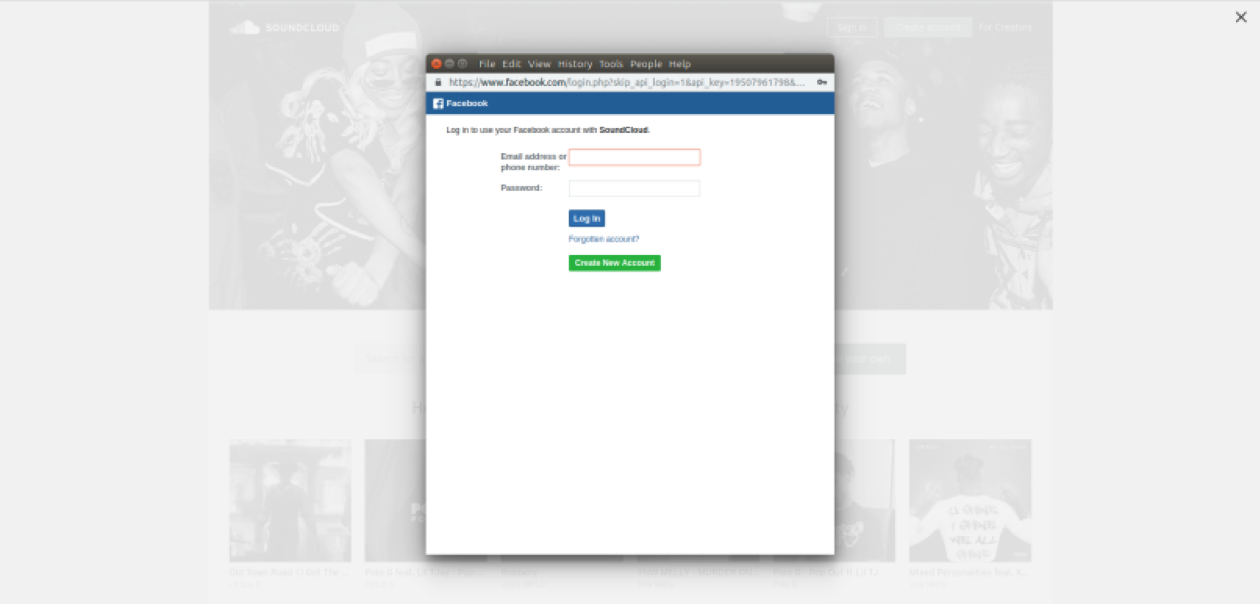
Here, notice the address bar on the popup window. It’s not SoundCloud anymore, it’s Facebook.com, and it’s asking you to log into your Facebook account. Once you enter your credentials and log in, you’ll see a new window that asks for your permission to allow SoundCloud access your information on Facebook such as your name, profile picture, birthday, etc.
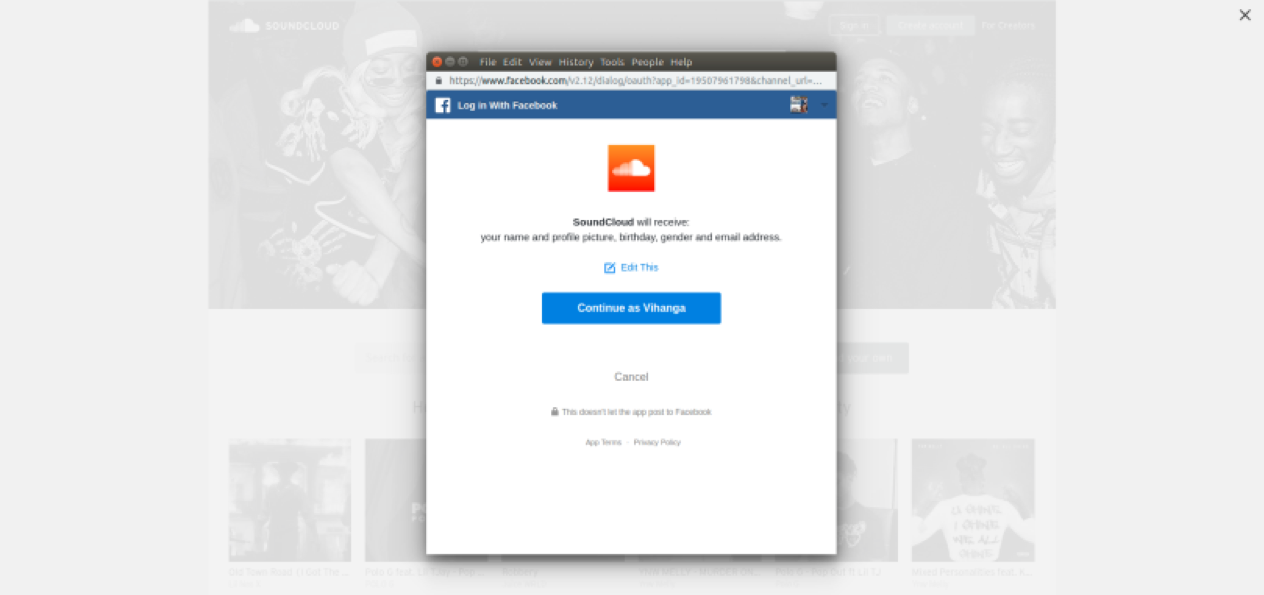
You can decide which information you want to share by clicking the Edit this button. Then go ahead and select Continue. The popup will close and you’re back on SoundCloud with a screen as seen below:
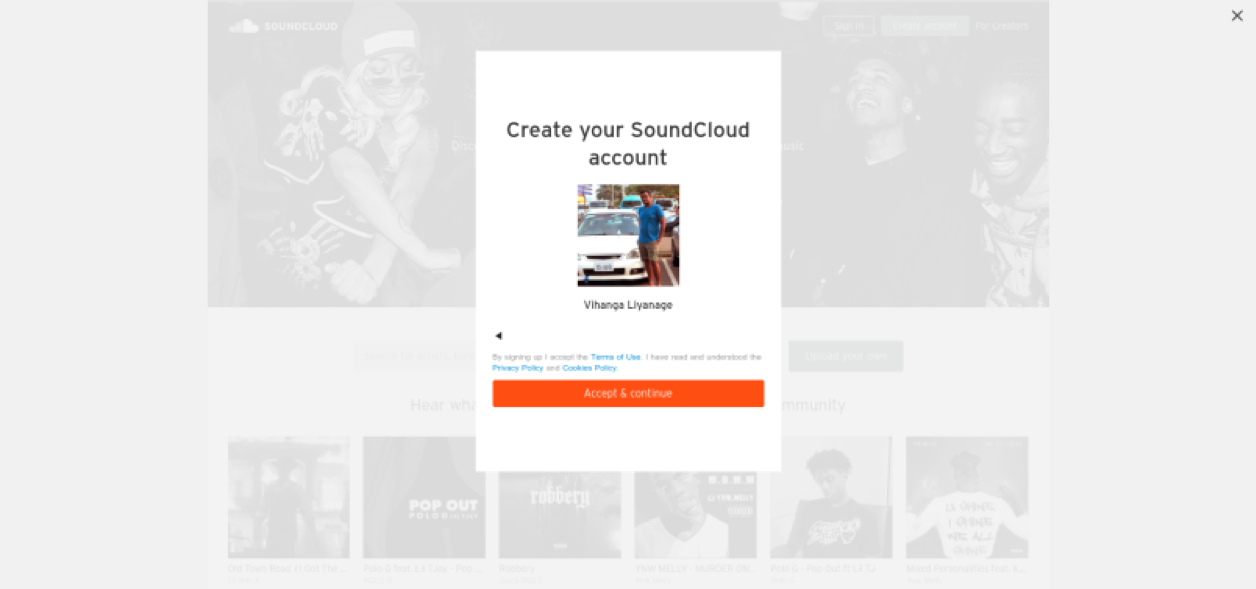
It has your name and profile picture, and asks to continue. Once you click the Accept button, you can enter your own newly created SoundCloud account. Without having to enter your basic information into a textbox yourself, SoundCloud accesses them through Facebook. How cool is that?
All of this was made possible thanks to OAuth! I’m sure you’ve signed up for many websites via Facebook or Google before, just like this. Did you realize that you were using OAuth software? Let’s dive into understanding the concept.
OAuth is simply a set of rules (technically speaking, a protocol) that can be used to provide access of a user’s resources to a third party. In our SoundCloud exercise, you, the Resource Owner, provided access of your information on Facebook, the Resource Server, to SoundCloud, a third-party client. The important point to note is that you never provided your Facebook username or password to SoundCloud. You provided them to Facebook itself.
The basic concept of OAuth in a more technical point of view is as follows:
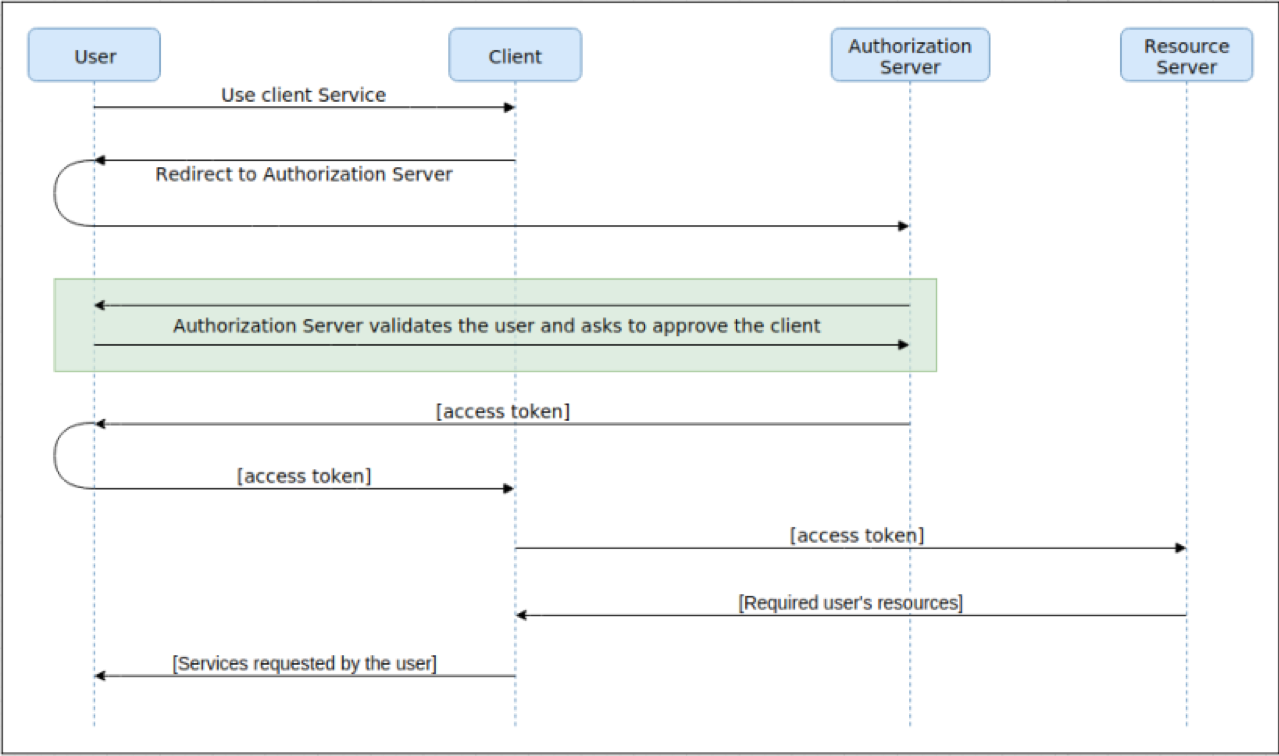
These are the conceptual steps of OAuth:
- The user wants to get some service offered by a third-party application or client.
- To provide that service, the client needs some user information or resources. To get those resources, the client redirects the user to the authorization server.
- The authorization server first asks the user to log in to his/her account and then gets the consent to share the requested information with the client.
- Once the user provides his/her consent, the authorization server issues a special key that we call an Access Token to the client.
- Then the client sends a request to the resource server with this access token, and the resource server provides the requested resources after validating the token.
- Once the information is received, the client is able to provide the services requested by the user.
This access token is bound to a specific user, a specific client and to a scope, which denotes the level of authorization given. For example, if you specify that the client can get your name and email only, the resource server will issue only that information. Please note that, in the SoundCloud scenario above, Facebook acted as both the resource server as well as the authorization server.
Now you know what the fuss is about! There are several insider concepts with OAuth when it comes to implementing this protocol for different use cases. However, all of them follow the same underlying logic. I’ll write another post explaining them in detail, hopefully soon.
Until then, cheers!