

Integrate facebook login to an application using Asgardeo
Photo by Negative Space
As a result of the rapid growth in the number of applications and systems in the world, it has become arduous to create multiple user accounts and remember the credentials for each application. Addressing this concern, social login has become a widely adopted login option. Social login is a simple process where a user can select a social network as their identity provider. This then allows the login request to be sent to that identity provider, confirms the user’s identity, and gives the user access to the application.
Asgardeo is an IDaaS that helps developers implement secure authentication flows to applications in just a few simple steps. It provides the capability to integrate social logins such as Google, Facebook, and GitHub with your applications. In this blog, we will guide you on how to integrate Facebook login to your application using Asgardeo. Once it is enabled, the users will be able to log in with their Facebook accounts. The only prerequisite to following this guide is to have both an Asgardeo and Facebook account.
Integrating Facebook login into your application using Asgardeo can be done in the three easy steps:
1. Register Asgardeo as an app through the Facebook developer portal
As the first step, you would need to configure Facebook and obtain the client ID and the secret. Here are the steps you need to follow to create an app and obtain those configurations:
1.Log in to the Facebook developer portal.
2.Navigate to My Apps and click Create App.
3.Select Consumer as the app type and continue.
4.Provide the display name for your application and create the application.
5.You’ll be directed to a page where you can add products to your app. There, click Set up on the Facebook login card.
6.Then select Web as the platform for the app and provide the site URL as https://api.asgardeo.io/t/{organization_name}. Then save the changes and continue.
7.On the left panel, go to Settings under Facebook Login.
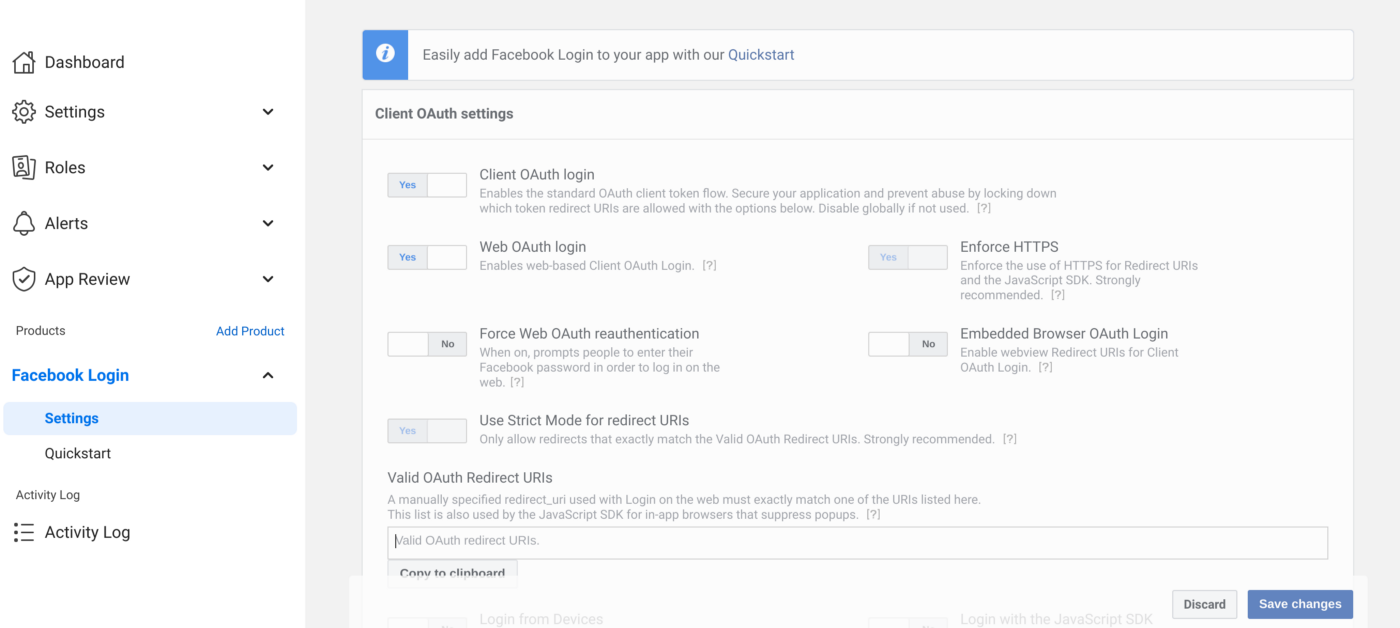
8. Add https://api.asgardeo.io/t/{organization_name}/commonauth as the Valid OAuth Redirect URI.
9. Enable Client OAuth Login and Web OAuth Login and click Save Changes.
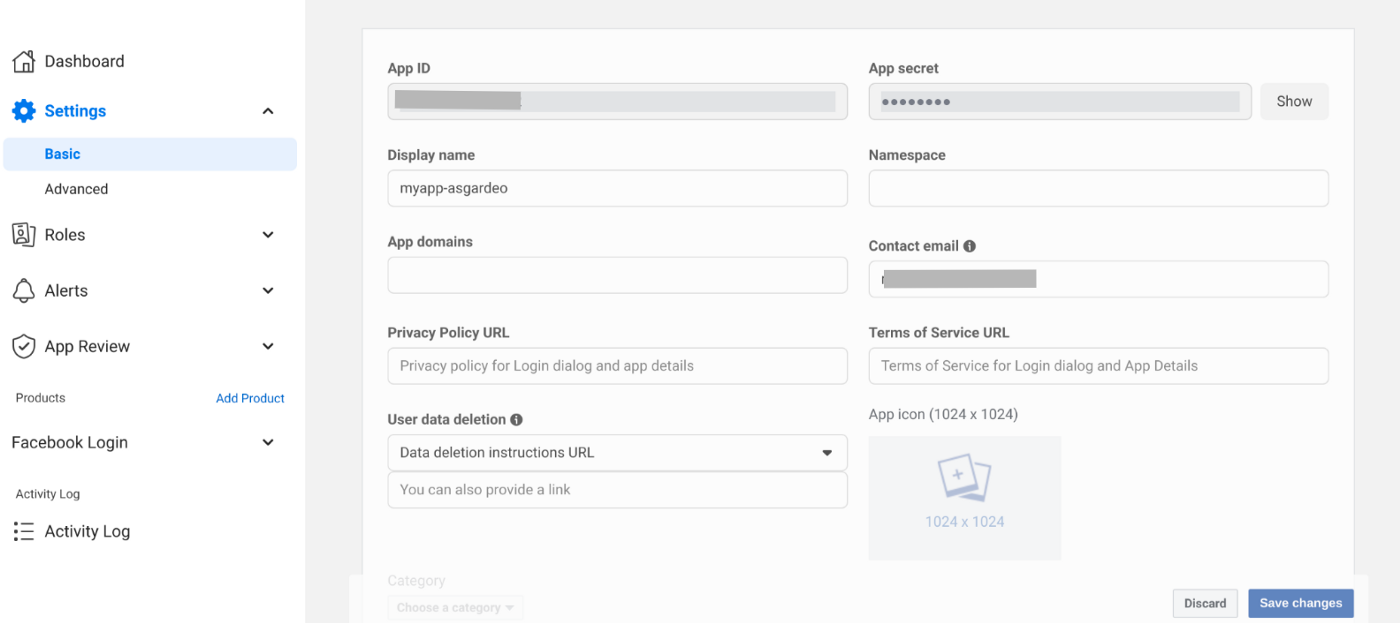
10. Now you can obtain the App ID and the App Secret from Settings -> Basic on the main side panel.
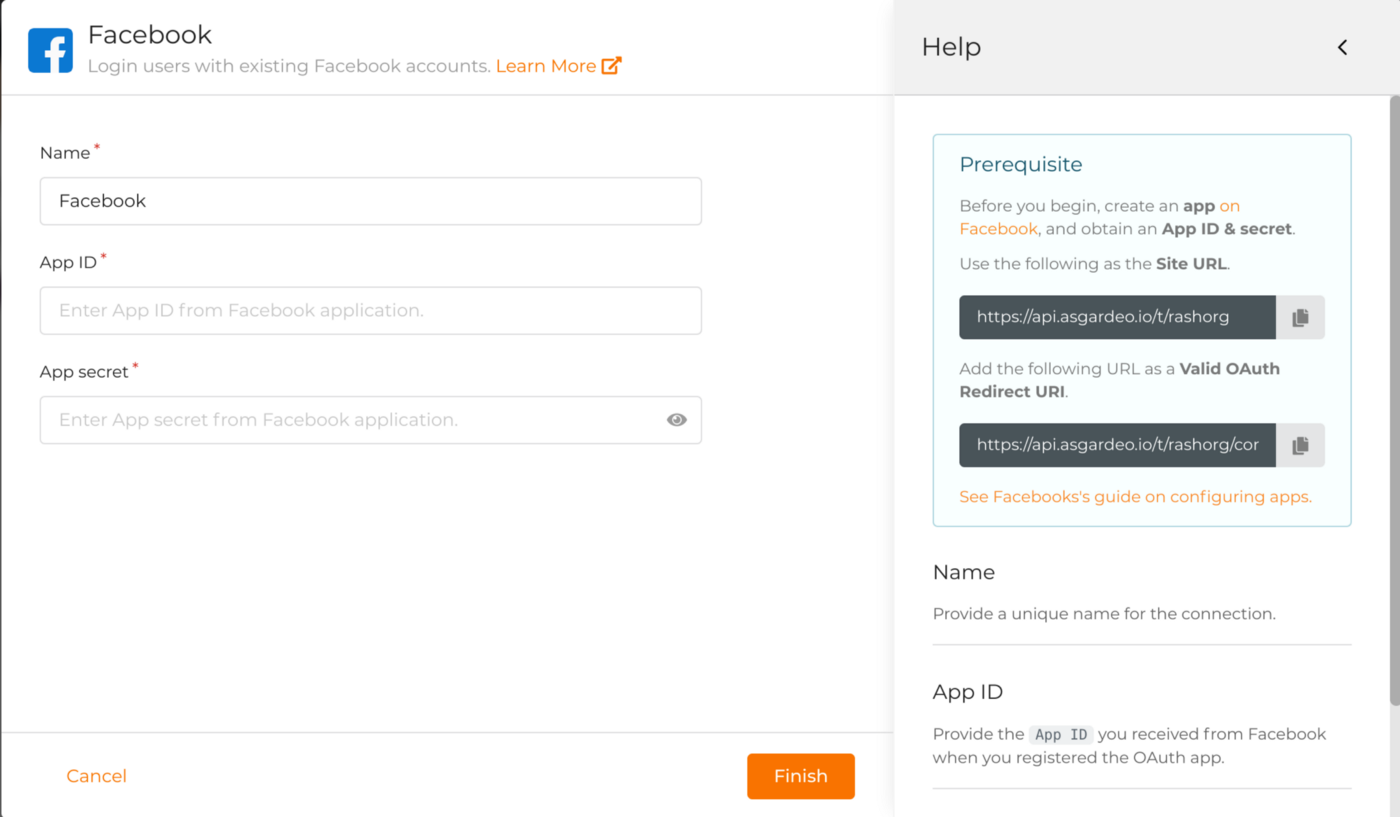
- On Asgardeo console, navigate to Develop -> Connections.
- Click Create Connection and select Facebook.
- Enter a unique name for the Facebook IDP, add the app ID and the app secret obtained from Facebook, and click Finish.
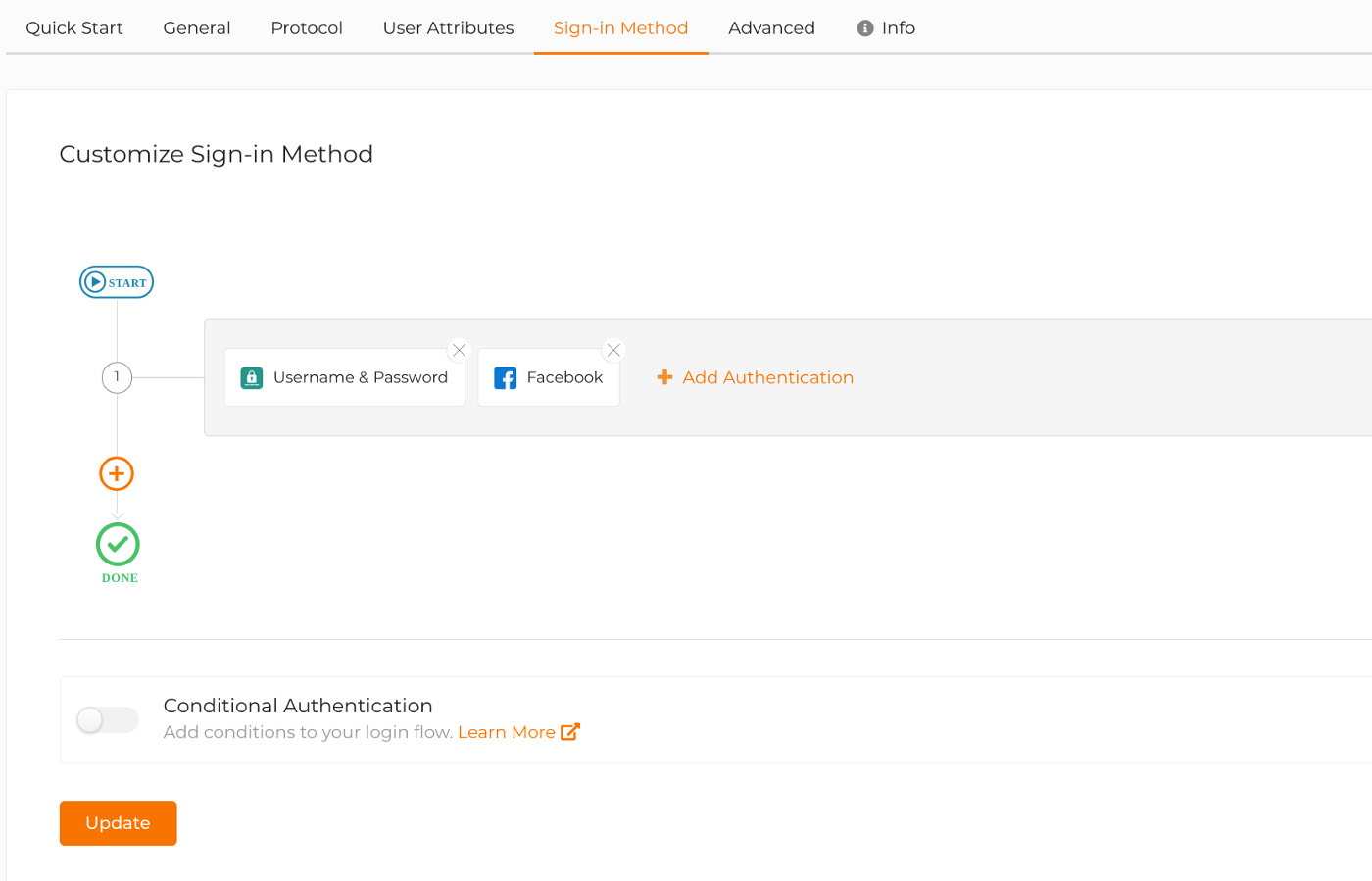
- On Asgardeo console, navigate to Develop -> Applications.
- Select your application and navigate to the Sign-in Method tab.
- Click on Start with the default configuration.
- There click on Add Authentication and select the Facebook IDP configured before, and click Add.
- Finally click Update.
2. Register Facebook IDP
The second step is to register the Facebook IDP in your Asgardeo organization.
3. Enable Facebook login in your application
As the final step, you can enable Facebook login in your application. If you don’t have an application registered in Asgardeo, you can refer to this documentation and configure an application.
Now that all the configurations are done, It’s time to test your application login. Access your application URL and click Login. On the Asgardeo login page, Sign In With Facebook option will be displayed.
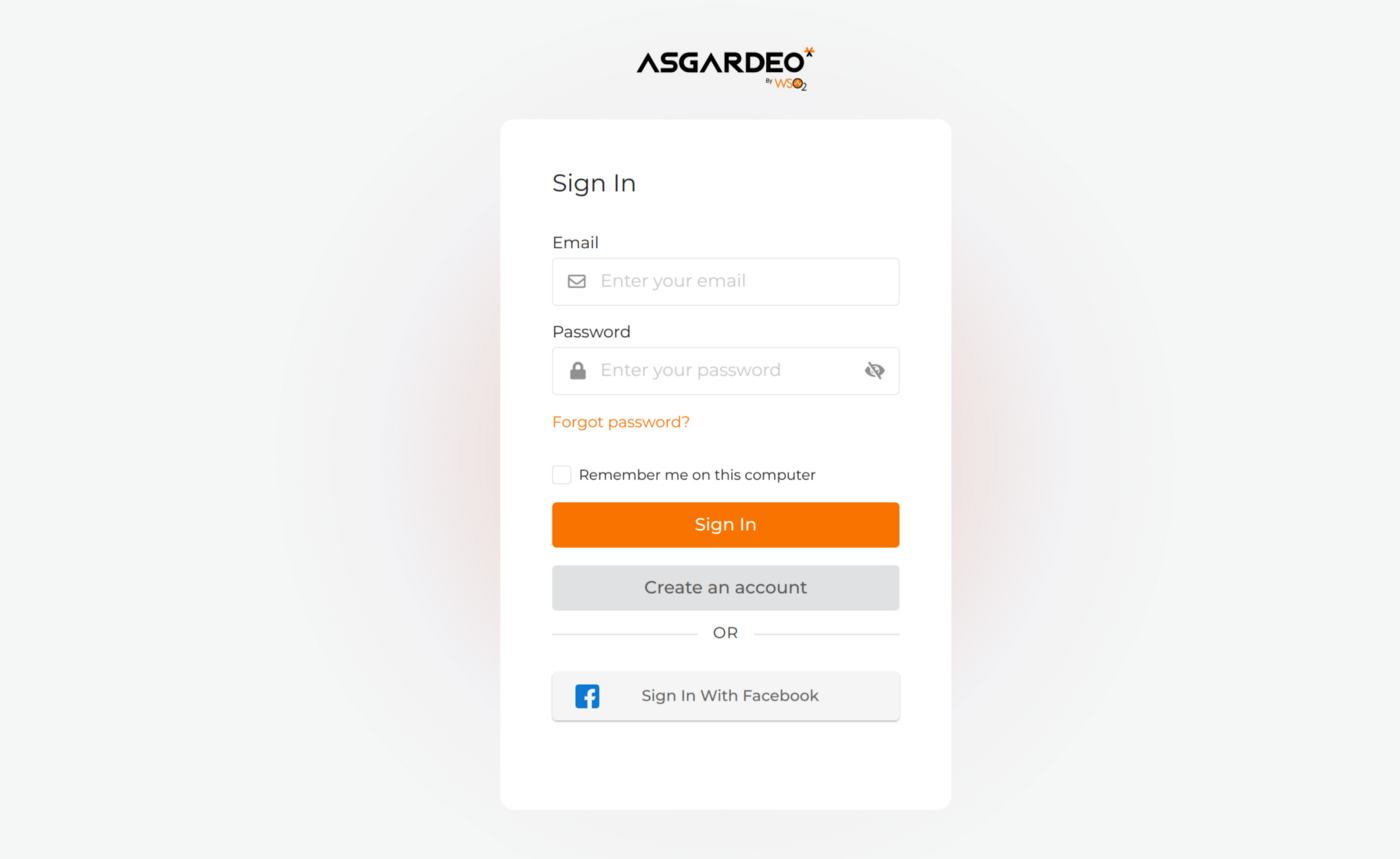
Now you can access the application by signing in using an existing Facebook account.
If this sounds interesting, we encourage you to try out the early adopter version of Asgardeo, an identity as a service (IDaaS) solution that enables developers without security expertise to easily embed customer identity and access management (CIAM) features into their apps within minutes.
You can also follow us on Twitter or join the IAM4Devs community. Alternatively, if you’re looking for an enterprise-grade, API-driven, open source solution that can manage millions of user identities without spiraling costs, please check out WSO2 Identity Server.