

Integrate login to your Python-flask applications using Asgardeo
Photo by Christina Morillo
Using WSO2 IS Python Auth SDK
In our final year as undergraduates, we researched how to use human affect and behaviors to anticipate threats posed by other humans. We built a simple website that demonstrated the capabilities of the model we designed. We quickly realized that it was a necessity to integrate login in order to keep track of users, manage the service they were able to consume from the system, provide capabilities based on their roles, control usage, and be able to monetize it, as one of the final year project members had planned to launch a startup.
We realized that building a highly secure login module or IAM system from scratch was not easy and could end up being costly. As such, we decided to integrate login to the flask app using Asgardeo, an IDaaS solution built on the reputed WSO2 Identity Server. Since it was the initial stages, I planned to first try out Asgardeo with the early adoption and python-SDK, and then move forward.
To get started on Asgardeo, you would first need to sign up, register your organization, and then create a web application.
- Create an organization in Asgardeo : (prodvivek)
- Login to Asgardeo Console
- Go to Develop > Applications
- Click New Application
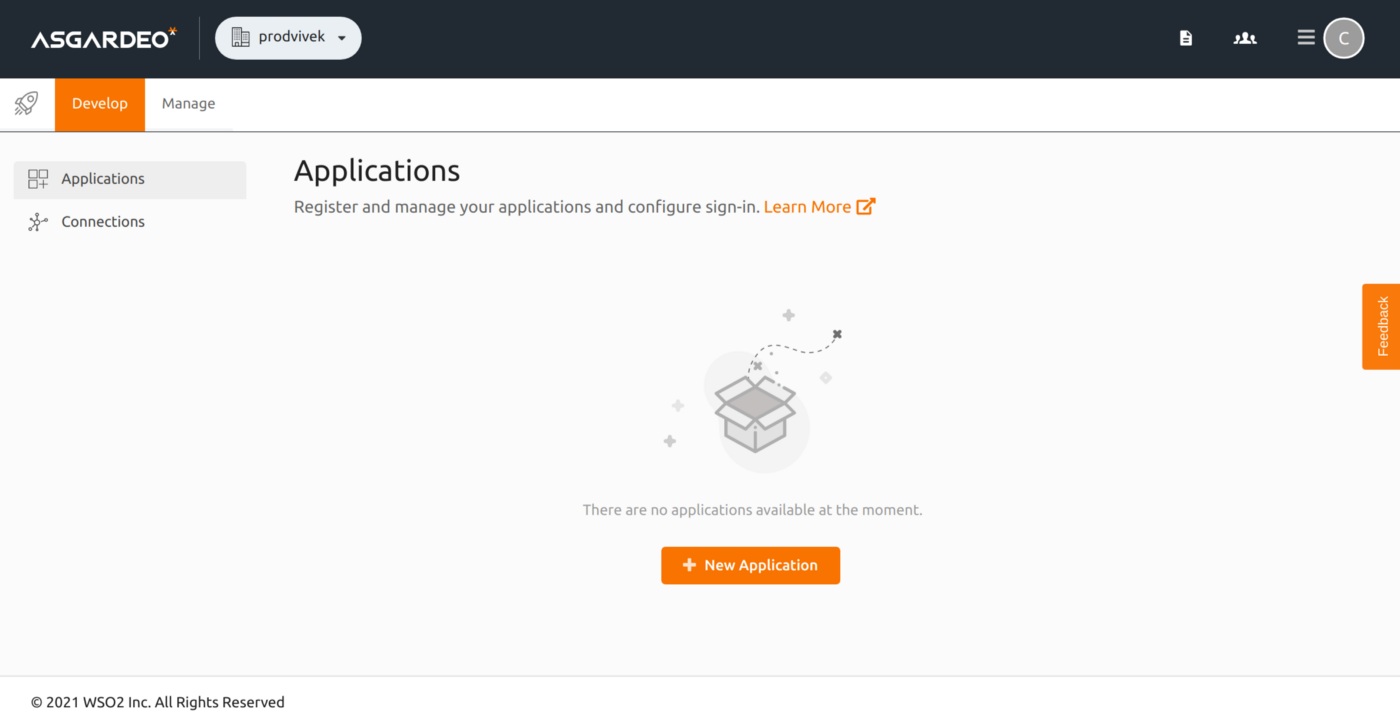
Fig. 1 Develop > Applications
- Chose the standard-based applications (OAuth2.0+ OpenID Connect)
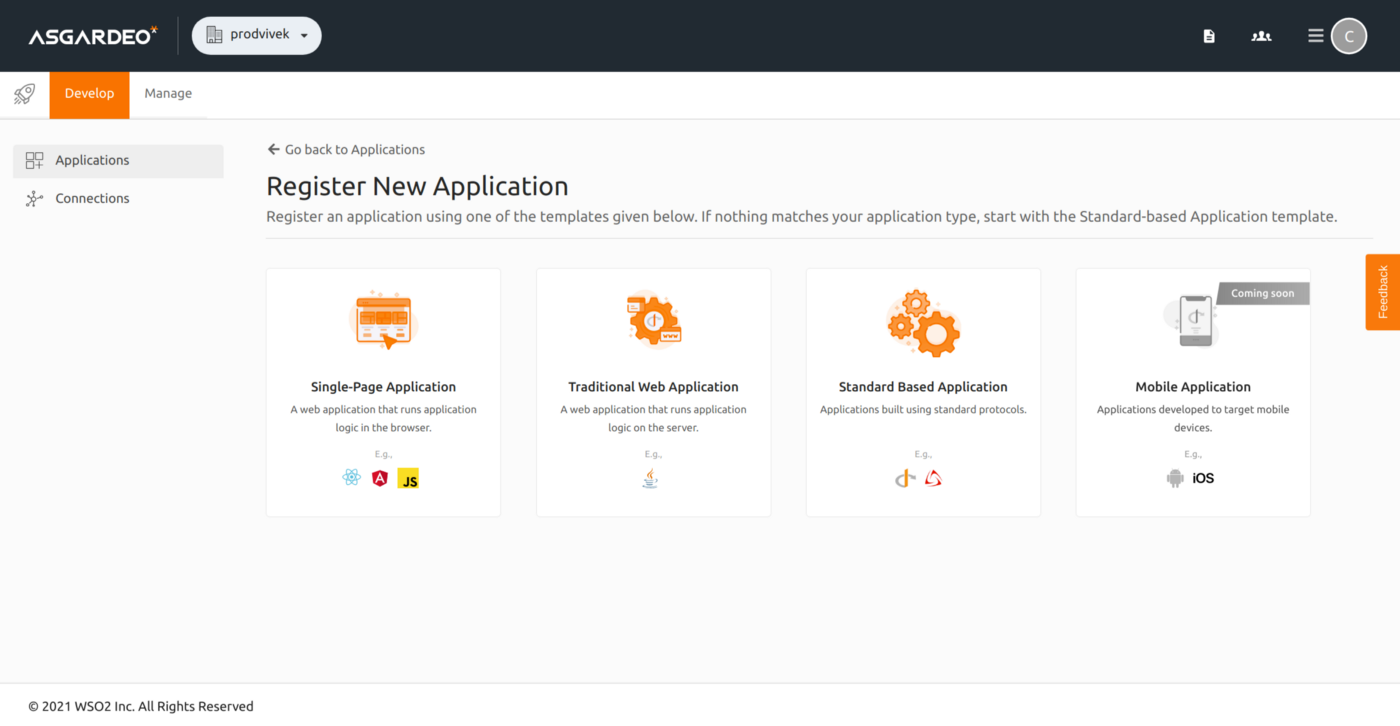
Fig.2 Choose Standard Based => OAuth2.0+ OpenID Connect
- Provide a name (Eg:FlaskApp) & proceed to register
- Update the authorized_redirect_url and add localhost:5000 to the allowed_origins
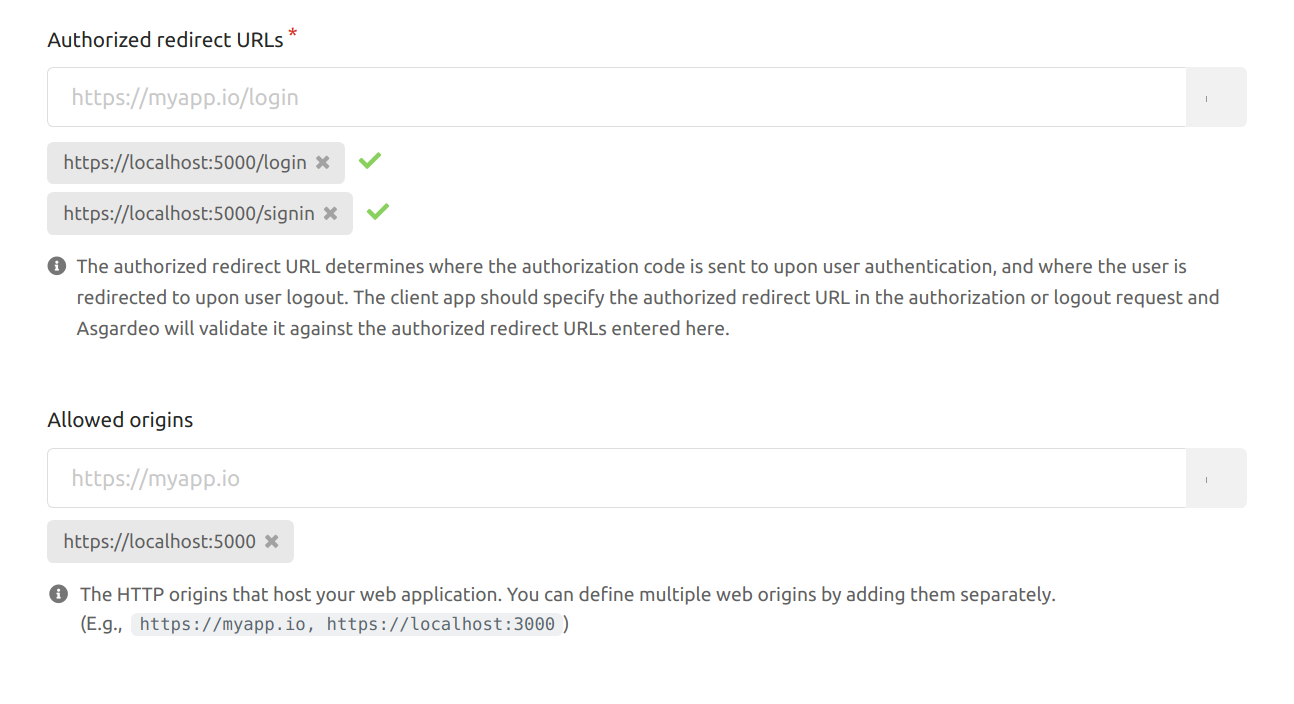
Fig.3 Update Authorized redirect URLs & Add Allowed origins
Try out the sample
- Fork and clone python-sdk repo.
- To test the authentication, you can simply use the existing sample found in the report.
app.py — sample application that supports login and logout functionality.
conf.py — Configurations of the application.
templates — html templates i.e. index.html, layout.html
requirements.txt — Package dependancies that should be set up in prior.
wso2.cert — WSO2 IS Certificate (or rather Asgardeo certifcate in this context) to avoid SSLCertVerificationError
- Go to Applications => Your Application => Protocol & copy the client ID and client secret.
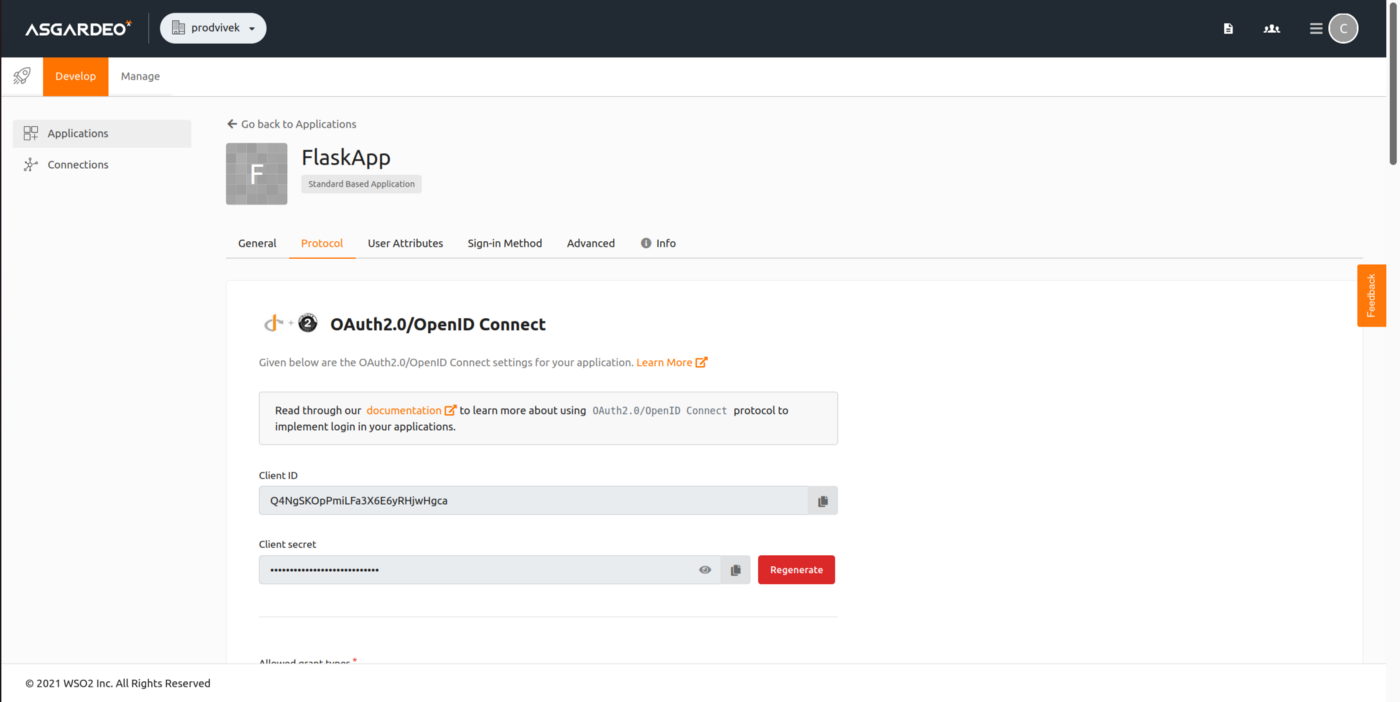
Fig.4 Copy the Client ID
- update the conf.py file. A sample configuration for the application created and registered under the organization prodvivek is shown below. You can keep the login, log out-callback URLs as it is. You can then replace the client_id, client_secret. tenant means the organization (prodvivek).
auth_config = {
"login_callback_url": "https://localhost:5000/login",
"logout_callback_url": "https://localhost:5000/signin",
"client_host": "https://localhost:5000",
"client_id": "Q4NgSKOpPmiLFa3X6E6yRHjwHgca",
"client_secret": "6zWpYmVnlUTW8eP5yklJH5fi8bIa",
"server_origin": "https://api.asgardeo.io",
"tenant_path": "/t/prodvivek",
"tenant": "prodvivek",
"certificate_path": "/home/vivek/Documents/Repos/asgardeo-auth-python-sdk-main/samples/flask/cert/wso2.crt"
}
- Obtain an SSL certificate for https://console.asgardeo.io/ and replace the content of wso2.crt with the obtained one. You might encounter python certifcate verify failed:unable to get local issuer certificate issue, but it should be resolved by obtaining chains of certificates.
- Run pip3 install -r requirements.txt
- Run the web application built with the Flask framework.
Create Customer User
Proceed to Asgardeo console and create a customer user (a user who is supposed to consume the services).
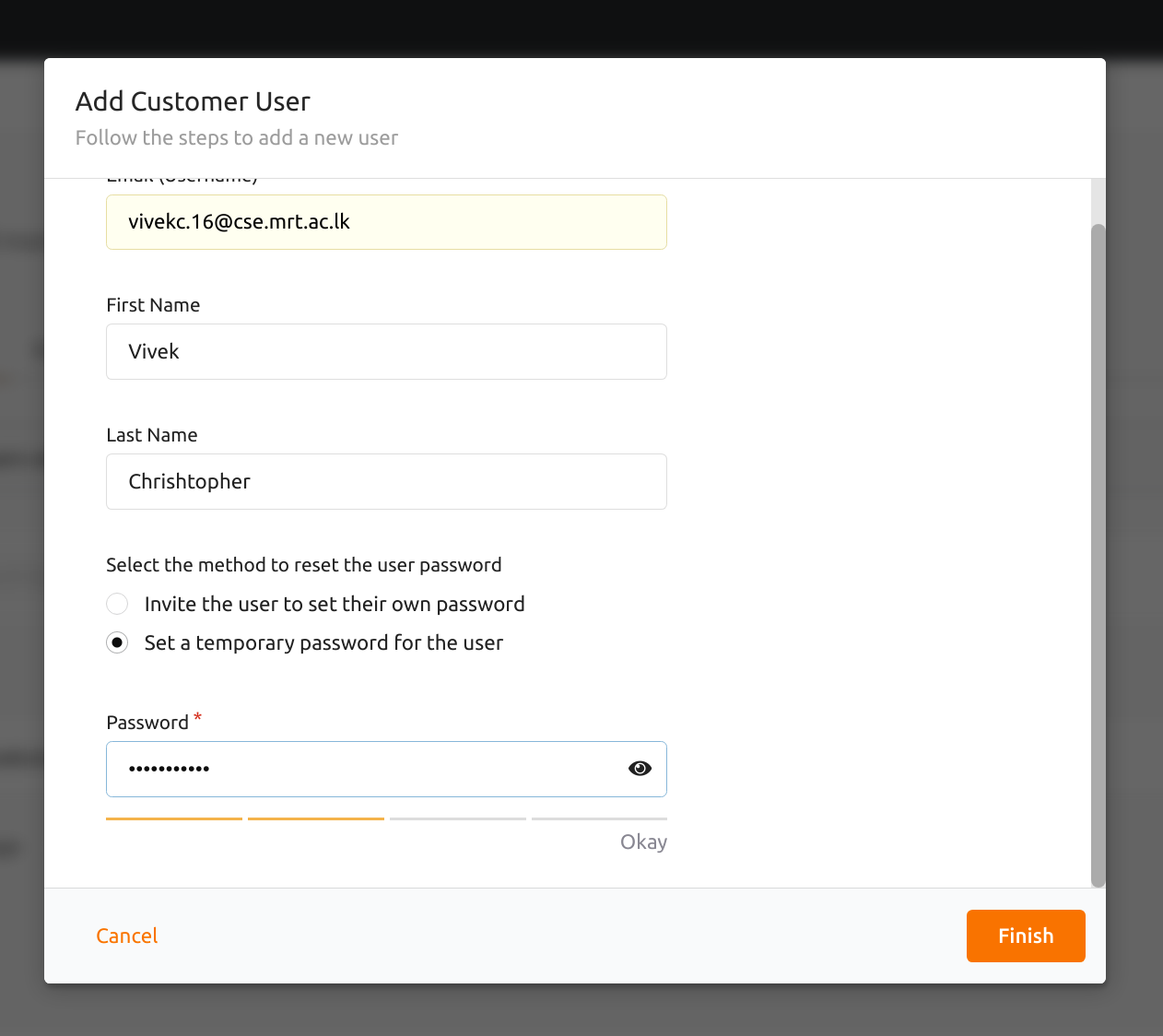
Fig.5 Create a Customer User
Test Authentication
- Go to the URL https://localhost:5000 . Fig 6 shows what the sample application page would look like.
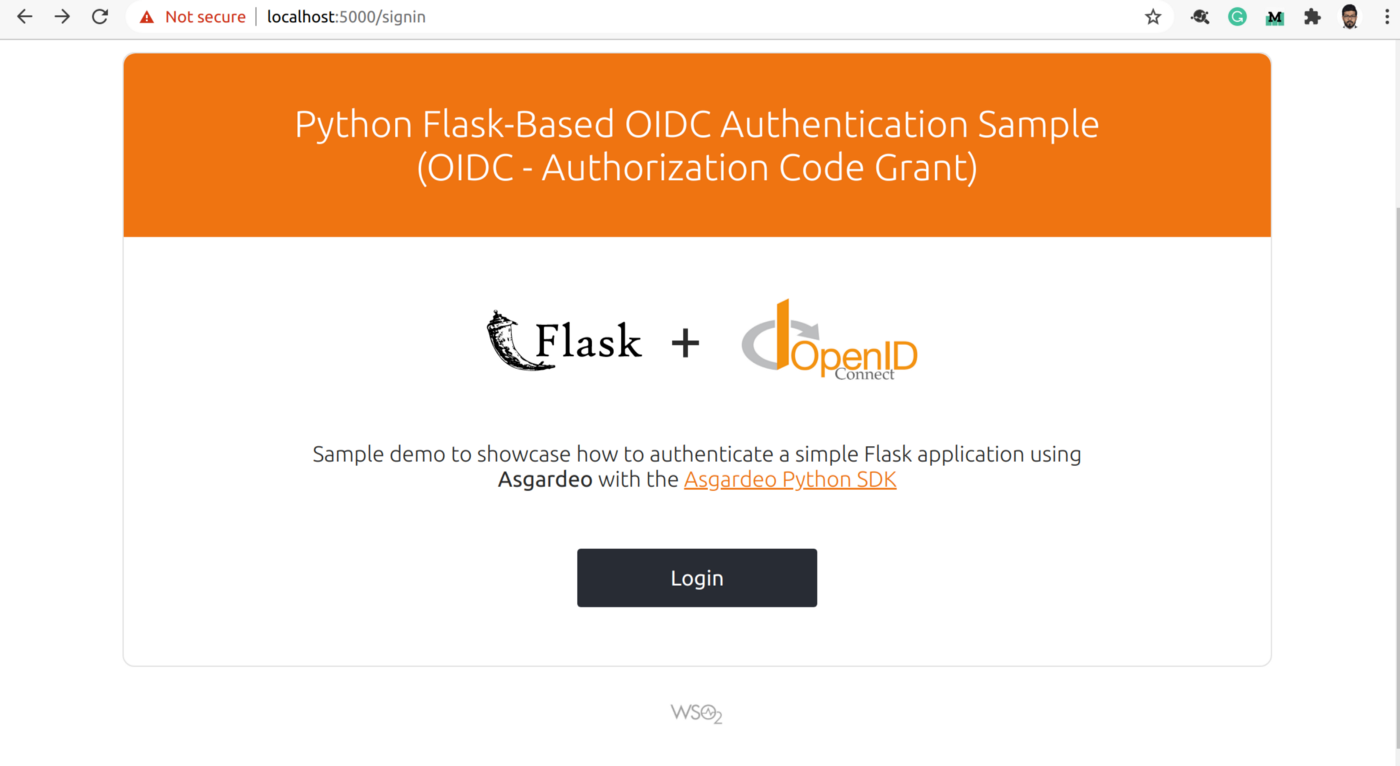
Fig.6 Sample Application
- Click Login, and you will be redirected to the Asgardeo login page. Enter the credentials and proceed with Sign In.
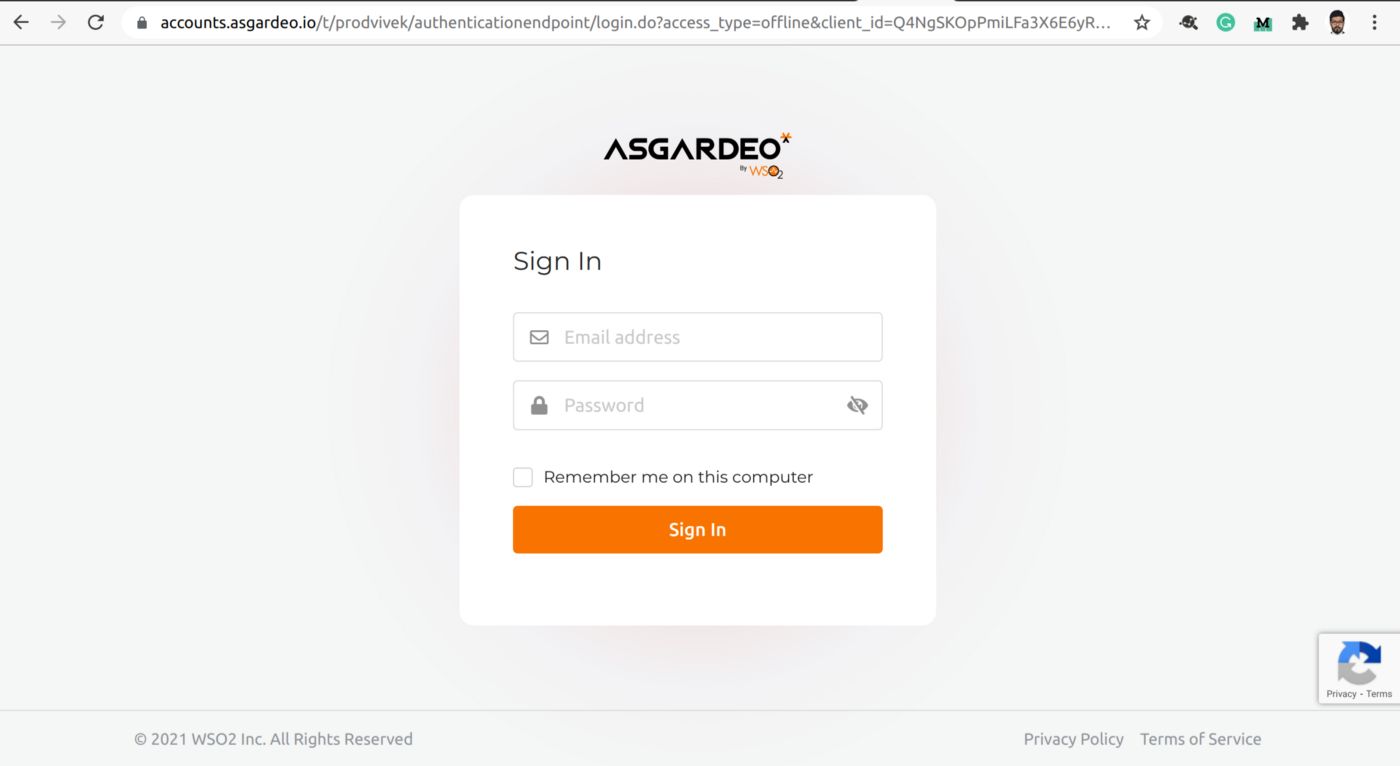
Fig.7 Sign In Page Rendered
- After providing consent, you will be redirected back to the https://localhost:5000 home page.
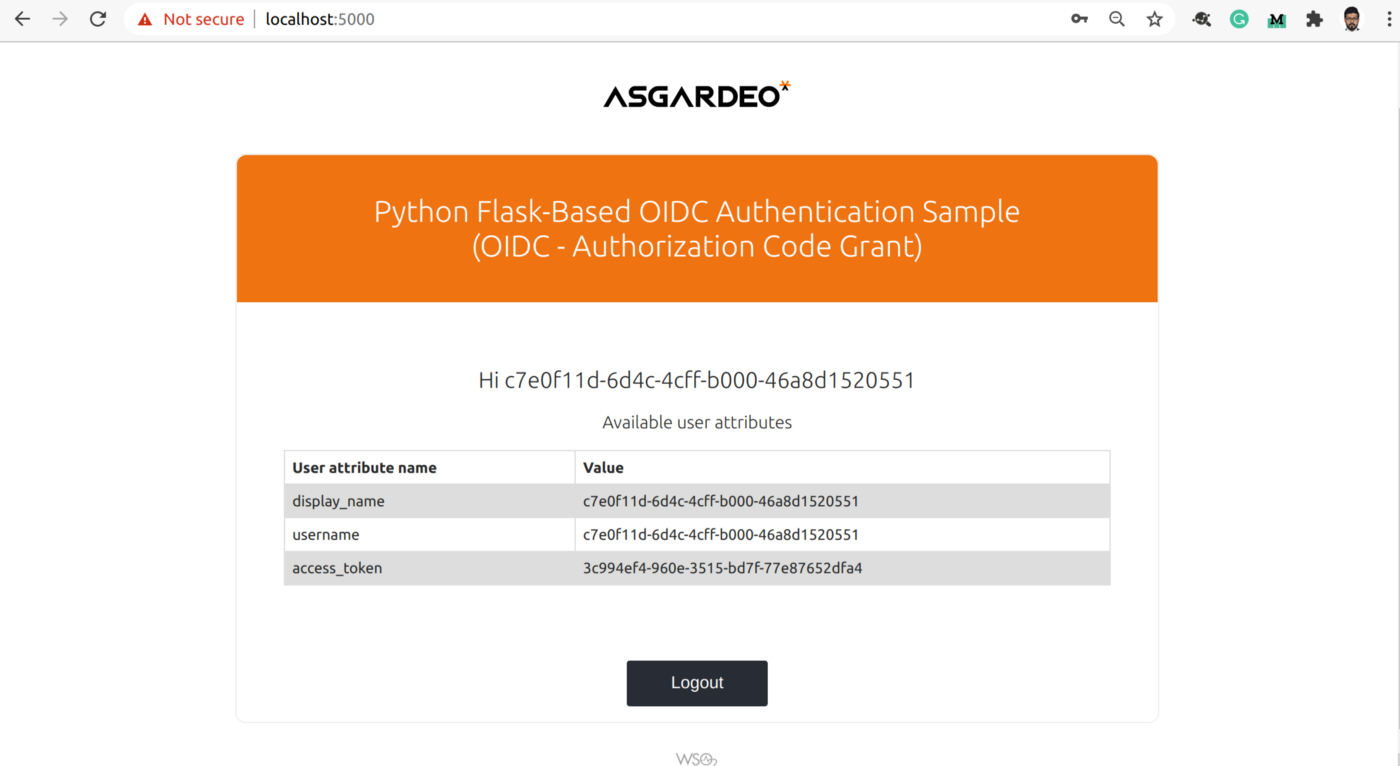
Fig.8 Home Page of Sample Application
- Now you would have successfully logged in to the sample application. The logout option is available and you can proceed to logout.
Now that we have successfully integrated the login module (or rather IAM solution) into a simple application without much hassle, we can easily integrate google sign-in, MFA, and adaptive authentication into the application. Without a doubt, Asgardeo can help a lot of SMEs and startups, as it will allow them to focus on their solution while having their Identity and Access Management needs taken care of.
If this sounds interesting, we encourage you to try out the early adopter version of Asgardeo, an identity as a service (IDaaS) solution that enables developers without security expertise to easily embed customer identity and access management (CIAM) features into their apps within minutes.
You can also follow us on Twitter or join the IAM4Devs community. Alternatively, if you’re looking for an enterprise-grade, API-driven, open source solution that can manage millions of user identities without spiraling costs, please check out WSO2 Identity Server.