

Building interactive applications with Choreo WebSocket services
In modern applications, real-time interactions have become the norm. Users demand real-time communication in apps like chat platforms, collaborative tools, live streaming services, and games. WebSocket APIs provide an effective means of creating interactive real-time apps by allowing persistent, bidirectional communication between the client and the server.
We are thrilled to announce support for building WebSocket API-based applications that are scalable, secure, and optimized for real-time communication.
Let’s explore how WebSocket APIs can transform your applications and how Choreo simplifies the implementation process for developers.
Why WebSocket APIs?
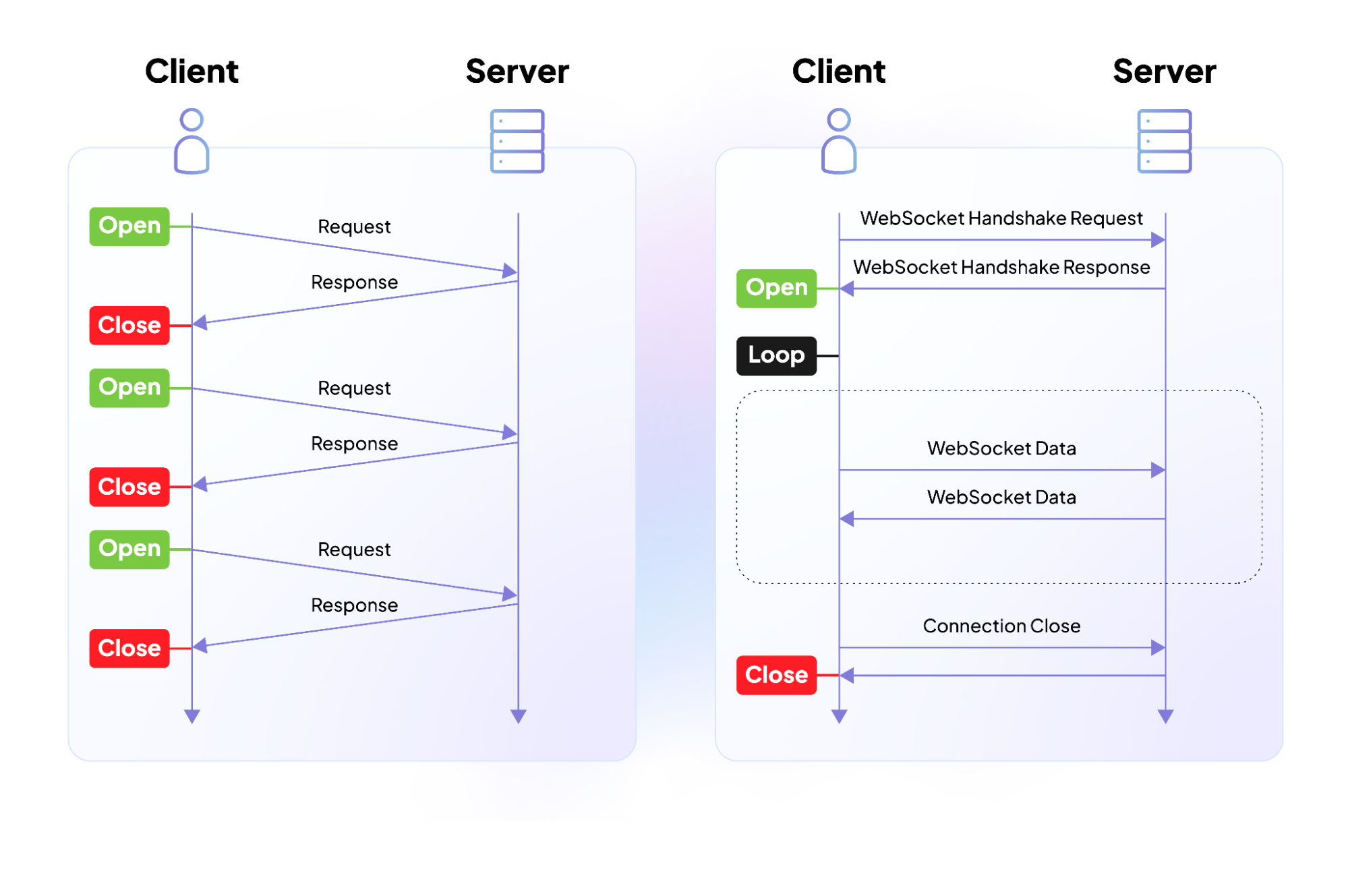
Figure 1: Traditional request-response model vs. WebSocket
In the traditional request-response model, the client sends a request and waits for the server’s response. While effective for many applications, it becomes inefficient when real-time updates from services are needed. Using continuous polling as a workaround adds latency, consumes more resources, and generates unnecessary traffic.
This is where WebSocket APIs come in hand. WebSockets will provide an asynchronous, full-duplex communication channel over a single TCP connection, allowing the server to push updates to the client as soon as they’re available—without constant polling. Furthermore, WebSocket services support multiple concurrent client connections, making them ideal for applications that require real-time updates, such as instant messaging, live chat, collaborative editing tools, gaming, and financial data dashboards.
Choreo: Simplifying WebSocket API Development
Building and managing WebSocket APIs can be complex, especially when scaling, securing, and optimizing performance. Choreo offers a platform that simplifies this process, allowing developers to focus on building interactive features without the complexities of managing infrastructure.
Key Features of Choreo’s WebSocket Services:
- Seamless Builds for Popular Languages: Choreo supports streamlined builds for popular languages and frameworks—such as Go, NodeJs, Python and Java. You can also add your own Dockerfile.
- Efficient Connection Management: Choreo’s gateway efficiently handles multiple concurrent WebSocket connections, ensuring smooth, real-time message passing across users.
- Comprehensive Analytics: Gain insights with dashboards to monitor key metrics, including the number of connections created, errors, and any throttled requests.
- Multi-Environment Support: Choreo offers flexible environment management for staging, testing, and production needs.
- Observability and Monitoring: Access detailed dashboards to monitor CPU and memory usage, application logs, and gateway logs for specific timeframes.
- Built-in Security: With OAuth 2.0 and other built-in security features, Choreo ensures secure WebSocket communications to safeguard against threats. Additionally, it makes it easy to pass your authentication token using the sec-websocket-protocol header, to overcome the limitation browser clients have in passing custom headers.
Getting Started with Services Exposed by WebSocket APIs on Choreo
Getting started with WebSocket APIs on Choreo is easy. Simply sign up to Choreo, create a new project, and then click on the 'Service' card to create a new WebSocket service.
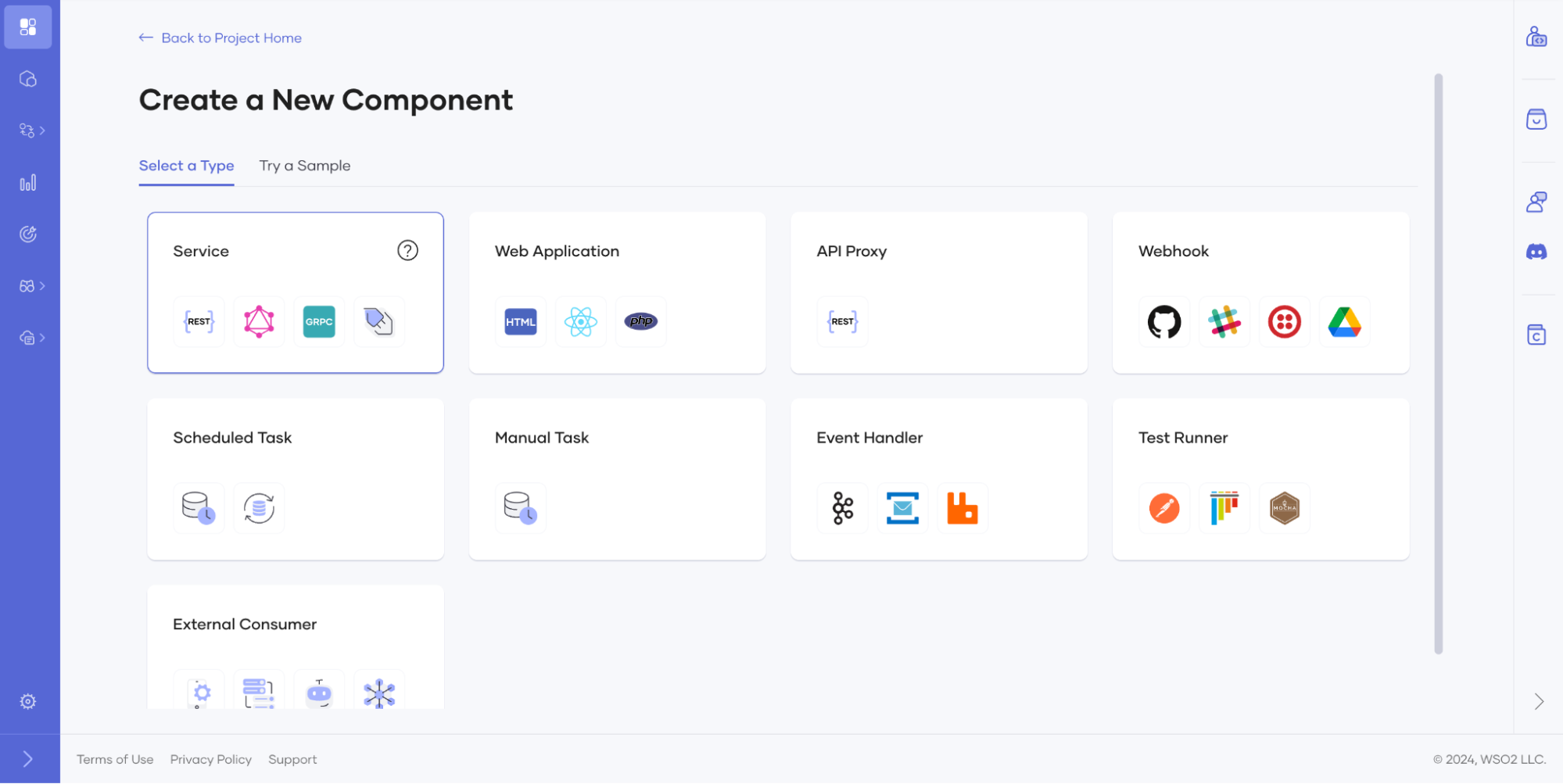
Figure 2: How to create a WebSocket Service Component
Creating a WebSocket API in Choreo is as straightforward as setting up a REST API. Simply connect your repository, deploy and test it. For more detailed guidance, follow this doc.
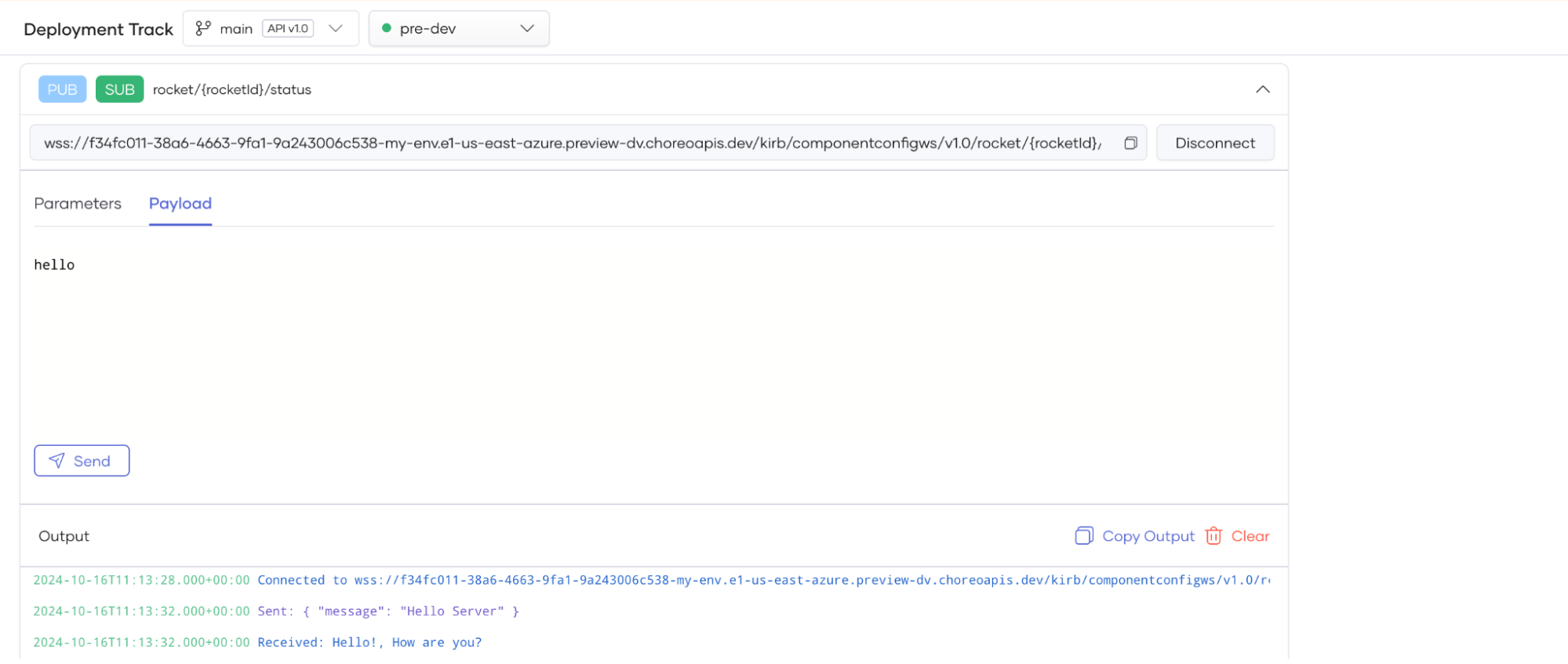
Figure 3: Test Console to easily test your applications
Additionally, you can manage API security to ensure secure communication between clients and the server. APIs can be protected using API keys or advanced authentication methods such as OAuth 2.0, as demonstrated below. If authentication is managed by your backend, you can easily disable security by unchecking the relevant options.
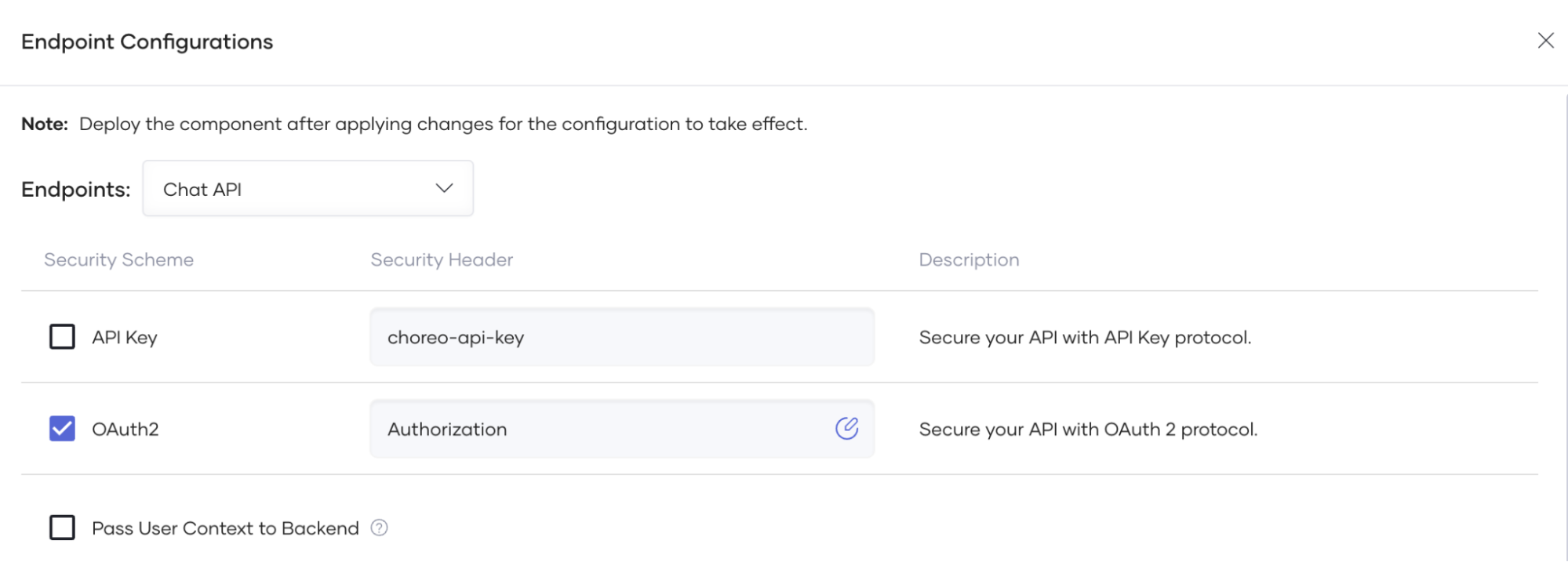
Figure 4: Endpoint Configurations to Manage Security of APIs
Conclusion
WebSocket APIs are essential for creating responsive, interactive apps that need real-time communication. With Choreo, developers can implement WebSocket services quickly and efficiently, with OAuth security, connection throttling and other advanced capabilities.
Whether you’re building a live chat app, a financial dashboard, or a collaborative tool, Choreo provides everything you need to create seamless, real-time experiences.
Sign up for free and explore how you can transform your applications with Choreo today.
Additional Resources
- Configure Endpoints - https://wso2.com/choreo/docs/develop-components/configure-endpoints/
- Expose a WebSocket Endpoint via a Service - https://wso2.com/choreo/docs/develop-components/develop-services/expose-a-websocket-endpoint-via-a-service/
- Test WebSocket Endpoints via the WebSocket Console - https://wso2.com/choreo/docs/testing/test-websocket-endpoints-via-the-websocket-console/