

Create an Axis2 web service in 3 steps using eclipse - bottom up approach

Introduction
Within few minutes, you will learn how to create an axis2 web service using the eclipse IDE in just 3 easy steps.
The 3 steps are:
- Creating an Eclipse Project with WSO2 WSAS Facets added
- Add a Java Class to the project
- Make that Java class exposed as a web service
Prerequisites
Note: Visit the resources section of this tutorial to find out from where to download the prerequisites or click the above links.
Step 1 - Create a Dynamic Web Project with WSAS Facets
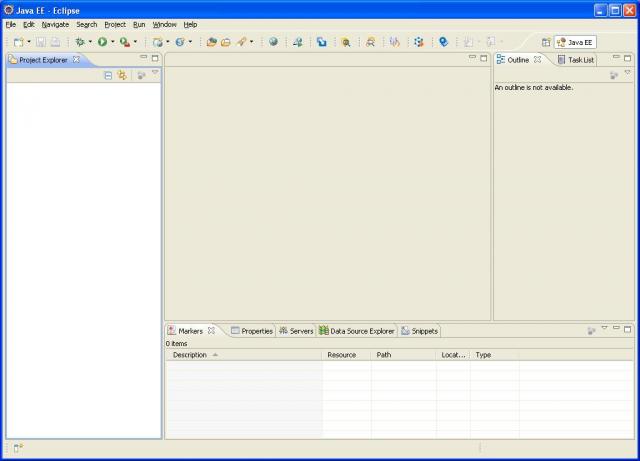
Go to File->New->Other... (Or "Ctrl + N")
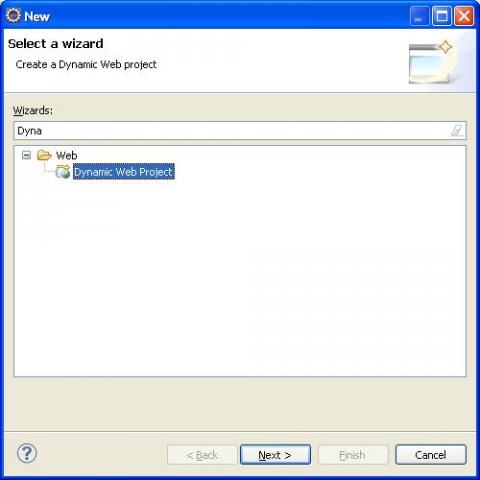
Select Dynamic Web Project.
Type in a "Project name"
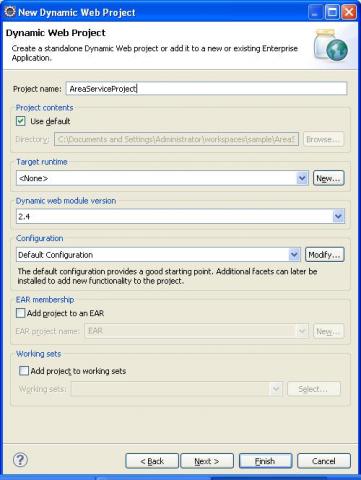
In "Target runtime" if "WSO2 WSAS 3.1" not available, click "New"
Select "WSO2 WSAS 3.1" from the list and click next.
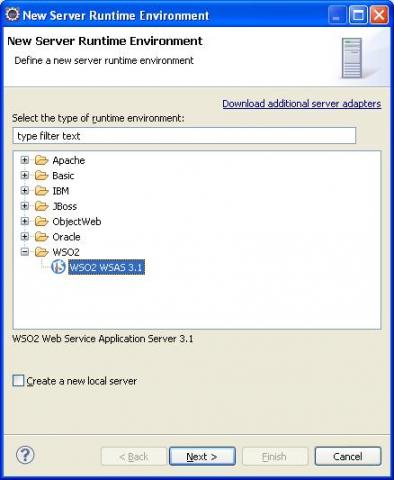
Specify WSAS distribution path.
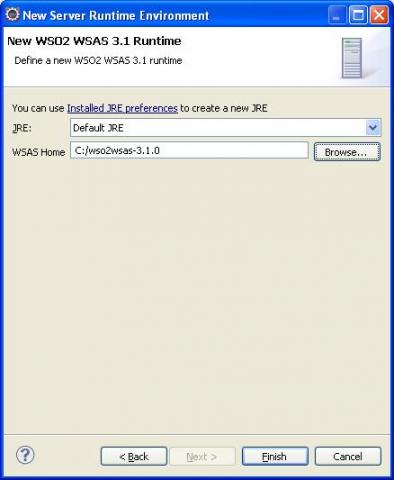
Click "Finish"
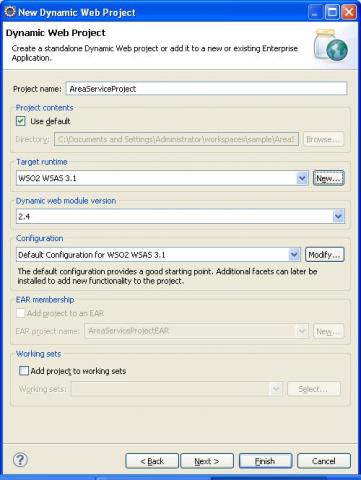
In "Configuration" click "Modify"
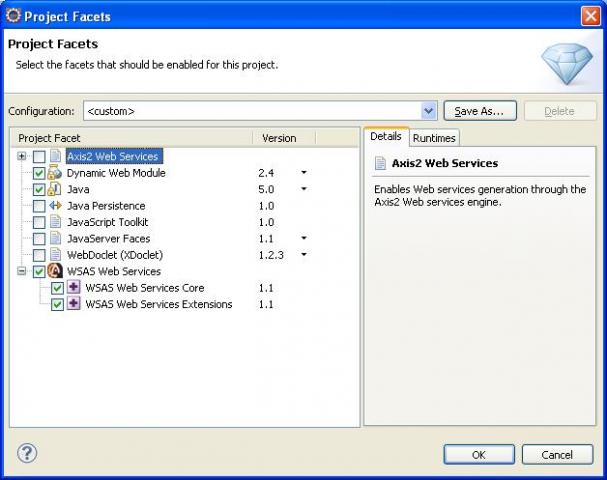
Tick/Check "WSAS Web Services" and click OK
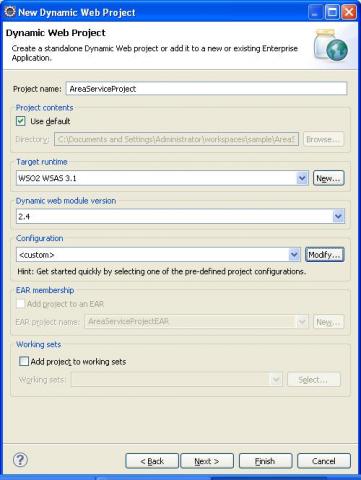
Click "Finish"
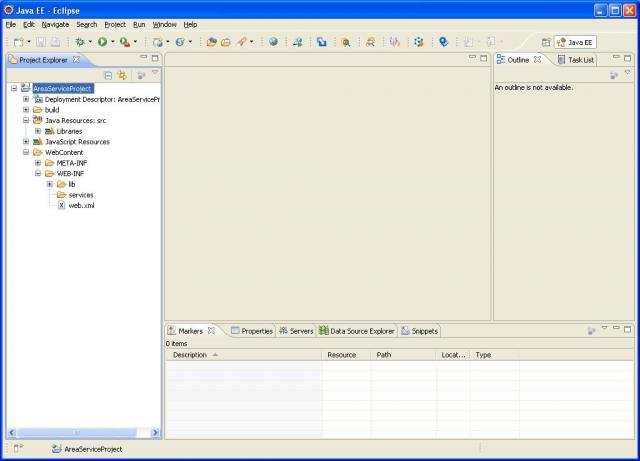
Step 2 - Create the Java Class
Go to File->New->Other... (Or "Ctrl + N")
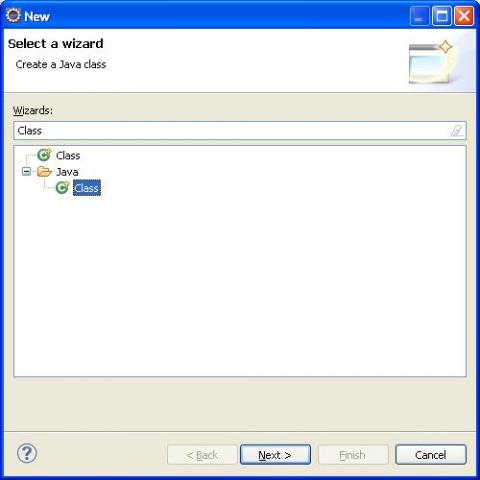
Select "Class" and click "Next"
Put the package name and name of the class
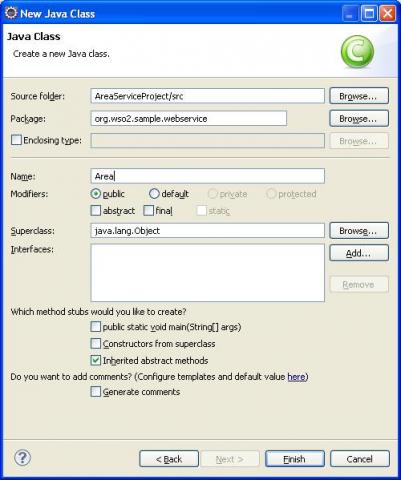
Click "Finish"
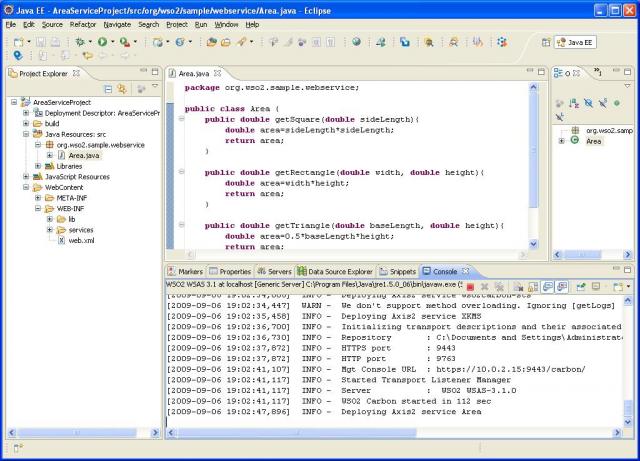
Lets have the following code.
package org.wso2.sample.webservice;

public class Area {

    public double getSquare(double sideLength){
        double area=sideLength*sideLength;
        return area;
    }

    public double getRectangle(double width, double height){
        double area=width*height;
        return area;
    }

    public double getTriangle(double baseLength, double height){
        double area=0.5*baseLength*height;
        return area;
    }

}
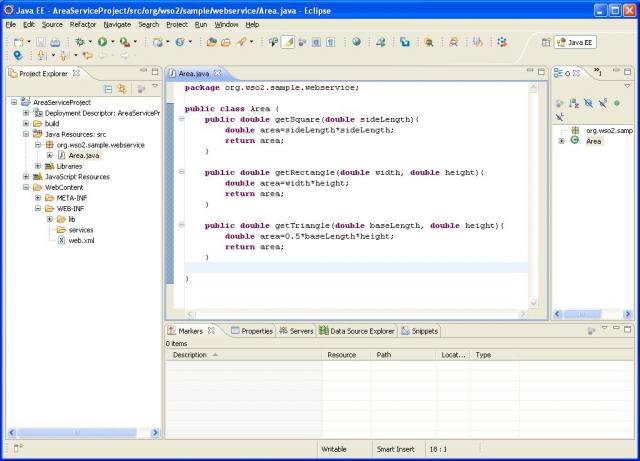
Step 3 - Make the class a Service
Select the Area.java class from "Project Explorer" view which is in the left handside of eclipse workspace.
Go to File->New->Other... (Or "Ctrl + N")
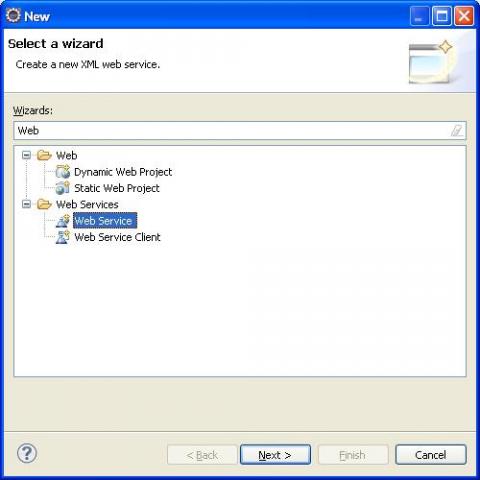
Select "Web Service" click "Next"
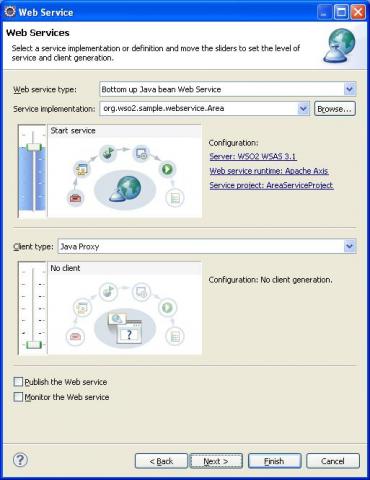
Click "Web service runtime" link and select "WSO2 Web Services Application Server" in the "Web service runtime" list box.
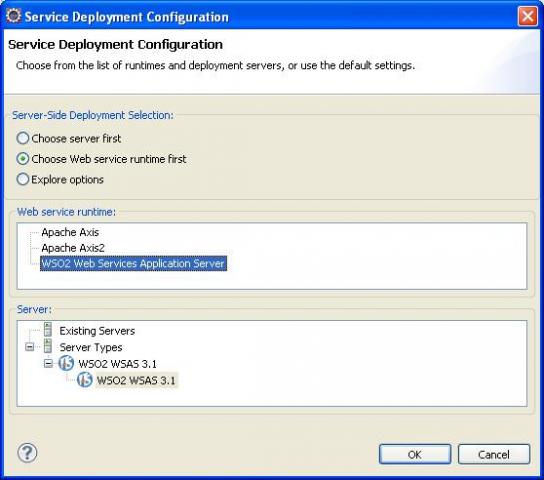
Click "OK".
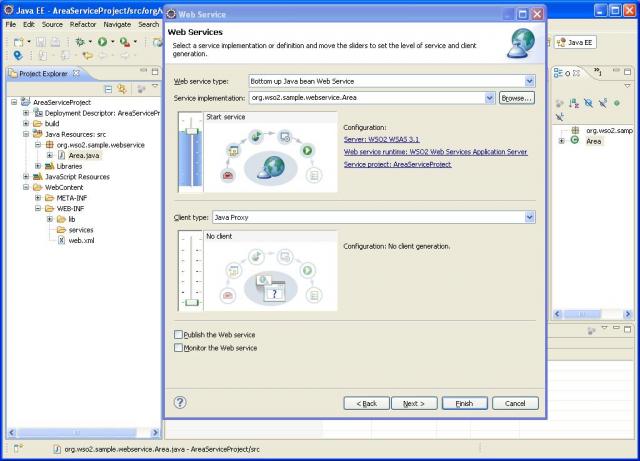
Click "Finish"
Thats it. Your web service (provided that there aren't any syntax or coding errors) will be published in WSAS server.
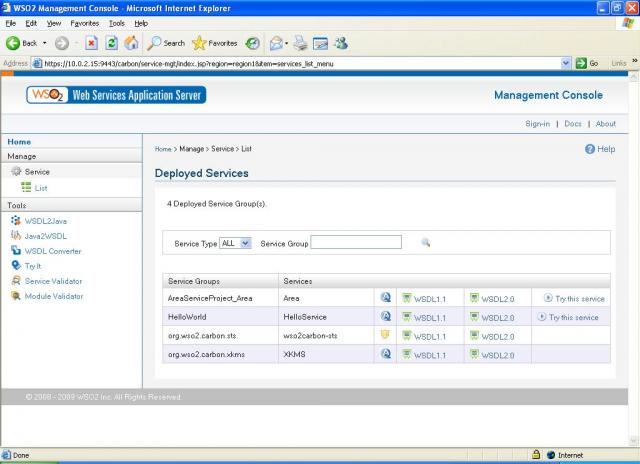
When the WSAS server starts it will open the WSAS home page of WSAS server in an external browser. You can click the "List" link under services to see which services are available in the server.
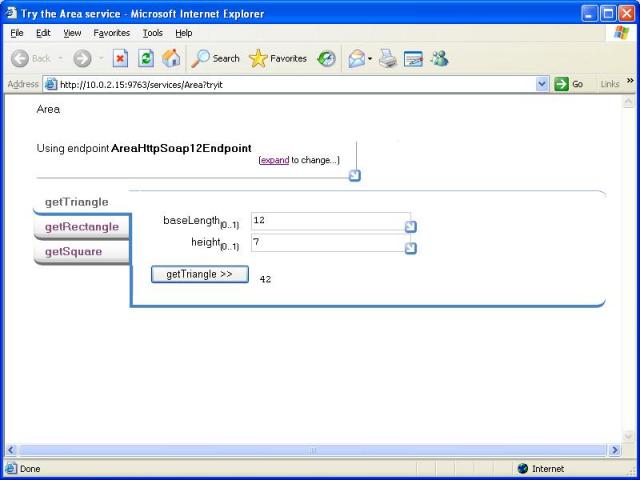
Click on the "Try this service" link infront of the "Area" service to invoke your web service.
Resources
- Java class which we would create the web service from can be downloaded from here.
- To download WSO2 WSAS please visit https://wso2.org/projects/wsas/java
- To download WSO2 WSAS Tools please visit https://wso2.org/projects/tools/ or use the update site URL https://tools.wso2.org/eclipse
Summary
So creating a web service is easy. All you have to do is to point to the class which you want to make it a web service.
Click here to find out how to create a web service client for this service
Author
Saminda Wijeratne, Senior Software Engineer, WSO2, [email protected]