Configure LLM instructions for the API Portal & MCP Hub
LLM Instructions controls how AI agents see your portal as a whole. The name refers to large language models (LLMs), the systems behind those agents. It sets the name and description at the top of llms.txt—the first thing an agent reads before it navigates anything else—and carries the switch that turns AI discoverability on or off for the entire portal.
Everything on this page is scoped to one view. Use the view selector to switch.
Open the page
Go to Settings and select LLM Instructions under AI & DISCOVERY.
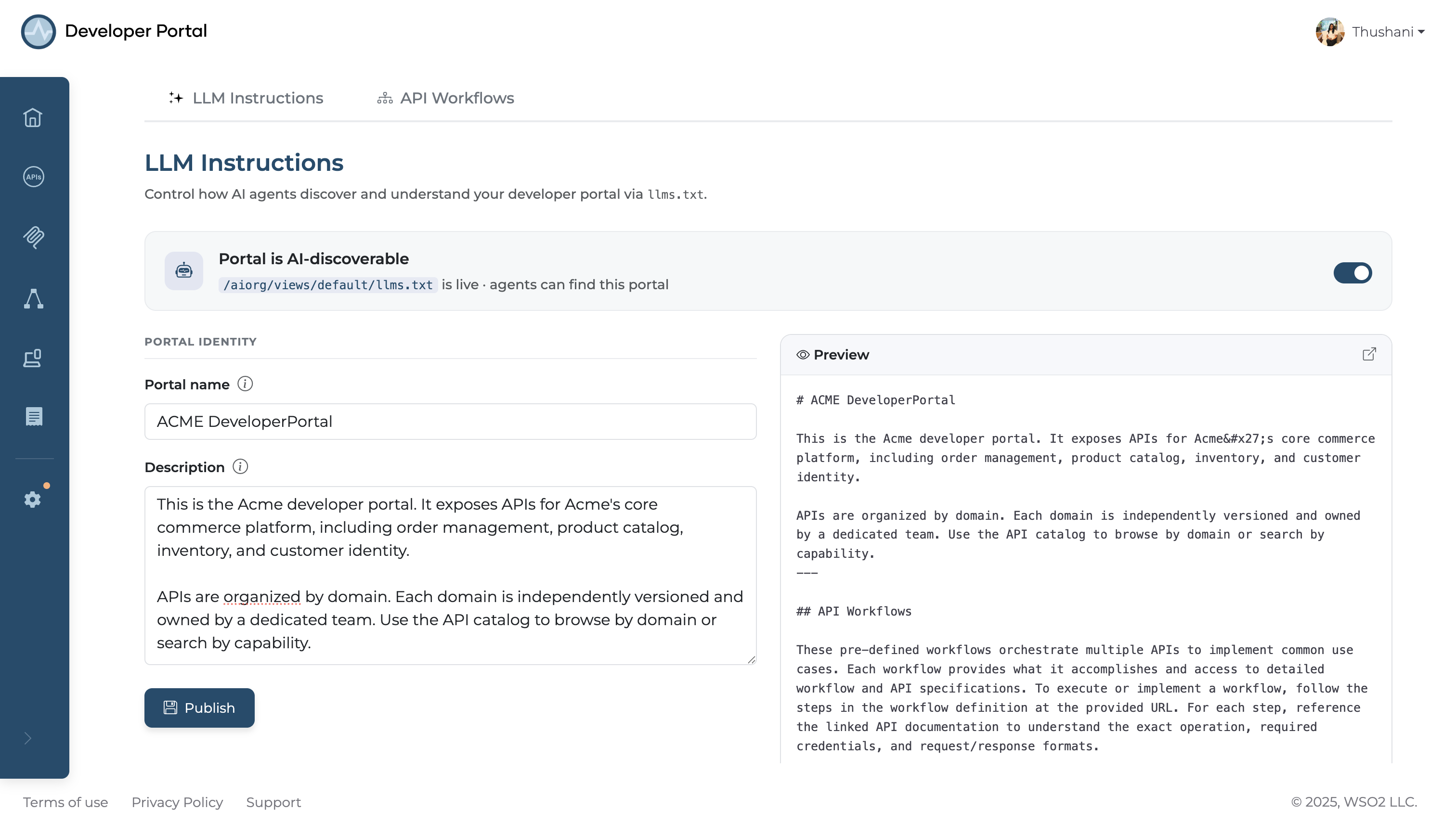
The page puts the editable fields beside a live preview of the file they produce:
Turn AI discoverability on or off
The Portal is AI-discoverable card at the top shows the view's live llms.txt path and a toggle.
Switching it off makes every agent-facing endpoint return 404—llms.txt itself, the API and MCP catalogs, per-artifact Markdown, raw specifications, and every workflow endpoint. It overrides each artifact's own agent-visibility setting, so nothing reaches an agent while it's off.
The Publish button stays clickable when the toggle is off, so you can save the change.
Set the portal identity
Two fields make up the instructions, and both appear verbatim at the top of llms.txt.
| Field | What it does |
|---|---|
| Portal name | Replaces the default {orgName} API Portal heading |
| Description | The paragraph below the name. This is the orientation text agents read first |
The description is a free-text area, not a one-liner. Use it for the context an agent can't infer from individual API specs:
- What the portal covers and what kinds of APIs it exposes
- How the catalog is organized—by domain, team, or lifecycle stage
- Authentication conventions that apply across APIs
- Which workflows are the recommended starting points for common tasks
- Usage policies or limitations agents should respect
Leave either field empty and the portal falls back to its defaults: {orgName} API Portal for the heading, and a generic one-line description.
Click Publish to save. Changes take effect immediately—the next request for llms.txt reflects them.
Preview the result
The pane beside the fields renders the llms.txt your settings produce, and refreshes as you type, so you can see the header in context above the generated API and workflow index. The icon in its corner opens the live llms.txt in a new tab.
To fetch it yourself:
GET /api-portal/{orgName}/views/{viewName}/llms.txt
The generated file lists each agent-visible artifact under its own section:
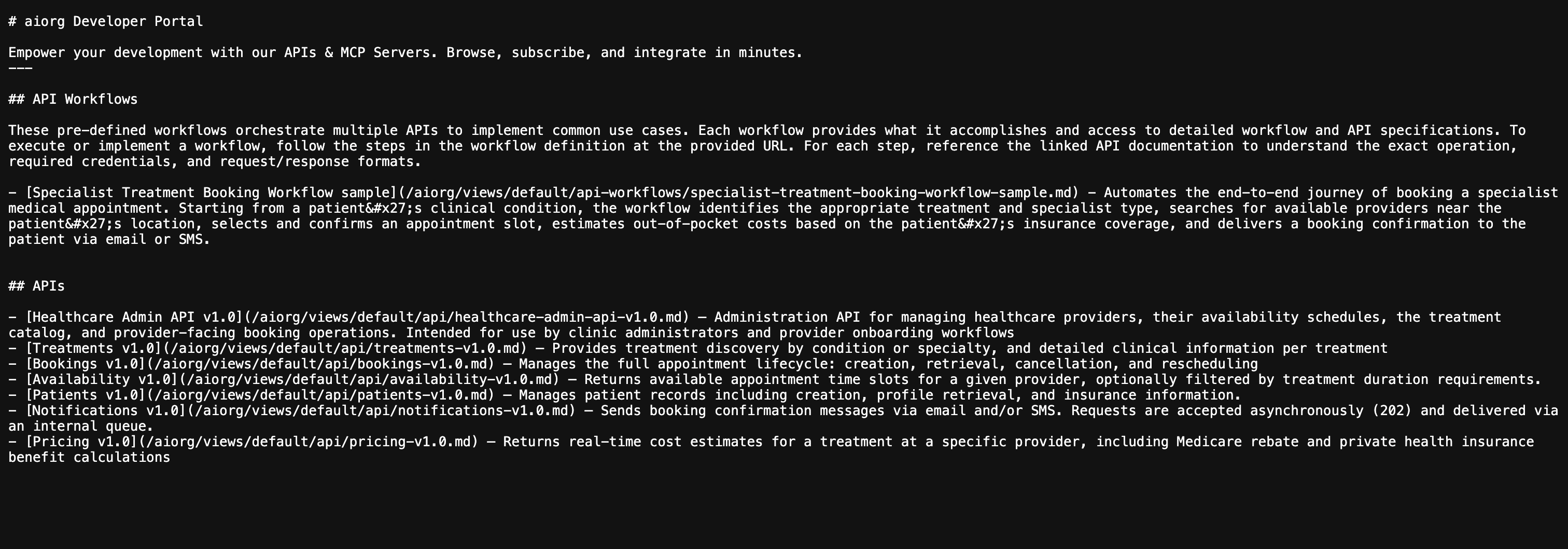
Only your name and description are editable. Everything below them—the API Workflows, APIs, MCPs, GraphQL, WebSocket, and WebSub sections—is generated from the catalog and reflects each artifact's own agent visibility. See AI Agent Discovery for how that index is built.
Related
- AI Agent Discovery: every agent-facing endpoint, and what
llms.txtcontains - Managing API Workflows: per-workflow agent visibility
- Make an API AI-Ready: per-API agent visibility, and writing descriptions agents can use
- Manage Views: why these settings are per-view
Was this page helpful?