Govern API Proxies
API governance lets you enforce compliance standards on API proxies across your organization. You can define rulesets, attach them to policies, and monitor adherence through a compliance dashboard. You can also upload governance documents to run AI-powered compliance analysis against your APIs.
The Governance page is organized into two main sections, toggled at the top:
- Policies - Manage governance policies and the rulesets that back them.
- Documents - Manage PDF documents used as guidelines for AI compliance analysis.
Rulesets
Rulesets are Spectral YAML-based rule definitions used to validate API artifacts. They are listed under the Policies tab in the Rulesets section. Once created, rulesets are attached to policies to enforce them on your API proxies.
Create a Ruleset
-
Sign in to the API Platform Console.
-
In the API Platform Console header, go to the Organization list and select your organization.
-
In the left navigation menu, click Admin and then click Governance. This opens the Governance page.
-
Ensure the Policies tab is selected.
-
Scroll to the Rulesets section and click Add Ruleset.
-
Provide the following details:
Field Name Description Mandatory Name The name of the ruleset. Yes Description A brief description of the ruleset. No Applies To The scope to which the ruleset applies (fixed to API Definitions). - Artifact Type The type of API artifact (fixed to HTTP API). - Spectral Ruleset Upload a pre-written ruleset file in .yaml,.yml, or.jsonformat.Yes Documentation Link A link to the documentation for the ruleset. No Provider Name The name of the provider who created the ruleset. Yes -
Click Create.
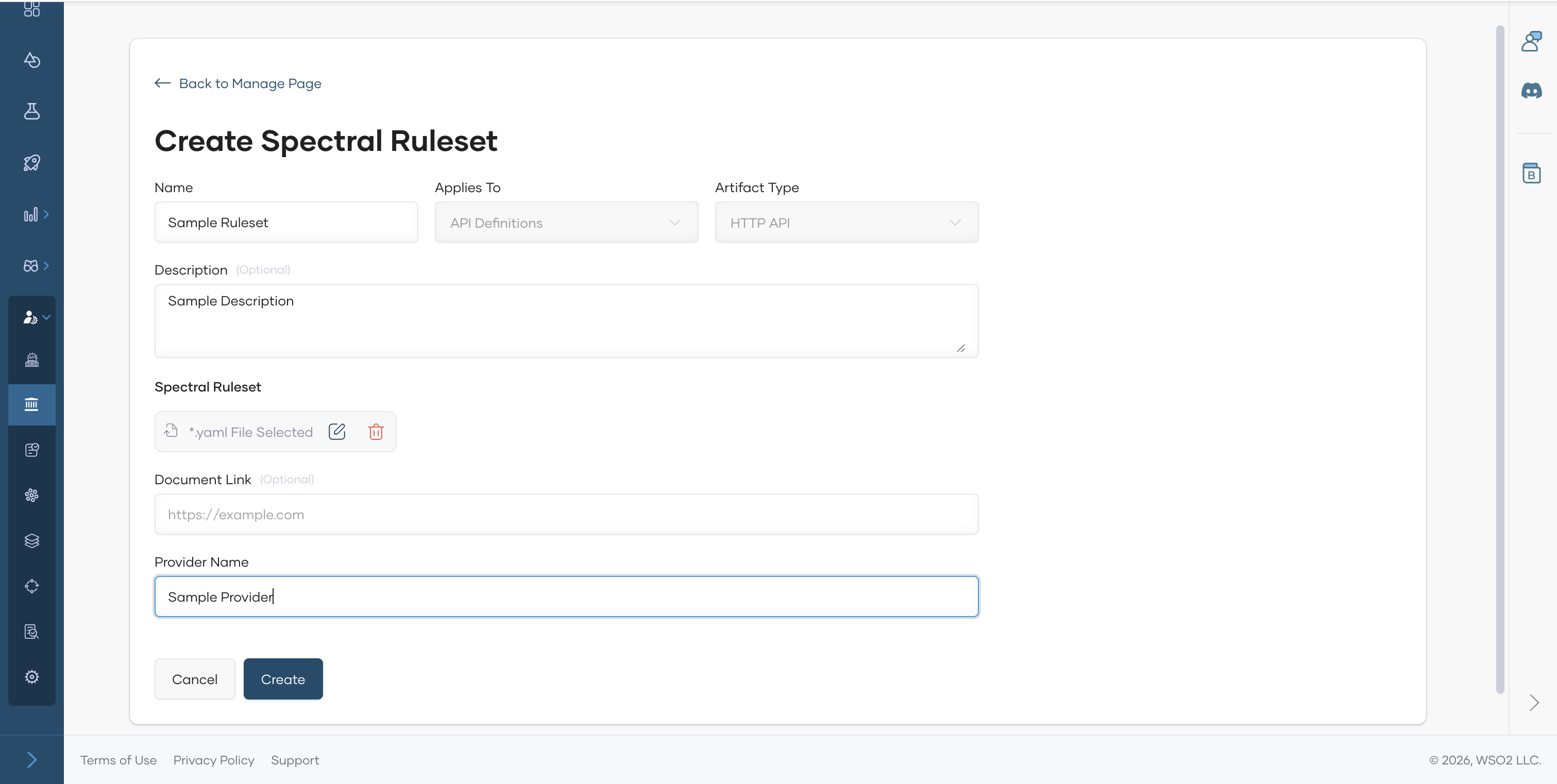
The Applies To and Artifact Type fields are fixed and cannot be changed.
Policies
Policies attach one or more rulesets to your organization's API proxies and define when and how they are enforced. You can use the default rulesets available in the catalog or create your own. Once created, a policy is automatically applied globally to all existing and newly created API proxies in the organization.
Create a Policy
-
On the Governance page, ensure the Policies tab is selected.
-
Click Add Policy.
-
Provide the following details:
Field Name Description Mandatory Name The name of the policy. Yes Description A brief description of the policy. No Applicability The scope of the policy. Currently fixed to Global (applies to all API proxies in the organization). - Enforcement Detail Defines when the policy is evaluated and what happens on a violation. Yes Rulesets The rulesets to attach to this policy. Yes -
Click Create.
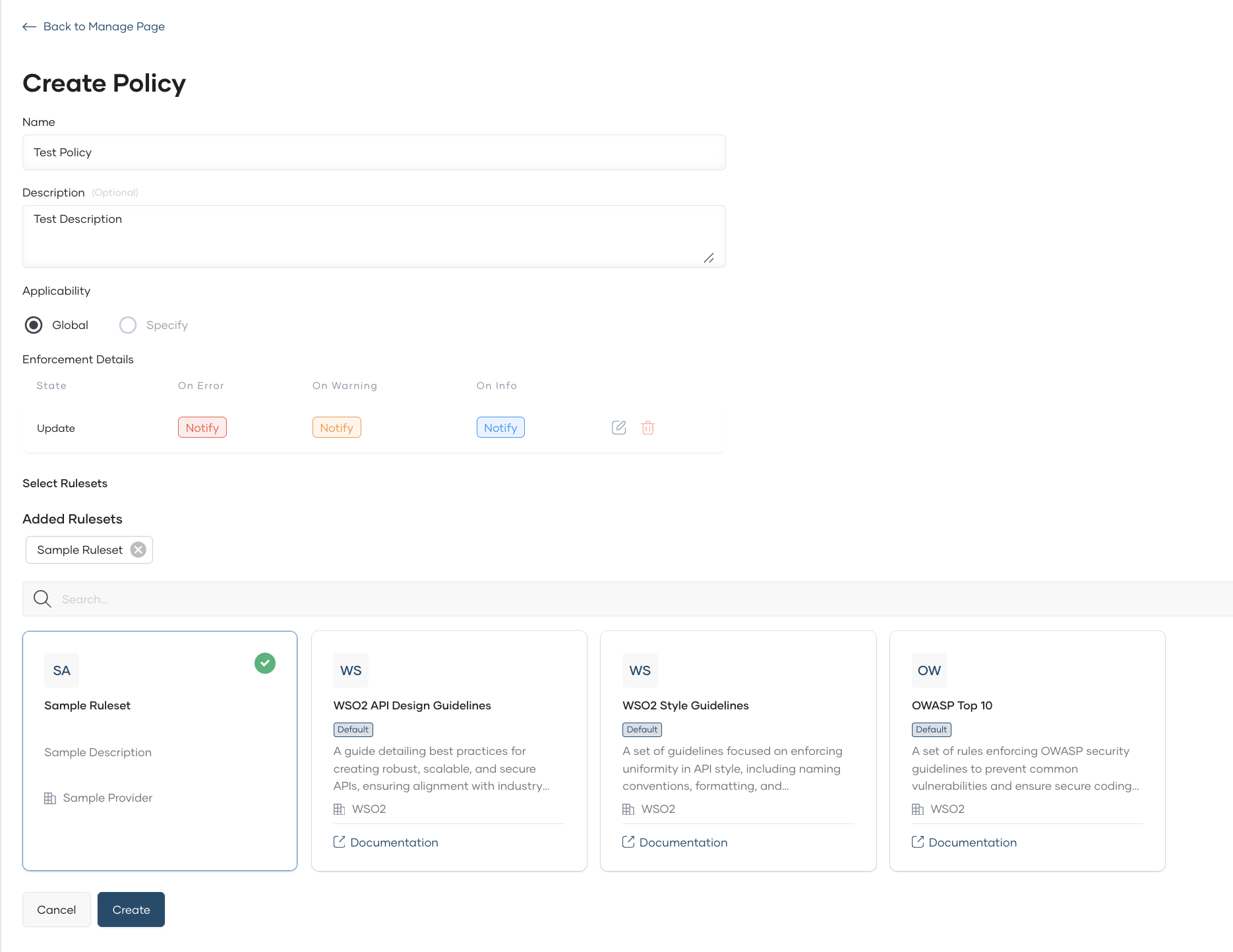
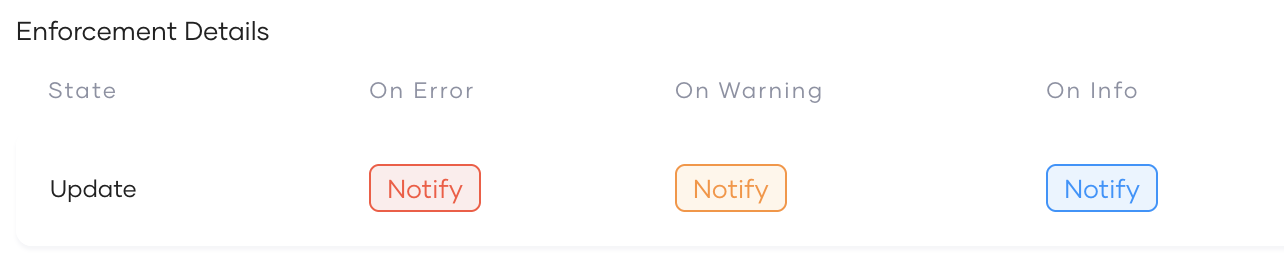
Enforcement Detail
| Field Name | Description | Mandatory | Options/Values |
|---|---|---|---|
| Governed State | The state of the API to which the policy is applied. (Currently only supports Update) | Yes | Update |
| Severity Levels | The severity level of the policy violation. | Yes | Error, Warn, Info |
| Actions | The action to be taken when a policy violation is detected. (Currently only supports Notify) | Yes | Notify |
Documents
Documents are PDF files containing governance standards written in natural language. They are used as guidelines by the AI Compliance Analysis feature when evaluating your APIs.
Add a Document
-
On the Governance page, select the Documents tab.
-
Click Add Document and provide the following details:
Field Name Description Mandatory Name The name of the document. Yes Description A brief description of the document. No Document Upload a PDF file containing your governance standards. Yes -
Click Create.
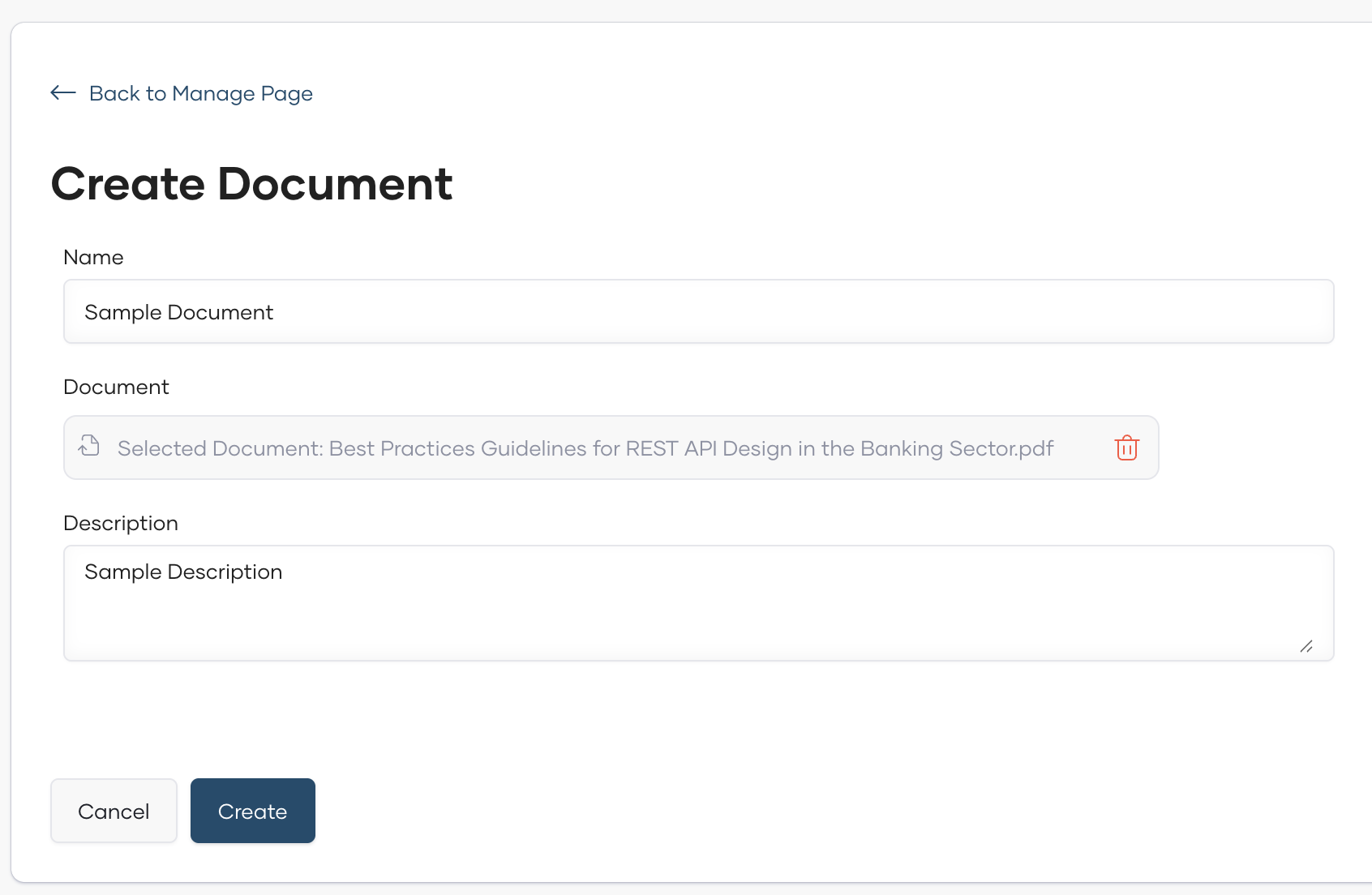
Monitoring Compliance
Once policies are applied, compliance results are available through the Compliance Dashboard under Insights > Compliance at the organization, project, and component levels. For details on viewing compliance results and running AI compliance analysis, see Compliance Dashboard.
Was this page helpful?