Web Analytics Solutions
Web Analytics are used to analyze web traffic and user interactions on a website. WSO2 Identity Server supports integrating Google Analytics and Mixpanel as analytics solutions and allows you to enable either one or both of them.
Set up web analytics
Follow the steps below to configure a web analytics solution for WSO2 Identity Server.
-
Create an analytics project and obtain the relevant token.
-
For Google analytics:
-
Follow the Google analytics documentation and create an analytics project.
-
Navigate to Admin > Tracking Info > Tracking Code, and look for the token of your project in
gtag('config', '<TOKEN>');.
-
-
For Mixpanel:
-
Follow the Mixpanel documentation and create an analytics project.
-
Navigate to Settings > Set up Mixpanel, and look for the token of your project in
mixpanel.init("<TOKEN>");.
-
-
-
Download the samples-is repository and extract its content.
-
In the samples-is root directory, go to
analytics-extensionsand open theconfig.jspfile. Add the token/s obtained in step 1 above to the relevant line of the file.// Insert your Google Analytics token here.private static final String GOOGLE_ANALYTICS_TOKEN = "<GOOGLE_ANALYTICS_TOKEN>";// Insert your Mixpanel token here.private static final String MIXPANEL_TOKEN = "<MIXPANEL_TOKEN>"; -
Copy the
analytics.jspandconfig.jspfiles found inanalytics-extensionsand paste them in both<IS_HOME>/authenticationendpoint/includeand<IS_HOME>/accountrecoveryendpoint/includedirectories. -
Find the
header.jspfile located in both<IS_HOME>/authenticationendpoint/includeand<IS_HOME>/accountrecoveryendpoint/includedirectories and add the following line to the end of the files.<%-- Include analytics --%><jsp:directive.include file="/includes/analytics.jsp"/> -
Run WSO2 Identity Server instance and the analytics events will be fired when users access the relevant web pages.
Types of analytic events
The following are the events that are captured when analytics are enabled in WSO2 Identity Server.
| Event name | Description |
|---|---|
wso2_generic_event | A generic event that will be fired unless the event belongs to one of the types below. |
wso2_error | An error has occurred. |
wso2_login | The login page has been visited. |
wso2_login_failure | Login has failed. |
wso2_sign_up_username | Self sign up username page has been visited. |
wso2_sign_up_details | Self sign up user detail collection page has been visited. |
wso2_sign_up_request_complete | A request for a self sign up has been completed. |
wso2_sign_up_process_complete | A sign up flow has been completed including the confirmation. |
wso2_username_recovery | Username recovery page has been visited. |
wso2_password_recovery | Password recovery page has been visited. |
wso2_recovery_request_complete | Request for a username/password recovery is complete. |
wso2_password_recovery_reset | Password reset page has been visited. |
wso2_password_recovery_complete | A password recovery flow has been successfully completed. |
wso2_privacy_policy | Privacy policy page has been visited. |
wso2_cookie_policy | Cookie policy page has been visited. |
View analytics
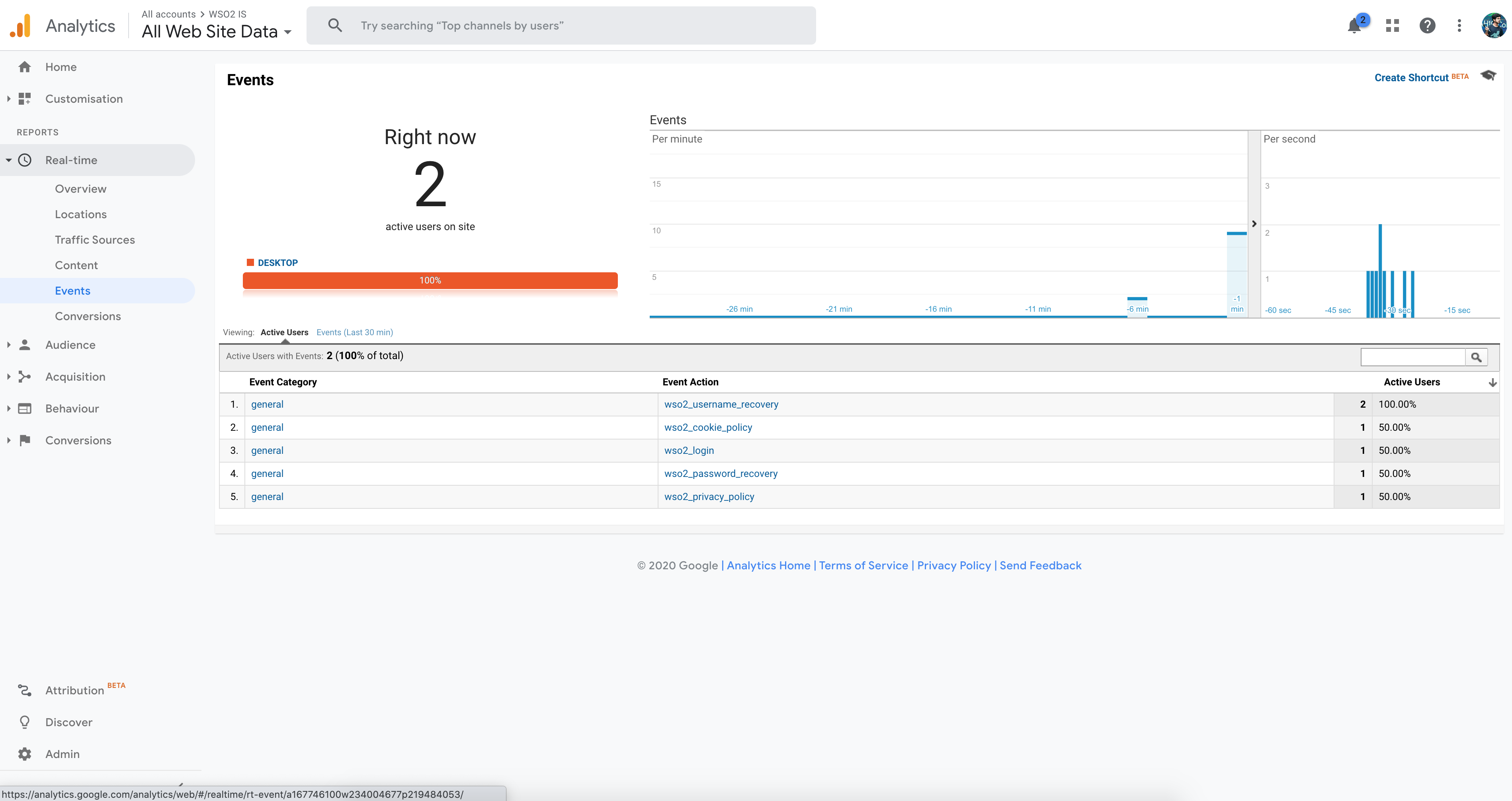
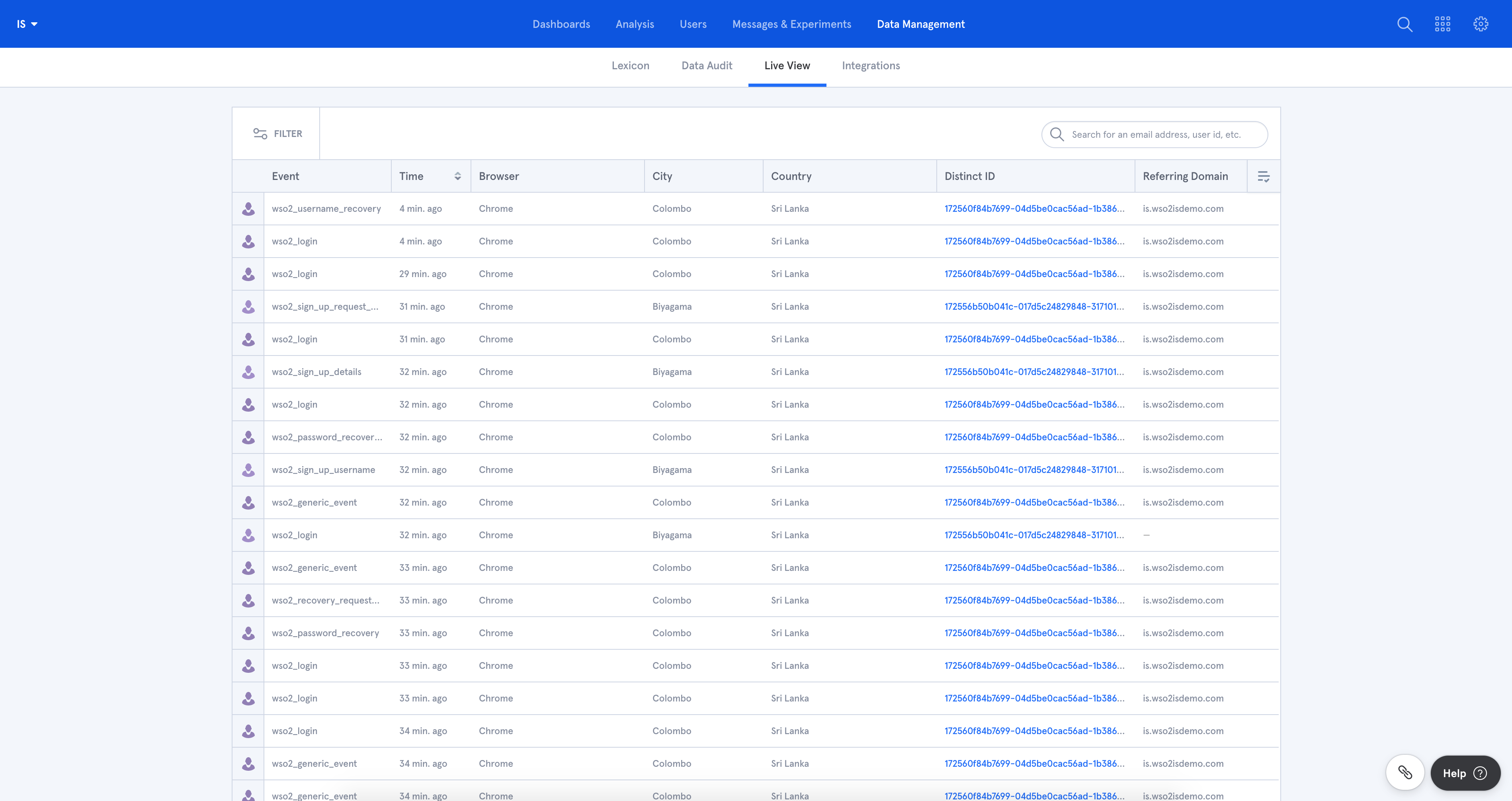
You can view the analytics events from the dashboards of Google Analytics and Mixpanel. The following are sample views.
Google Analytics
Mixpanel
Was this page helpful?