Configure conditional authentication
Given below are the high-level steps for enabling conditional authentication in your applications.
- Limitations: Adaptive scripts do not support
Log.warnlogs or stringifying Java objects usingJSON.stringify().
Prerequisites
Register your application on the WSO2 Identity Server Console.
If your system operates on JDK 17, refer to Enable adaptive authentication to deploy WSO2 Identity Server with conditional authentication.
Enable conditional authentication
Follow the steps given below.
-
On the WSO2 Identity Server Console, click Applications.
-
Select the application for which you wish to apply a conditional login flow and go to its Login Flow tab.
-
Click Start with default configuration to define the login flow starting with the
username and passwordlogin. -
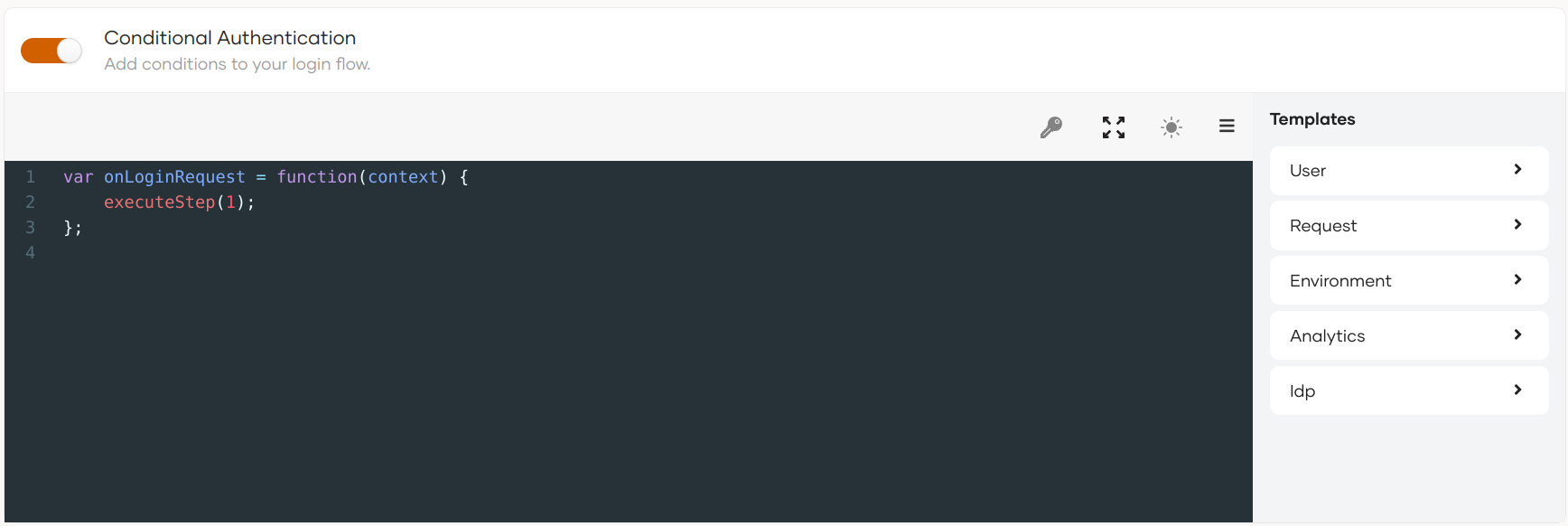
Turn on Conditional Authentication by switching the toggle on. You can define your conditional authentication script in the editor.
 warning
As a security measure, WSO2 Identity Server does not allow the usage of two consecutive periods (
..) in authentication scripts.
Add conditional authentication script
There are two ways to add a conditional authentication script:
- Use a predefined template.
- Write a new conditional auth script.
Was this page helpful?