Username recovery for users
Users may recover a forgotten username from an application sign-in page by following the steps below.
Administrators should enable username recovery for users of the organization.
Recover a forgotten username
To recover the username, the user should follow these steps.
-
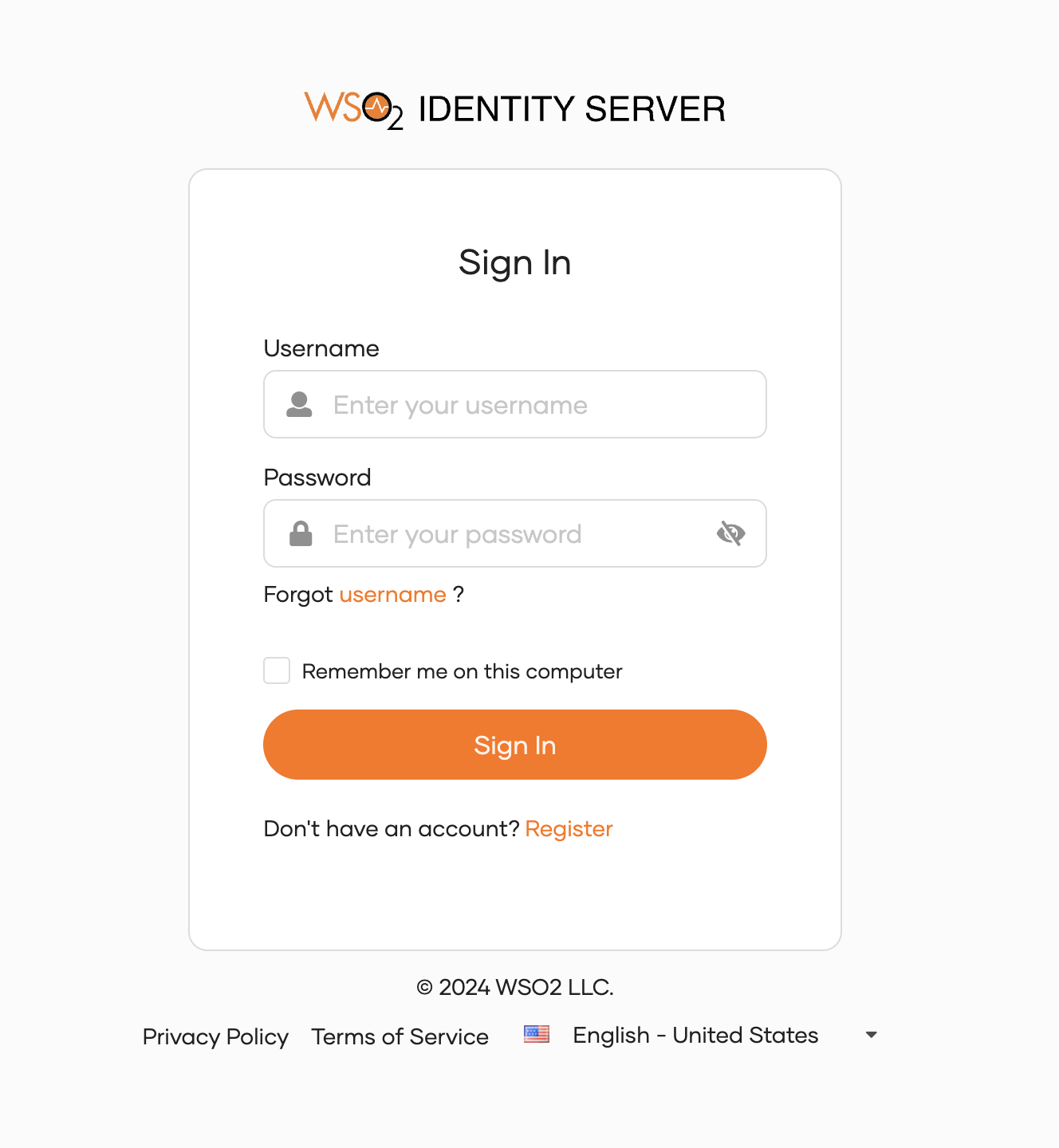
Go to a login page via a business application or the My Account portal.
-
Click Forgot username?
-
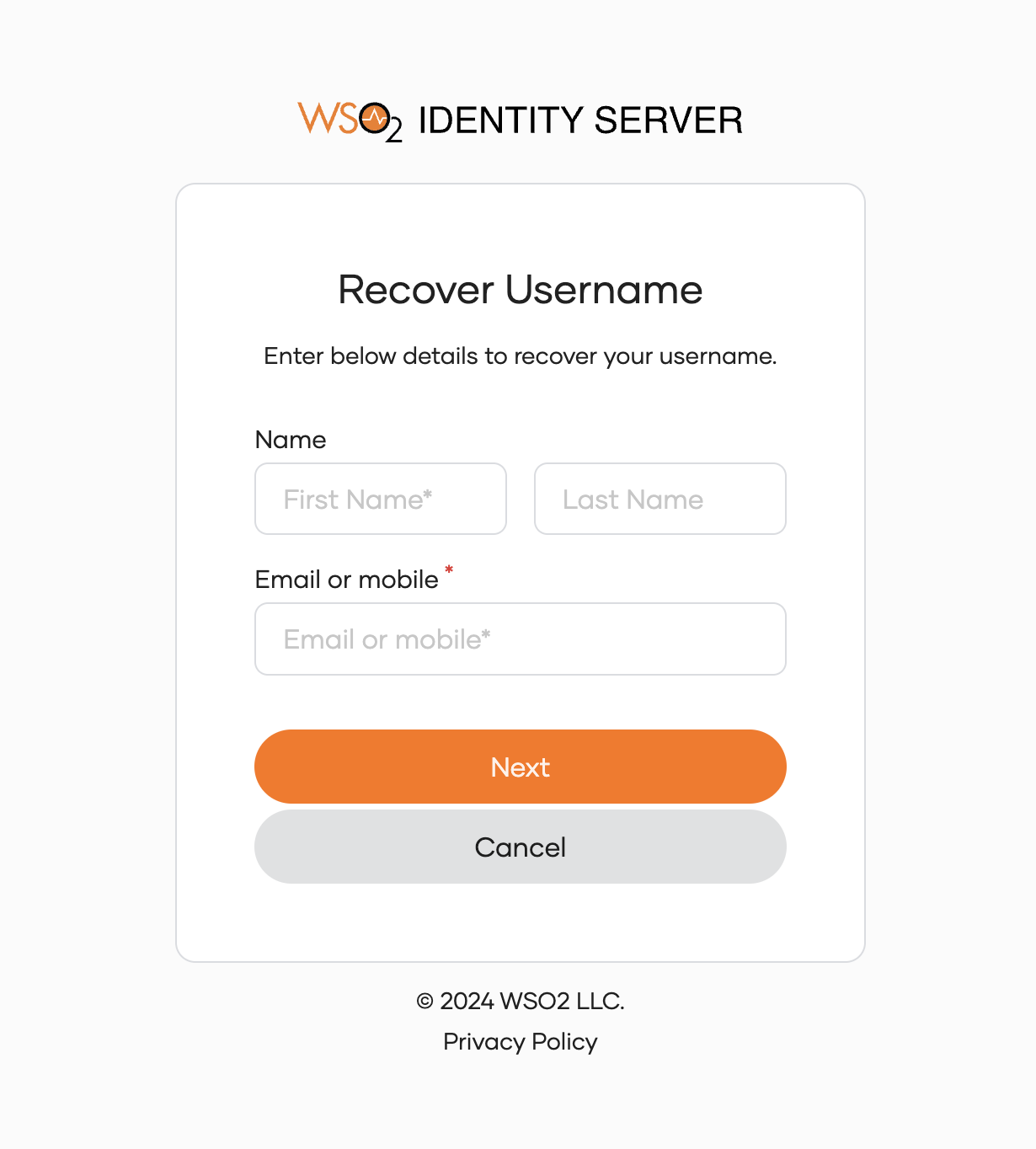
Enter the information for the account you’re trying to recover, then click Next.
-
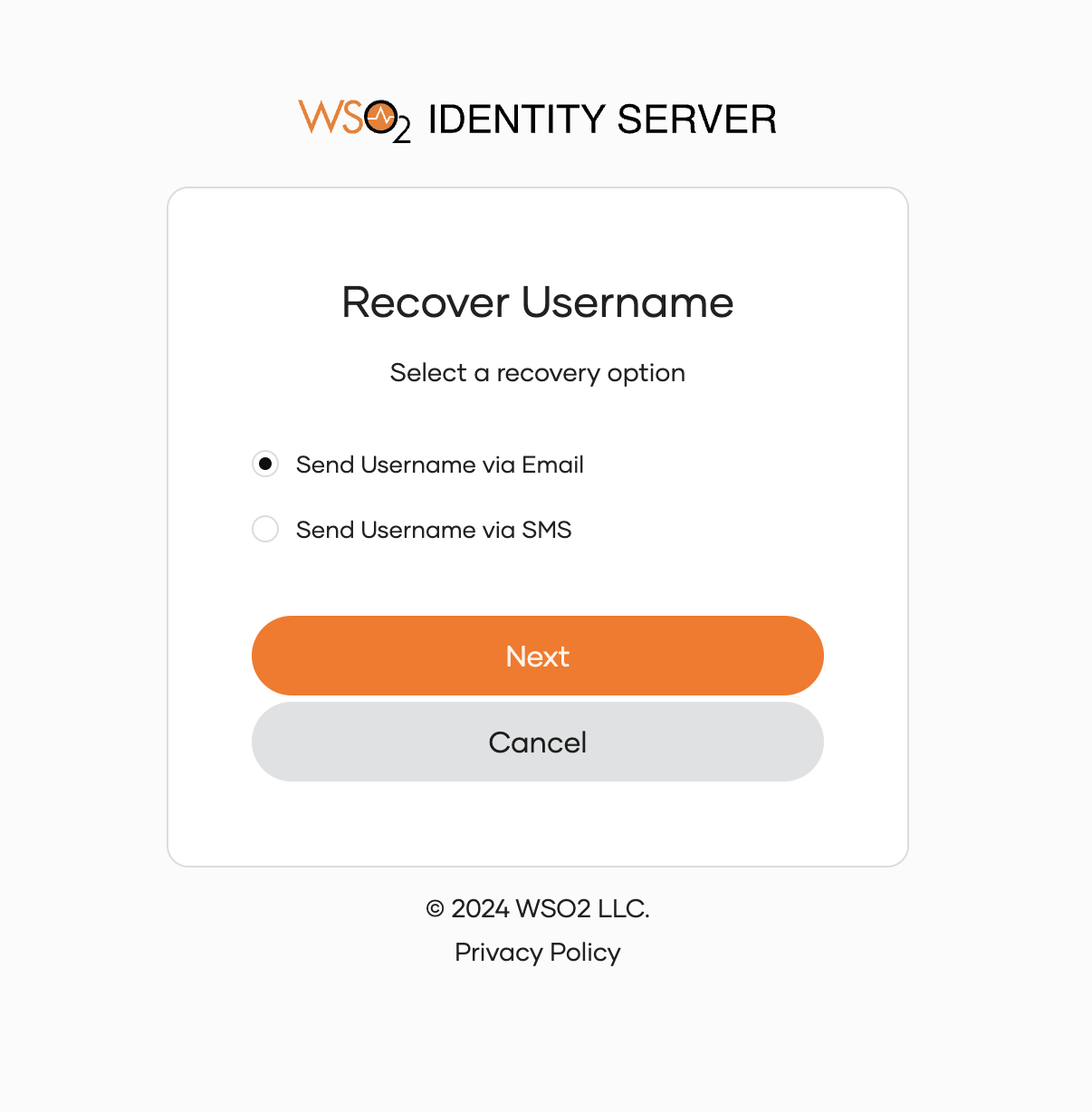
Select your preferred channel to receive username recovery information, then click Next.
-
You can now view the username recovery information in your email or mobile, as selected in the previous step.
Check password recovery channel information
Users can also check the email address and mobile number to which their username recovery information is sent.
-
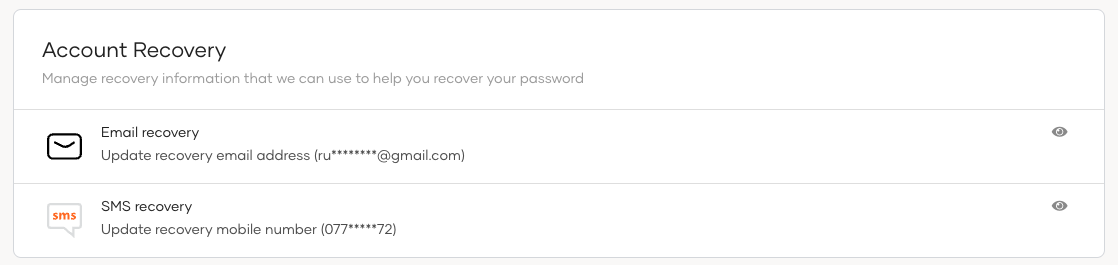
In the My Account portal, navigate to Security > Account Recovery.
-
Click the eye icon of the relevant row, to check the recovery email address or the recovery mobile.
-
Click Done.
Was this page helpful?