Configure the email sending module
This document explains the steps to configure WSO2 Identity Server to send emails during multiple email-related customer identity and access management tasks such as email OTP, email notifications, and account recovery.
Configure the email sender (globally)
Follow the steps given below to enable the email sender globally for all tenants in your WSO2 IS.
-
Shut down the server if it is running.
-
Add the following properties to the
deployment.tomlfile in the<IS_HOME>/repository/conffolder to configure the email server.[output_adapter.email]auth_type= "BASIC"username= "wso2iamtest"password= "Wso2@iam70"hostname= "smtp.gmail.com"port= 587enable_start_tls= trueenable_authentication= truesignature = "ABC.com"Property Description from_addressThis is the mail address from where you want to send the notification. It can be any working mail address. auth_typeAuthentication type to use when sending the email. Identity Server support BASICandCLIENT_CREDENTIALauthentication types.
ForBASICyou need to configureusernameandpassword.
ForCLIENT_CREDENTIALyou need to configureclient_id,client_secret,token_endpointandscopes. Identity Server supportsCLIENT_CREDENTIALauthentication with Microsoft 365 Exchange Online.usernameProvide the username of the SMTP account.
Username of the mail you have provided in from_address.passwordProvide the password of the SMTP account.
Password of the mail you have provided in from_address.client_idProvide the password of the SMTP account.
Password of the mail you have provided in from_address.hostThe SMTP server to connect to. portThis is the SMTP server port to connect to if the connect() method does not explicitly specify one. Defaults to 25. enable_start_tlsIf true, this enables using the STARTTLScommand (if enabled before issuing any login commands. Note that an appropriate trust store must be configured so that the client will trust the server's certificate. Defaults totrue.enable_authenticationIf true, attempt to authenticate the user using the AUTH command. Defaults to true.signatureSignature of the sender account. tipFor information about the SMTP, see here.
info- If you use a Gmail account as the from_address, you must create an App Password.
After you get an App Password from Google, update the
password. - If your password contains special characters (example:
<,>,&), you will run into errors when running the server. To avoid errors, update thepasswordparameter as follows:password= "<![CDATA[xxxx]]>"
- If you use a Gmail account as the from_address, you must create an App Password.
After you get an App Password from Google, update the
-
Save the configurations and start the server.
Configure the email sender (per tenant)
Follow the steps given below to enable the email sender per tenant.
-
On the WSO2 Identity Server Console, go to Notification Channels > Email Provider.
-
Provide the required details.
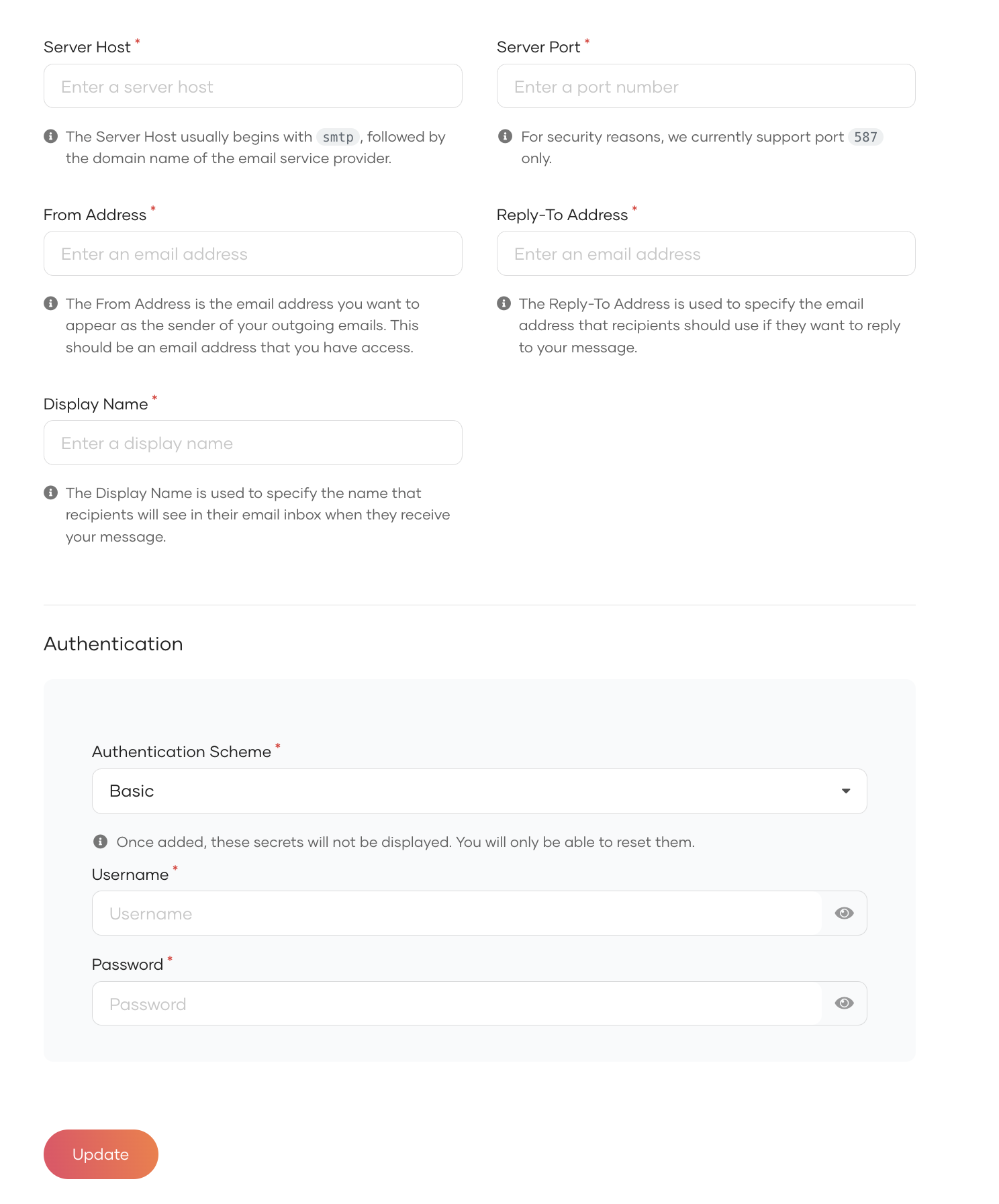
-
Click Update.
-
Since these configurations will be applicable during the tenant loading process, configure tenant loading and unloading for your tenant.
Was this page helpful?