Manage profile attributes
Profile attributes control which fields can be stored on a profile and how they behave. Manage them from the Customer Data page in the console, under Profile Attributes.
For a conceptual overview of attribute types, mutability, and merge strategies see Profile attributes.
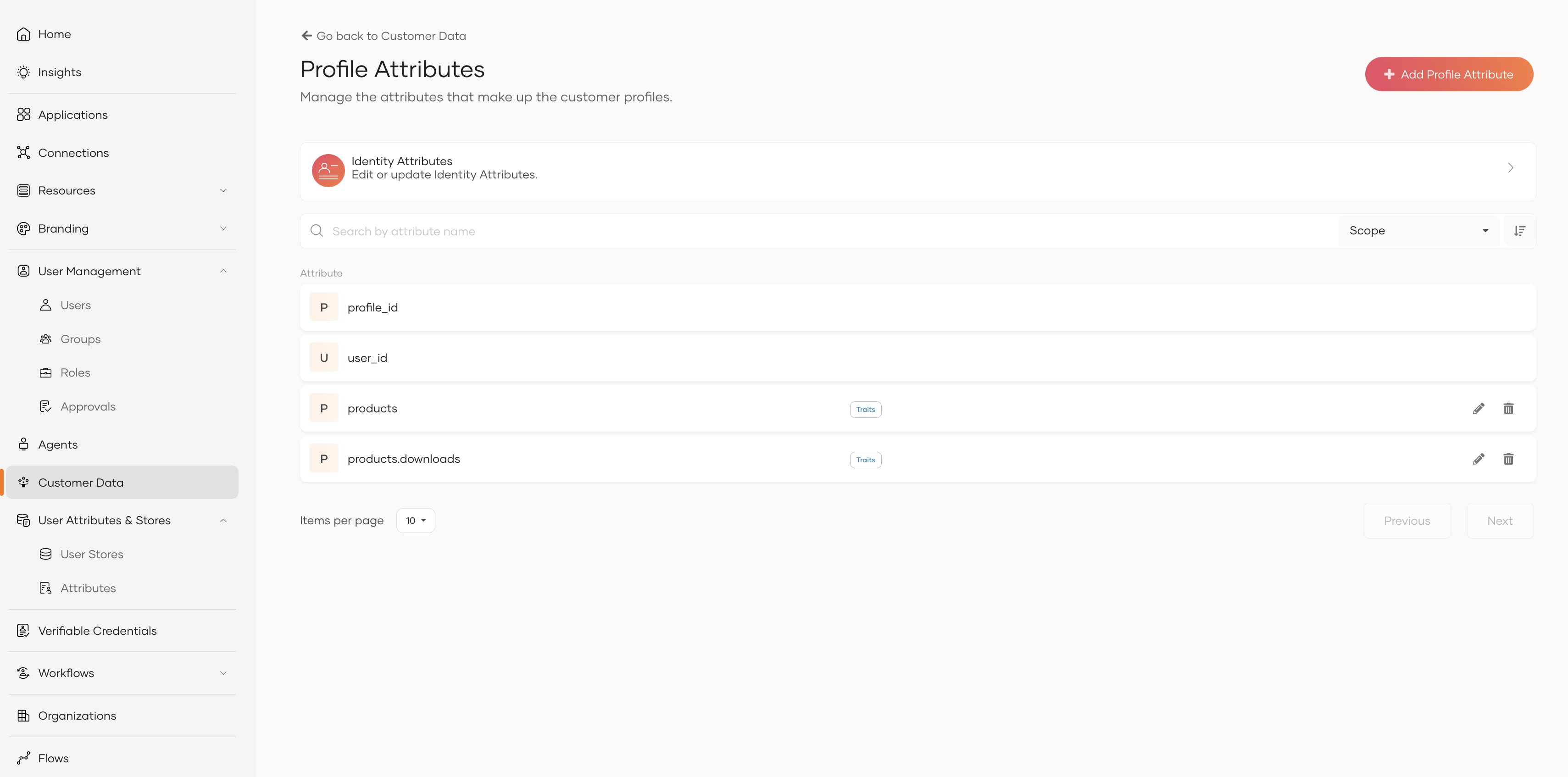
View profile attributes
- From the console, go to Customer Data and select Profile Attributes.
- The list shows every attribute defined for your organization, each tagged with its scope.
Attributes sourced from WSO2 Identity Platform claims appear in the Identity Attributes section and are managed by the system — their type and mutability are read-only.
Add an attribute
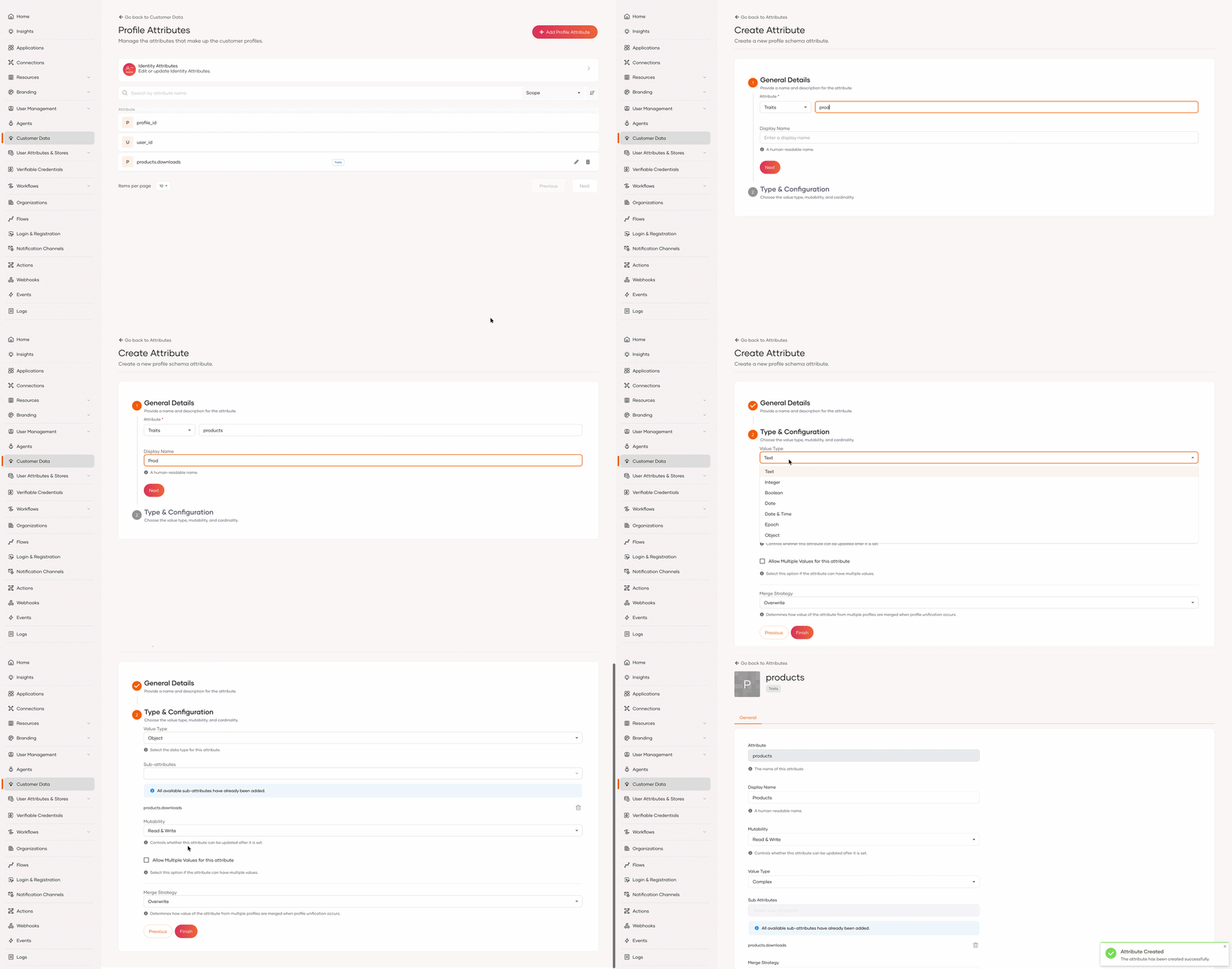
- Click Add Profile Attribute.
- In the General Details step, fill in:
- Scope —
TraitsorApplication Data. - Application — required for
Application Dataattributes. Select the application the attribute belongs to. - Attribute name — the name of the attribute (e.g.
preferred_language). The scope prefix is added automatically. - Display name — optional, human-readable label.
- Description — optional, a short description of the attribute.
- Scope —
- Click Next and, in the Type & Configuration step, fill in:
- Value type — see supported value types.
- Mutability — controls whether the value can be changed once set.
- Allow multiple values — select if the attribute holds an array of values. Required when the merge strategy is
Combine. - Merge strategy —
OverwriteorCombine. ChooseCombinefor attributes where both pre- and post-merge values should be kept (e.g. interest tags).
- Click Finish.
Edit an attribute
- Click the edit icon of the attribute in the list.
- Update the fields you want to change.
- Click Update.
Attributes synced from WSO2 Identity Platform cannot be edited from here — change the corresponding claim in WSO2 Identity Platform and the attribute set will reflect it automatically.
Delete an attribute
- Click the delete icon of the attribute in the list.
- Confirm the deletion.
Existing profile data stored under the attribute is dropped.
What happens when you change merge_strategy
merge_strategy is applied on future unification runs only. Existing master profiles are not re-merged when you change the strategy.
If you switch a single-valued attribute to combine, also select Allow multiple values — otherwise the merge will fall back to overwrite.
Related
- Profile attributes — concepts and field reference.
- Unification rules — rules match on the attributes defined here.
Was this page helpful?