Audit logs
Audit logs in WSO2 Identity Platform are designed for developers to access and analyze vital state changes that happen to resources in WSO2 Identity Platform. These logs are important for enhancing system security as they proactively identify suspicious activities and potential security threats.
In the event of incidents or errors, audit logs serve as a valuable forensic tool, facilitating the investigation process by providing detailed insights into the sequence of events and identifying the responsible parties.
This guide provides instructions on how to access and analyze audit logs to monitor and investigate system activities effectively.
Access audit logs
To access audit logs:
-
On the WSO2 Identity Platform Console, go to Log
-
Switch to the Audit tab.
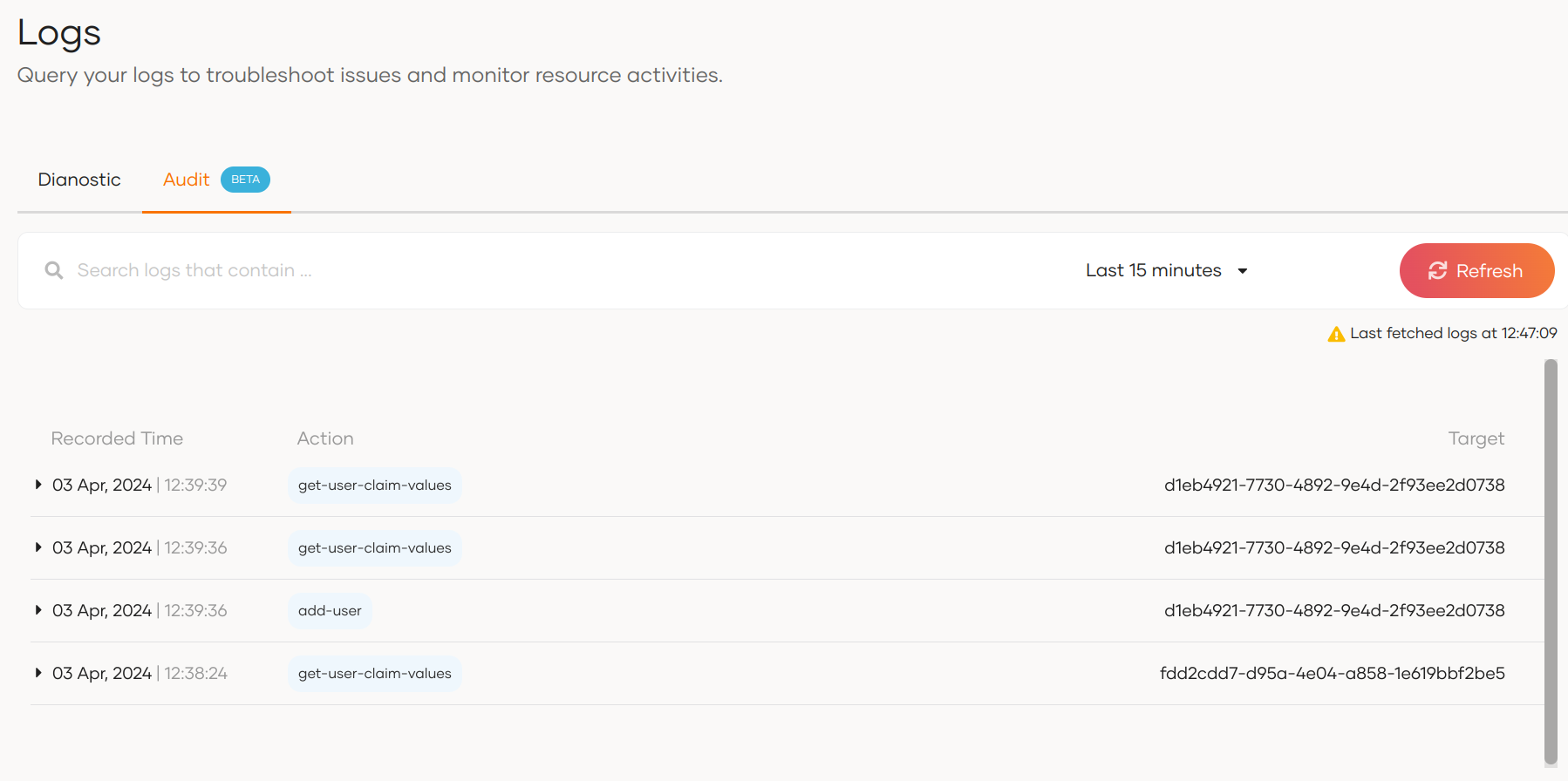
By default, the console displays logs that occurred in the last 15 minutes.
Search for logs
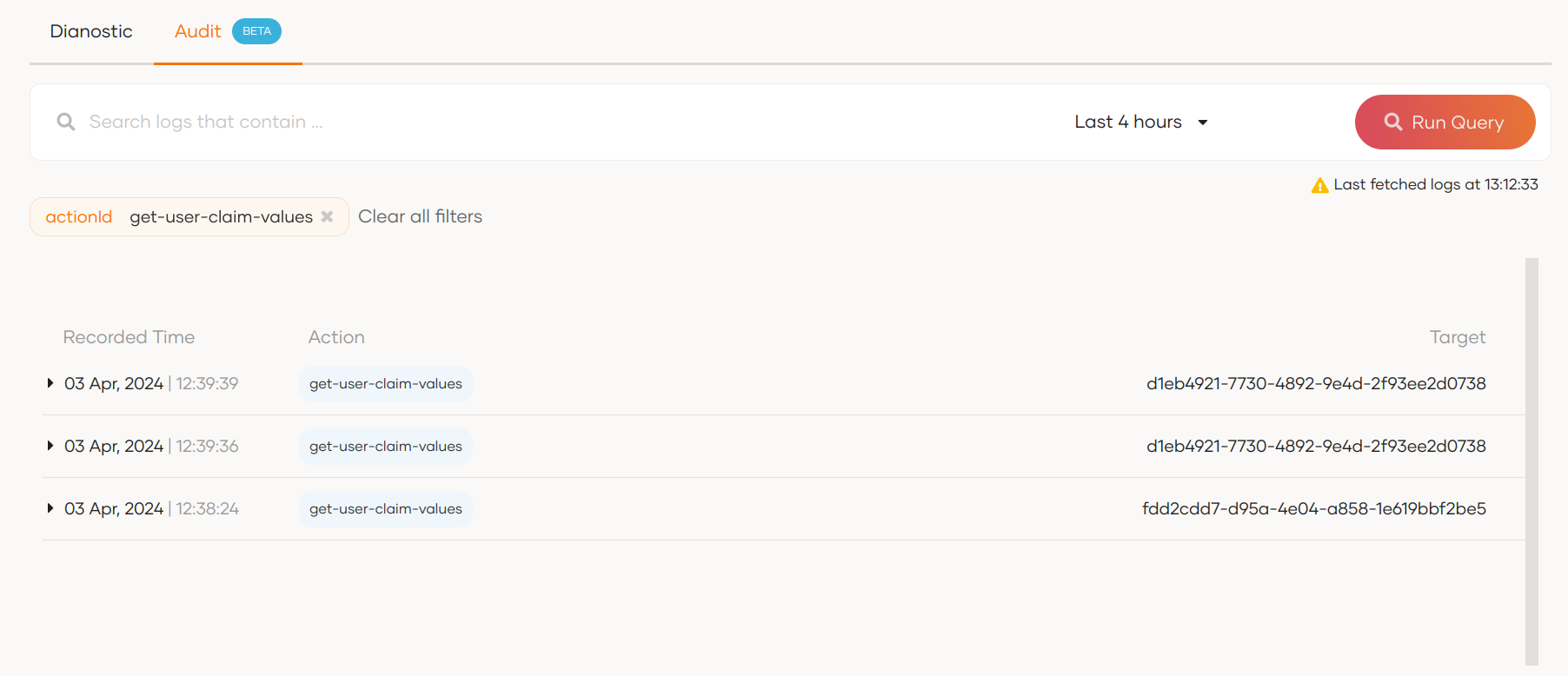
You can use the search bar to search for logs based on the properties of an audit log. For example, initiatorType, targetType, actionId, etc. Learn more about these parameters in the structure of audit logs section.
For example, the diagram below shows the results for a search filtered with the actionId.
Structure of an audit log
When you expand an audit log in WSO2 Identity Platform by clicking on it, you will get the following view.
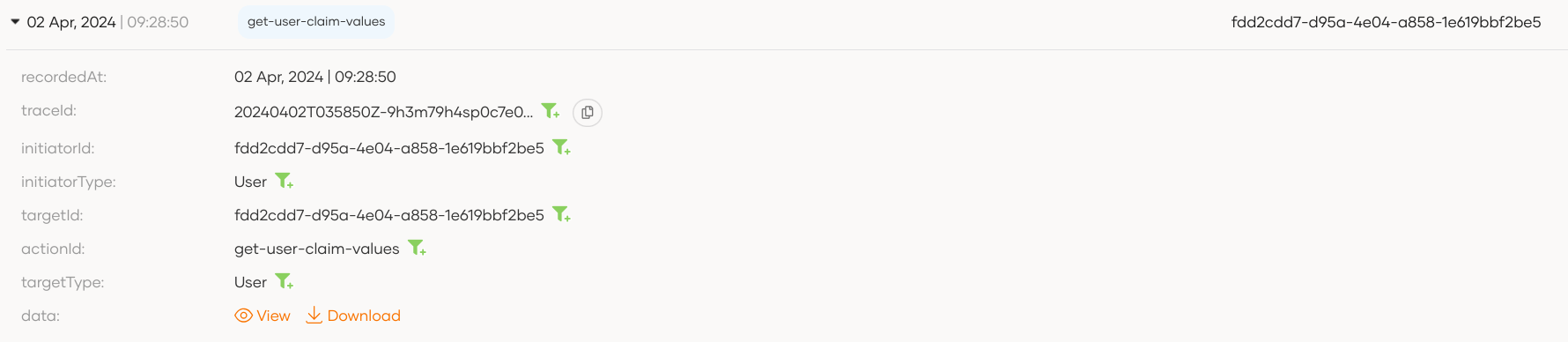
The following are the properties of an audit log:
| Property | Description |
|---|---|
id | Unique ID for each log event. |
recordedAt | Timestamp of event occurrence. |
requestId | A unique identifier for the trace associated with the action that triggered the audit event. |
initiatorId | The ID of the User or System that initiated the event. |
initiatorType | The type of the initiator, such as User or System |
targetId | The ID of the resource or object that was the target of the event. |
targetType | The type of the target resource, such as user or application. Note that WSO2 Identity Platform currently publishes audit logs for the targetTypes: User, Group, Role, Application |
actionId | A description of the action that was performed and triggered the audit event. For example : add-user, update-role, delete-group |
impersonatorId | In impersonation resource modification flow, this attribute represents the ID of the impersonator who initiated the audit event. |
data | Additional data related to the action, such as parameters or metadata. You can View and Download this content. |
Sample Scenario: User Onboarding
Follow the steps below to observe an audit log due to user onboarding:
-
Onboard a user to WSO2 Identity Platform.
-
On the WSO2 Identity Platform Console, go to Logs.
-
Switch to the Audit tab, expand the latest with the
add-usertag, and observe the following audit log.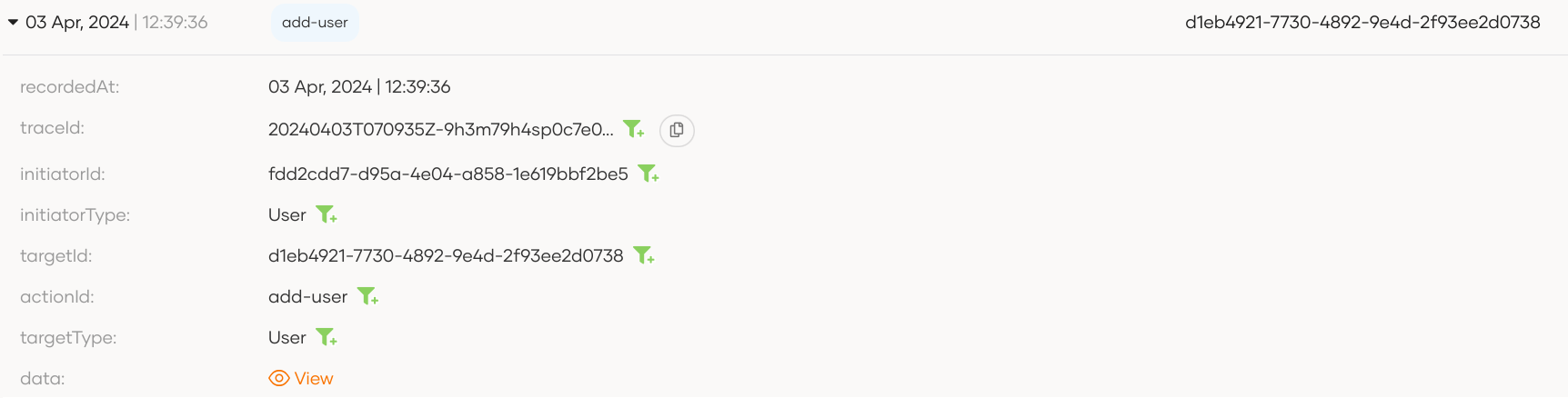
-
Click on View next to the
dataproperty to see additional data related to this action.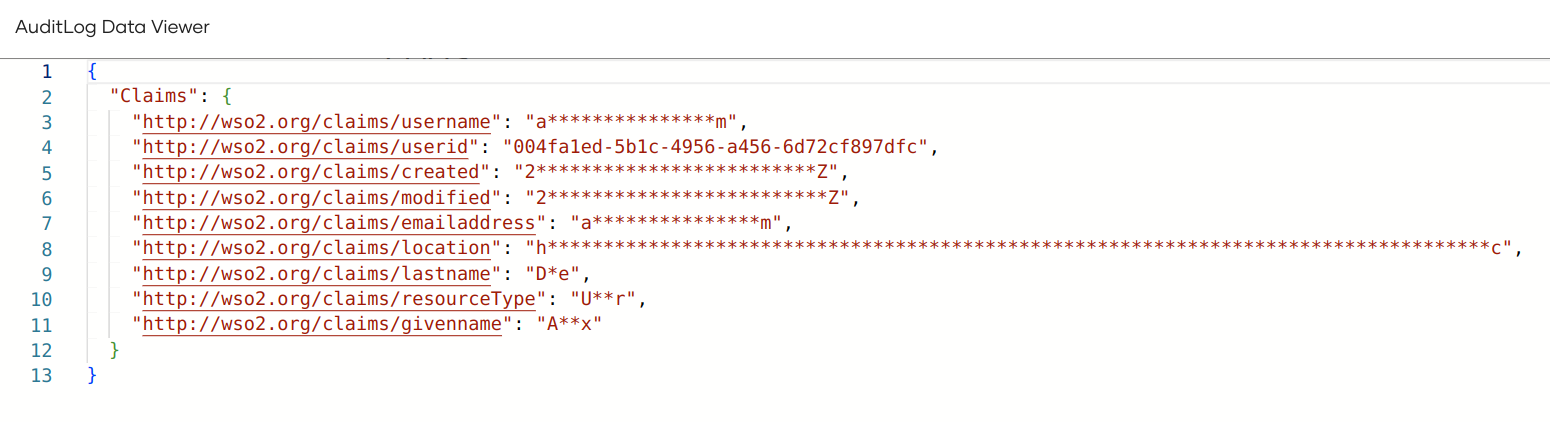
You can also Copy and Download the additional data presented in the Audit Log Data Viewer.
Audit log catalog
For a complete list of audit log action keys with sample logs, see the Audit log catalog.
Was this page helpful?