Organization discovery
B2B applications need seamless login experiences. WSO2 Identity Platform supports organization discovery to identify users' organizations and route them to the correct login page.
This guide explains the organization discovery flow, the available discovery types, and how to integrate them into your applications.
This guide covers organization discovery under the enhanced organization authentication model. If your application uses the legacy federation-based approach, see Organization login - legacy approach for the discovery mechanisms specific to that model.
Organization discovery page
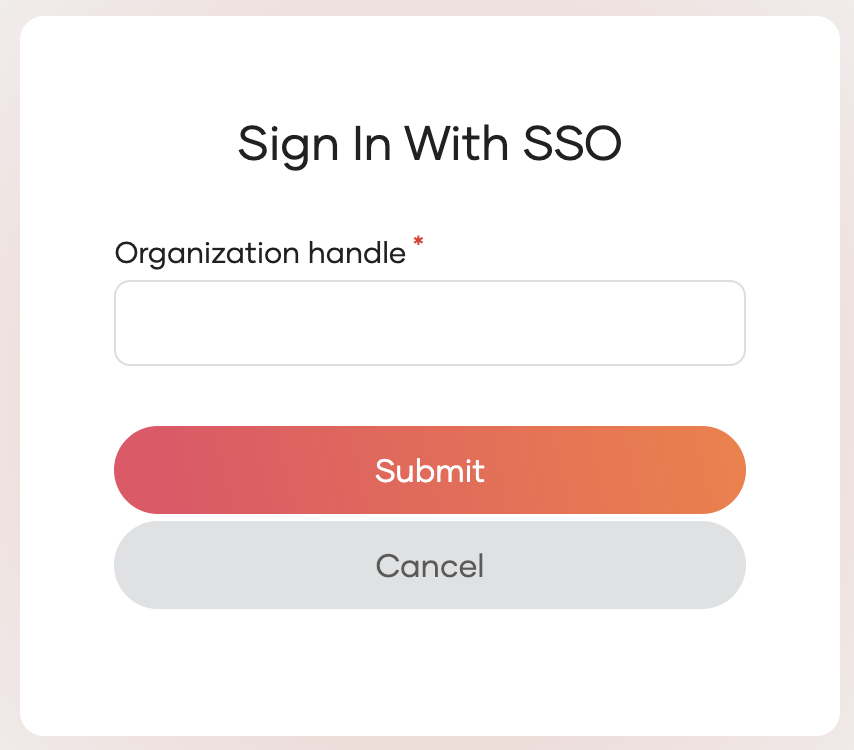
After the user clicks Sign in with SSO, they are redirected to the organization discovery page where they identify their organization.
By default, users are prompted to enter the organization handle — a human-readable, unique identifier for the organization.
Available discovery types
WSO2 Identity Platform supports the following discovery types:
Directly access the organization
To route users directly to their organization's login page without showing the discovery page, include an organization discovery parameter in the initial authentication request. WSO2 Identity Platform resolves the organization from the parameter and routes the user to that organization's login page automatically.
- Organization Handle
- Organization Name
- Organization ID
- Email Domain
Add orgHandle=<organization_handle> to the authentication request.
- OIDC
- SAML
https://api.asgardeo.io/t/<root_organization_name>/oauth2/authorize?
client_id=<client_id>
&redirect_uri=<redirect_url>
&scope=<scopes>
&response_type=code
&orgHandle=<organization_handle>
https://api.asgardeo.io/t/<root_organization_name>/samlsso?
spEntityID=<app_entity_id>
&orgHandle=<organization_handle>
Example: For an organization with handle "abc.com", add orgHandle=abc.com to the request.
Add org=<organization_name> to the authentication request.
- OIDC
- SAML
https://api.asgardeo.io/t/<root_organization_name>/oauth2/authorize?
client_id=<client_id>
&redirect_uri=<redirect_url>
&scope=<scopes>
&response_type=code
&org=<organization_name>
https://api.asgardeo.io/t/<root_organization_name>/samlsso?
spEntityID=<app_entity_id>
&org=<organization_name>
Example: For an organization named "ABC Builders", add org=ABC+Builders to the request.
Add orgId=<organization_id> to the authentication request.
- OIDC
- SAML
https://api.asgardeo.io/t/<root_organization_name>/oauth2/authorize?
client_id=<client_id>
&redirect_uri=<redirect_url>
&scope=<scopes>
&response_type=code
&orgId=<organization_id>
https://api.asgardeo.io/t/<root_organization_name>/samlsso?
spEntityID=<app_entity_id>
&orgId=<organization_id>
Add login_hint=<user_email> to the authentication request. WSO2 Identity Platform extracts the domain and matches it to a configured organization.
- OIDC
- SAML
https://api.asgardeo.io/t/<root_organization_name>/oauth2/authorize?
client_id=<client_id>
&redirect_uri=<redirect_url>
&scope=<scopes>
&response_type=code
&login_hint=<user_email>
https://api.asgardeo.io/t/<root_organization_name>/samlsso?
spEntityID=<app_entity_id>
&login_hint=<user_email>
See Email domain-based discovery for configuration details.
Email domain-based discovery
Automatically identify organizations based on user email domains. This method routes users to their organization's login page without requiring them to specify the organization name or ID.
How it works: WSO2 Identity Platform extracts the domain from the user's email address. Then it matches the domain to a configured organization.
How to configure email domain discovery: Email Domain-Based Discovery
Was this page helpful?