Alert Types
By default, ELK is capable of triggering alerts for the following situations.
Suspicious Login
- Reason for Triggering : A successful login after a particular number of failed login attempts during a given time interval.
- Indication : A sudden change in the level of access granted to a specific user ID that indicates the need for further investigation.
- Alerting Logic : An alert is sent if a user successfully logs in
after a specific number of failures. These failures can be due to
repeatedly entering the following:
-
Same incorrect username
-
Same incorrect user store
-
Same incorrect tenant domain
-
Long Sessions
- Reason for Triggering : The session duration of a specific user exceeds a predefined time duration.
- Indication : The user is engaged in unauthorized activity.
- Alerting Logic : An alert is sent if,
-
The duration of a session exceeds the predefined session duration
-
The duration of a session exceeds the average session duration calculated for a predefined time interval. This time interval is specified as the last n days, e.g., last 7 days.
-
There are two ways to be informed of above alerts:
- Alert Dashboard- Displays alerting events (long sessions and suspicious logins). This approach does not provide any notification and is more of a pull-based approach. Learn how to configure the alert dashboard.
- Alert Rules with Connectors - Can be used to receive notifications for the events that can be viewed from the Alert Dashboard. This is a push-based approach where the alert is sent to a given set of connectors such as email, Jira, Slack etc. Learn how to configure alert connectors.
View ELK Alerts
Once you have set up ELK alerts, follow the steps below to view the authentication-related alerts generated by WSO2 Identity Server.
-
Login to Kibana and navigate to
Dashboards > Alert Dashboard. -
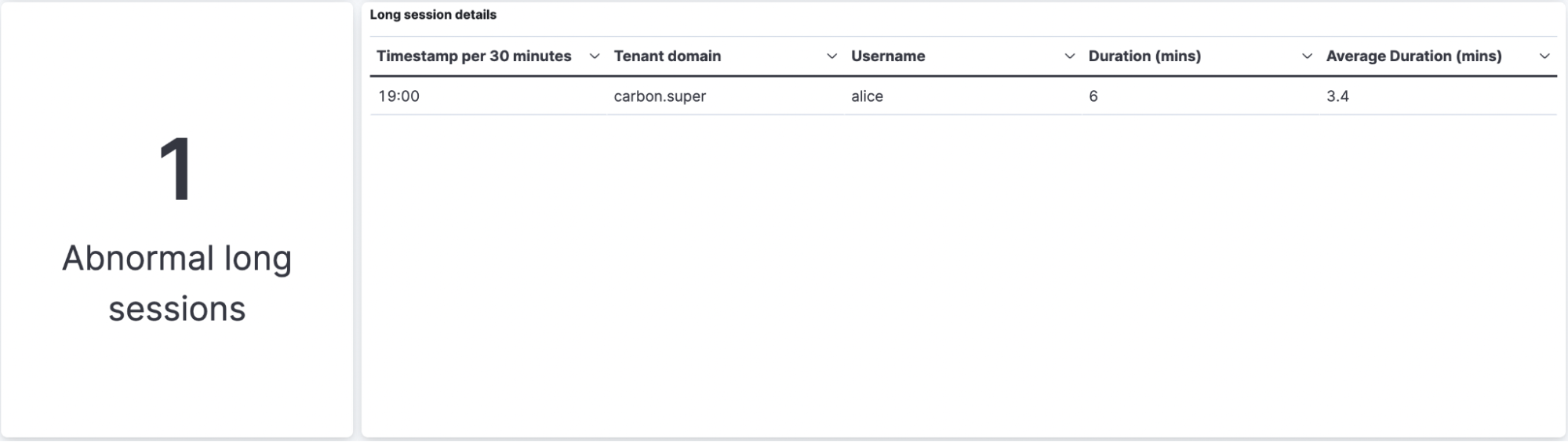
Select a timer interval to filter the alerters within a given duration (e.g. 1 day) and all the alerts that are generated during this time interval appears.
- Abnormal long session alert
- Suspicious login alert

Was this page helpful?