Setup Guide
You're reading Integrator 5.0.0. The newest release is 5.1.0. Go to the newest release
This guide walks you through creating an OpenAI account and generating an API key required to use the OpenAI Audio connector.
Prerequisites
- An OpenAI account. If you do not have one, sign up at platform.openai.com.
- Billing enabled on your OpenAI account with an active prepaid credit balance. Audio API calls fail with a 402 error without credits on file. Add a payment method and top up credits in the Billing settings.
Step 1: Navigate to the API keys dashboard
-
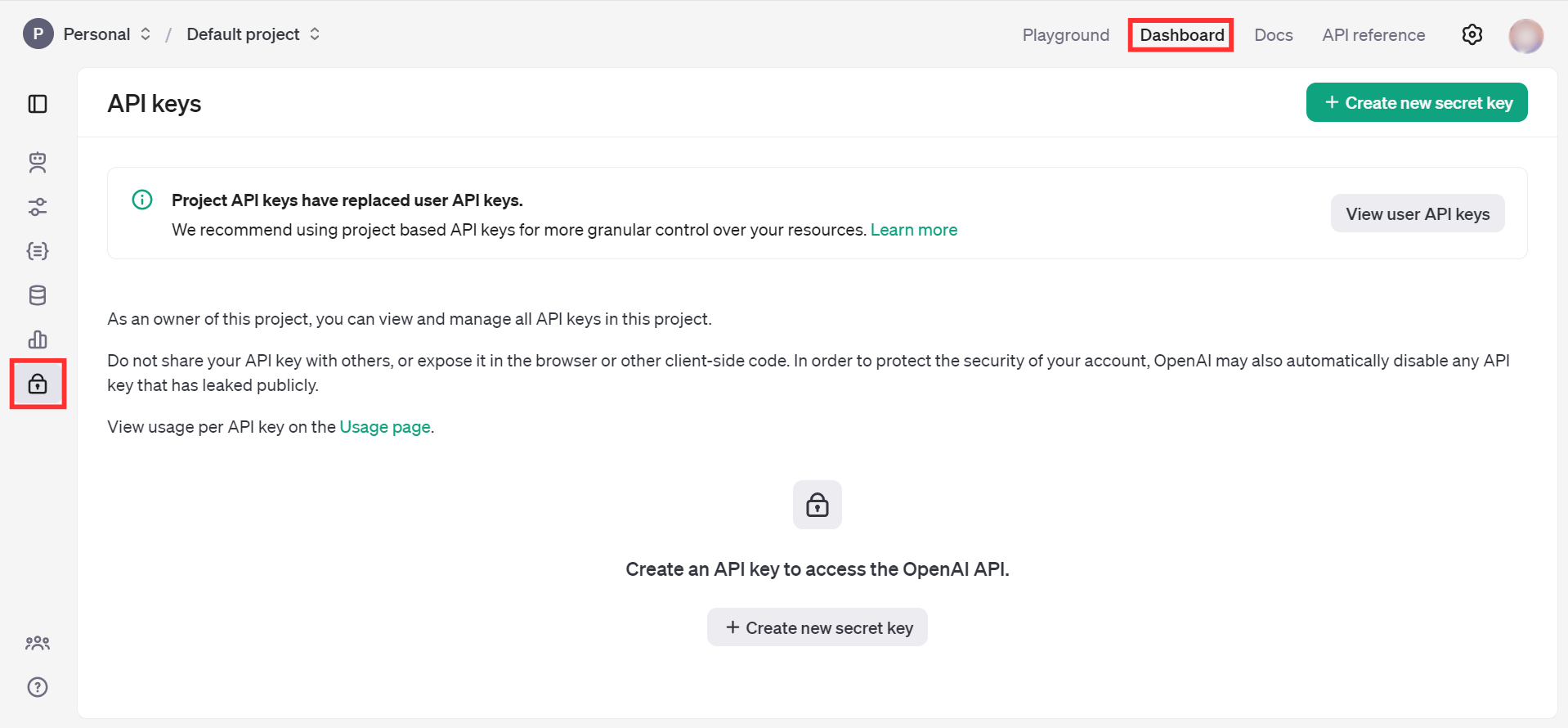
Open the OpenAI Platform Dashboard.
-
Navigate to Dashboard > API keys in the left sidebar.
Step 2: Create a new secret key
-
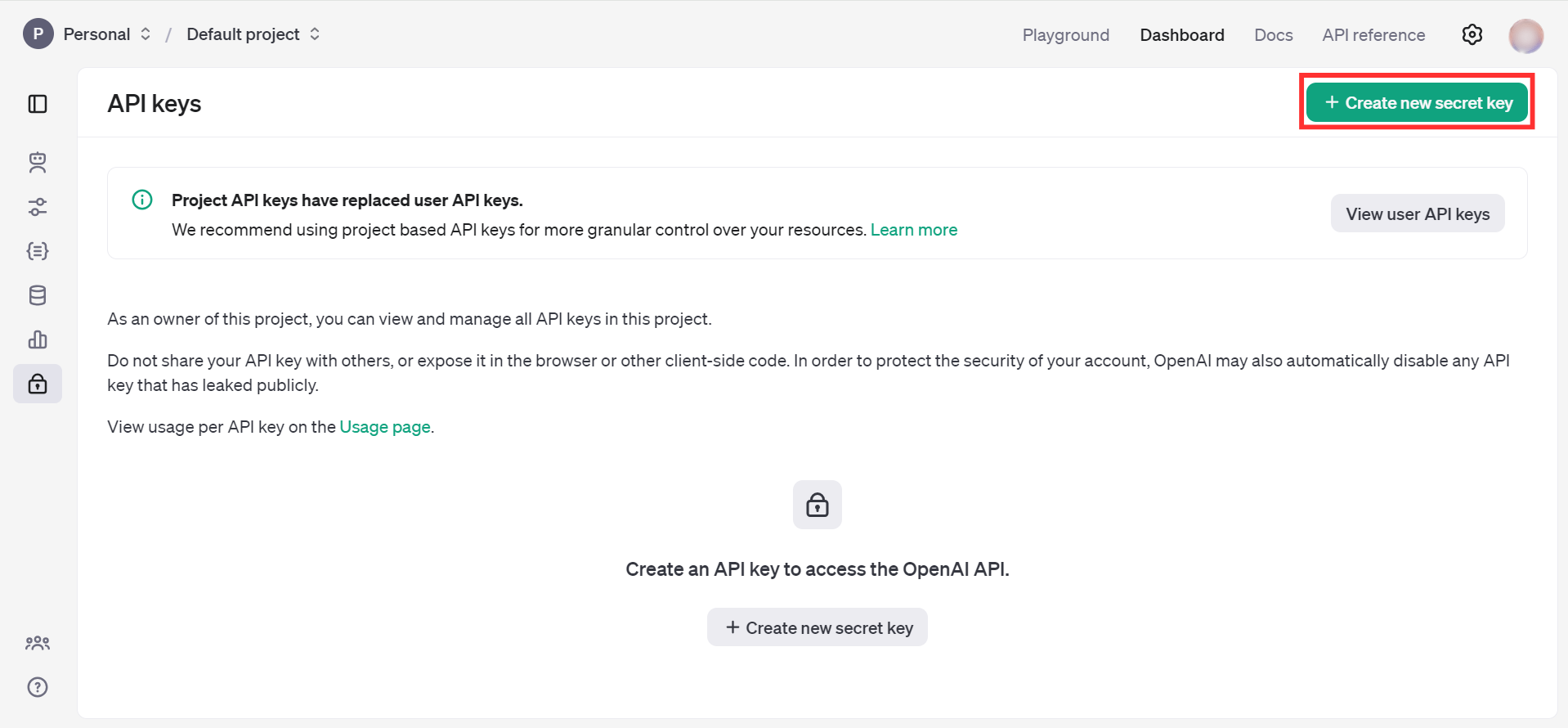
Select Create new secret key.
-
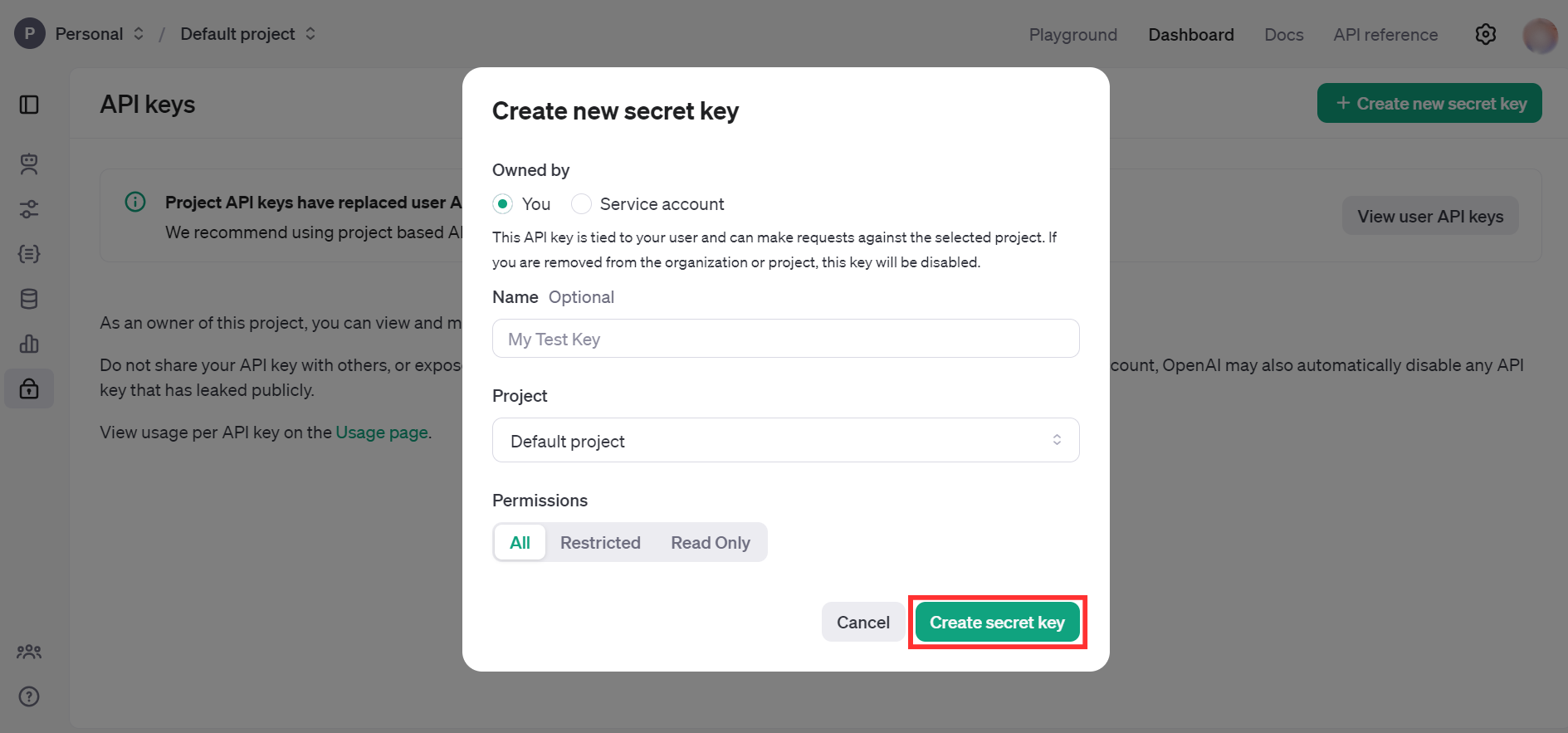
Fill in the required details and select Create secret key.
-
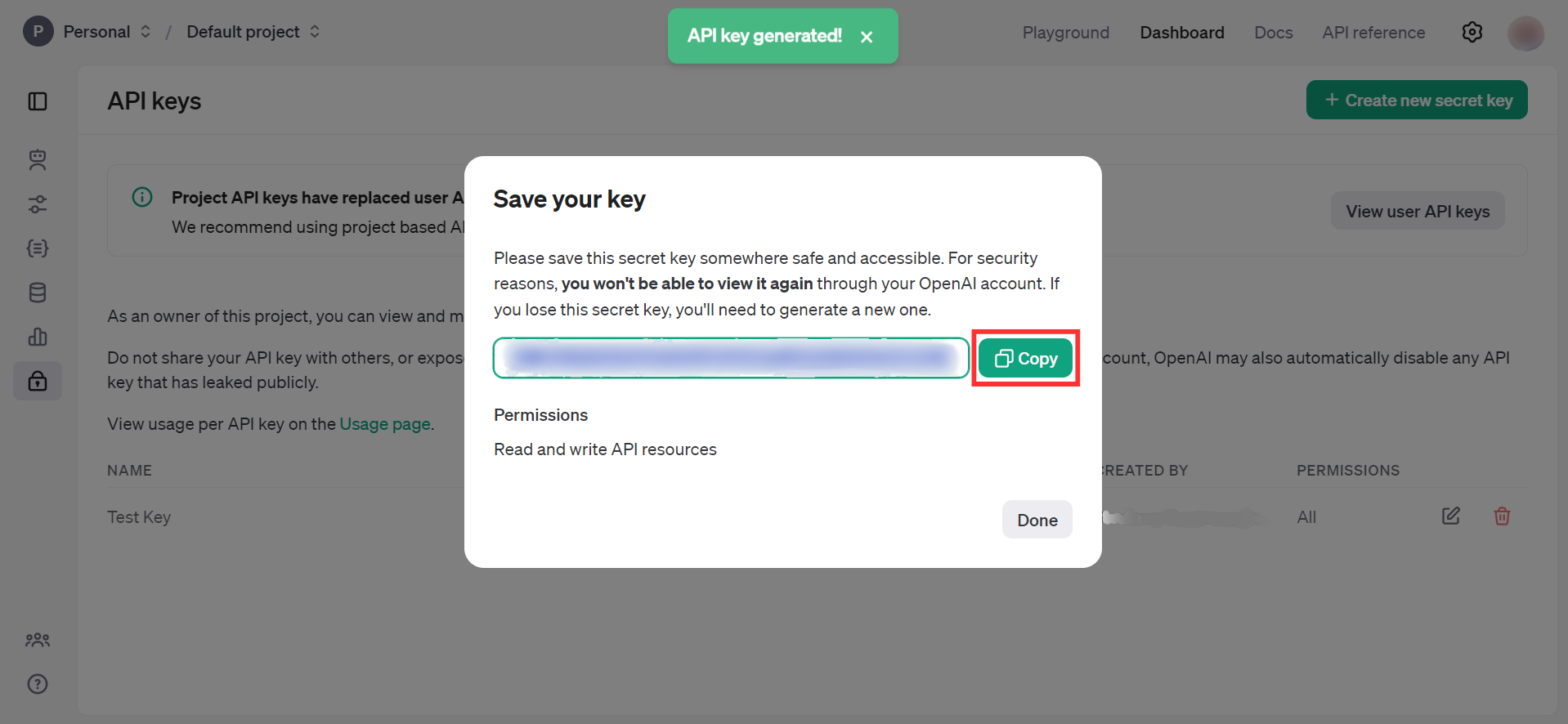
Copy the generated API key immediately — it will not be shown again.
warning
Store the API key securely. Do not commit it to source control. Use Ballerina's configurable feature and a Config.toml file to supply it at runtime.
What's next
- Action reference: Available operations
Was this page helpful?