Setup Guide
You're reading Integrator 5.0.0. The newest release is 5.1.0. Go to the newest release
This guide walks you through creating an OpenAI account and generating an API key required to use the OpenAI connector.
Prerequisites
- An OpenAI account. If you do not have one, sign up at platform.openai.com.
Step 1: Log in to the OpenAI Platform
- Visit platform.openai.com.
- Sign in with your credentials or create a new account.
Step 2: Create a project
-
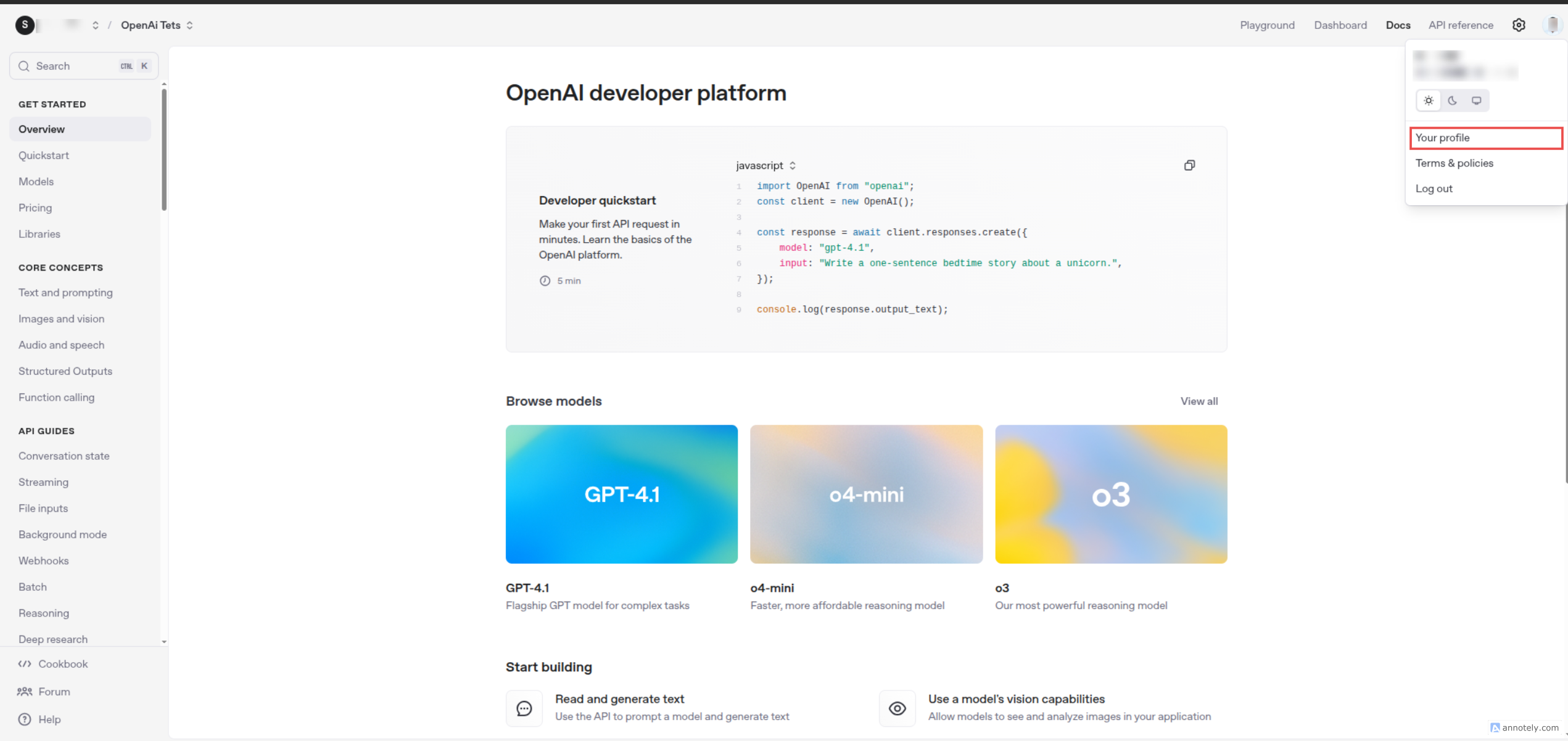
Select your profile icon in the top-right corner.
-
In the dropdown menu, select Your Profile.
-
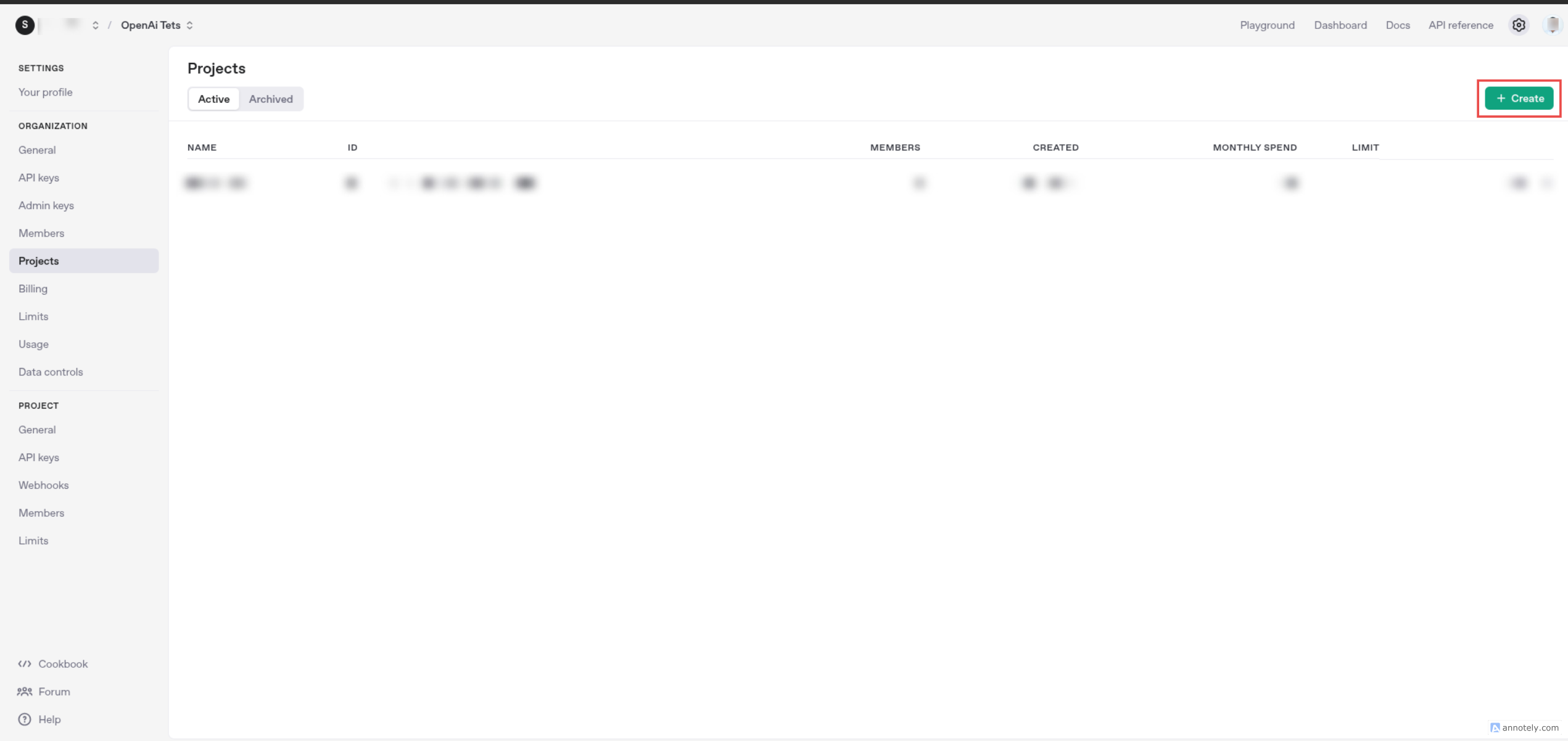
Navigate to the Projects section from the sidebar.
-
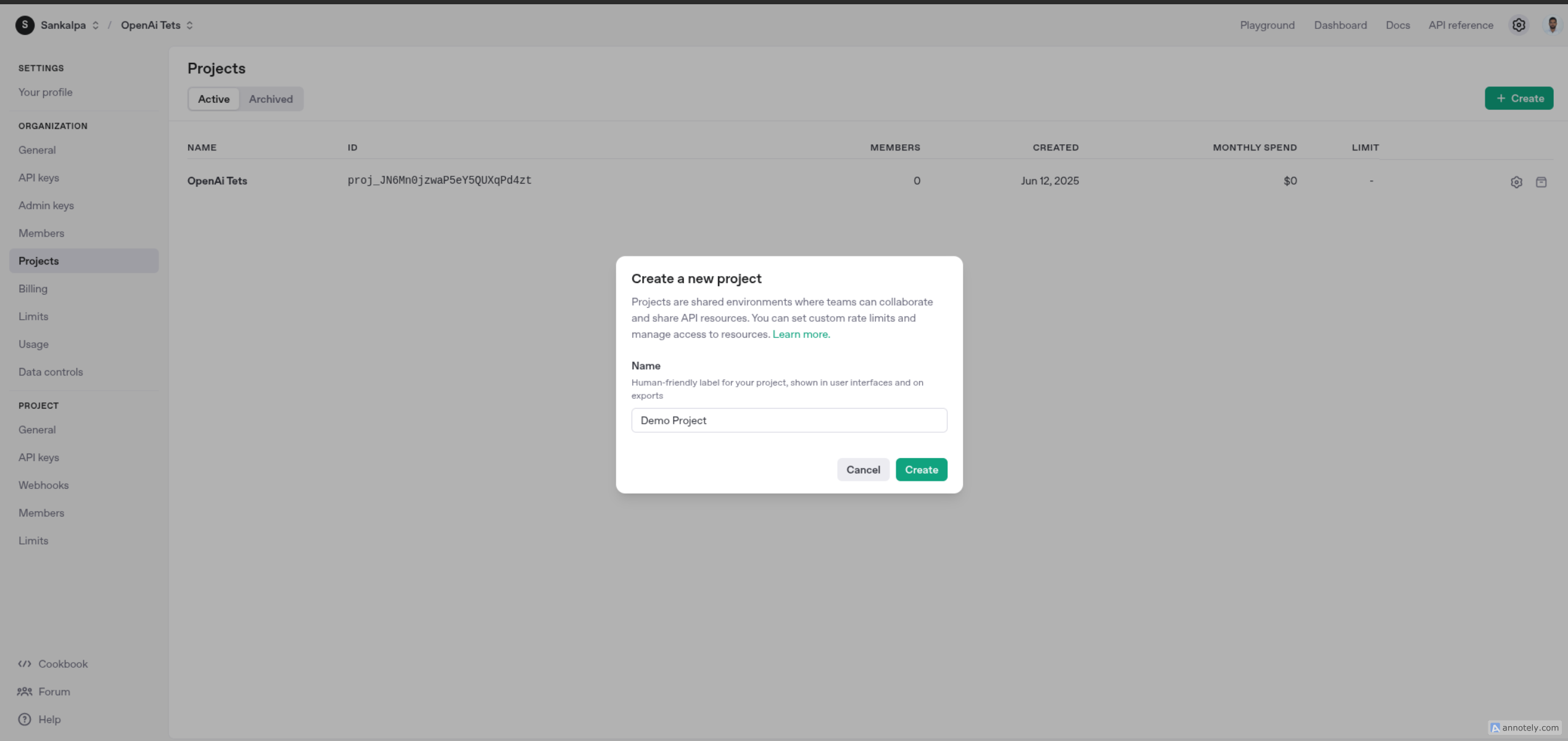
Select Create Project and provide a name.
Step 3: Create an API key
-
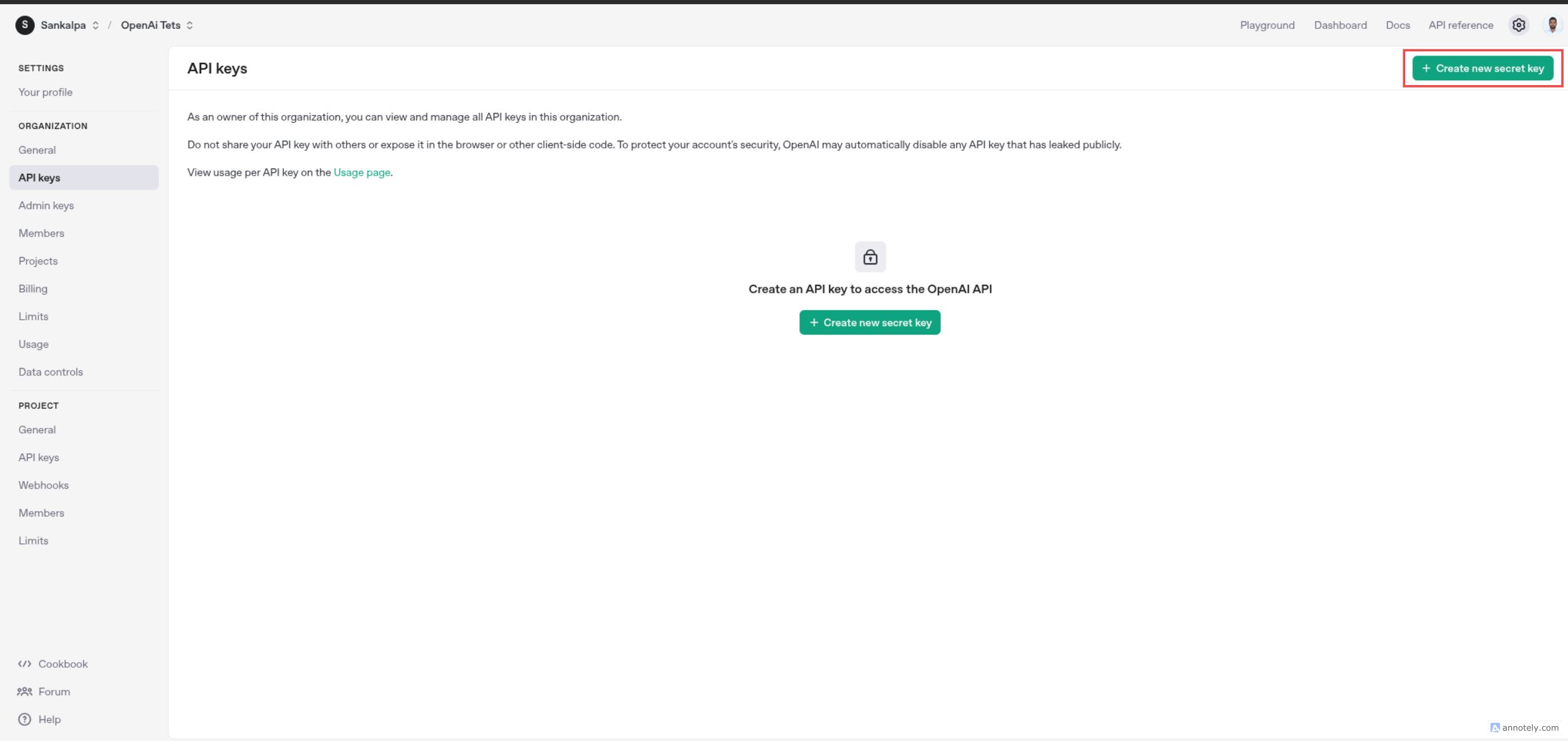
Navigate to the API Keys section from the sidebar and select + Create new secret key.
-
Provide a name for the key (for example,
Connector Key), select your project, and confirm.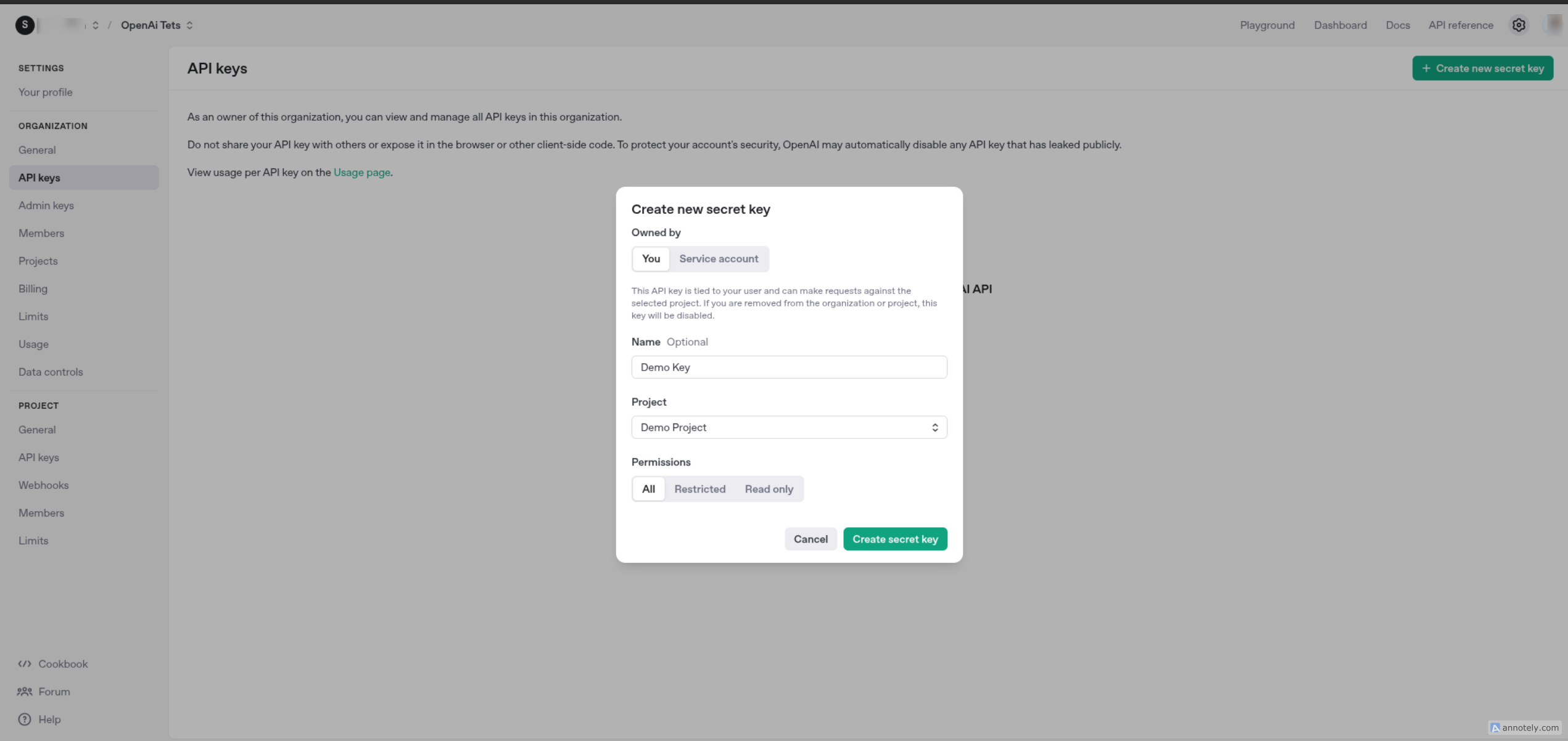
-
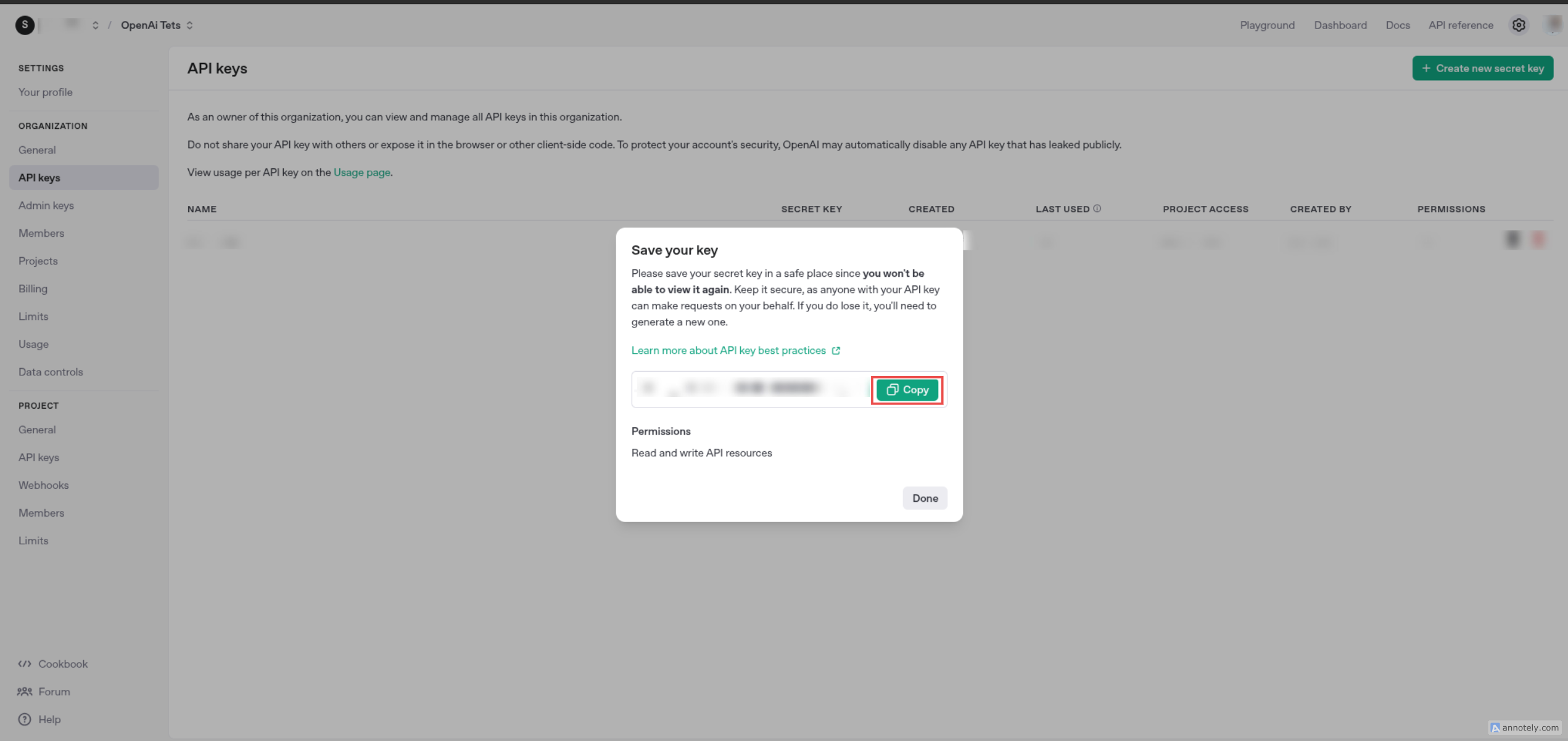
Copy the generated API key immediately — it will not be shown again.
warning
Store the API key securely. Do not commit it to source control. Use Ballerina's configurable feature and a Config.toml file to supply it at runtime.
What's next
- Action reference: Available operations
Was this page helpful?