Setup Guide
This guide walks you through setting up an AWS account and obtaining the credentials required to use the AWS SNS connector.
Step 1: Create an AWS account
If you don't already have an AWS account, visit the AWS Management Console, select Create a new AWS Account, and complete the registration process.
Step 2: Get the access key ID and the secret access key
After logging into your AWS account, create a user group and IAM user with SNS permissions.
Create an AWS user group
-
Navigate to the Identity and Access Management (IAM) service.
-
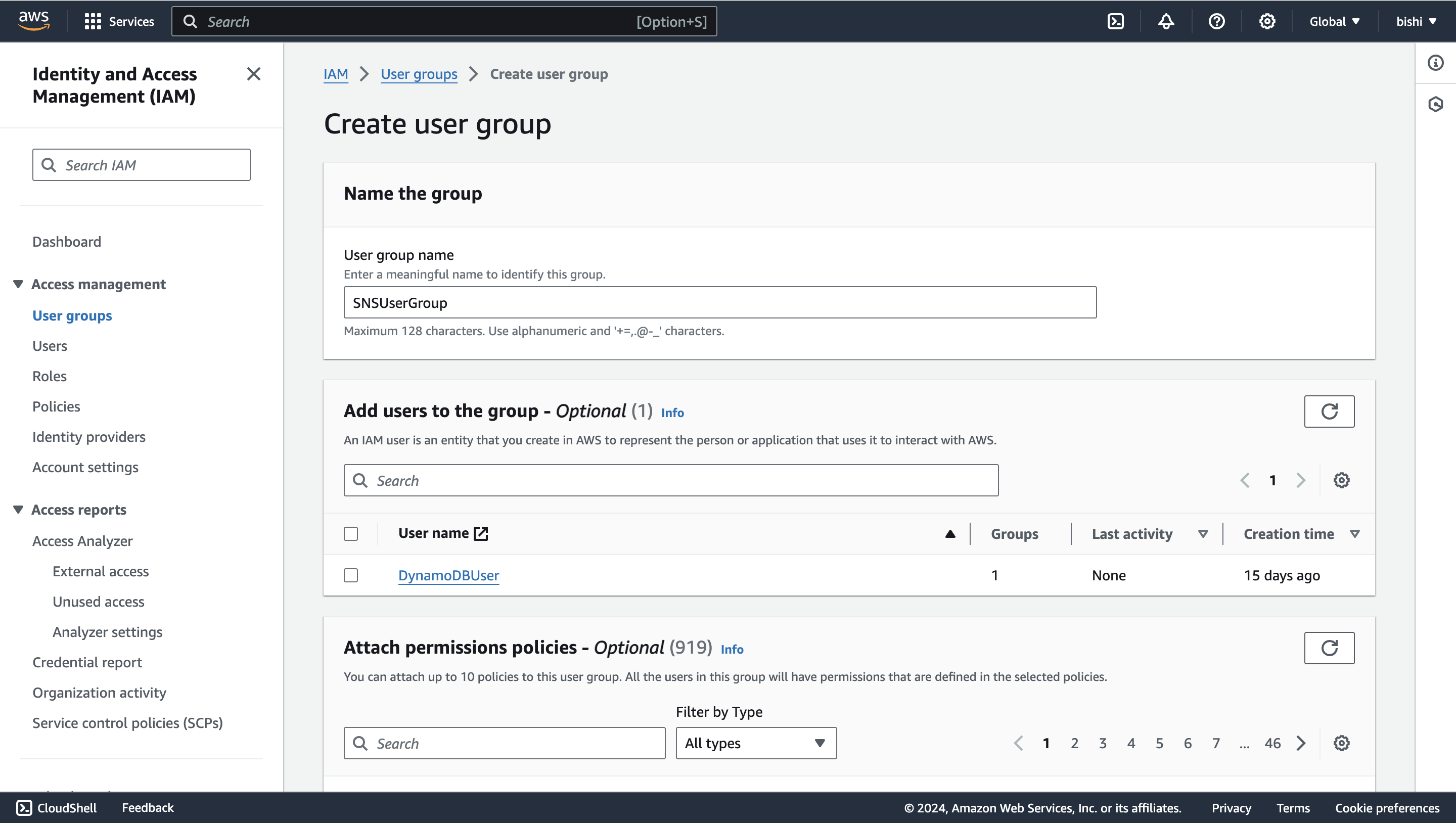
Select Groups, then Create New Group.
-
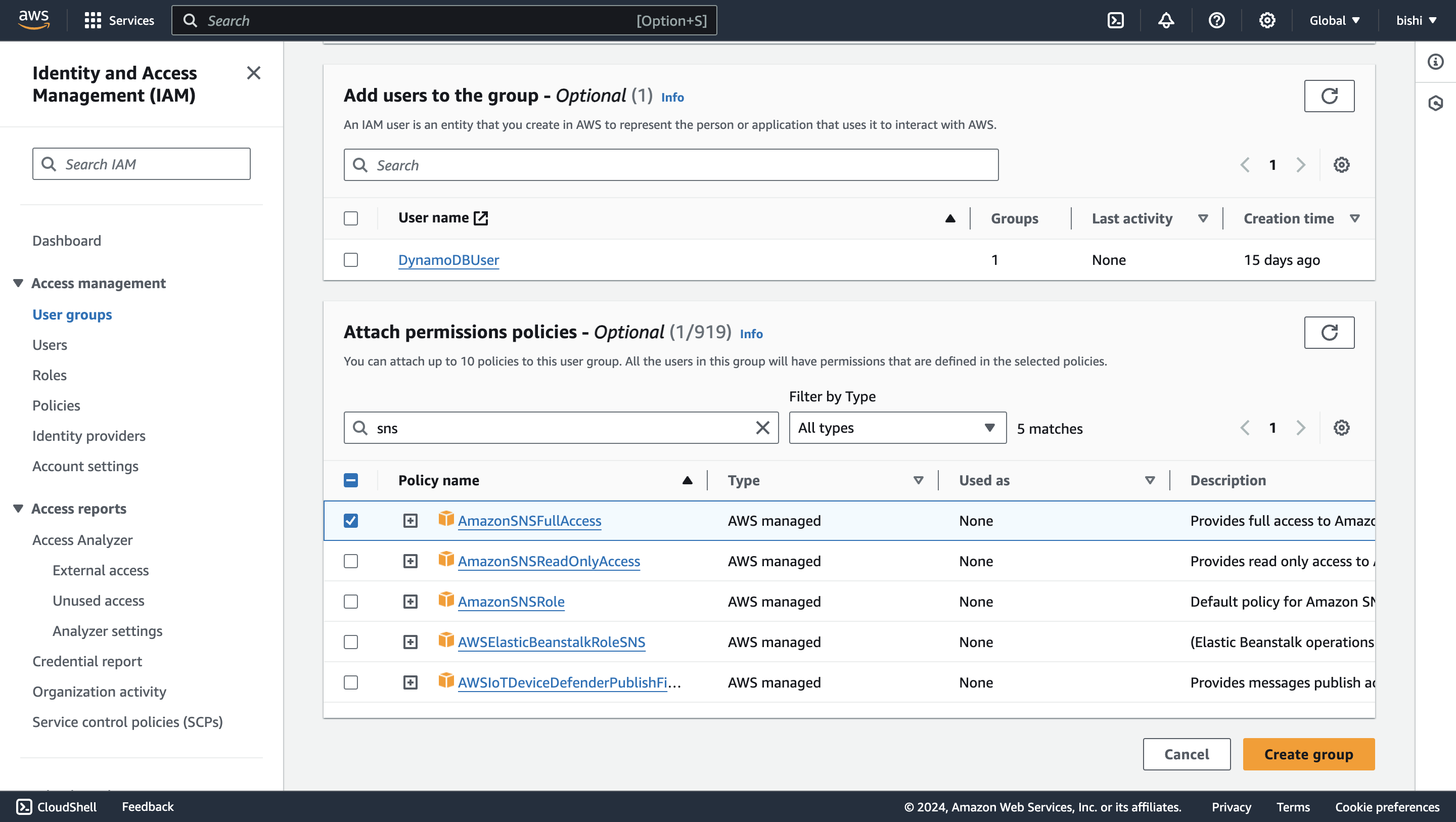
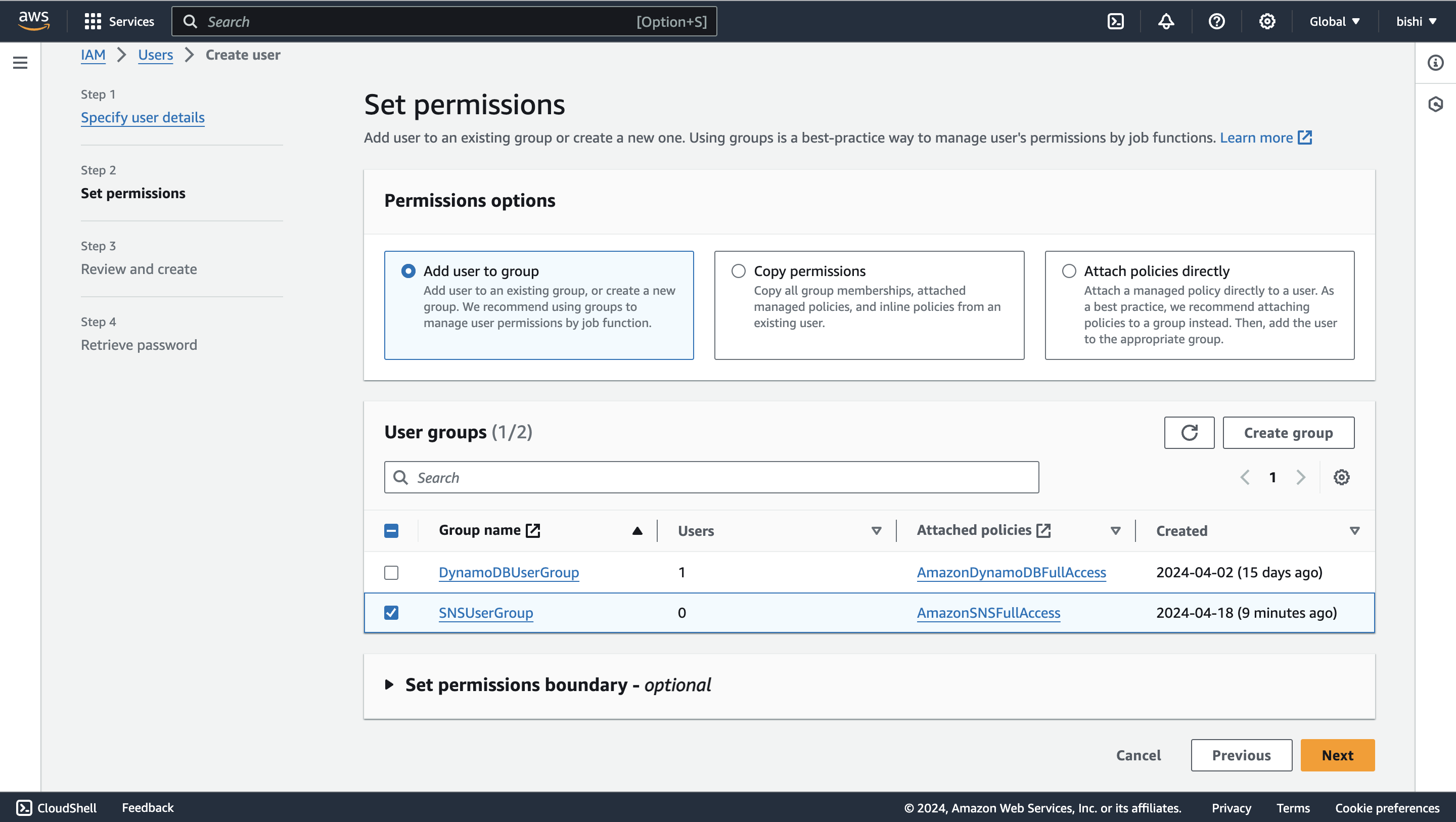
Enter a group name and attach the necessary policies (for example, AmazonSNSFullAccess for full SNS access).
Create an IAM user
-
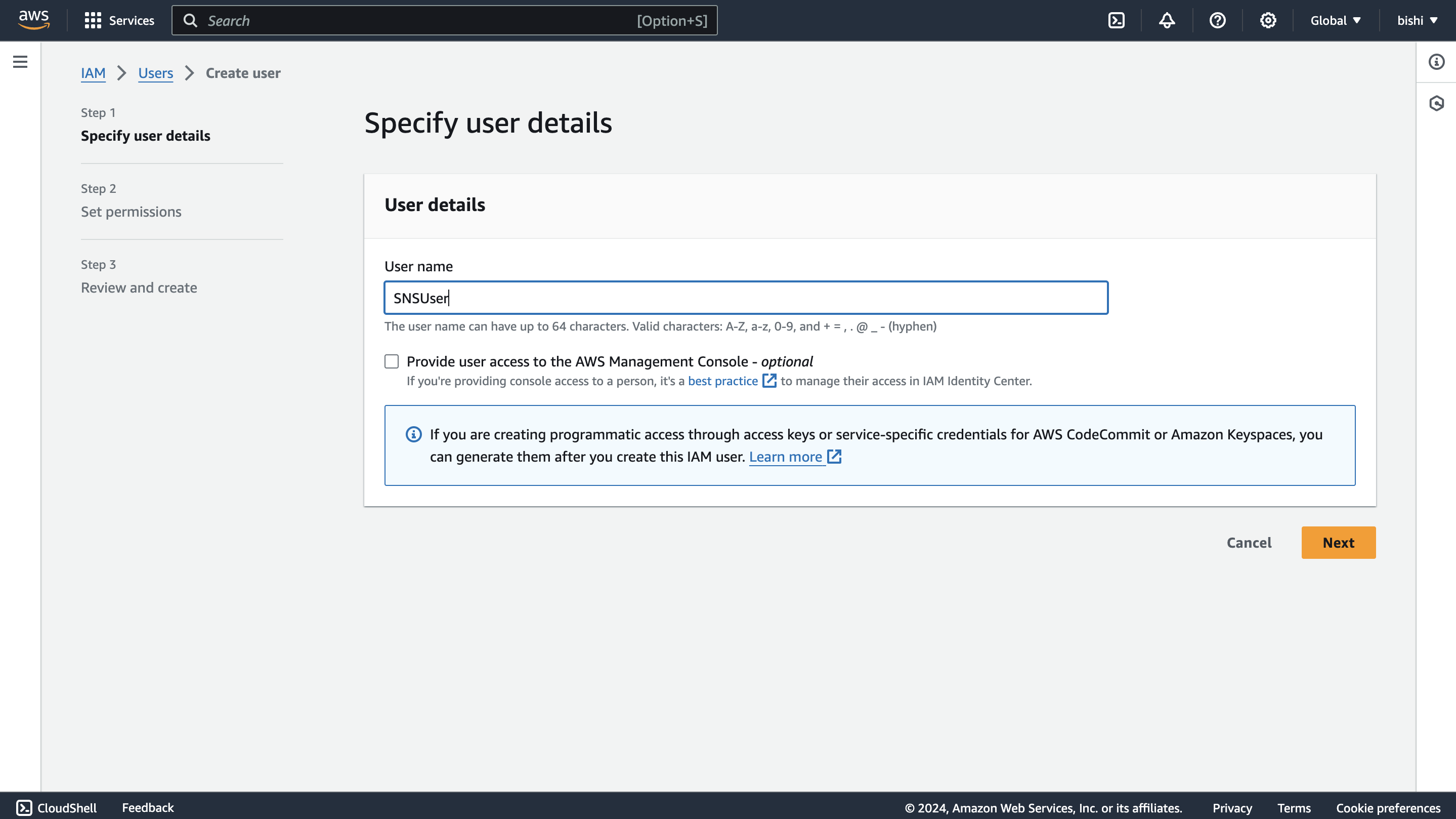
In the IAM console, navigate to Users and select Add user.
-
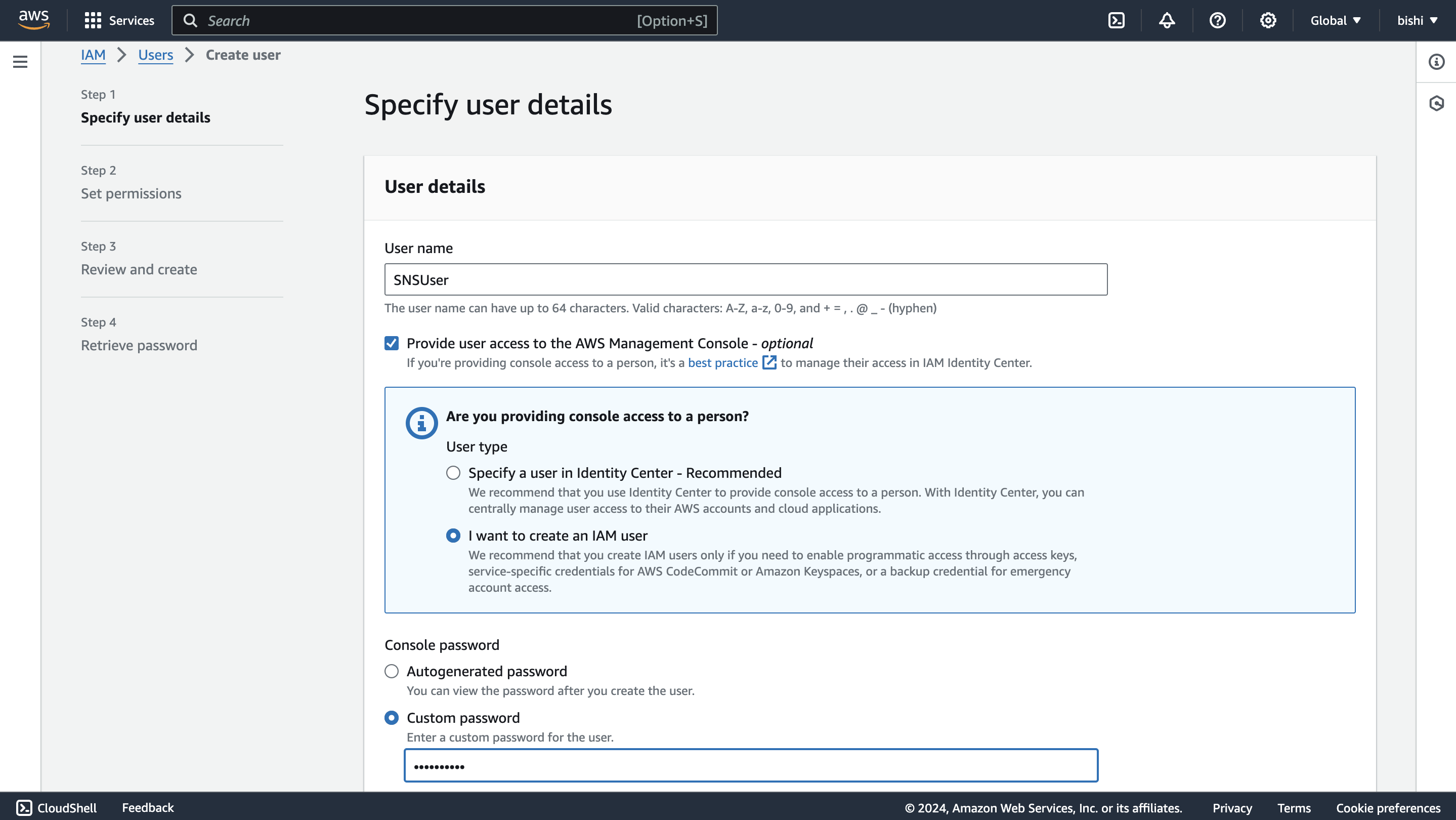
Enter a username and select Provide user access to the AWS Management Console (optional). Then select I want to create an IAM user for programmatic access through access keys.
-
Complete the permission setup and add the user to the group you created.
-
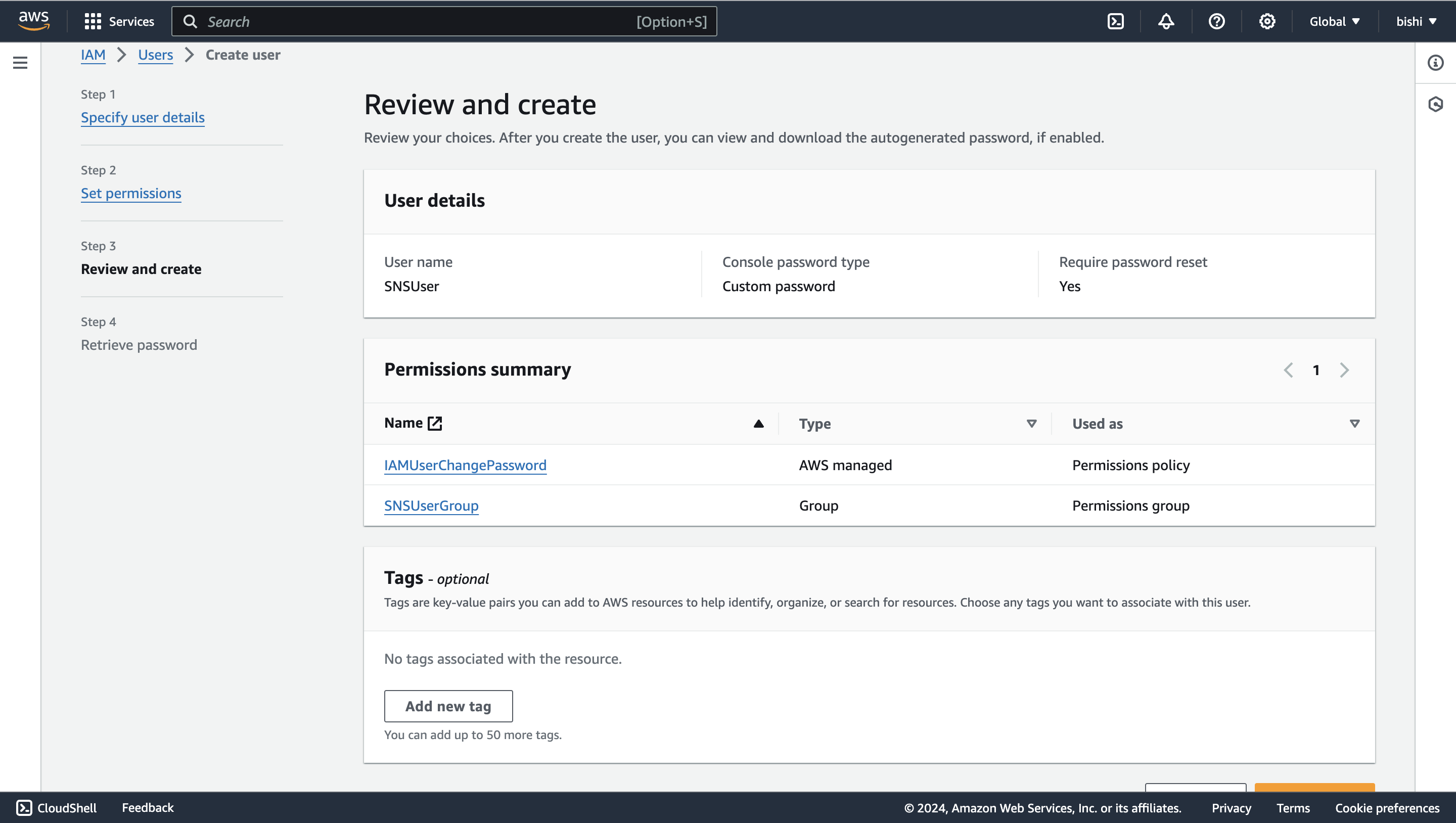
Review the details and select Create user.
Generate access key ID and secret access key
-
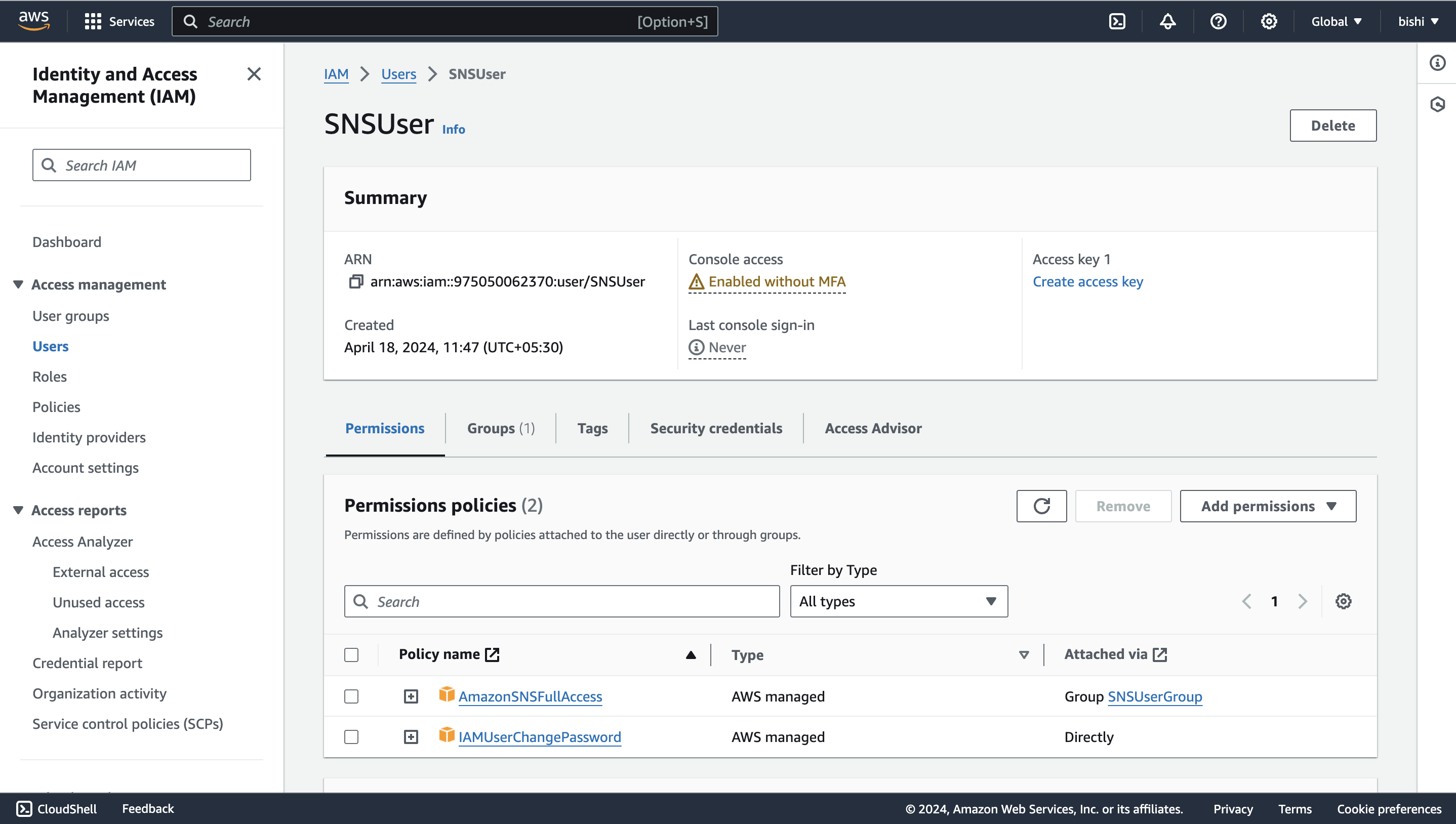
After user creation, navigate to the Users tab and select your new user.
-
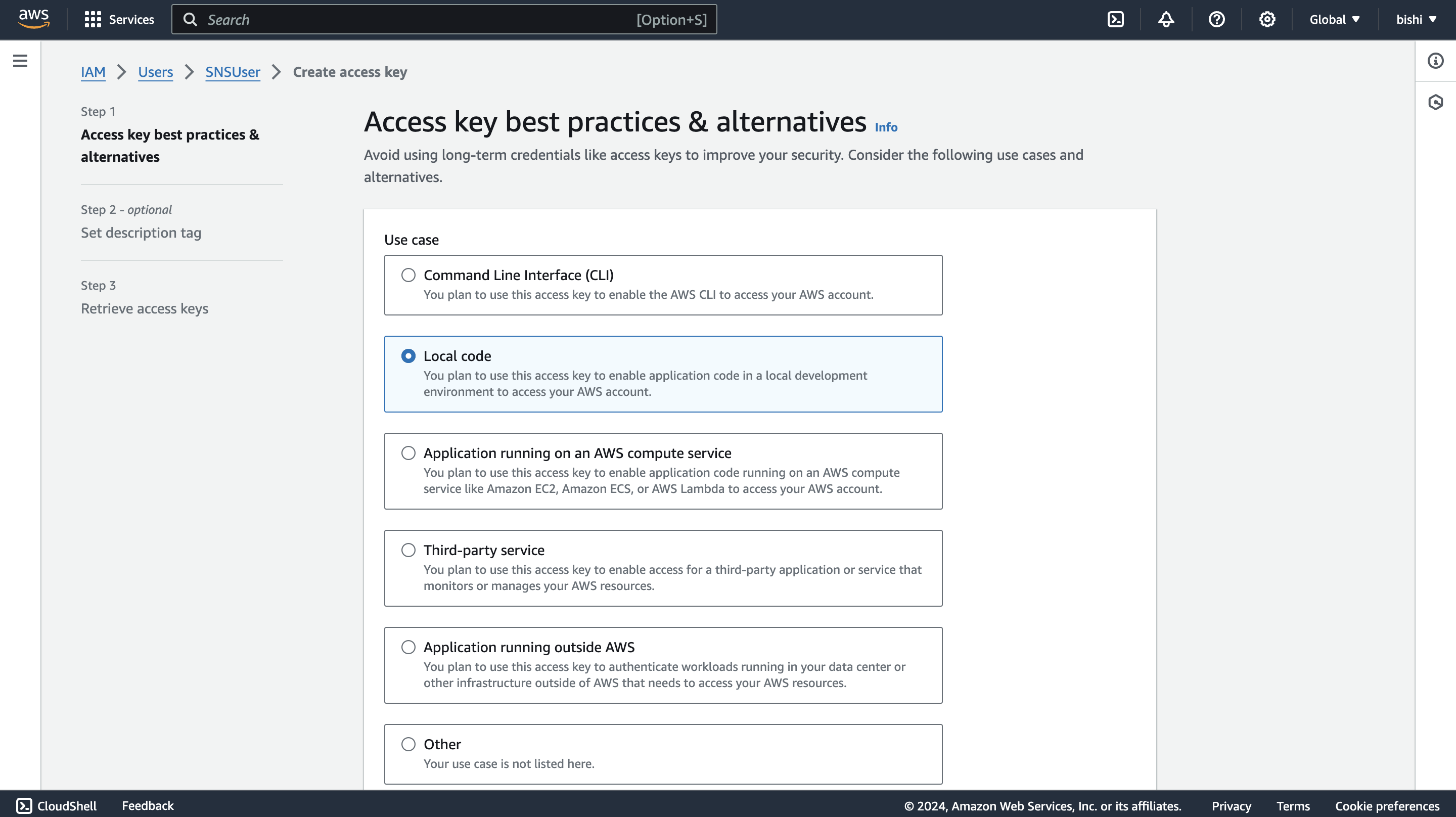
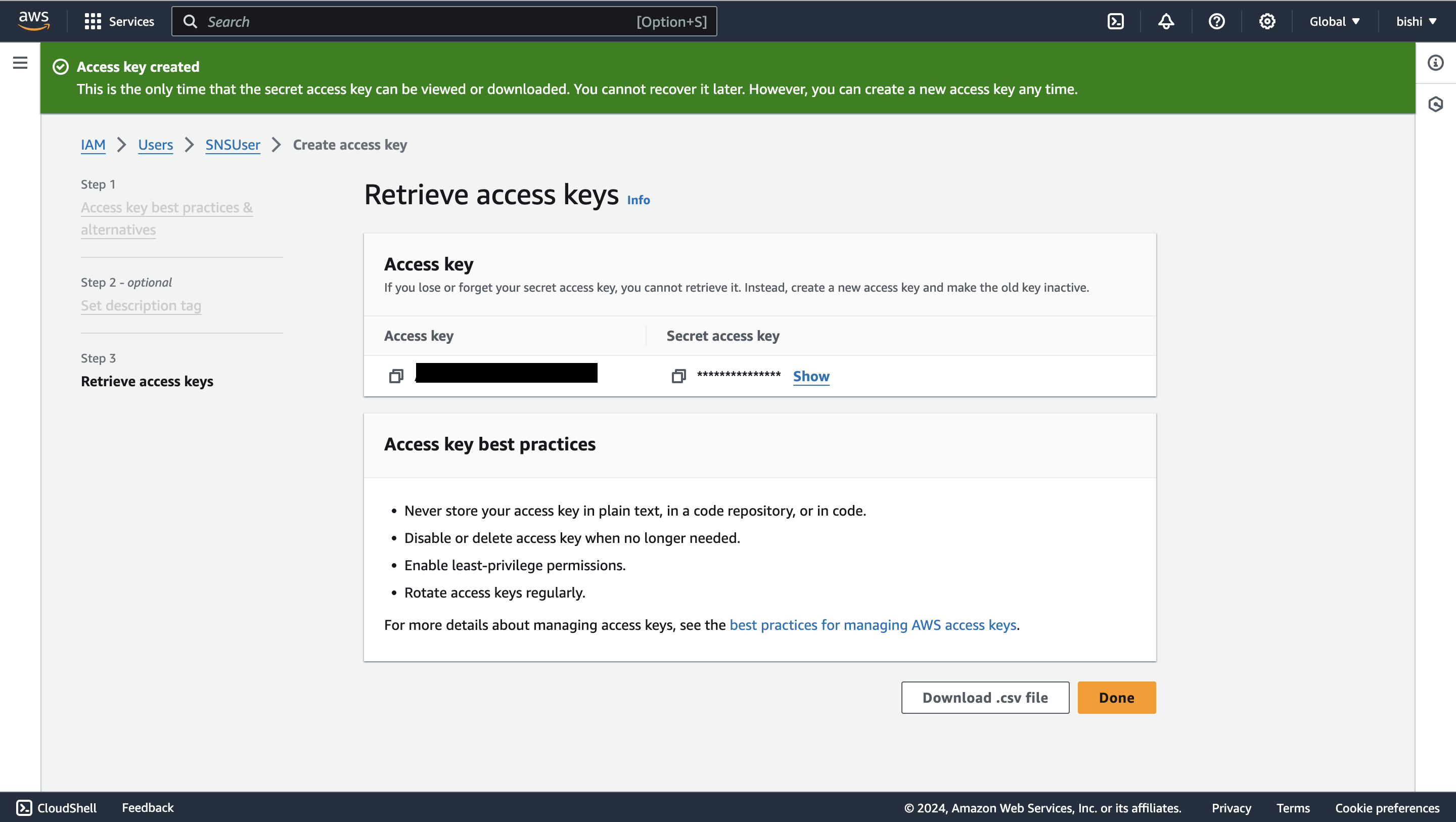
Select Create access key to generate credentials.
-
Follow the steps and download the CSV file containing your credentials.
Was this page helpful?