Configuring Users and Roles
Now you have started the servers, let’s create the users and define their permissions and roles.
Sign in to the Identity Server
-
Sign in to the Management Console of WSO2 Identity Server at
https://<IS_HOST>:9446/carbon. -
Use the default super admin credentials as follows:
- Username: [email protected]
- Password: wso2123
noteThe above login credentials are for testing purposes only. It is recommended to change the login credentials in a production environment.
Create new user roles
-
Go to the Main tab on the left top corner and select Identity -> Users and Roles -> Add.
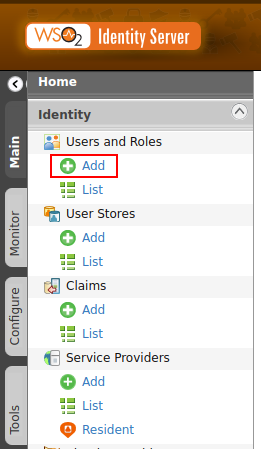
-
Click Add New Role.
-
Create the following user roles:
Domain Role Permissions Description Internal approverRole Admin permissions To approve applications when you register applications using the signup workflow. Internal CustomerCareOfficerRole No permissions required To log in to the Consent Manager portal as a customer care officer. i. Creating approverRole:
-
Select the INTERNAL domain and enter the role name as approverRole:
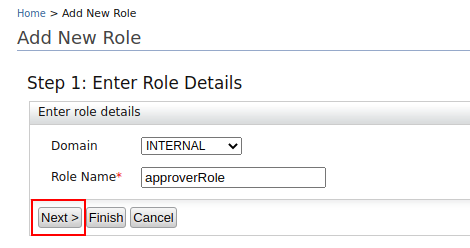
-
Click Next >.
-
Select the check box next to Admin Permissions.
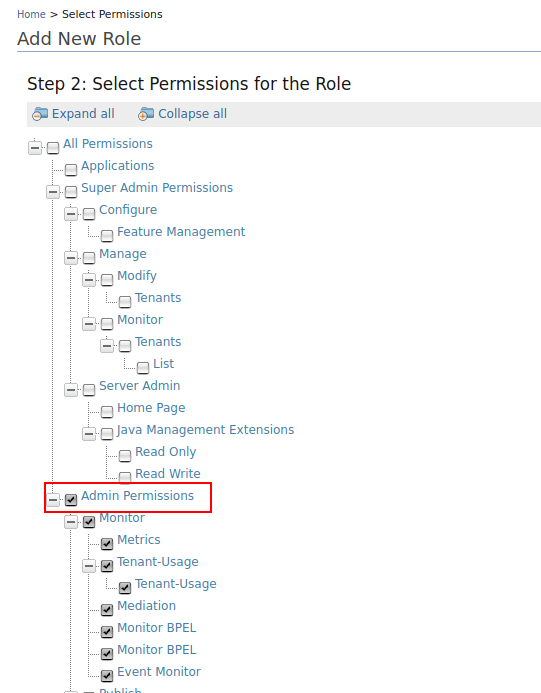
-
Scroll down and click Finish.
ii. Creating CustomerCareOfficerRole:
-
Select the INTERNAL domain and enter the role name as CustomerCareOfficerRole:
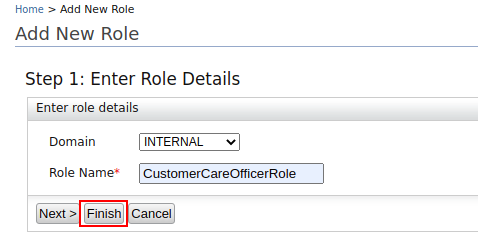
-
Click Finish.
-
Create new users and assign roles
-
Go to the Main tab on the left top corner and select Identity -> Users and Roles -> Add.
-
Click Add New User.
-
Create the following users:
Domain User Permissions Primary [email protected] Internal/creator, Internal/publisher Primary [email protected] Internal/CustomerCareOfficer Primary [email protected] Internal/approverRole i. Enter user details and click Next >.
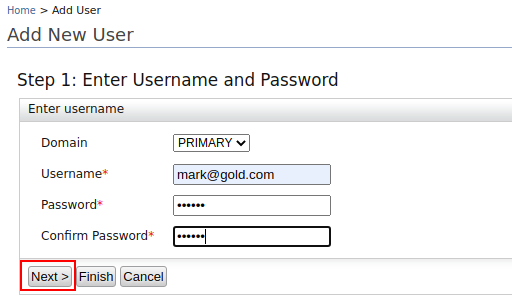
ii. Select user roles for each user as per the table above:
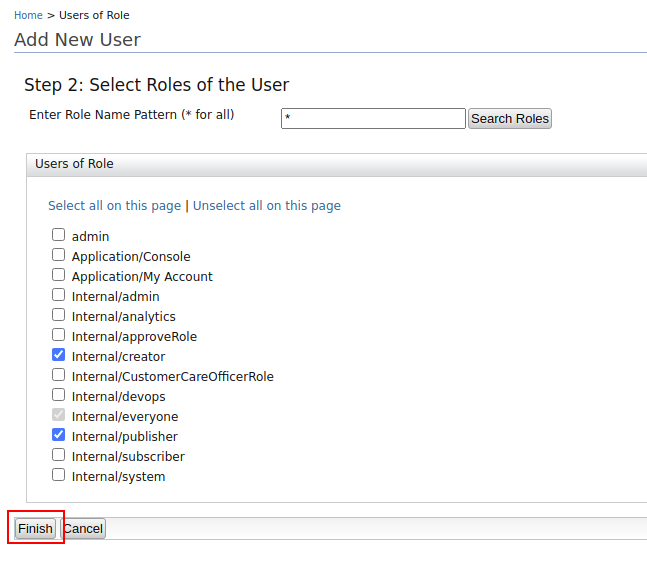
iii. Click Finish.
Was this page helpful?