

Separating development, test, and production

API programs typically have multiple teams involved: developers, quality assurance, acceptance testing, operations, and so on. Let us talk about the possible approaches to separating WSO2 API Cloud environments in order to give these teams the access they need while preventing them from interfering with each other's work.
There are two main approaches that we see our customers take:
A. Setting up isolated API Cloud organizations,
B. Segregating API visibility within one organization.
Let's look into these in detail.
Isolated API Cloud organizations
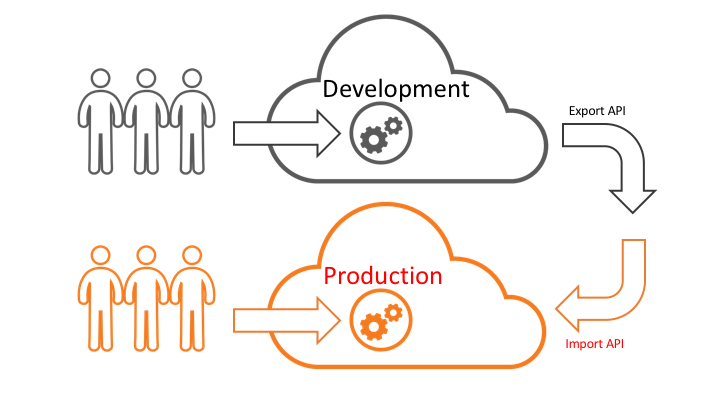
Use this approach if you want to give your teams (for example, Developers and QC) full autonomy and reduce the risk of one team accidentally interfering with the work of another.
- You simply purchase separate WSO2 API Cloud subscriptions for the environments that you need. To create these extra organizations in WSO2 Cloud, click the Organization menu (in the 9-dot menu in the top-right corner) and click the Add Organization button.
- Upgrade each of the organizations,
- Invite team members to the organizations that they need.
Notes:
- You can use different subscription levels for different organizations. For example, you might need the Large subscription plan for Production but pick Starter for the Developer organization in order to optimize costs.
- One can be a member of multiple organizations. In that case, they will be prompted to choose their organization at login.
- You can use Export / Import functionality to move APIs between the environments.
Segregate API visibility within one organization
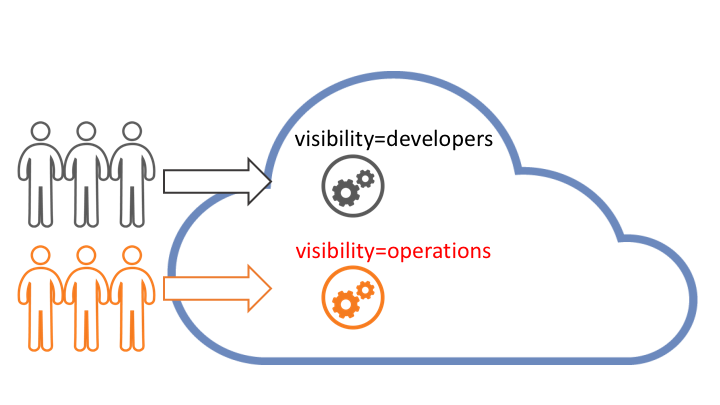
Choose this option if you want to fit the implementation within one subscription and are planning to assign team members to proper roles and ensure proper permissions set for each API.
- Create the roles that your organization has such as Developers, QA, Operations,
- Assign these roles to your team members,
- When publishing APIs, you set visibility to these roles: for example, if there is a new version of an API that is in testing, maybe only QC sees it.
In that scenario, all team members will be sharing the same WSO2 Cloud organization but the APIs and API versions that they see will depend on their role membership.
If you need any help from WSO2 on deciding which option is right for you, simply click the Support menu and ask for assistance.