Password recovery
For organizations created after 08th March 2026, use the new flow-based password recovery experience. Refer to Password Recovery for more details.
You may enable self-service password recovery for users so that they may reset their forgotten passwords right from the login page. Users can click the Forgot password? option and choose to receive either a Link or an OTP via Email or SMS to reset the password.
To configure password recovery options,
-
On the WSO2 Identity Platform Console, go to Login & Registration.
-
Under Account Recovery, click on Password Recovery.
-
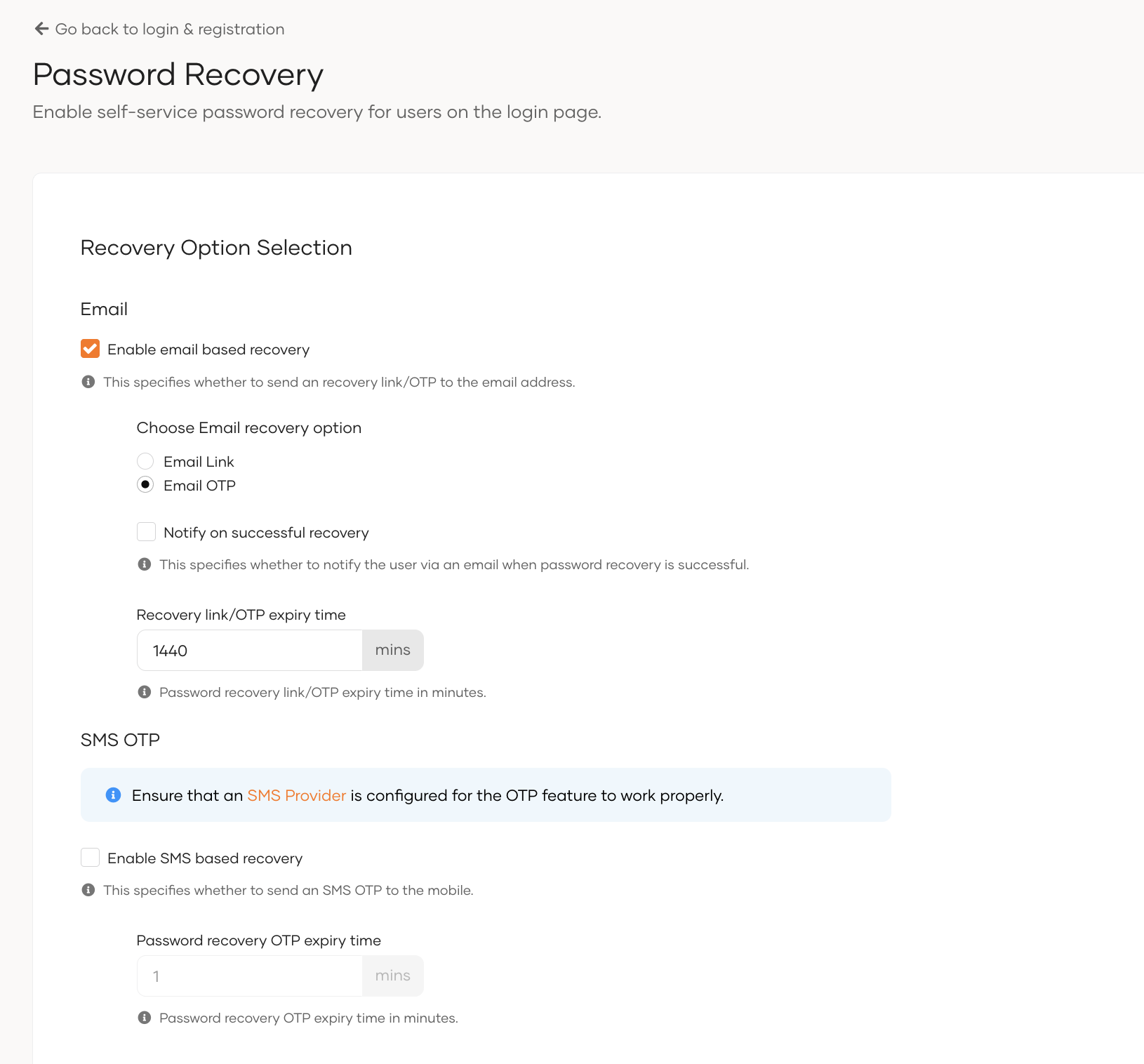
Select both Email and SMS OTP or one of the options to enable them for your organization.
-
Configure the corresponding settings.
Email Link/OTP
Notify on successful recovery Specifies whether to notify the user via an email when password recovery is successful. Recovery link expiry time Specifies the duration (in minutes) after which the email link/OTP will expire. SMS OTP
Password recovery OTP expiry time Specifies the duration (in minutes) after which the OTP code sent through SMS will expire. -
Configure the following settings if you wish to customize the OTP pattern.
Include upper case letters If nothing else is selected, the code will have only upper case letters or else a combination of upper case letters and any other selected character types. Include lower case letters If nothing else is selected, the code will have only lower case letters or else a combination of lower case letters and any other selected character types. Include numeric characters If nothing else is selected, the code will have only digits or else a combination of digits and any other selected character types. Password recovery OTP code length Specify the length of the code infoIncluding a character set does not guarantee that at least one of those characters will be included in each OTP code.
-
Set the following settings to configure the limitations for password recovery attempts.
Max failed attempts count Specifies the maximum number of incorrect entries allowed for a password recovery method. Max resend attempts count Specifies the maximum number of times a user can request to resend the OTP or recovery link. -
Click Update once you configure the required settings.
Was this page helpful?