Manage login sessions
You're reading Identity & Access Management 7.0.0. The newest release is 7.3.0, and Cloud has the newest features. Go to the newest release
Users can manage their own sessions via My Account by following the steps below:
-
Sign in to the My Account portal.
-
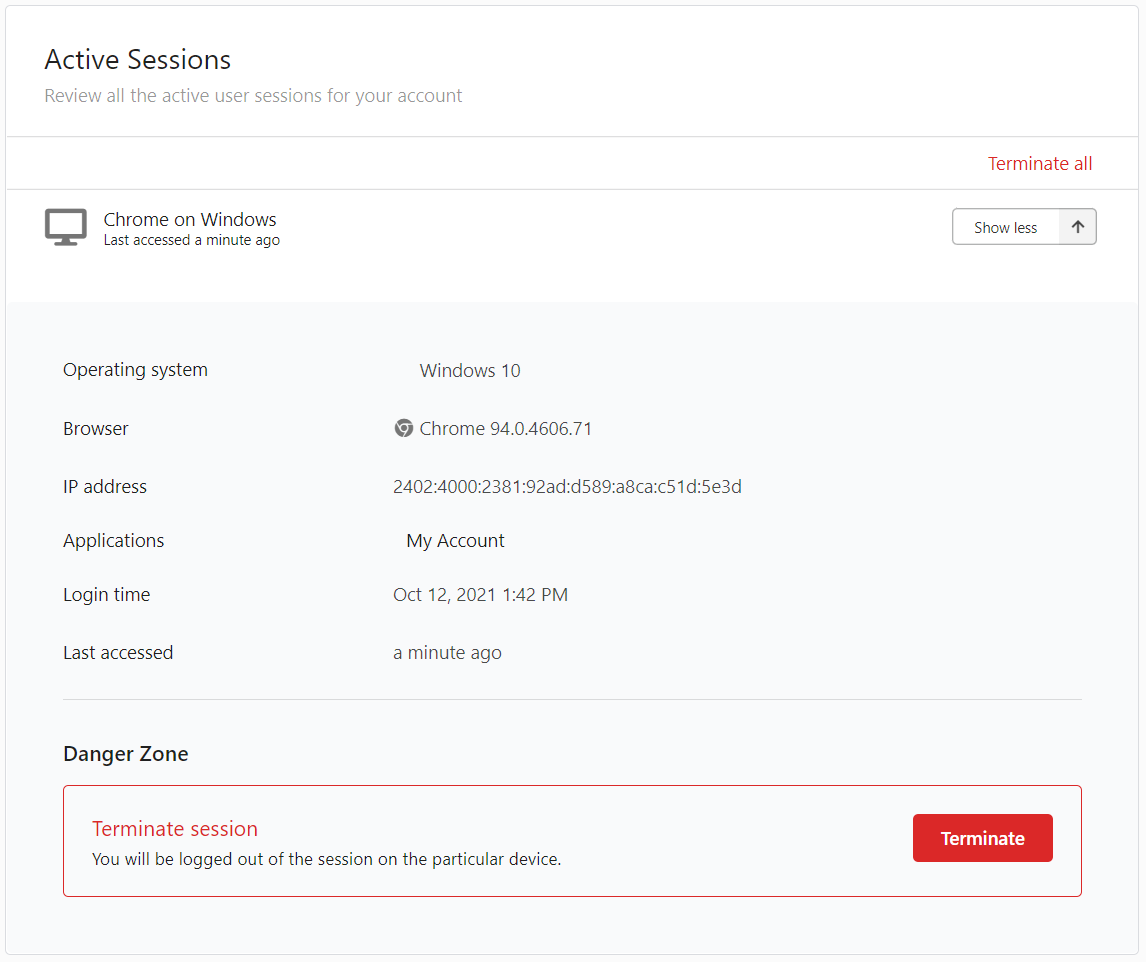
Go to Security and go to Active Sessions. This section lists all the active login sessions of the user.
-
Click Show more on an individual session to get more details on it.
-
To terminate sessions, users can do one of the following:
-
Click Terminate on a selected session to terminate only that session.
-
Click Terminate all on the upper-right corner to terminate all active sessions.
-
Was this page helpful?