Register a Machine-to-Machine (M2M) application
To integrate your machine-to-machine (M2M) application with WSO2 Identity Server, you need to first register your application from the WSO2 Identity Server Console. Then you can authorize your M2M applications to access management APIs of WSO2 Identity Server or your business APIs. A client ID and client secret are issued to the application upon registration.
Follow the instructions given below.
Register the app
To register the app:
-
On the WSO2 Identity Server Console, click Applications.
-
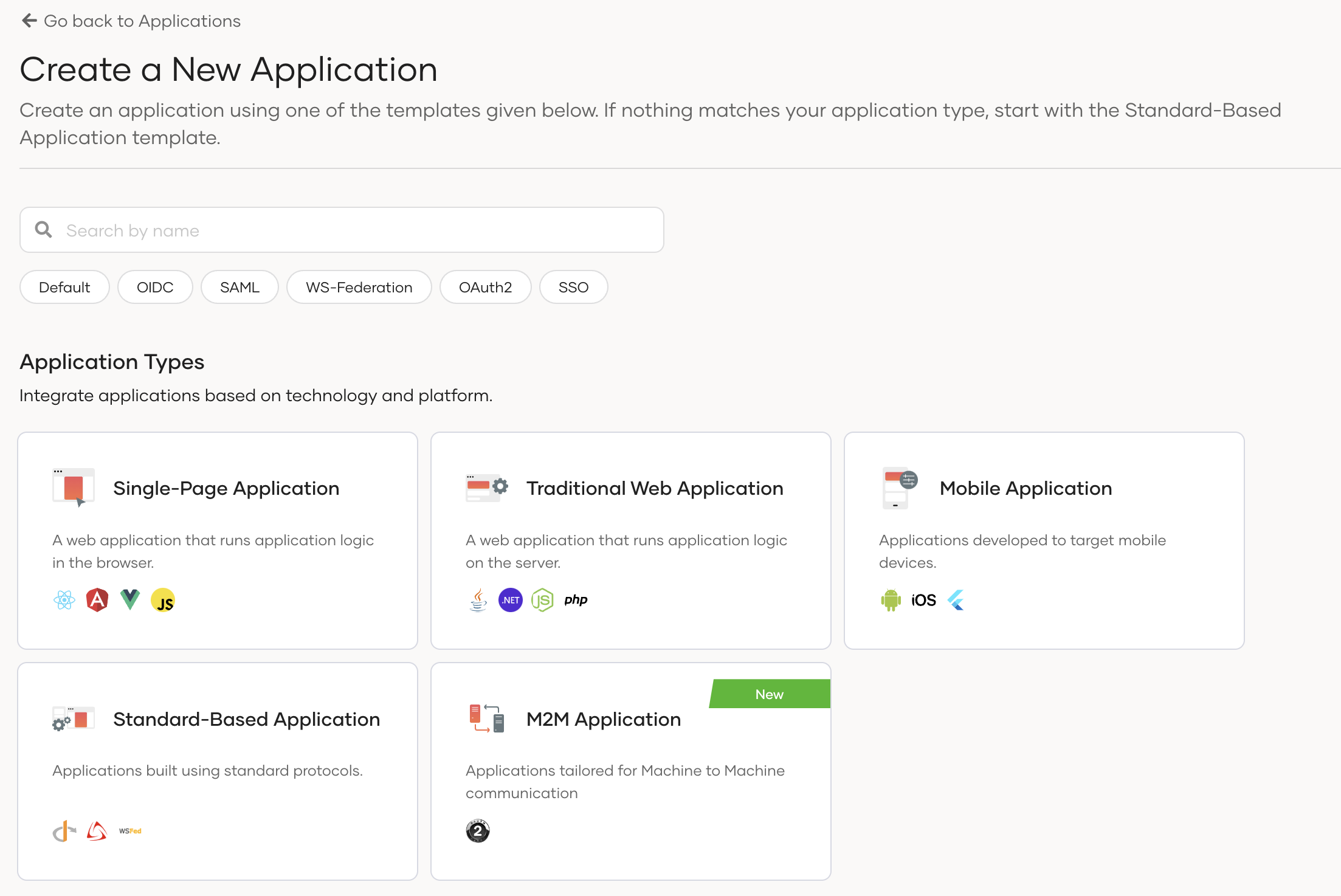
Click New Application and select M2M Application.
-
In the Name field, enter a unique name to identify your application.
-
Click Register to complete the registration.
-
Enable the application when it is ready for use.
Authorize the API resources for the app
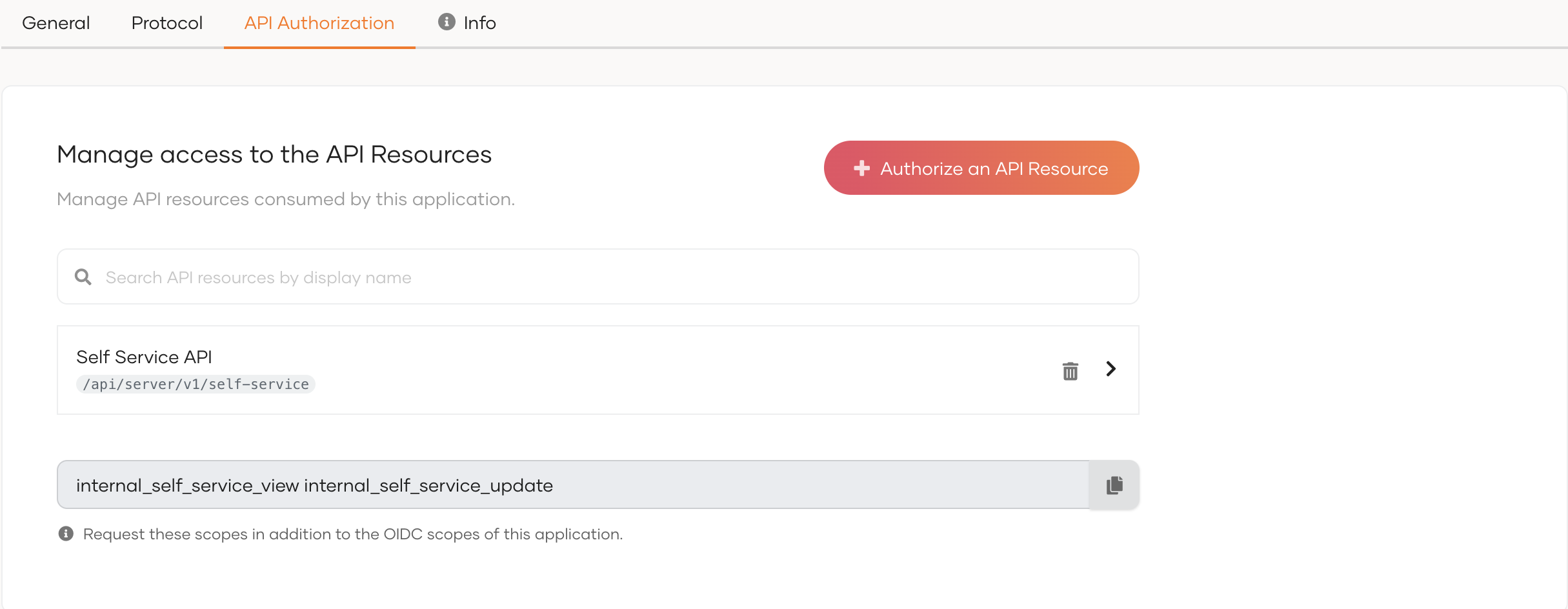
You can authorize your M2M applications to access APIs and their scopes(permissions) from API Authorization tab of the application, as shown below.
Learn more about API authorization.
Get the client ID and secret
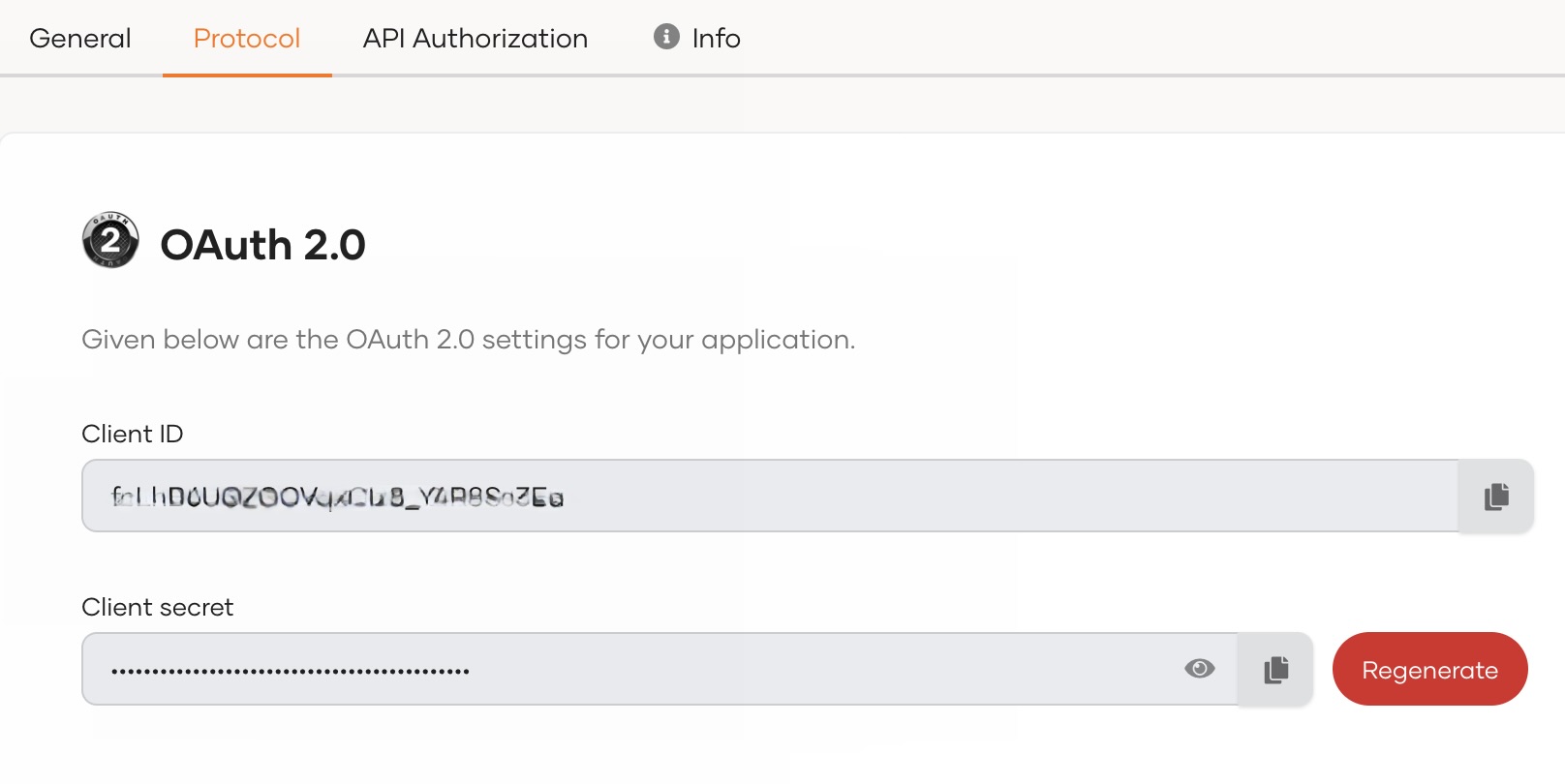
When you register your M2M application, a client ID and client secret are generated. Your M2M application will identify itself to WSO2 Identity Server with these credentials.
You can get this client ID and client secret from the Protocol tab of the application, as shown below.
What's Next?
Was this page helpful?