Register a standard-based application
To integrate an application with WSO2 Identity Server, you need to register it through the WSO2 Identity Server Console. Registering a standard-based application lets you configure protocol settings (OIDC, SAML , WS-Fed) from scratch.
Register an application
To register an application:
-
On the WSO2 Identity Server Console, go to Applications.
-
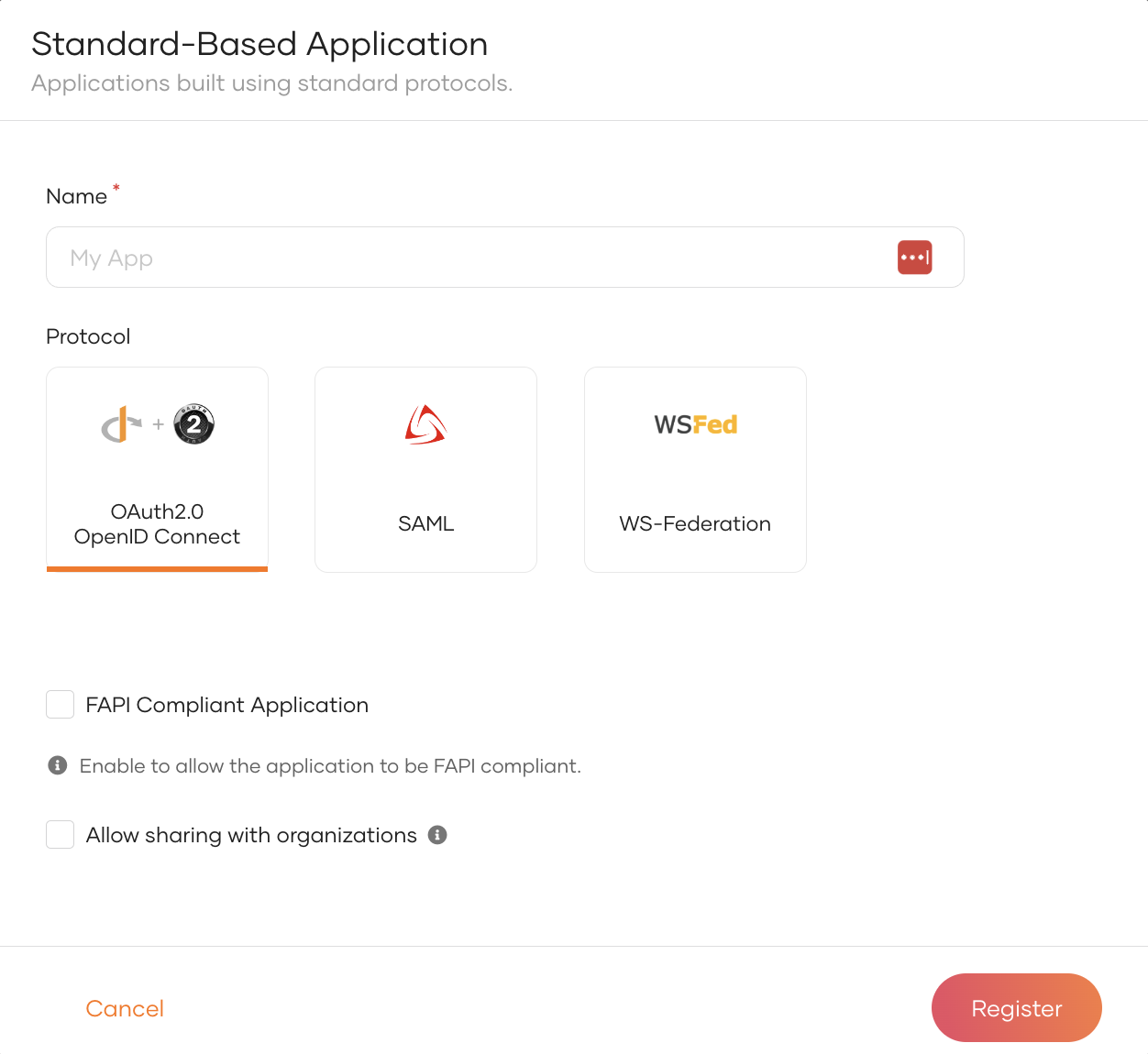
Click New Application and select Standard-Based Application.
-
Provide an application name.
-
Select your application's protocol and enter values for the related settings:
- OAuth 2.0 & OpenID Connect
- SAML
- WS-Federation
Configure the following options:
- FAPI Compliant Application - Check this box to restrict your application to use only FAPI-compliant protocol options. See Register a FAPI-compliant application for more information.
Select a configuration method and follow the related steps:
- Manual
- File Based
- URL Based
Configure the following options:
- Issuer - A unique identifier for your application. This should match the
Issuervalue in incoming SAML authentication requests. - Assertion consumer service URLs - URL in your application where WSO2 Identity Server sends the SAML response after a successful login.
Upload an XML file that contains the required metadata.
Configure the following options:
- Meta URL - Provide a URL to fetch the required metadata.
Configure the following options:
-
Realm - Unique identifier for your application.
-
Reply URL - The URL in your application where WSO2 Identity Server sends the response after a successful login.
-
If you have set up organizations, select Allow sharing with organizations to make this application available to them. You can customize sharing options in step 7.
-
Click Register to complete the registration.
-
If you enabled Allow sharing with organizations in step 5, a dialog appears prompting you to choose how to share the application. Select the appropriate option and click Share Application to proceed.
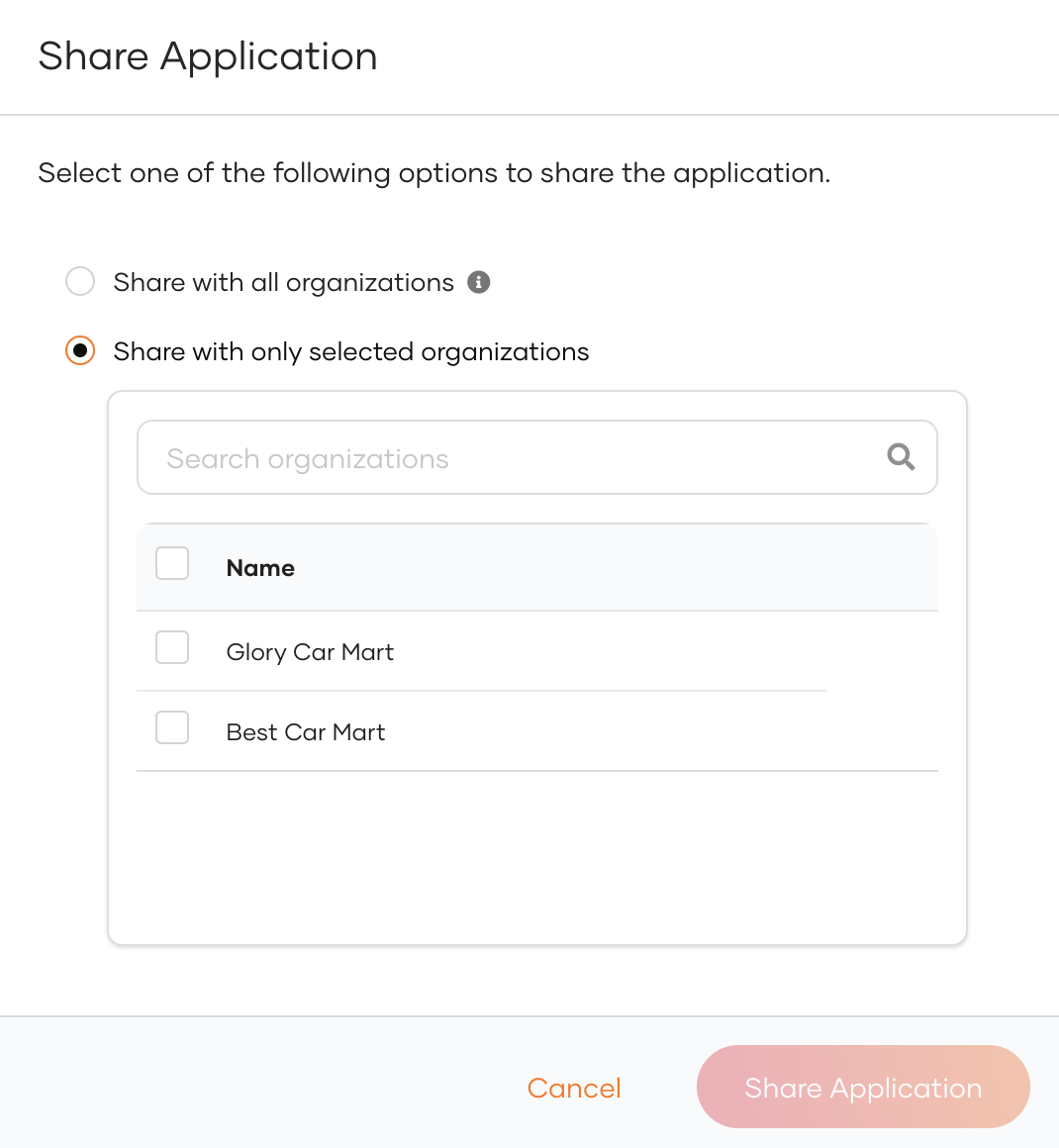
Option Description Share with all organizations The application will be shared with all existing organizations and any new organizations you may create in the future. Share with only selected organizations You can select the organizations you wish to share the application with.
Configure protocol-specific settings
Now that you've registered your standard-based application with basic settings, you can access a broader range of configuration options. Use the following pages to explore and customize these settings according to your needs.
Was this page helpful?